Signal-desktop: Signal Desktop - Missing and Out-Of-Order Messages
On two occasions recently, messages that appear on my Android signal app do not appear on Signal for desktop (on macOS). I have tried restarting both my phone and the Signal desktop app but this made no difference.
Around the same timeframe, I noticed some messages arriving out of order and with a large (multi-minute) delay between "sent" and "received" time. Please let me know if I should file separate bug reports for delayed messages or if the issue is related to missing messages.
Steps to Reproduce
Unable to repo (issue appears to occur randomly), but have included logs and message IDs to help track down the issue.
Screenshots
I have taken screenshots but have not included in favor of Sent IDs. If screenshots would provide additional information and be helpful please let me know.
Platform Info
Signal Version: v1.24.1 (Only for the latest logs - I am also including logs I took on 2019-04-08 which I didn't get around to submitting until now. These may have been on an earlier version of Signal.)
Operating System: macOS Sierra 10.12.6
Linked Device Version:
Android: 4.38.3 (Only for the latest logs - I am also including logs I took on 2019-04-08 which I didn't get around to submitting until now. These may have been on an earlier version of Signal.)
Link to Debug Log
2019-04-08 Logs:
Android:
https://debuglogs.org/709d662b1604dea5ee1ce4d736fe708b846edefe15bb9aba3673dd338a5c8db1
Sent ID of missing messages (sent from Android):
1554757240598
1554757541724
macOS Desktop Logs:
https://debuglogs.org/5731b557d113065519ea458c0f28d298f4ce5a273368a87daa7f98e0bb1366f7
2019-05-01 Logs:
Android:
https://debuglogs.org/d66def19f1e29c97c401e5e7ff83be337439fcc30b793326d5a3023e3389c87f
Desktop:
https://debuglogs.org/bb2f3575113bff0e74dd8b6a255b93b59a01b357ec32cd9fabfd4f38b3cc6415
Upon second examination, I don't see any missing messages on the 05-01 logs, but I do see severely delayed and out-of-order messages which made it seem at first glance that messages were missing.
Examples of out-of-order and mis-ordered messages (Desktop Send ID):
1556723172140 [3 min delay]
1556722068494 [22 min delay]
1556722331869 [17 min delay]
1556722366627 [17 min delay]
 justlurking
All 132 comments
Just recognized the same error. Send a message from Signal Desktop it was visible on the receivers iPhone and not received on the receivers Signal-Desktop (Windows).
 StarPicard
on 7 May 2019
StarPicard
on 7 May 2019
I have experienced this as well, although onlyin combination with desktop loading while I receive message A so that A will be on the app but not on desktop. I also had the problem with desktop offline though when switching to a new phone with a long number of messages not being on desktop when I started up after some days (phone switch in between startups). Don't know if these two are related issues, but maybe it's a hint.
 thesilentonetoo
on 12 May 2019
thesilentonetoo
on 12 May 2019
@scottnonnenberg-signal Any thoughts on this issue and logs?
justlurking
on 14 May 2019
Sadly, my initial investigations seemed to point to the server, and there's nothing Desktop can do about that. :0/
 scottnonnenberg-signal
on 14 May 2019
scottnonnenberg-signal
on 14 May 2019
I've been having the same problem with Desktop for a couple of years. There doesn't seem to be a pattern to it, so I can't reliably reproduce. The Android app works fine!
 willvousden
on 14 May 2019
willvousden
on 14 May 2019
@willvousden Note that your Android app is online just about all the time. Start turning it off periodically, or turn on Airplane Mode for a couple days at a time, and we'll really see if there's a difference! :0)
scottnonnenberg-signal
on 14 May 2019
Sadly, my initial investigations seemed to point to the server, and there's nothing Desktop can do about that. :0/
Is this a known server issue being worked on? Or is there a way to move this issue to the appropriate server project so those devs see it?
justlurking
on 15 May 2019
@justlurking You can definitely help. The more documentation we can collect, the more likely it will be that we can really narrow it down to a given part of the system, whether desktop or the server. So debug logs, and very specific information about connection, disconnection times, when messages were sent, when they were received on the websocket, etc.
scottnonnenberg-signal
on 15 May 2019
Just had a 4 missing messages problem after starting Desktop (loading 800+). Missing messages were in App around 22:10-22:20
Desktop: https://debuglogs.org/6e9ba21d2e81906c09bece56a98678a9ef80c2f27bdb5161d6c072ecad29da26
App: https://debuglogs.org/60c266588974fd23eb27e031101da26145e4d412a7ddae4655fe6e3a09395423
Update
The message IDs are:
1558469798744
1558469861815
1558469832538
1558469831406
thesilentonetoo
on 21 May 2019
I have had a recent message drop (received message on Android, missing on Desktop). Please let me know if it is better to open a new issue.
The missing message timestamp on AndroidI is 21 May 2019 22:53:48 CDT. I received it on Android when it was sent and a few minutes later I booted up my laptop (resumed from suspend). The messages backfilled in for the conversation but one message was missing.
Thanks for your work on Signal :)
 wesQ3
on 22 May 2019
wesQ3
on 22 May 2019
@thesilentonetoo @wesQ3 If you can go into these missing messages and find their 'sent id', that would greatly help. You can find it by going to the message details screen, then long-pressing on the 'Sent' table row. Then you should have the 'sent id' for that message copied to the clipboard. That's the value we'll see in your debug logs.
scottnonnenberg-signal
on 25 May 2019
Alas, my missing message was in a conversation with a 24 hour disappearing timer. I'll have to remember that tip for next time.
wesQ3
on 25 May 2019
I just saw this issue and managed to collect some logs. My setup where this occurred was:
- Android app version 4.40.4, and
- Desktop app version v1.24.1 on Windows 10.
What I'm seeing is a single message for a conversation just being absent from Windows.
Source of truth:
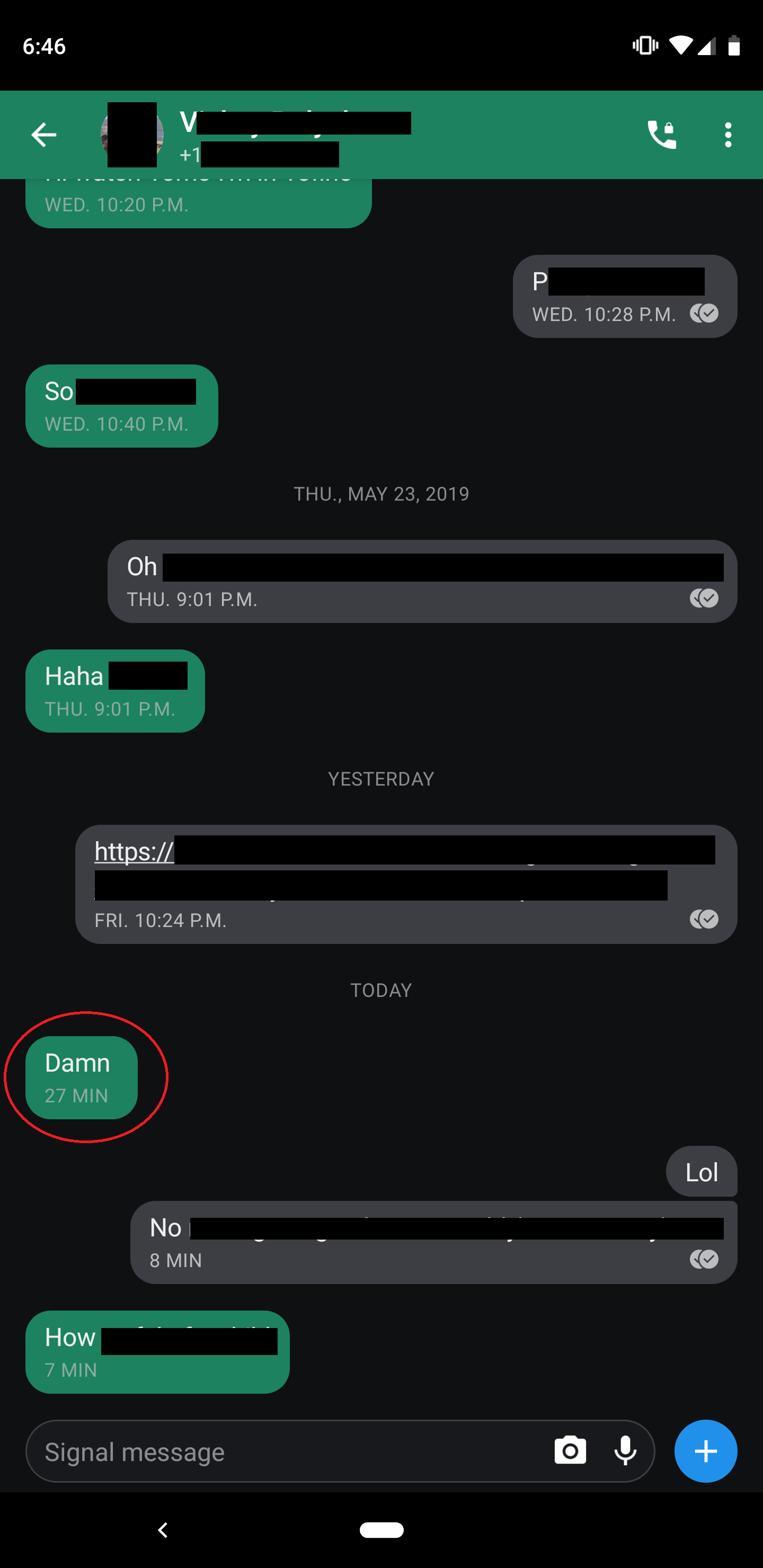
Missing message:

The missing message "sent id", collected from the Android app is 1558790343393. Full logs from the desktop app (which was off when missing message was sent): https://gist.github.com/andpol/b22521f98cf3c955a5523111a3b8dd7e
 andpol
on 25 May 2019
andpol
on 25 May 2019
Today, I sent and received several messages (also a disappearing one) via Signal Desktop on my laptop. Everything seemed to have gone fine (although some messages were a bit slowly delivered). Later, I went to my desktop that has also Signal Desktop installed (Signal was already running, I barely ever close it). I did not see all messages from the conversation that I had via the laptop. After restarting Signal Desktop, the missing messages appeared.
Here a debug log before restarting Signal Desktop. And here a debug log after restating Signal Desktop.
 janvlug
on 2 Jun 2019
janvlug
on 2 Jun 2019
@janvlug Thanks for the comprehensive description of what you saw. Is there any pattern to the messages that were missing then came back? (with attachments? no attachments? from you? from others? from one person or multiple?)
@andpol It really does look like that message was processed properly:
INFO 2019-05-25T13:21:55.747Z Starting handleDataMessage for message +[REDACTED]757.1 1558790343393 in conversation +[REDACTED]757
It could be that these messages are received, but aren't being rendered properly. So, let's go to the development tools with View -> Toggle Developer Tools, then run this to query the database:
window.Signal.Data.getMessagesBySentAt(1558790343393, { MessageCollection: Whisper.MessageCollection }).then(result => console.log(result));
What you'll be able to expand in the console is an object representing all the messages in the database with that sent id. You're looking for the 'models' key, and then the 'attributes' key within each of those. Is the missing message there?
scottnonnenberg-signal
on 7 Jun 2019
Is there any pattern to the messages that were missing then came back? (with attachments? no attachments? from you? from others? from one person or multiple?)
I had been enabling and disabling disappearing messages on the other Signal Desktop in the conversation where messages were missing. It might have been that the contact was doing the same. IIRC I set the disappearing messages initially quite large (maybe 1 week), and later shorter. In the end I disabled disappearing messages again after sending a few. No attachments were involved. I'm not sure any more whose messages were missing in the GUI. I'm not sure anymore, but it might that the not yet timed out disappearing messages were missing. This happened to just one conversation with one contact (so not a group conversation). I have the impression that this was mainly a GUI issue, because after restart of Signal Desktop the conversation was as expected.
janvlug
on 8 Jun 2019
What you'll be able to expand in the console is an object representing all the messages in the database with that sent id. You're looking for the 'models' key, and then the 'attributes' key within each of those. Is the missing message there?
@scottnonnenberg Looks like the missing message is indeed in the database (and I double checked, the message is still not being rendered).
window.Signal.Data.getMessagesBySentAt(1558790343393, { MessageCollection: Whisper.MessageCollection }).then(result => console.log(JSON.stringify(result, null, 2)));

INFO  2019-06-09T16:47:40.532Z [
  {
    "timestamp": 1558790515572,
    "attachments": [],
    "body": "Damn",
    "contact": [],
    "conversationId": "+1*********7",
    "decrypted_at": 1558790515749,
    "errors": [],
    "flags": 0,
    "hasAttachments": 0,
    "id": "8205658f-52e7-41b7-8055-3e20a25eec23",
    "preview": [],
    "quote": null,
    "received_at": 1558790515572,
    "schemaVersion": 10,
    "sent_at": 1558790343393,
    "source": "+1*********7",
    "sourceDevice": 1,
    "type": "incoming",
    "unidentifiedDeliveryReceived": true
  }
]
^ (phone number redacted)
This looks to me effectively the same as when I ran the same query against a different message ID that _is_ being displayed properly.
andpol
on 9 Jun 2019
@andpol Wow. I guess it makes sense - the log indicated that it was processed correctly.
So. It's in the database, but it's not rendering. One thing you can do is open the devtools like before, have the console open, then go to the conversation where this message should be rendered. Do you see any errors in the console? What do you see right before or after where this message should go? You could even investigate the page itself - perhaps there's an empty something in the page for this message?
scottnonnenberg-signal
on 10 Jun 2019
Same issue here (out of order messages in this case, but I've seen the missing message bug before as well). Adding a debug log and screenshot in case that helps at all.

https://debuglogs.org/4a2572b12889d5507459e46bb4e2108d68955e36fb32b6a8f1db981780d6cbaf
 jperryhouts
on 13 Jun 2019
jperryhouts
on 13 Jun 2019
Just saw your comment in #2527 about looking at the messages before and after and so on. I'm not on the same computer at the moment, but I checked this on my laptop and everything's in the correct order. Also, nothing obviously wrong with the html here (but again, rendering is working properly on this machine). Same OS and everything.
jperryhouts
on 13 Jun 2019
@jperryhouts That screenshot isn't really useful without more detail about what you expect, what you see on other devices, and the sent id of the out-of-order messages. You can get that by going to the message details screen, then copying the number next to the sent date.
scottnonnenberg-signal
on 13 Jun 2019
@scottnonnenberg-signal The screenshot was mostly just to demonstrate the symptom (although, hopefully what I expect to see should be obvious: 5 hours is longer ago than 6 minutes). The debug log was my lazy attempt to assist with tracking down this bug.
For what it's worth, this is the message sequence:
As seen on my laptop (in order)
        Sent                    Rcvd
MSG1:   1560364355261           1560396583205
MSG2:   1560365575322           1560396584450
MSG3:   1560382109530           1560396584797
MSG4:   1560382115194           1560396584852
As seen on my desktop (out of order)
MSG3:   1560382109530           1560382169531
MSG1:   1560364355261           1560382169898
MSG2:   1560365575322           1560382170359
MSG4:   1560382115194           1560382170863
@scottnonnenberg Sorry for the delay, I was away on holiday and then forgot about this for a while.
So. It's in the database, but it's not rendering. One thing you can do is open the devtools like before, have the console open, then go to the conversation where this message should be rendered. Do you see any errors in the console? What do you see right before or after where this message should go? You could even investigate the page itself - perhaps there's an empty something in the page for this message?
It's been a while since I booted up my Windows box, and it seems the desktop app unlinked itself somehow, despite phone still saying linked. I don't want to go off-topic about some new issue, just mentioning it for some extra context.
I started the app, selected the convo with the issue, and scrolled up to the place where the missing message was, and these are the debug logs: https://gist.github.com/andpol/523704b48141419947c02cd34c64c021
In that state, here is a screenshot of the elements on the page:
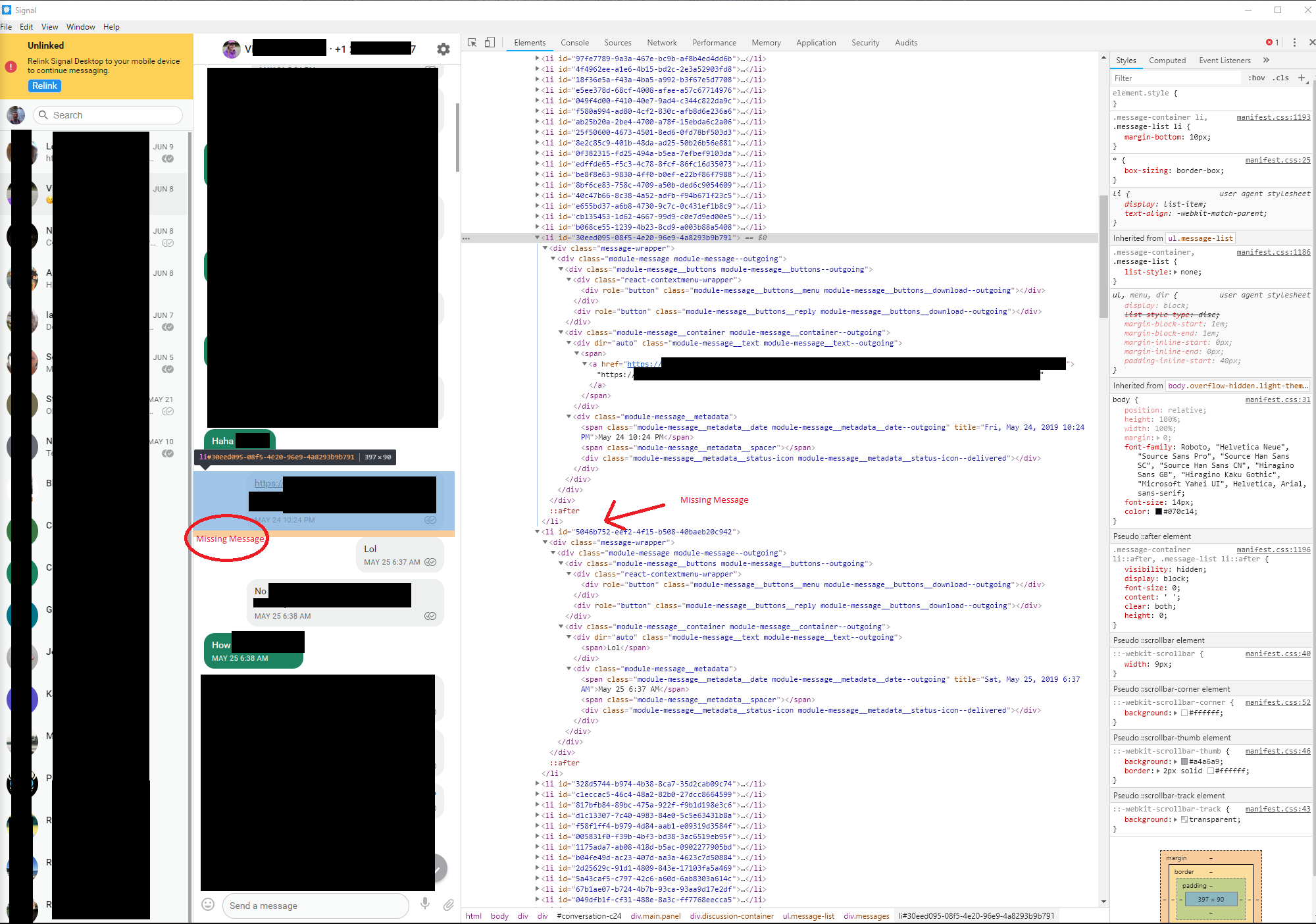
I then re-linked the desktop app, restarted, selected the convo with the issue, and scrolled up to the place where the missing message was. Those debug logs: https://gist.github.com/andpol/5857e931403821b137d52fde7b3b4077
In that state, here is what the Console tab of the debugger looks like:
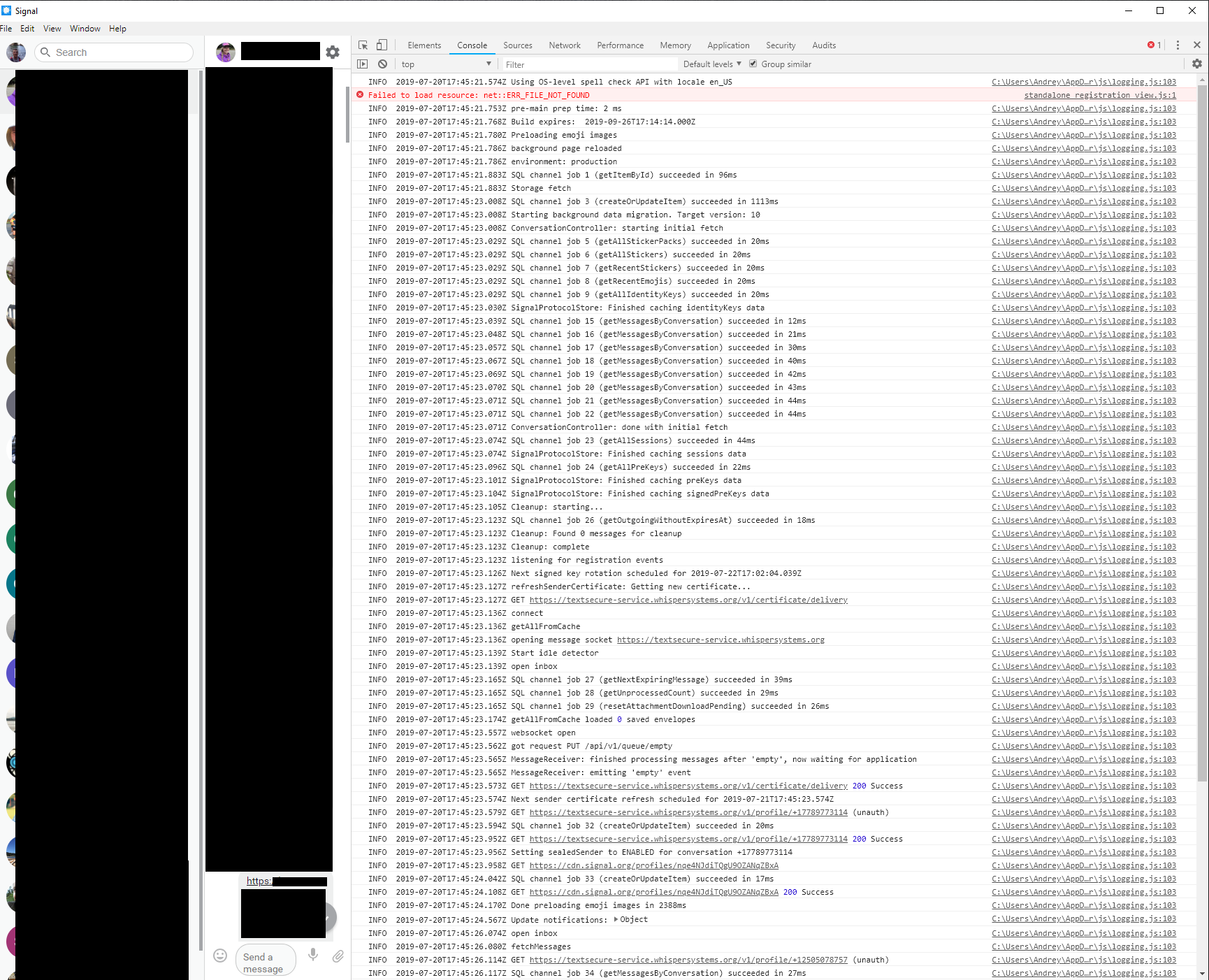
...scrolling down a bit:

andpol
on 20 Jul 2019
I noticed that a note to self message sent from my Android phone was not visible on my desktop. I sent another message as a test and that was visible. After restart of Signal desktop the missing note to self had appeared.
Debug log when note to self was missing.
Debug log after restart of Signal desktop, with the previously note to self visible.
Debug log of Signal on the sending Android phone.
Note that the computer with Signal Desktop had been suspended for roughly two days.
IIRC there were two notes to self missing. Here are the details of these messages:
Sent | Monday, July 29, 2019 9:07 PM (1564427245824)
-- | --
Received | Monday, July 29, 2019 9:07 PM (1564427247305)
Sent | Monday, July 29, 2019 9:07 PM (1564427260650)
-- | --
Received | Monday, July 29, 2019 9:07 PM (1564427262035)
janvlug
on 29 Jul 2019
Bug Description
When I have not used Signal-desktop for quite some time, and messages take a while to load on my desktop client, they appear to often be out of sync, sorted incorrectly, not according to their timestamps.
Steps to Reproduce
Not use Signal-desktop for 3-4 days, while chatting on Signal-android quite a bit.
Log in to SIgnal-desktop afterwards and wait for sync to finish
Messages are not sorted correctly according to their time stamp:
Actual Result:
Messages are not sorted correctly according to their time stamp
Expected Result:
Messages are sorted correctly according to their timestamps in the chat window, from newest to oldest.
Screenshots

Platform Info
Signal Version:
v1.26.2-beta.1
Operating System:
Windows 10, Pop!_OS 19.04 (based on Ubuntu 19.04) - happens on both
Linked Device Version:
Signal 4.45.2
Link to Debug Log
 MaCroX95
on 19 Aug 2019
MaCroX95
on 19 Aug 2019
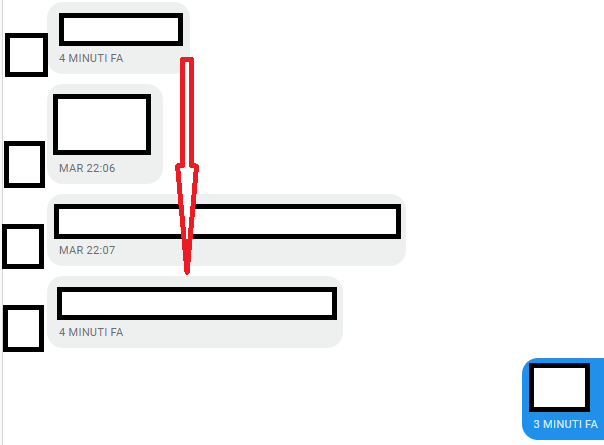
Out of order (the first message should be the third one).
 denver-s
on 21 Aug 2019
denver-s
on 21 Aug 2019
missplacing happens during syncing and also for messages only containing a file (no text)
see: Slow Startup not only a problem of speed -> loosing messages #3636

 hpvd
on 4 Oct 2019
hpvd
on 4 Oct 2019
looks to me like a really serious problem:
if one miss incoming messages because they appaer somewhere in the past - from user perspective Signal is not working reliable.
Because there is hardly a chance for the user to notice that he was missing important messages.
hpvd
on 4 Oct 2019
Since several users expierence this problem - imho one should stick the lables: bug and important to this issue...
hpvd
on 4 Oct 2019
Same problem.
- Messages sent to group chat (4 persons) from Signal Android, version 4.48.16
- Got some replies from other chat member
- Opened Signal Linux 1.27.3
- Not received latest messages that was sent by other chat member
My debug log:
https://debuglogs.org/ca30e2755e5cdaeb787123500b89aefa428992d5a74b615e69b2e9c26c7e9872
 dkorzhevin
on 14 Oct 2019
dkorzhevin
on 14 Oct 2019
I seem to have identified a pattern: This problem seems to occur every time a new message is received after Signal was started but before it loaded all the messages. Can someone confirm this?
Some speculation: The new message somehow jumps the queue of received messages and is loaded immediately and therefore appears further up in the message list.
 daniel-sch
on 28 Oct 2019
daniel-sch
on 28 Oct 2019
@daniel-sch Yep, that is the current theory: https://github.com/signalapp/Signal-Desktop/issues/2424#issuecomment-546509787
scottnonnenberg-signal
on 28 Oct 2019
@daniel-sch yes this is how it looks like...
hpvd
on 28 Oct 2019
From my understanding, this bug is caused serversided and hence should be fixed there. However, this bug has been around for quite a while now, and a fix is still not in sight. In my experience, missing messages do happen, but are extremely rare. Most of the time, searching for the text contained in "missing" messages will find them between older messages in an incorrect order.
Having said that, the timestamp IS correct though. So if the server messed up the order, why not use a client sided work-around that re-sorts messages by timestamp? That will give us a workable stopgap solution until the server bug is squashed. Thoughts?
 Mushoz
on 3 Dec 2019
Mushoz
on 3 Dec 2019
There are so many issues and other places discussing out of order messages with Signal, I'm not sure whether my case is covered by one of the existing issues. A few other issues that might be related:
- #2385
- #2424
- #2714
Plenty of discussion outside of issues, including https://www.reddit.com/r/signal/comments/8fbpvc/signal_constantly_showing_messages_out_of_order/ .
In my case, the problem seems to be that messages get sorted by the sent time, when received later. This happens with Linux desktop client when the client has not been online during the conversation.
It would seem that sorting messages by the time when they were received on the server would be the best, is there any reason why that is not done?
Another user is reporting that with a Windows desktop client they sometimes get new message sound, but the message is missing (which might mean the message being sorted somewhere way off). I don't have more detail on that, thus it could be a different case - but it does render the desktop client useless for that user.
Now on to specific details of the problem observed.
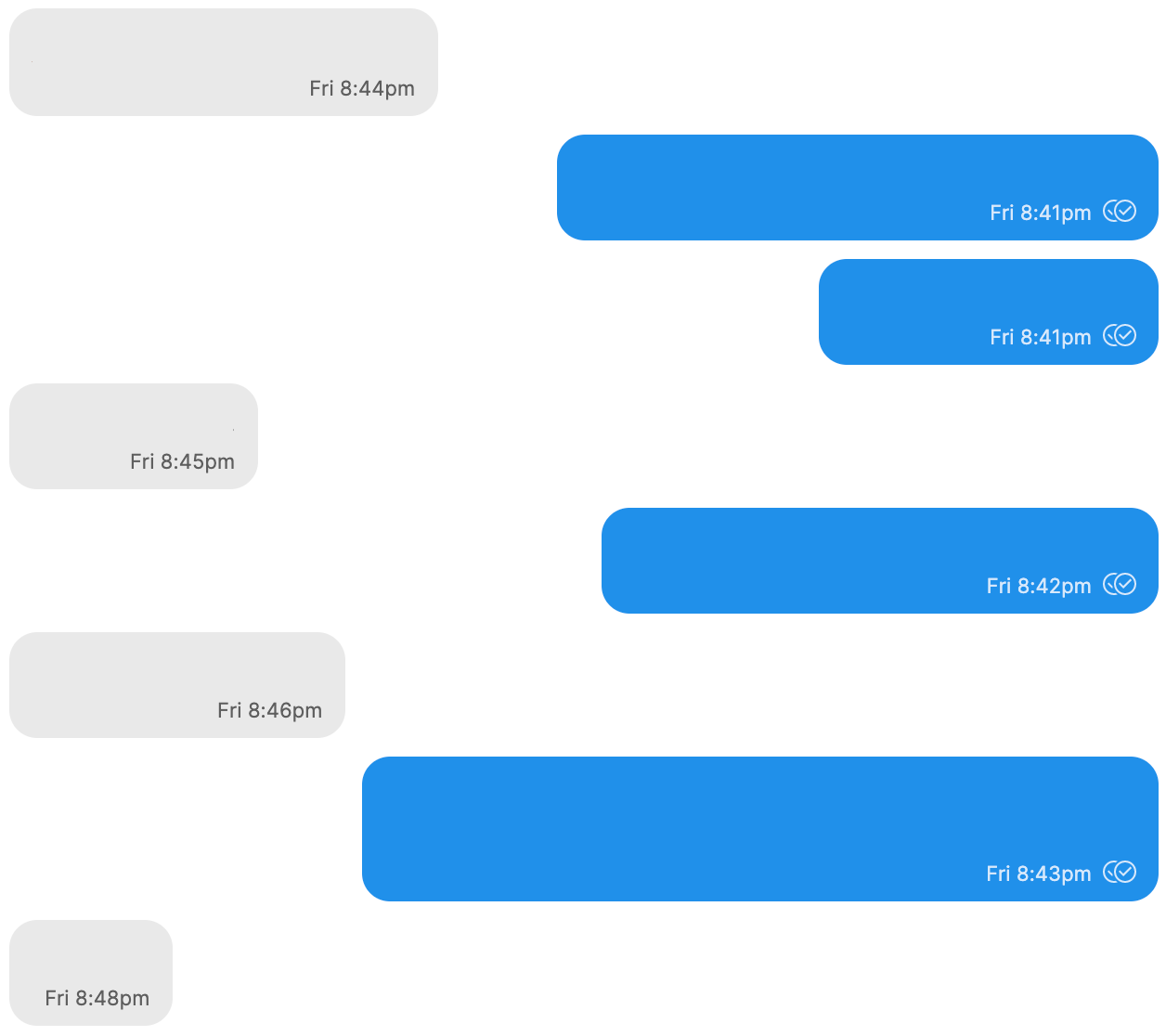
a) Here's a conversation, as seen from a Mac desktop client, used to send the messages.
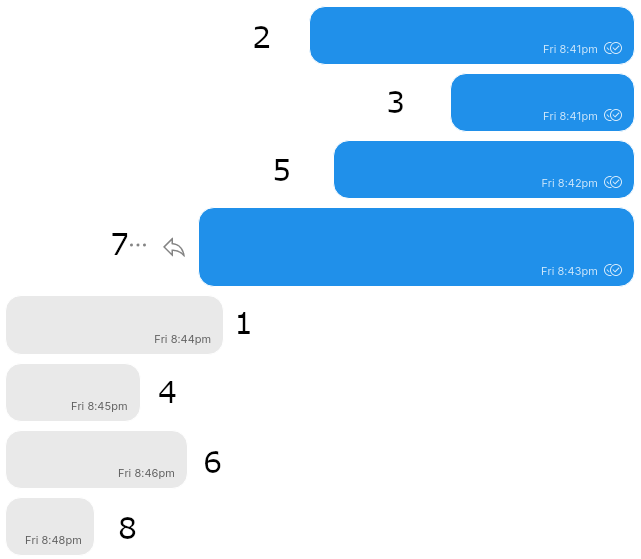
b) Here's the same conversation, synced later to a Linux client. Numbers are from the sequence in the Mac client image.
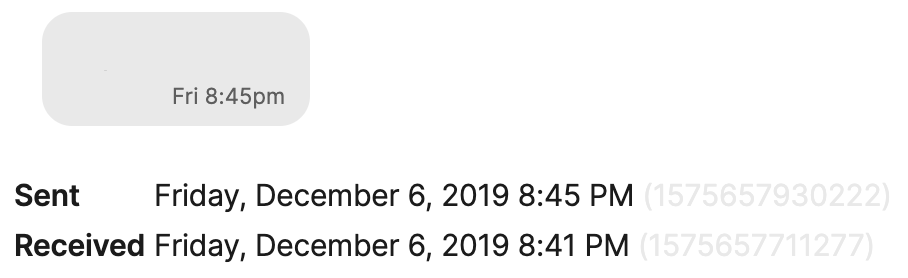
c) And here's timestamps of one example message, number 4.
 richlv
on 7 Dec 2019
richlv
on 7 Dec 2019
@richlv If you could provide that number next to the sent header (like 1575657930222) for each of the eight messages in your screenshot, that would help us determine what happened with that set of images. Generally we don't sort by sent time, but by the order the server provides the messages. But I'd like to dig deeper.
scottnonnenberg-signal
on 9 Dec 2019
Here are both sent/received times from the Mac client:
Sent    Friday, December 6, 2019 8:44 PM (1575657868752)
Received    Friday, December 6, 2019 8:40 PM (1575657650080)

2
Sent    Friday, December 6, 2019 8:41 PM (1575657682429)
Received    Friday, December 6, 2019 8:41 PM (1575657682429)

3
Sent    Friday, December 6, 2019 8:41 PM (1575657702952)
Received    Friday, December 6, 2019 8:41 PM (1575657702952)

4
Sent    Friday, December 6, 2019 8:45 PM (1575657930222)
Received    Friday, December 6, 2019 8:41 PM (1575657711277)

5
Sent    Friday, December 6, 2019 8:42 PM (1575657744021)
Received    Friday, December 6, 2019 8:42 PM (1575657744021)

6
Sent    Friday, December 6, 2019 8:46 PM (1575657967400)
Received    Friday, December 6, 2019 8:42 PM (1575657748449)

7
Sent    Friday, December 6, 2019 8:43 PM (1575657836031)
Received    Friday, December 6, 2019 8:43 PM (1575657836031)

8
Sent    Friday, December 6, 2019 8:48 PM (1575658082873)
Received    Friday, December 6, 2019 8:44 PM (1575657864070)
Assuming those are Unix timestamps with milliseconds, here are the "Sent" times in the local timezone:
- Pk dec 6 20:44:28 EET 2019
- Pk dec 6 20:41:22 EET 2019
- Pk dec 6 20:41:42 EET 2019
- Pk dec 6 20:45:30 EET 2019
- Pk dec 6 20:42:24 EET 2019
- Pk dec 6 20:46:07 EET 2019
- Pk dec 6 20:43:56 EET 2019
- Pk dec 6 20:48:02 EET 2019
richlv
on 9 Dec 2019
@richlv Ah, disappointing. I had thought you had provided the log along with your initial report. Sadly, it has scrolled out of our buffers by now. Next time (always, really) please include debug logs with your reports. By the time we ask for it, need it for detailed investigations, it's too late.
scottnonnenberg-signal
on 11 Dec 2019
Would this be a useful combo?
- Out of order messages, their sent times.
- Debug log from the client where messages are out of order.
If so, should I post full debug log from that client?
richlv
on 11 Dec 2019
Debug logs are only kept for three days on desktop, and often less on the mobile apps. It has already been that long. I don't think the log will include anything related to this.
scottnonnenberg-signal
on 12 Dec 2019
Not a problem, easy to reproduce :)
Normal message ordering in the Mac client (used to participate in the conversation):

Out of order messages on the Linux client, which synced the messages later:
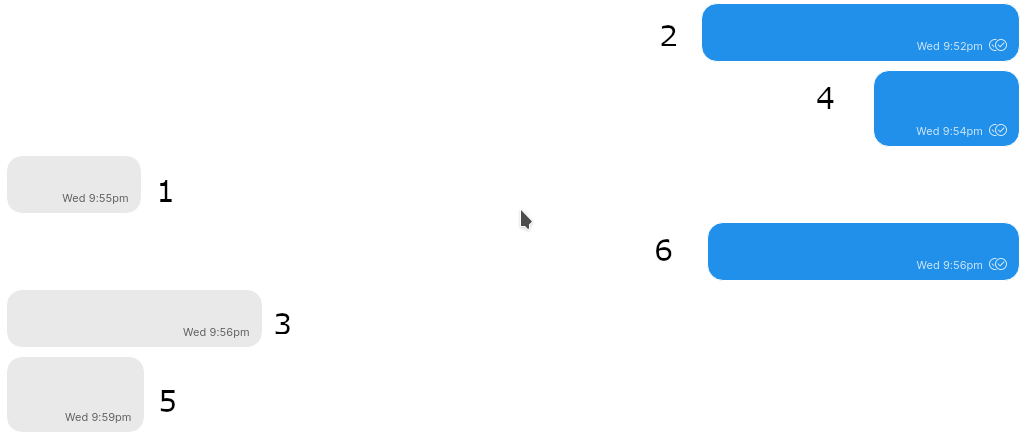
Message timestamps from the Mac client:
Sent    Wednesday, December 11, 2019 9:55 PM (1576094136943)
Received    Wednesday, December 11, 2019 9:51 PM (1576093907312)

2
Sent    Wednesday, December 11, 2019 9:52 PM (1576093941124)
Received    Wednesday, December 11, 2019 9:52 PM (1576093941124)

3
Sent    Wednesday, December 11, 2019 9:56 PM (1576094198988)
Received    Wednesday, December 11, 2019 9:52 PM (1576093969537)

4
Sent    Wednesday, December 11, 2019 9:54 PM (1576094061123)
Received    Wednesday, December 11, 2019 9:54 PM (1576094061123)

5
Sent    Wednesday, December 11, 2019 9:59 PM (1576094370443)
Received    Wednesday, December 11, 2019 9:55 PM (1576094140824)

6
Sent    Wednesday, December 11, 2019 9:56 PM (1576094174493)
Received    Wednesday, December 11, 2019 9:56 PM (1576094174493)
Debug log right after syncing the messages on the Linux client - https://debuglogs.org/e19c6e7495f24f2a47af731ed1cd66527af32408ea4f5488102a375fdbcb287f .
Also notice how the Mac client is displaying the "Sent" time - that might be a related problem, as it is slightly misleading. When the messages are recent, the "now" or "n minutes ago" text is incorrect.
richlv
on 12 Dec 2019
@richlv When you say that the mac client participated in the conversation, you mean that it was the original sender of 2, 4 and 6?
scottnonnenberg-signal
on 12 Dec 2019
Yes, that is correct. Additionally, an iOS client was connected to the conversation, and it is also displaying the messages in the correct order.
richlv
on 13 Dec 2019
This is not a desktop-specific issue.
Having a flaky network connection on phone - same happens with the iOS app.
Messages come in a messed up order if one of the endpoints has incorrect clock.
My impression is that Signal sorts messages by the sender clock. Which works great if all clocks are synced, but breaks badly when that is not the case.
richlv
on 2 Jan 2020
I still don't understand why Signal won't just use server time for sorting messages. I realize that every sorting scheme has downsides, but at least in that case everyone would agree on the order of message in a conversation. This method of each endpoint trying to figure out for its self how to sort messages is far more problematic than that.
The only issue I've heard for relying on server timestamps is that if you send a message but it doesn't make it to the server right away, you might end up receiving other messages above your own. That seems like a UI problem to me. There are plenty of ways to handle that problem that are less convoluted than this one.
Is there any chance of at least adding "use server timestamp" as an option, if not the default?
jperryhouts
on 2 Jan 2020
I recently created a one-member group (on iOS) to use as "node to self" but for specific personal notes and one desktop client syncer every message from the beginning, the other one missed the first message (3 in total)...
Edit: I noticed a curious thing, the timer setting "notification" appears twice, the first one is correct, the second one is clearly a bug, since I did not changed it.
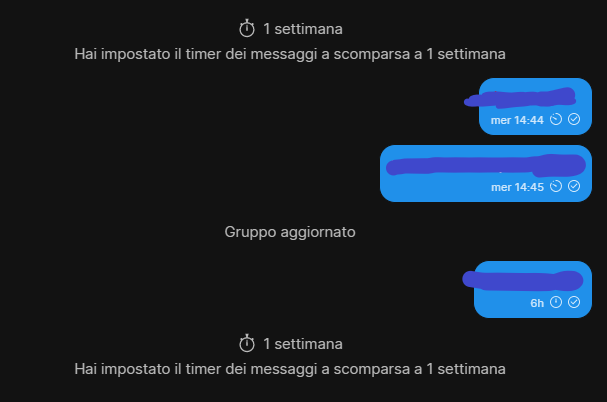
Log: https://debuglogs.org/c35491501b00430381274b475f98c23f6b88d71e63497ac4595a9803e2a85a96
denver-s
on 2 Jan 2020
What's the latest on this issue and the corresponding #2424? Are additional logs required or has the root cause been determined? I realize it may not be the most critical issue, but it can be quite irritating and distressing to appear to "lose" a message in a conversation because it has been sorted above messages which have already been read.
The "Server" has been mentioned as the likely culprit several times, but issues are disabled on signalapp/Signal-Server, so I presume this is being tracked internally?
justlurking
on 2 Jan 2020
And now confirming the same problem with the desktop client for MacOS. Others have mentioned it before, but just for completeness, I've seen it on:
- Desktop Linux
- Desktop MacOS
- Mobile iOS
richlv
on 11 Jan 2020
I experienced the issue many times. This is the last one with debug logs:
iOS client debug log
https://debuglogs.org/994ce16d236c9db3de7abb65d40defa26266f9e197c89baddc6fe9710d689943.zip
Messages received, no problem.
Windows 10 desktop client debug log
https://debuglogs.org/e55700d9791b74bd4363eb75304650858ce73efbac732a5c30a00aacc7cd5032
_The client was not started for 9 day in a row_
Steps:
- Started, all messages synced down - except the last one I received just 1-2 minutes before - it didn't render.
- Update notification came
- Pressed on update
- Client updated, restarted
- Collected debug log
Versions
- iOS 13.3, Signal 3.2.0.10
- Windows 10, Signal Desktop 1.29.4 (after upgrade)
 kaktusztea
on 15 Jan 2020
kaktusztea
on 15 Jan 2020
@kaktusztea Did you search for the missing message? Was it sorted incorrectly? Did it show when you re-entered that conversation?
scottnonnenberg-signal
on 15 Jan 2020
@scottnonnenberg-signal:
Oh, yes I found it :)
It was hiding between a message received from 5 days ago and a message received 3 days ago.
FYI: the desktop client was not opened in that time period.
kaktusztea
on 16 Jan 2020
Out of order message:
https://debuglogs.org/fba4acbf30a32dba02207110a298fd4143aa57aa034cf23ade491d103944b5cf
The details are the ones of the first, second and last message on the screenshot.



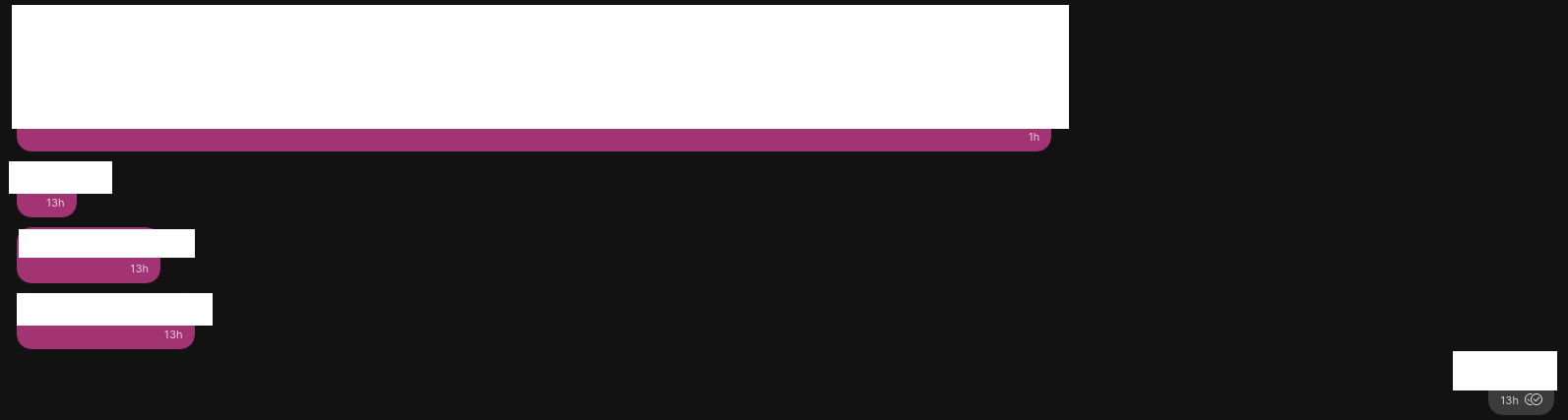
I initially thought the message had been lost, until I replied to it (from the mobile app) and clicked the corresponding link in the desktop app (some "losing messages" issues in the tracker could come from this, a simple reordering that hides some messages).
 hiqua
on 27 Jan 2020
hiqua
on 27 Jan 2020
Hi,
the issue appeared again quite strangely.
It was a group conversation with 12 members - I created it one day ago (Jan 29, 14:15). The group appeared in my Windows Desktop client also, everything was OK.
Yesterday afternoon I hibernated my laptop, but closed Signal desktop app before gracefully.
Then that evening I updated iOS Signal to 3.3.0.6 on my iPhone 7.
At next morning I woke up my laptop, started Signal desktop. It synchronized a lot of messages.
There were 3 specific messages I received to this group in about 20 minutes before I started desktop Signal. The first was the problematic (sender: xxxx164).
These 3 messages' behaviour in desktop client - in order:
First: sender was xxxx164, and it didn't appear in desktop client - ERROR
Second: xxx377 sent it, appeared OK.
Third: xxxx164 again, it appeared OK.
Incident time (at desktop client startup): 2020-01-30T9:30:31
I found this in desktop client debug log:
INFO 2020-01-30T09:30:31.580Z queueing envelope +[REDACTED]164.1 1580376631120 (fe889c86-5d0a-43eb-b83a-dfeef1556d50)
INFO 2020-01-30T09:30:31.581Z delivery receipt from +[REDACTED]164.1 1580376631120
INFO 2020-01-30T09:30:31.582Z No message for delivery receipt +[REDACTED]164 1580376631120
Now the interesting part:
After found out that the message is missing I did a global search in desktop client for a substring from the missing message and... I found it (!), clicked on it to jump where it is. In this moment the group indicated that I have 1 new unread message and the missing message appeared at the right place (!) - from nowhere.
So a search "solved" the problem.
iOS debug log (my iPhone)
https://debuglogs.org/db93c84e6742a331b0bfcb015f6d74cb98bb7b07f9e2fc9bf1ad3914ceb966c4.zip
Versions: iOS 13.3, iPhone 7, Signal 3.3.0.6, using ProtonVPN
Windows Desktop debug log (my desktop)
https://debuglogs.org/f2096db7e6251a0f708e277a63309252410222dc566a94786ad0f4924504dadd
Versions: Windows 10, Signal 1.13.0
xxxx164 contact's debug log
https://debuglogs.org/454112365fae1031515eacda71de973bb757e65d37607c1898b266626279e31a.zip
Versions: iOS 13?, Signal 3.2.0.10 (yes, it's not the newest)
kaktusztea
on 30 Jan 2020
Same problem for me, two different cases:
1) Recent messages are out of order. E.g. my latest message on my iPhone is on my Mac 15 messages above. As it is there, it is quotable. This is a common problem and happens nearly every day.
2) Today another problem occurred. I reconnected Signal Desktop with the internet (after disconnecting my PC for an hour) and only the messages I received from my contacts appeared, my own messages are lost. Messages my contacts quoted are marked with "Original message not found". On my linked iPad (which was disconnected, too) all messages are there and in the right order.
xxx397 is my number.
https://debuglogs.org/e0444b1b40a9c39ee72bac80207cd4518ae9bc3aa36abf0f116a08fd8f0d7cd9
iPhone, iOS 13.3.1, Signal 3.3.0.6
MacBook, MacOs 10.15.3, Signal 1.30.0
 Mihahn
on 1 Feb 2020
Mihahn
on 1 Feb 2020
@scottnonnenberg-signal: after upgraded to v1.30.1 the mentioned problematic message was being rendered at the right place in order where it should be 🙂 👍
kaktusztea
on 9 Feb 2020
I'm not sure whether this is a new bug or one that belongs here.
Someone created a new group, with three persons, and sent one long initial text message in the group. I received the message correctly on my Android phone.
On Signal desktop however, I only saw that the new group was created, but the first message did not appear.
Debug log Signal desktop:
https://debuglogs.org/6df4c0c36e5722d0fe1c21f08d4a0b632d93be461f2317b51f44c727f4fe45bd
(Note that I restarted Signal desktop once, to test if it would receive the message after a restart. It did not.)
Android debug log:
https://debuglogs.org/093a77c36ce98aceda1e2c3fc5c6114c71427f77320d0a141cd5555e979286d8
Edit: On my other computer with Signal Desktop, the first message is also not shown. Here the debug log: https://debuglogs.org/d061fa7720bf82d50f445e5ea41708e7ea1280787ecadd4ecfd908966796386d
janvlug
on 15 Feb 2020
I just had this happen!
Desktop log (Windows 10, Signal 1.31.0): https://debuglogs.org/992204ed13e3aba09bbed547d3d51d8b7f9758fda9c9f3d5a5ce1357a8cba492
Android Log (Android 10, Signal 4.55.8): https://debuglogs.org/755a073f1c7e1ba90011b6867eb6608f5378633b0ad106b0461108490b78f91b
@kenpowers-signal There was one missing message, the ID is 1582159676370
 banduccm
on 20 Feb 2020
banduccm
on 20 Feb 2020
@banduccm can you provide us with the message sent ids of the missing/out of order messages from your primary mobile device? You can get the sent ids of the missing messages by going to the message detail screen on your primary mobile device (long press on the message) and then long press on the "sent" header -- that will place the sent id on your clipboard.
 kenpowers-signal
on 20 Feb 2020
kenpowers-signal
on 20 Feb 2020
I have experienced same behaviour. In desktop both in Windows 10 and Linux (Manjaro KDE) with and Android phone. Also, today, the desktop chat kind of even stuck. Messages of the last hour were never shown and some new messages were also not shown while they appeared in the OS's notification area. The stuck chat window was obvious because clicking "Reset session" didn't show the result (in desktop or in my phone) (while the contact was informed for it). Here is a desktop log of this moment: https://debuglogs.org/2d3ccf663eb85a025a22061e04751e5eaafde009c3a646d801081d458f2e6e96
I also would like to point out that an easy way to reproduce an out of order message, is to open the android app when having many messages to load from desktop, and while messages are still loading, to send a new one. This new one will be presented out of order, and lost in message history.
 Chuhtra
on 1 Mar 2020
Chuhtra
on 1 Mar 2020
I got another set of logs just now:
Desktop (1.31.0): https://debuglogs.org/7b165ddbc7d26fa390bd4318bad15dc9592bcd0611f835cc97eb8bcd21df2294
Android (4.55.8): https://debuglogs.org/4b03ccfd43994ac37c630b7f7dec5e6e7cc3f52ab7a9917a47783883fac29c09
Missing message IDs: 1583197273655, 1583197292543
banduccm
on 3 Mar 2020
v1.32.1
after having send and received message from smartphone (android) and worksation (windows desktop) during day, opening signal on notebook (windows desktop) in the evening:
- all messages seem to be there,
- they have at least roughly the correct time stamp
- but every thing is sorted via shuffle
please see attachment:
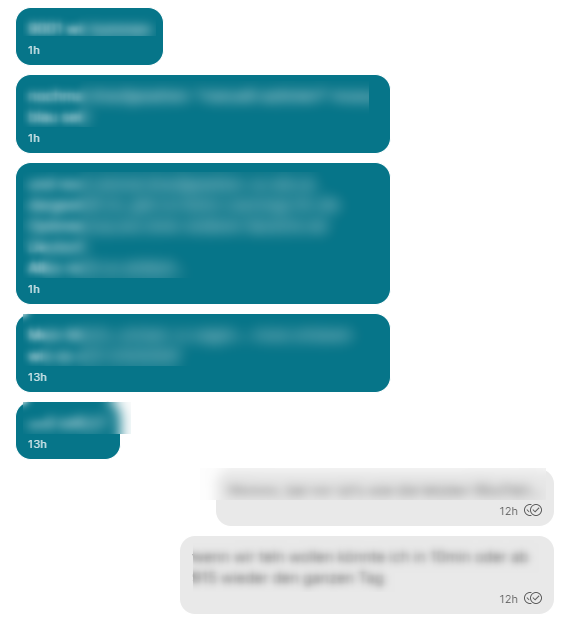
hpvd
on 13 Mar 2020
@hpvd Thanks for providing the screenshot. Unfortunately it's not enough detail to help us track down the problem. We need your Debug Log (View -> Debug Log), the 'sent id' for the messages (next to the Sent header on the message detail screen) and both the expected order and the problematic order you saw the messages.
scottnonnenberg-signal
on 17 Mar 2020
Coming from https://github.com/signalapp/Signal-Desktop/issues/3810#issuecomment-598649568
@scottnonnenberg-signal asked “What order were they displayed in the conversation?”. In my original comment linked above, you can see two blue circles that indicate the 2 out of 3 out-of-order messages (the third one is just above the first one).
I can say that this kind of bug happens only when opening Signal just after receiving some messages (minutes or an hour before). It’s not usual by the way, it worked fine for weeks for me before the case that I reported.
denver-s
on 17 Mar 2020
@scottnonnenberg-signal yes sorry I know. Have already reported similar issue...
big question: is there a way to anomimize all included data but help you to solve/understand the background?
Is there an anomimized log?
hpvd
on 17 Mar 2020
@hpvd Your best bet for anonymity while also preserving our ability debug is to send data directly to me, or to [email protected]. What are you most worried about from the logs? I imagine that you've looked at them in-depth.
scottnonnenberg-signal
on 18 Mar 2020
@denver-s What I'd like is a list of 'sent ids' - the order they are displayed in, and then the order they should be in. And you can include messages which were sorted correctly in this.
scottnonnenberg-signal
on 18 Mar 2020
@scottnonnenberg-signal this is the list of send IDs the order they are displayed, plus the order of the messages. Note that the actual problem starts right after an emoji reaction.
WEDNESDAY:
(other contact)
1583949537935: msg1
FRIDAY:
(other contact)
1584094013801: msg14
1584094015439: msg15
1584088514933: msg2
1584088520808: msg3
1584094017499: msg16
(me)
1584089374193: msg4
1584089386834: msg5
1584089392063: msg6
(other contact)
1584089752616: msg7
(me)
1584089800828: msg8
1584089807912: msg9
1584089842183: msg10
(other contact)
1584091914501: msg11
1584091925037: msg12
(me)
"laugh" reaction to message msg12: msg13
denver-s
on 18 Mar 2020
Similar to the above, incoming messages are inserting themselves earlier into a group conversation by at most ~23 hours
I've included the expected message order as well as the received message order with one message ID on either side of the erroneous messages as well as my debug log. Let me know if any other information may be useful
===Current correct history displayed on phone===
Other1: Sent: 1584561286591, Received: 1584561557673
(*) OoO-1: Sent: 1584561309913, Received: 1584561551417
(*) OoO-2: Sent: 1584561319512, Received: 1584561552421
(*) OoO-3: Sent: 1584561334515, Received: 1584561552865
(*) OoO-4: Sent: 1584561404590, Received: 1584561554500
(*) OoO-5: Sent: 1584561424335, Received: 1584561555435
(*) OoO-6: Sent: 1584561428665, Received: 1584561556655
Other2: Sent: 1584561456311, Received: 1584561557679

===Current displayed history on Signal Desktop===
Me1: Sent: 1584477715885, Received: 1584561551295
(*) OoO-1: Sent: 1584561309913, Received: 1584561551417
Me2: Sent: 1584477758775, Received: 1584561551769

...skipping a number of correct messages

Me3: Sent: 1584480928917, Received: 1584561552145
(*) OoO-2: Sent: 1584561319512, Received: 1584561552421
Other3: Sent: 1584481138040, Received: 1584561552436

...skipping a number of correct messages

Me4: Sent: 1584481499056, Received: 1584561552795
(*) OoO-3: Sent: 1584561334515, Received: 1584561552865
Me5: Sent: 1584481632340, Received: 1584561553857

...skipping a number of correct messages

Other4: Sent: 1584509319492, Received: 1584561554472
(*) OoO-4: Sent: 1584561404590, Received: 1584561554500
Me6: Sent: 1584509359494, Received: 1584561554718

...skipping a number of correct messages

Other5: Sent: 1584559617483, Received: 1584561555199
(*) OoO-5: Sent: 1584561424335, Received: 1584561555435
Other6: Sent: 1584560323442, Received: 1584561556135

...skipping a number of correct messages

Other7: Sent: 1584561068704, Received: 1584561556648
(*) OoO-6: Sent: 1584561428665, Received: 1584561556655
Other8: Sent: 1584561090598, Received: 1584561557618

...skipping a number of correct messages

Other1: Sent: 1584561286591, Received: 1584561557673
*missing messages*
Other2: Sent: 1584561456311, Received: 1584561557679
 mackncheesiest
on 18 Mar 2020
mackncheesiest
on 18 Mar 2020
@denver-s Thanks for the additional detail. Based on your log, we processed those first four messages in the order the server told us they were in. Happily, the server issue we've discussed in this thread in the past is on the schedule to be addressed. That should greatly reduce these kinds of out-of-order situations - and any which remain will indeed be something Desktop can address.
INFO  2020-03-13T10:10:30.820Z queueing envelope d69acc85-6aa2-44a6-93d9-bff3573ad187
INFO  2020-03-13T10:10:30.879Z data message from +[REDACTED]338.1 1583949537935 (d69acc85-6aa2-44a6-93d9-bff3573ad187)
INFO  2020-03-13T10:10:33.297Z Starting handleDataMessage for message +[REDACTED]338.1 1583949537935 in conversation +[REDACTED]338

msg14
INFO  2020-03-13T10:10:31.188Z queueing envelope 7795337f-5d95-4ccc-9280-2fd87c229c6c
INFO  2020-03-13T10:10:31.222Z data message from +[REDACTED]338.1 1584094013801 (7795337f-5d95-4ccc-9280-2fd87c229c6c)
INFO  2020-03-13T10:10:33.914Z Starting handleDataMessage for message +[REDACTED]338.1 1584094013801 in conversation +[REDACTED]338

msg15
INFO  2020-03-13T10:10:32.290Z queueing envelope 66a7878c-8d26-4561-ad3e-d4a5ca0b24d4
INFO  2020-03-13T10:10:32.313Z data message from +[REDACTED]338.1 1584094015439 (66a7878c-8d26-4561-ad3e-d4a5ca0b24d4)
INFO  2020-03-13T10:10:35.408Z Starting handleDataMessage for message +[REDACTED]338.1 1584094015439 in conversation +[REDACTED]338

msg2
INFO  2020-03-13T10:10:33.605Z queueing envelope b7939117-f44b-4826-8f49-3a7e201f84e8
INFO  2020-03-13T10:10:33.628Z data message from +[REDACTED]338.1 1584088514933 (b7939117-f44b-4826-8f49-3a7e201f84e8)
INFO  2020-03-13T10:10:38.452Z Starting handleDataMessage for message +[REDACTED]338.1 1584088514933 in conversation +[REDACTED]338
@mackncheesiest The same goes for your log and out-of-order ids. The queue messages indicate the order the server provided these messages, right from the websocket.
Me1:
INFO  2020-03-18T19:59:10.889Z queueing envelope +[REDACTED]943.1 1584477715885 (8fd8012e-e748-4679-887e-2728e707f78c)
INFO  2020-03-18T19:59:11.253Z message from +[REDACTED]943.1 1584477715885 (8fd8012e-e748-4679-887e-2728e707f78c)
INFO  2020-03-18T19:59:11.255Z sent message to group([REDACTED]^ë\) 1584477715885 from +[REDACTED]943.1 1584477715885 (8fd8012e-e748-4679-887e-2728e707f78c)
INFO  2020-03-18T19:59:11.459Z Starting handleDataMessage for message +[REDACTED]943.1 1584477715885 in conversation group([REDACTED]^ë\)

OoO-1:
INFO  2020-03-18T19:59:10.890Z queueing envelope 87840f53-3ad2-4838-9420-54e632776799
INFO  2020-03-18T19:59:11.417Z data message from +[REDACTED]523.1 1584561309913 (87840f53-3ad2-4838-9420-54e632776799)
INFO  2020-03-18T19:59:11.477Z Starting handleDataMessage for message +[REDACTED]523.1 1584561309913 in conversation group([REDACTED]^ë\)

Me2:
INFO  2020-03-18T19:59:11.359Z queueing envelope +[REDACTED]943.1 1584477758775 (e6447ee2-e5d2-490e-840c-a43749d6a8d2)
INFO  2020-03-18T19:59:11.767Z message from +[REDACTED]943.1 1584477758775 (e6447ee2-e5d2-490e-840c-a43749d6a8d2)
INFO  2020-03-18T19:59:11.769Z sent message to group([REDACTED]^ë\) 1584477758775 from +[REDACTED]943.1 1584477758775 (e6447ee2-e5d2-490e-840c-a43749d6a8d2)
INFO  2020-03-18T19:59:11.770Z Starting handleDataMessage for message +[REDACTED]943.1 1584477758775 in conversation group([REDACTED]^ë\)
Please see below two comments, I have been advised they are related to this bug.
https://github.com/signalapp/Signal-Desktop/issues/2527#issuecomment-601990125
https://github.com/signalapp/Signal-Desktop/issues/2527#issuecomment-606577958
Let me know if you require any additional info.
 0anth
on 31 Mar 2020
0anth
on 31 Mar 2020
I'm still seeing this issue ~daily. Is it helpful to keep providing logs every time it happens?
I've noticed a pattern to the lost messages: I'll get a message on my phone but not read it, then open Signal desktop to respond. The message that's sitting in the notification pane on my phone is almost always missing from Desktop. It only seems to affect the first message in this case, as any further messages appear in Desktop just fine. This is still occurring with the 1.33.1 update that I got this morning.
Edit: I can confirm what @cachapa is seeing, if I search for the message it shows up ~a day earlier but with the correct timestamp.
banduccm
on 16 Apr 2020
Same here. To be clear, the messages aren't really disappearing, they're just appearing much earlier in the history (found by searching for the message text I see in the mobile app).
Typically the messages are sorted among other messages from ~1 day before. The timestamps are correct though.
 cachapa
on 16 Apr 2020
cachapa
on 16 Apr 2020
@scottnonnenberg The messages are sorted by "received_at" in several places (e.g. /ts/sql/Server.ts, /js/models/messages.js). Would sorting the messages by "sent_at" in the appropriate places be a viable solution? "sent_at" seems to contain the timestamp that is shown in the message bubble, so it seems to me that would result in a correct message order. I'm thinking about creating a pull request for this, but would like to know your opinion in case I'm missing something.
 johannes87
on 20 Apr 2020
johannes87
on 20 Apr 2020
I think that if a message's timestamp isn't compared with the timestamps of messages right before and after, it will never solve this issue. Just saying, I haven't checked if it is already been implemented. But I tend to think it isn't since I experience the following:
If I chat on my desktop, with my android signal completely off, when I much later turn on android signal it starts loading a ton of messages from desktop. If at this time during loading, I send a message with my phone, the message appears correctly in desktop app but it gets lost in the still-loading ton of message history. If it worked correctly, the history would continue to be loaded before the new message, leaving it intact. Now, if I went on to send a message from desktop, this "last desktop message" should either (preferably) immediately show up as the last message in both devices, or there should be a delay for the previous remaining incoming history and in the end, in difference with the rest of the "desktop messages", it should be placed again after the android message previously sent.
Note that the chain of messages that is preserved in the devices of the "sender", should be also preserved for the devices of the "receiver(s)". If this entire "loading" situation happen in the receiver side, sending them a new message, shouldn't let it get lost in the history (in their loading device) and preferably it shouldn't let a lifetime to pass for the loading to finish before the new message show up.
Chuhtra
on 20 Apr 2020
@Skarfrael Comparing the timestamp to the messages before it and after it is exactly what happens when you sort data based on timestamps. The issue is that it's currently sorting on "received_at" which can be bugged out currently due to unknown reasons.
@johannes87 I am seeing the exact same behavior. Messages in the wrong order have the correct timestamps associated with them in the chat bubbles, so it should be possible to sort and display them in the correct order by doing client sided ordering. Ordering on "sent_at" is also much more logical IMO. I want to read my messages in the order that the other person sent them to me, as that's the order in which the person intended me to read them, not in the order my phone / desktop app happened to receive them.
I'd love for someone from the devs to confirm such a pull request would be accepted, because it seems like a simple solution.
Mushoz
on 20 Apr 2020
@Mushoz sorry I didn't clarify that part. It's obvious that it is probably already happening, the question is when and how often. In the loading history senario, if this comparison happens only once for the new message, I think you can see how it will be lost and out of place. In the senario I described, if the message history that is being loaded contains N messages, then the comparison for the new message should be done N times.
Other than that, yes I agree that "sent_at" is preferable than "received_at". For sure that's the case for messages of the same "participant". What do you think about comparing timestamps between the messages one has sent and the ones he has received? Sent messages should be compared with received ones, on their corresponding "sent_at" times, "received_at" times, or by comparing "sent_at" times with "received_at" w.r.t. one's device?
Chuhtra
on 20 Apr 2020
It doesn't matter when and how many times this comparison is done. If messages are sorted correctly once and new messages are placed in the correct order, they should remain there.
You are also overthinking this. Behind the scenes, Signal is just using a database which contains the messages. That database is being queried and the data is being requested in a certain order (sorted at "received_at" instead of the desired "sent_at". There is no need to manually do N comparisons for each new message. The database logic handles that for you.
Mushoz
on 20 Apr 2020
I see what you are saying. But still the example senario I described is happening. And that is why I can't help but think about the message's comparisons not in db but local devices too.
Chuhtra
on 20 Apr 2020
to make it even more complicated..
for any solution one should take into account
that not only timezone of the receiver may be different from sender, but also 2 different devices of the receiver may be in different time timezones:
workstaion stays at office, smartphone goes on businesstrip...
and when winter times changes to sommer time, this may happen also..
my case:
at night time change happens, next day some chats were done via smartphone (which switches time automatically at night)
coming to offices, start workstation, start signal and:
some messages where messed up/hard to find because of wrong sorting
just because workstation needs some minutes to sync adjust time (windows 10 standard settings)
imho only solution seems to be
1) to always use Coordinated Universal Time (UTC +-0)
(formaly Greenwich Meantime (GMT)) for message sorting in background, and only calculated "personal time" for user view
2) do signal need some type of an independent time sync for sorting without depending on system time of each device?
hpvd
on 20 Apr 2020
@hpvd irrelevant. Timezone is only used for displaying the time. Datetimes in databases are stored and handled as unix time stamps, which is simply just a very long number, see: https://en.wikipedia.org/wiki/Unix_time
Edit: In other words, your proposed solution is already being used by using unix timestamps ;)
Mushoz
on 20 Apr 2020
@Mushoz
thanks for fast reply.
Do you have any other idea why there was a missorting when time changes form winter to summer time (details see above)?
hpvd
on 20 Apr 2020
Unfortunately I don't. There something funny going on, hence this (and many similar) bug report. This widespread bug would need to be fixed first. It might also clear up your issue, it might not. But that's something that should be looked into once we fix the issue that is unrelated to timezones.
My guess is that you're simply running into the exact same issue, and is not specifically related to timezone settings. Because as mentioned before, database store and process datetimes in unix time. That means that they also sort based on this integer, so the sorting is independent of timezone.
Mushoz
on 20 Apr 2020
But that's something that should be looked into once we fix the issue that is unrelated to timezones.
sure!
hpvd
on 20 Apr 2020
@jperryhouts, sender devices can (and often do) have incorrect clock.
Sorting by the received time of the server is the only reasonable option.
This issue most likely is about that not always being the case - at least for me the problem is that messages sometimes seem to be sorted by the sender time, thus resulting in all kind of incorrect sorting.
In short: I don't think your issue is the same, unless you are misinterpreting problems caused by out of sync devices.
It might warrant a separate bugreport, if confirmed and reproducible.
richlv
on 20 Apr 2020
Regardless of which timestamp is used, the messages should always be sorted by the same date that's show to the user. The issue of "missing" messages aside, it's beyond confusing seeing messages that should've been sorted earlier according to the displayed time and date.
cachapa
on 20 Apr 2020
I missed several messages on my Desktop in a one-to-one conversation.
Debug logs:
Desktop: https://debuglogs.org/edff9ba0b193f6d9279d8ec75387505db8b486dbd904f362529b47892134bff5
Android phone: https://debuglogs.org/ff9bd8e58ddc510b88eb8f51a66ad98bf2bac36d4ef5678cdd561093ca3ddf0e
I missed the last four messages in a serie of five messages on the desktop.
The first message was a photo (that one arrived correctly). The following four did arrive in the end (I see them now, without restarting Signal desktop), but I'm pretty sure they were not there initially. This is very confusing. Also, because the contact had the double check marks, but I did not receive the messages on Signal desktop. When I checked my phone, I saw that they indeed arrived. Then I went back to the desktop, and they appeared (in the correct location from a time perspective), but I would never have read them because in the meanwhile I exchanged other messages, and they were already out of sight.
janvlug
on 31 May 2020
Hi, @janvlug. Can you provide us with the "sent ids" of the missing messages? You can get the sent ids of the missing messages by going to the message detail screen on your primary mobile device (long press on the message) and then long press on the "sent" header -- that will place the sent id on your clipboard.
kenpowers-signal
on 1 Jun 2020
@kenpowers-signal (side note: It would be user friendly if you got a kind of notification when the id was copied to the clipboard. Initially, I thought it was not working, because I got no feedback when long-pressing the sent header)
Last correctly delivered message:
Android:
sent: 1590919679249
received: 1590919700474
Desktop:
Sent | Sunday, May 31, 2020 12:07 PM (1590919679249)
Received | Sunday, May 31, 2020 12:21 PM (1590920474999)
Four delayed messages:
Android:
sent: 1590919698479
received: 1590919701461
Desktop
Sent Sunday, May 31, 2020 12:08 PM (1590919698479)
Received Sunday, May 31, 2020 12:21 PM (1590920474999)
Android:
sent: 1590919957671
received: 1590919959663
Sent Sunday, May 31, 2020 12:12 PM (1590919957671)
Received Sunday, May 31, 2020 12:21 PM (1590920474999)
Desktop:
Sent | Sunday, May 31, 2020 12:12 PM (1590919962014)
Received | Sunday, May 31, 2020 12:21 PM (1590920474999)
Desktop:
Sent | Sunday, May 31, 2020 12:12 PM (1590919970688)
Received | Sunday, May 31, 2020 12:21 PM (1590920474999)
From the info above, it looks like all message were delivered at the same time. at the desktop To be honest, I'm a bit afraid now that I just might have overlooked the messages.
Is it normal that the received time/id is exactly the same for the four delayed messages on Signal desktop?
janvlug
on 2 Jun 2020
@janvlug If your machine is processing messages very quickly, yes, it's possible to have the same received at timestamp since it's only a millisecond precision. I took a look at your log, and everything seems normal. Expected log entries for all mentioned sent ids.
When you said "I'm a bit afraid now that I just might have overlooked the messages" you mean that you're able to find the messages in your history now?
scottnonnenberg-signal
on 12 Jun 2020
I encounter the issue of missing messages on desktop almost every day, only a few messages are displayed while some of them are missing. Restarting Signal on desktop does show the messages again. It also seems to be platform independent (it occurs on Mac, Windows and Ubuntu).
If there's anything I can do to help debug this, please let me know. I'm using Signal on iOS.
 laurens94
on 29 Jun 2020
laurens94
on 29 Jun 2020
@laurens94 The specific steps you go through to get it to happen would really be useful.
Our understanding of the scenario is this: "You start Desktop up with 50+ messages to download, and when the loading screen goes away, your first load of a conversation may have some missing messages (they show in the left pane though). Switching away from that conversation and then back to it will show the missing messages again."
Does that sound right?
scottnonnenberg-signal
on 29 Jun 2020
@scottnonnenberg-signal this does indeed happen on my machine. I have seen it happen without the 50+ messages though. "While being in chat A, in chat B 2+ messages are received, I click on chat B and not all messages are presented so I go to chat A and come back to B to fix it." And left pane seems to show them correctly.
Cheers.
Chuhtra
on 29 Jun 2020
@scottnonnenberg-signal I can't seem to reproduce it now, but most of the time it happens with ~10 messages. Then the first 2 or 3 messages are not displayed until I reopen the chat.
laurens94
on 30 Jun 2020
I'm having this issue as well. I use 2 different computers (Desktop w/ Linux client and laptop with MacOS client, plus Android phone) and sent a few messages with my desktop. A few hours later I checked the client on the laptop (which was asleep at the time) and they are out of order.
New message:
Sent | Thursday, July 2, 2020 1:55 PM (1593690919191)
Received | Thursday, July 2, 2020 3:47 PM (1593697647732)
Shows before old message from the day prior:
Sent | Wednesday, July 1, 2020 5:49 PM (1593618554782)
Received | Thursday, July 2, 2020 3:49 PM (1593697768629)
 Vash63
on 2 Jul 2020
Vash63
on 2 Jul 2020
@laurens94 The specific steps you go through to get it to happen would really be useful.
Our understanding of the scenario is this: "You start Desktop up with 50+ messages to download, and when the loading screen goes away, your first load of a conversation may have some missing messages (they show in the left pane though). Switching away from that conversation and then back to it will show the missing messages again."
Hi @laurens94, since it seems that you figured out the scenario, are there any actions planned to fix this problem? I am asking because my friend just told me he had the exact same case. Thanks!
 marekciupak
on 20 Jul 2020
marekciupak
on 20 Jul 2020
My friends and I have this issue fairly regularly, where either messages will come in out of order, some messages won't be received at all, or both. It is not fixed by switching conversations and then going back to the original conversation. Restarting signal desktop also does not fix the issue. You can only tell something is wrong by how garbled the conversation looks, and then comparing it with the Android app.
It just happened at some point today while I had signal desktop open in the background. I was sleeping my laptop from time to time while working on something else so I'm not sure if that played into it. I'm not sure exactly where in the debug logs I should be looking to identify out of order or missing messages.
Here's my logs if they help though:
Signal Desktop: https://debuglogs.org/35e190048c9cc3277e4c1a26926b113bdb4029d87fa1990c49410f2bad603e18
Signal Android: https://debuglogs.org/06085868e054056e0116331f916a8fe39d398d72b9ba7fa57491e1346f2466d1
Something that might be helpful is that on another computer when I opened signal and it synchronized the old messages they came across in the right order and with the missing messages. Let me know if there's anything else I can get you to help with solve this issue.
 jonathanturcotte
on 29 Jul 2020
jonathanturcotte
on 29 Jul 2020
Hi all !
Just wanted to chime in to inform that I also regularly have to notice that Signal desktop definitely doesn't show all messages. Fortunately, the conversations are at least always complete on my android device (at least for now).
I just received a Signal from my wife 5 minutes ago and launched Desktop app to answer her because I had to write quite a lot of text and noticed the message I just received doesn't show up on the desktop app at all. I answered from the desktop app anyway and she got the message, but hers still isn't showing up, even if I switch back and forth to another conversation or close and relaunch the desktop app.
It's kind of not very reassuring, but as said my android device at least keeps it all up. Seems to be a bug a lot of people are facing. It'd be really great to get rid of this issue.
Cheers
 acolad
on 4 Aug 2020
acolad
on 4 Aug 2020
👋 It would be nice to get some update from official members here. To me this kind of issue is quite critical (certainly much more important than introducing new functionalities) and I would be very thankful if you would let me know what priority it has on the project roadmap.
I try to convince as many friends as possible to use Signal but some of them are complaining about the realibilty of the app. Knowing the priority of solving this problem would be helpful. I am also interested in whether fixing such problems will have a priority over adding new functionalities in the future.
Thank you,
Marek
marekciupak
on 4 Aug 2020
👋 It would be nice to get some update from official members here. To me this kind of issue is quite critical (certainly much more important than introducing new functionalities) and I would be very thankful if you would let me know what priority it has on the project roadmap.
I try to convince as many friends as possible to use Signal but some of them are complaining about the realibilty of the app. Knowing the priority of solving this problem would be helpful. I am also interested in whether fixing such problems will have a priority over adding new functionalities in the future.
Thank you,
Marek
For sure !
acolad
on 4 Aug 2020
I wholeheartedly agree. I've had new users that I introduced to Signal ask me about missing messages on their desktop. When I told them it was a known bug for over a year now, I've had multiple of those people stop using signal and swapping back to Whatsapp, forcing me to use Whatsapp to communicate with them as well. Due to this, I've stopped recommending Signal to new users that I know use their messaging app on their desktop as well.
It's a really unfortunate situation, as I know Signal is so much better in terms of security and privacy. But I honestly can't blame new users for not trusting an application that randomly loses their messages. For me personally, it's an annoying bug I've learned to live with, as I value my privacy much more than the average person. Other, less privacy minded people usually don't mind installing signal to communicate with me, but they get frustrated if they don't get a flawless experience stability wise. And at the moment, a flawless experience is not something they are getting when they use the desktop client.
Mushoz
on 4 Aug 2020
I have to agree as well.
A few years ago I tried many messaging apps and the big reason why I didn't choose Signal is because the disappearing of messages. For me the main task of a messaging app is to organize messages. Even if the security and privacy concept is great, I don't want to use it when I lose messages on a regular basis. What is unfortunate, because otherwise I like signal very much.
 akorb
on 4 Aug 2020
akorb
on 4 Aug 2020
Thanks for the info, everyone. We believe we understand what is causing this issue for some users and we are working on it.
 josh-signal
on 6 Aug 2020
josh-signal
on 6 Aug 2020
Just want to let you know this also happens on iOS - Desktop (I see most people talking about Android).
It happened for me when I'd opened up Signal Desktop after having exchanged quite a lot of messages in the last 12hrs (500+). After it had loaded, I noticed a recent message of the last 10 mins or so didn't appear on Desktop while it _did_ exist on mobile.
The issue was not fixed by switching conversations and not fixed by restarting the apps, either.
Desktop logs: https://debuglogs.org/30f1e144e9792eff9b29e40896748e8c90f9239aa1e72bffbf953c1d206fbd0f
(I don't have iOS debug logs at this time because that setting apparently wasn't enabled yet.)
I don't have a whole lot of time to dig deep right now but here's my 2 cents:
Unfortunately, after it happened a first time I'd already closed the app before inspecting further, so I'm not sure about it having thrown any errors at that stage.
However, upon restarting Signal Desktop I did open up the devtools and the console did give one error:
Uncaught (in promise) Error: markMessageRead: failed to load message abc123-abc123-abc123-abc123
    at markMessageRead (conversation_view.js:659)
(After restarting the app a _second_ time, this error doesn't appear anymore.)
This error was coming from the markMessageRead function complaining about how it can't find one of the messages. This is helpful, because this means the client still "knows" after one restart that there's one message missing (assuming it's the same one).
If the client knows which message is missing, how about trying to fetch that specific message again? There could probably be a check when the client is loading up to see if it's truly received all messages that it knows it should have. Perhaps create some kind of generic synching mechanism that double checks that _all_ messages are present anytime the app loads?
Besides which, I notice that in loadNewerMessages it'll only throw an error when it fails to load a message, and appears not to retry even once:
      const loadNewerMessages = async newestMessageId => {
        (...)

        try {
          const message = await getMessageById(newestMessageId, {
            Message: Whisper.Message,
          });
          if (!message) {
            throw new Error(
              `loadNewerMessages: failed to load message ${newestMessageId}`
            );
          }
       (...)
      };
However, it might also be silently failing and not throw an error at all (and therefore cannot know it should retry), because it appears that getMessageById returns null if it can't find the message:
async function getMessageById(id: string) {
  const db = getInstance();
  const row = await db.get('SELECT * FROM messages WHERE id = $id;', {
    $id: id,
  });

  if (!row) {
    return null;
  }

  return jsonToObject(row.json);
}
I have a hunch something like this is what happened:
loadNewMessagesonly loads messages it somehow identifies as being NEW. Sometimes, loading a message fails OR is doesn't explicitly fail at this stage but is set to beingnull.- In the case of a proper failure, the function itself will not retry upon failure, but only log the failure to console (I didn't see this error, but I restarted Signal Desktop in between, so I might've missed it). Nevertheless, after this failure, that message will not be identified as being "NEW" anymore.
- In the case of
null, perhaps the client in some cases thinks the message exists and therefore doesn't know anything is wrong, but at the same time, it cannot display this message because it isnullwhile it expects a rather different format. - On reloading Signal Desktop, it won't load that missing message ever again, since it is not identified as being a NEW or missing message (not sure how "NEW" is being determined - haven't dug that deep).
It's clear that this is a rather common issue. I let my friend know about the message that had gone missing and she said she also had this issue with disappearing messages, with a different friend of hers. I see others in this thread reporting the same kinds of conversations.
I hope you'll prioritise this issue, because as others have mentioned, it's difficult to get people (especially the ones who aren't software devs and whatnot) to switch. Most of my network consists of non-technical folks who aren't particularly interested in matters such as privacy and the like, and when they get the experience of a messaging app that loses messages randomly, there's no way that I'll be able to convince them to switch away from other messaging apps.
 DaniellaCocco
on 26 Aug 2020
DaniellaCocco
on 26 Aug 2020
@DaniellaCocco Did you search for the missing message? In situations such as yours, it is often mis-sorted, and higher in the conversation than you expect.
scottnonnenberg-signal
on 26 Aug 2020
@scottnonnenberg-signal I didn't try searching yesterday, but I did try today, and indeed the missing message does appear now - however, in a wildly different place. It's sorted about ~12hrs away from where it's supposed to be. It should've been sorted a couple hundred messages "later":

When you open Signal Desktop after a lot of messages, you're gonna miss a message like that if it's appeared so far up, because you think you've already read all messages before a certain point in time (on your mobile) and therefore you won't be scrolling up that far
On the bright side, seems like messages could in fact be arriving just fine in most cases. But end users will probably still think messages are "missing" entirely (or not notice having missed messages at all, leading to miscommunications)
DaniellaCocco
on 27 Aug 2020
@DaniellaCocco Very true. It's an important thing to fix. And that's why @josh-signal provided this update three weeks ago:
Thanks for the info, everyone. We believe we understand what is causing this issue for some users and we are working on it.
scottnonnenberg-signal
on 27 Aug 2020
Thanks for the info, everyone. We believe we understand what is causing this issue for some users and we are working on it.
@josh-signal Any progress on this? What did you determine is the cause of this issue?
jperryhouts
on 10 Sep 2020
I'd like to ask: this mentioned solution will solve the missing reaction emojis as well?
kaktusztea
on 10 Sep 2020
With latest Desktop v1.36.1 I still experience the issue.
The example below is from a group with 10 members, dissappearing messages function is ON.
Timezone: CET (UTC+1)
Win 10
1. message
Arrived: 2 minutes
Sent: 1599811777055
Number: xxx270
2. message
Arrived: 37 minutes
Sent: 1599809645432
Number: xxx873
3. message
Arrived: "now"
Sent: 1599811895923
Number: xxx377
https://debuglogs.org/e842bc2d1b5fd7aa6136065861974327da639af9dd3221d40cd80861d60fa9fc

kaktusztea
on 11 Sep 2020
Additional info for the previous comment.
I asked debug log and details from contact xxx377.
His messages are in good order in the group conversation.
Signal Desktop v1.36.1 (Linux)
Same timezone.
Debug log:
https://debuglogs.org/0f9aaa9360d688e284fde7ea63b91bc8c66f8eceadd94d73b1c54442c8ee8699
kaktusztea
on 11 Sep 2020
We appreciate everyone’s troubleshooting assistance and patience while we worked on this edge case. The lack of any recent reports on this issue is an exciting sign, and we are confident that recent updates have resolved this problem.
It is with great satisfaction that we permanently close this bug. If anyone is still experiencing problems that look related, please file a separate bug report.
josh-signal
on 25 Sep 2020
It is definitely NOT fixed. I still had this issue last monday: https://imgur.com/nIrX1pq
I am using Arch, and Signal is kept up-to-date by updating via Pacman daily.
Mushoz
on 25 Sep 2020
Unfortunately also still sometimes happening to me and non-techie friends. I just did not report it, since I had nothing new to add. Will be on the lookout again and come back with logs when I spot it
 rainerzufall
on 25 Sep 2020
rainerzufall
on 25 Sep 2020
It could be happening less frequently because people are not moving back and forth between different machines as much while working from home this year. I for one have just had signal open on my desktop all the time lately. Just a thought.
@josh-signal could you fill us in on what the fix was that you implemented?
jperryhouts
on 25 Sep 2020
@Mushoz Please provide your debug log, and the 'sent id' for each of those messages in your screenshot. You can get a 'sent id' by going to the message details screen, and copying the number right next to the 'sent' timestamp.
One thing to note is that we have seen some reports of a different issue, where your initial load of a conversation shows some out of order messages, but leaving it and coming back shows them in the right order. Please let us know if your out-of-order messages persist between conversation loads.
scottnonnenberg-signal
on 25 Sep 2020
@Mushoz I don't see anything wrong in that screenshot. What behavior did you expect there?
jperryhouts
on 25 Sep 2020
One thing to note is that we have seen some reports of a different issue, where your initial load of a conversation shows some out of order messages, but leaving it and coming back shows them in the right order. Please let us know if your out-of-order messages persist between conversation loads.
@scottnonnenberg-signal Hi 👋, could you provide me the link to the issue you mentioned? I mean, where is the best place to track the status of the issue of "the temporary (that do NOT persist between conversation loads) out-of-order messages"? Thanks!
marekciupak
on 30 Sep 2020
@marekciupak If you're experiencing it, you could enter the bug. Our primary reports from that bug have actually been internal.
scottnonnenberg-signal
on 2 Oct 2020
@scottnonnenberg-signal It's not clear to me that what you're describing is a different bug than this. If it's only being discussed internally, would you leave this issue open until there's more certainty that it's been resolved?
Last anyone here heard you were working on a specific fix for this problem and to hold tight until that was rolled out.
Thanks for the info, everyone. We believe we understand what is causing this issue for some users and we are working on it.
Now it sounds like @josh-signal closed this issue just because nobody had posted to it in a while. Am I missing something?
jperryhouts
on 2 Oct 2020
This issue is definitely not fixed. With Signal Desktop 1.36.3 this morning I got out-of-order messages:
The bad message ID is: 1601642956230
Logs are here: https://debuglogs.org/f1966386bcba0cb2f4a63e351721123f911099bd74546280ecca6fe20a31d0da
banduccm
on 2 Oct 2020
@marekciupak If you're experiencing it, you could enter the bug. Our primary reports from that bug have actually been internal.
Thank you for the answer. I am not experiencing it myself. It happens to my friend, but he won't post a bug report. If I see this error at my device, I will definitely post the details.
Have you considered publishing the description of the problem (since you have information about this bug) as a publicly visible issue (so that, the community can monitor the progress of fixing the bug)?
Best
Marek
marekciupak
on 2 Oct 2020
Opened Win desktop client after 2,5 days offline state.
There were 3 "new" messages in a group that had to be synced from server. The messages were sent about half day before and they were out of order after client startup. Then I switched to another conversation... then came back. This time the order of messages was OK.
Affected messages:
1604351667567
1604352172664
1604352190284
Signal Desktop 1.37.2
Debug log: https://debuglogs.org/26168790077fbe8eea468ed2893147ae3fc13505a76f1c58d8238bdb575764bf
kaktusztea
on 3 Nov 2020
@kaktusztea We expect that ephemeral out-of-order issue to be addressed in v1.37.3. You can try it out now - it's currently in beta.
scottnonnenberg-signal
on 3 Nov 2020
Please reopen. It is still a problem.
I got it recently in a legacy (v1) group.
4 messages came in quite short period. The first one is missing in desktop. On iPhone all of them present.
The message is missing, not just reordered. I made a global and group-only search as well, also changed to an another conversation and came back to this. The message is not there for sure.
Missing message Sent ID: 1605285706270 (copied from iPhone)
Sender: xxx023
Last message that is OK, but is a reply to the missing message: 1605286071052
It contains "Original message not found" in the quote section.
Sender: xxx377
Signal iOS 3.21.2.1 (iOS 14.2)
https://debuglogs.org/9615159887fe2baf3bf43cb0d5a734db50527fa20f5fd44b136f502c7da3c8ff.zip
Signal Desktop 1.37.3 (Mac OSX)
https://debuglogs.org/47965f500b5b1008afe13542d4488482c4f33fb6bdcd4d4fd19cba89353fd024
kaktusztea
on 13 Nov 2020
All, please enter new bugs when you encounter bugs that look like they are the same thing.
@kaktusztea You appear to have encountered a websocket contention issue which will be fixed in v1.38.x. Thanks for your report.
scottnonnenberg-signal
on 13 Nov 2020
@scottnonnenberg-signal I'm seeing a similar issue with windows desktop client rendering messages out of order. I suspect this has something to do with how the desktop client gets system time from OS based on the observation that it only started happening recently in conjunction with my OS time being incorrect on boot. I manually reset my OS time after boot but Signal is still rendering out of order.
How does the desktop client decide the order in which to render messages? Any way to force a refresh on the client's concept of time?
 hallchen8
on 16 Nov 2020
hallchen8
on 16 Nov 2020
@hallchen8 No, we cannot trust the sender's provided timestamps. So we sort based on the order we receive messages from the server. Again, please enter new bugs.
scottnonnenberg-signal
on 16 Nov 2020
@scottnonnenberg-signal: you mentioned that the "websocket contention issue" will be fixed in 1.38.x. Did it already happened or will be just later? If the former then I'll keep checking on it and open new ticket if I'll still notice it.
kaktusztea
on 23 Nov 2020
@kaktusztea The fix is in the latest v1.38.2 build.
scottnonnenberg-signal
on 1 Dec 2020
I observe that call logs receive incorrect timestamps when the desktop itself is off or in sleep mode, not sure.
Device A:
- PC was on, but desktop was closed when receiving call
- The call logs received the correct timestamp when opening the app
- Calls started around 21:45
- https://debuglogs.org/9e2493a7e21f775f0268a47cfc2042bca36fa3f2dc7c92ba83c91e7fcf4964ea
Device B:
- PC was in sleep mode, but app was open
- Opening app gives all the call logs the same timestamp
- Debug log taking after seen of this behaviour
- https://debuglogs.org/f74148d798180979ea69f4c3606347e54018f1f6f7959ec7b99d77f75ed96aa2
 CJam25
on 19 Dec 2020
CJam25
on 19 Dec 2020
Also seeing this issue but the other way round, one of my messages sent on desktop is not appearing in the Android app but all messages before and after do appear. Sorry I can't be more helpful at this time.
 krisfris
on 14 Feb 2021
krisfris
on 14 Feb 2021
Related issues
 bcsga
·
3Comments
bcsga
·
3Comments
 muellermartin
·
3Comments
muellermartin
·
3Comments
 jeremymasters
·
3Comments
jeremymasters
·
3Comments
 demux4555
·
3Comments
demux4555
·
3Comments
 vincenzopalazzo
·
3Comments
vincenzopalazzo
·
3Comments
Most helpful comment
Thanks for the info, everyone. We believe we understand what is causing this issue for some users and we are working on it.