Signal-desktop: Signal windows keeps all the instalation .exe files
- [x] I have searched open and closed issues for duplicates
Bug description
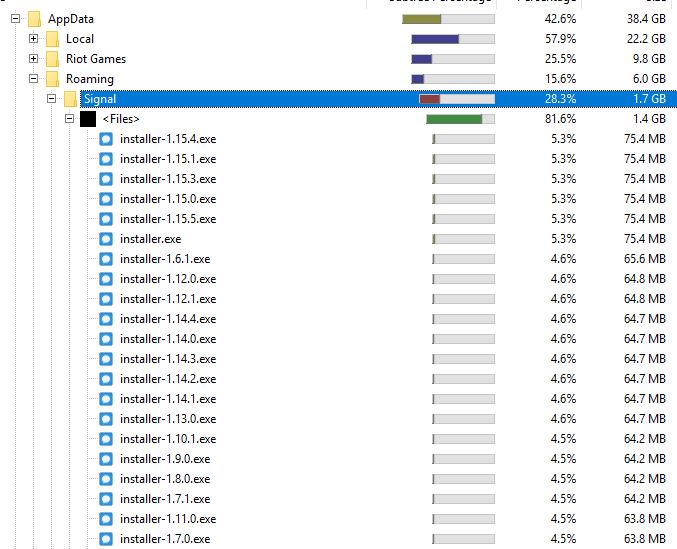
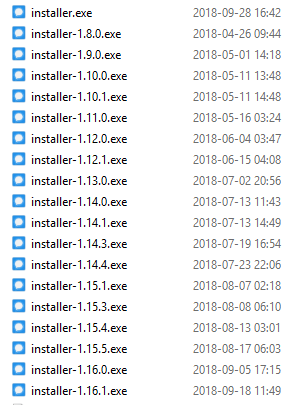
The installation files for every version is kept in the hard drive quickly accumulating space. (60MB a piece).
Steps to reproduce
- Install Signal on Windows
- Wait for updates
- Check AppData/Roaming/Signal folder.
Actual result:
The installation files are kept forever.
Expected result:
The installation files get deleted after installing the newest version.
 santiagopuentep
All 13 comments
I just checked this on my VM, and it didn't happen. Is there anything interesting on your setup, or in your usage patterns that might cause this? I suspect that it has something to do with file locking.
 scottnonnenberg-signal
on 29 Aug 2018
scottnonnenberg-signal
on 29 Aug 2018
I don't have any special setup. Simply Windows 10.
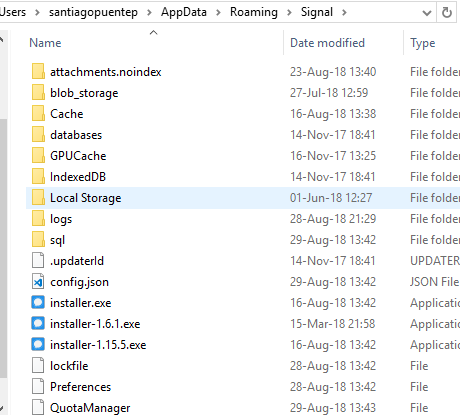
Here is a screenshot of the exe files. I erased about 15 adding up to 1.6 GB, but I kept those 3 just in case.
santiagopuentep
on 29 Aug 2018
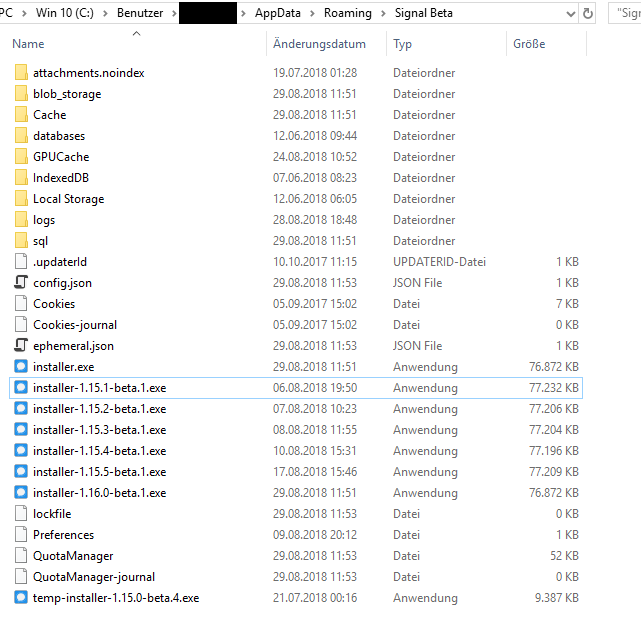
I can confirm this behavior for both my Windows 10 machines.
In either case, the setup is a regular Windows 10 installation, both users have administrator privileges.
I can not think of any special usage pattern - just using Signal (beta) and updating via the auto updater.
I can delete the files without being asked for admin rights or any other issues.
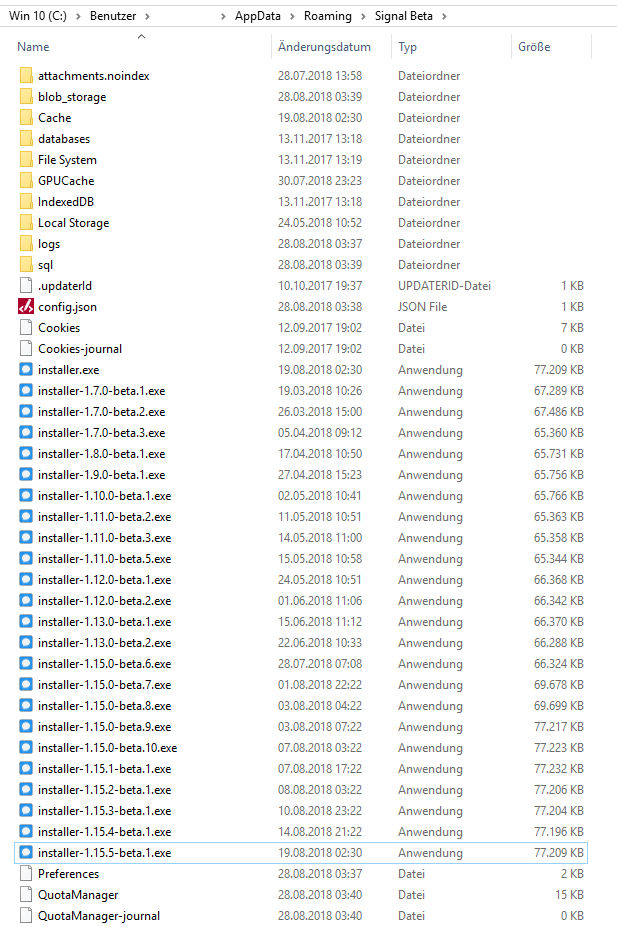
In that case I also have deleted already about 15 installation files:
 minnmann
on 29 Aug 2018
minnmann
on 29 Aug 2018
Can confirm that I also have this on Win 10.
 pureandclear
on 30 Aug 2018
pureandclear
on 30 Aug 2018
Windows 10 user here. I have 527 megabytes of installers :)
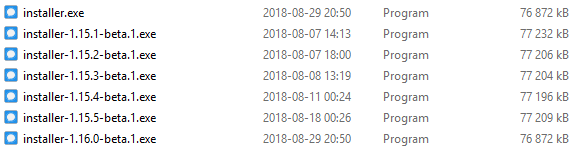
I have no idea what could be relevant to solving this but here are some key points from my usage:
- I keep Signal running in the background more or less all day long
- Screensaver/lock screen kicks in after 10 minutes of no usage
- The computer is locked large portions of the day, when I'm playing Outside or at work or whatever
 Dyras
on 2 Sep 2018
Dyras
on 2 Sep 2018
I opened #2710 but realized that's a duplicate of this issue.
My installers go all the way back to 1.6.1 and are using up almost 1.4GB of disk space. Windows 10 current version. I've used Signal Desktop's updater normally each time it prompts for an update.
Out of curiosity, why is this marked "Upstream Change Needed"?
 ian-wat
on 5 Sep 2018
ian-wat
on 5 Sep 2018
@ian-wat It means that we use a third-party dependency to manage our installs. The fix for this will have to be upstream.
scottnonnenberg-signal
on 5 Sep 2018
@scottnonnenberg Hi Scott, sorry I don't mean to be rude and maybe this is not the place to say this but I'm trying to give you guys usefull feedback.
We are seriously thinking about changing to an other app due to the bad quality of many features: the audio recording sometimes sound like Max Headroom on my Windows machine, the videos are sometimes not viewable unless we download them, the messages appear one after the other when I change devices (instead of showing the last one sent first so we don't have to wait to start typing), and scrolling through the conversation too much to the past makes the app run slower and slower.
We like Signal's values, that's why we are using it, but I think you must be losing thousands of users due to some very fixable things. With the competition there is in the space I think that quality is king. We really want to stay, but it's impacting our productivity...
santiagopuentep
on 5 Sep 2018
@santiagopuentep I don't recognized your username, welcome to the community. When you run into these issues, please consider filing bugs or adding to existing bugs with your full repro steps and logs. That's the only way things will get better.
scottnonnenberg-signal
on 5 Sep 2018
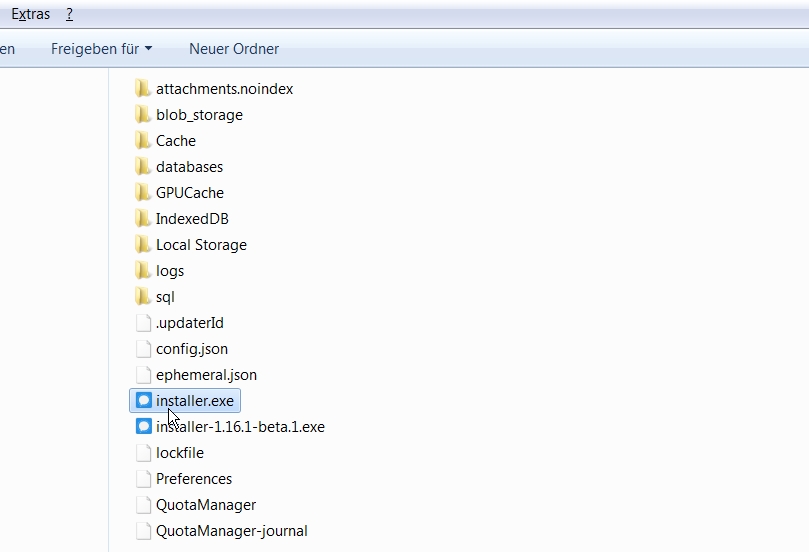
Hello. Same issue here on my windows 7 machine. I recently switched to the beta version and always use the installer after receiving the update notification.
 kermit-frog
on 7 Sep 2018
kermit-frog
on 7 Sep 2018
Just to complete the "can confirm" answers... same goes for Win8.1 (accumulated over 1GB installer files so far)
 stonecrusher
on 7 Sep 2018
stonecrusher
on 7 Sep 2018
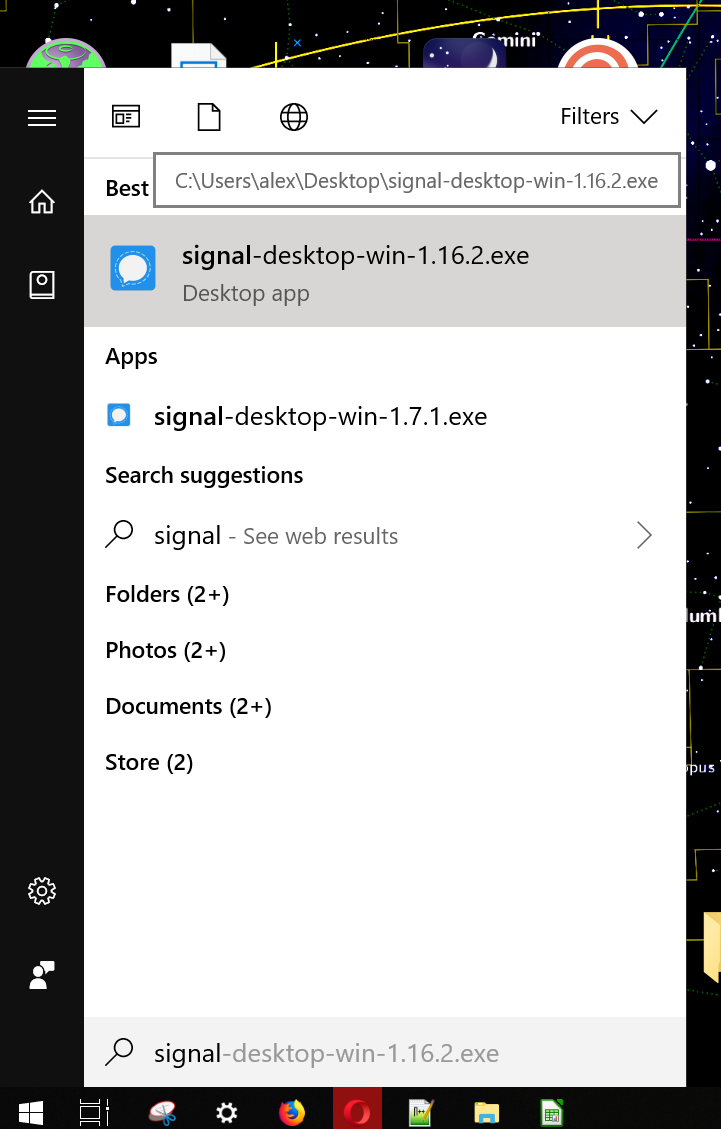
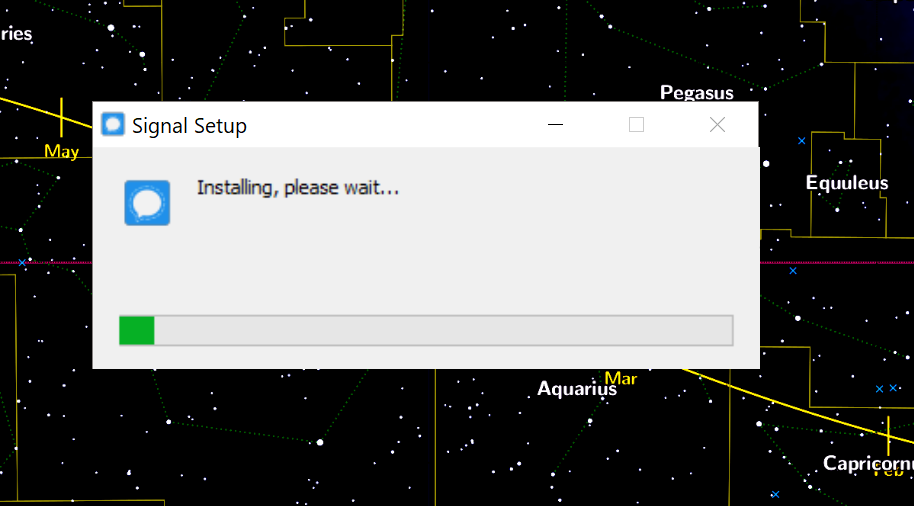
I can confirm. Also, maybe a related issue (or not), but every time I have opened Signal on Windows 10, it goes through the installation process. My local conversation history was deleted at each real new installation since 1.7.
 alexgenaud
on 2 Oct 2018
alexgenaud
on 2 Oct 2018
@alexgenaud Your conversation history was deleted on each update? Does that mean you needed to re-link it with your phone every time?
scottnonnenberg-signal
on 2 Oct 2018
Related issues
 PanderMusubi
·
3Comments
PanderMusubi
·
3Comments
 halb9
·
3Comments
halb9
·
3Comments
 ploum
·
3Comments
ploum
·
3Comments
 petcap
·
3Comments
petcap
·
3Comments
 lokesh-krishna
·
3Comments
lokesh-krishna
·
3Comments