Signal-desktop: Style the Title Bar on Windows 10 to Match Dark Theme
- [x] I have searched open and closed issues for duplicates
The current window header strips are White which doesn't fit with the whole dark mode theme.
Screenshots of Current UI (white Strips):

Screenshots of Desired UI (Black Strips):

Platform info
Signal version: 1.15.5-Beta.1
Operating System: Windows 10
 Xashyar
All 10 comments
@scottnonnenberg-signal
I also wanted to state that Settings menu buttons aren't in line with the corresponding texts.
See Spell Check, Hide Menu Bar for instance.
Xashyar
on 28 Aug 2018
What exactly do you mean by 'in line with the corresponding texts?'
 scottnonnenberg-signal
on 28 Aug 2018
scottnonnenberg-signal
on 28 Aug 2018
@scottnonnenberg-signal
Sorry but this is the best i could do with Paint!
I did some minor repositioning for Light, Dark, Spell Check and Hide Menu Bar, but not others.

Xashyar
on 28 Aug 2018
Ah. I see. The text for options in the preferences dialog don't align with their associated check box or radio button. Thanks for the clarification.
scottnonnenberg-signal
on 28 Aug 2018
I also have this request. Ideally it would just use Windows setting for light dark Theme? or optionally get rid of the title bar altogether like in recent versions of Mozilla Firefox
 Dunc0
on 21 Nov 2018
Dunc0
on 21 Nov 2018
@scottnonnenberg-signal
Isn't this related to how Electron interacts with Windows (i.e. detecting Windows theme preferences)?
Xashyar
on 28 Nov 2018
@Dunc0 @scottnonnenberg-signal
This Issue can be roughly solved through:
Settings --> Personalization --> Colors --> Show accent color on the following surfaces:
[x] Title bars and window borders
Although windows doesn't allow choosing Black RGB(0, 0, 0) but u could go with Dark Grey:
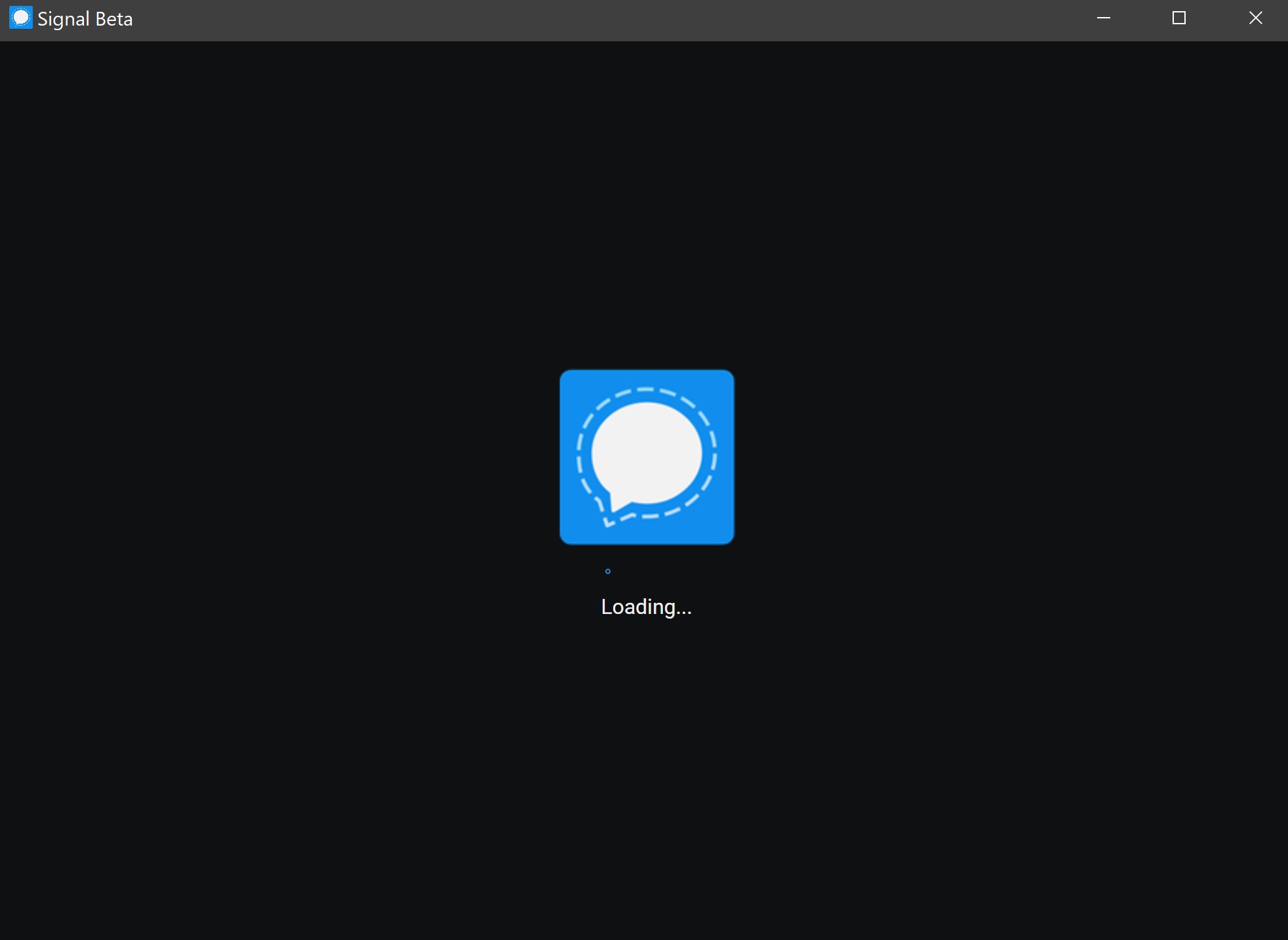
The other downside is that the Dark color Reverts to Bright when the app window goes into the background:
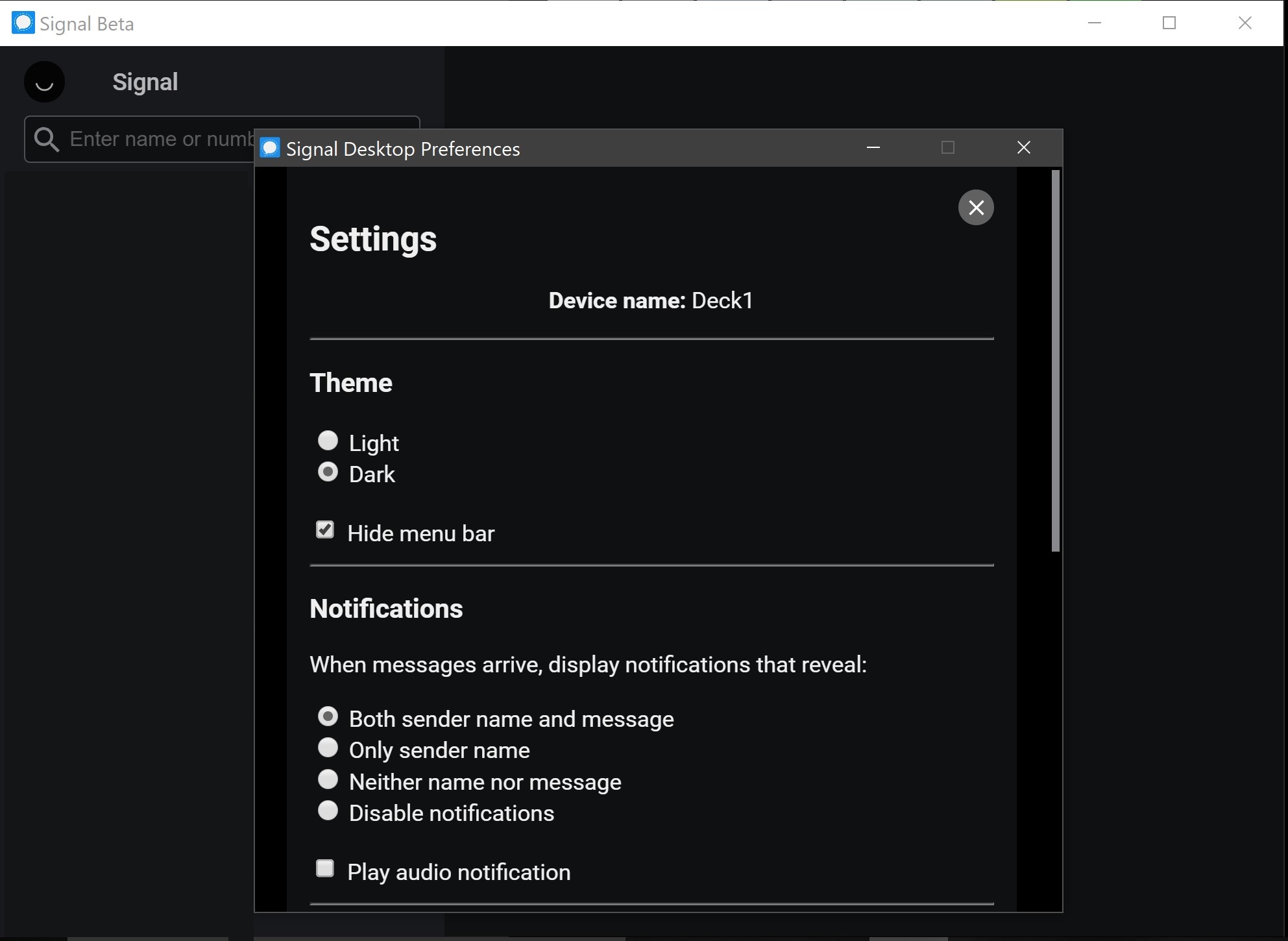
Xashyar
on 17 Dec 2018
@Xashyar Thanks for the suggestion but that isn't the solution I am looking for. my accent is green and I want to keep it that way for everything else in the system like start menu tiles etc.
Both whatsapp and skype (in dark mode) seem to be able to control the title bar colour (or hide it).
taking an uneducated guess I would say that these programs are somehow hiding the windows title bar and replacing the functionality with their own implementation. In firefox it is pretty clear this is the case as if you toggle the title bar on and off in preferences, you can see that the bar stays white (like signal) until you select to have it hidden and then it recreates the close/minimise functionality in line with the tab structure.
Cheers
Dunc0
on 10 Dec 2019
:+1: Would also love to see this fixed
 bookcasey
on 11 Dec 2019
bookcasey
on 11 Dec 2019
👍 I'd love this fixed as well. Here is a work around I found for anyone else looking in the future.
Computer\HKEY_CURRENT_USER\SOFTWARE\Microsoft\Windows\DWM => new 32Bit DWORD AccentColorInactive set the value to match your active color and then in the preferences toggle it to apply.

Source: https://winaero.com/change-color-of-inactive-title-bars-in-windows-10/
 icecreammatt
on 24 Dec 2020
icecreammatt
on 24 Dec 2020
Related issues
 cmdrogogov
·
3Comments
cmdrogogov
·
3Comments
 github-cygwin
·
3Comments
github-cygwin
·
3Comments
 mawed
·
3Comments
mawed
·
3Comments
 PanderMusubi
·
3Comments
PanderMusubi
·
3Comments
 jeremymasters
·
3Comments
jeremymasters
·
3Comments