Signal-desktop: No GUI after opening Signal-Desktop on Win 10 Home
- [ ] I have searched open and closed issues for duplicates
Bug description
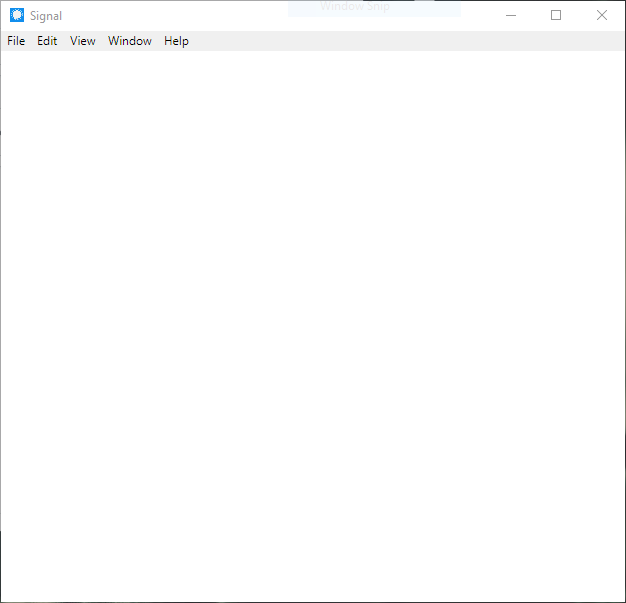
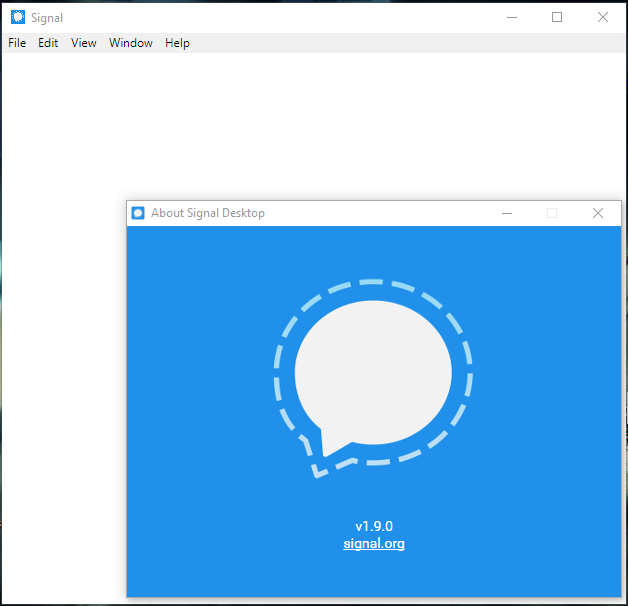
Signal Desktop GUI is blank (white page) after opening with just the window and File, Edit etc menus. But works everytime if I "Run as Administrator".
Steps to reproduce
- Click Signal Desktop client to open it.
- window loads and its just blank
- still wont load after waiting for 20 mins.. but the mouse cursor changes while hovering within the window as if the content is there interact but we can't see.
Actual result:
client shows blank white page.. even the signal loading animation won't show up.
Expected result:
work flawlessly.
Screenshots
Platform info
Signal version:
V 1.9.0
Operating System:
Windows 10 Home SL
Version: 1803
OS build: 17134.1
Linked device version:
Signal 4.19.3 (Android)
Link to debug log
 monk-ey
All 52 comments
Hi there! We'll need some additional information before we can make any progress on this. First, did any version of Signal Desktop ever work on this computer?
Then, if you could zip up and upload your logs directory C:\Users\<YourName>\AppData\Roaming\Signal\logs that would give us some information.
Lastly, if you open Signal Desktop from the command line and tell us what you see printed to it, that would help as well. You can search for 'Command Prompt' from the start menu, and then go to the install location 'C:\Users\and then runSignal.exe`.
 scottnonnenberg-signal
on 7 May 2018
scottnonnenberg-signal
on 7 May 2018
Same problem for me here. The last 3/4 versions had this problem but after a couple of restarts finally started.
As of today 1.10.1 starts always with a blank window and no matter how many time you restart it, always a blank interface as in the screenshot above.
Windows 10 pro 1803 x64.
Start as C:\UsersXXXXXXX\AppData\Local\Programs\signal-desktop\Signal.exe
Command line says
NODE_ENV production
NODE_CONFIG_DIR C:\Users\XXXX\AppData\Local\Programs\signal-desktop\resources\app.asar\config
NODE_CONFIG {}
ALLOW_CONFIG_MUTATIONS undefined
HOSTNAME undefined
NODE_APP_INSTANCE undefined
SUPPRESS_NO_CONFIG_WARNING undefined
Set Windows Application User Model ID (AUMID) { appUserModelId: 'org.whispersystems.signal-desktop' }
userData: C:\Users\XXXX\AppData\Roaming\Signal
making app single instance
quitting; we are the second instance
This message is wrong as there are no other instances running. I mean no signal.exe processes, not only no visible interface.
Edit:
All versions from the first one for desktop worked on this PC, last ones started to exhibit the problem.
And, BTW, in the roaming directory why do you keep all the installers? It takes a lot of disk space.
Running as administrator seems to make it work _sometimes_
 LoZio
on 14 May 2018
LoZio
on 14 May 2018
And here is the log file
{"name":"log","hostname":"MY_PC_NAME","pid":8596,"level":30,"msg":"app ready","time":"2018-05-14T07:07:17.907Z","v":0}
{"name":"log","hostname":"MY_PC_NAME","pid":8596,"level":30,"msg":"Ensure attachments directory exists","time":"2018-05-14T07:07:17.907Z","v":0}
{"name":"log","hostname":"MY_PC_NAME","pid":8596,"level":30,"msg":"Initializing BrowserWindow config: {\"show\":true,\"width\":656,\"height\":792,\"minWidth\":640,\"minHeight\":360,\"autoHideMenuBar\":false,\"webPreferences\":{\"nodeIntegration\":false,\"preload\":\"C:\\\\Users\\\\My_user_name\\\\AppData\\\\Local\\\\Programs\\\\signal-desktop\\\\resources\\\\app.asar\\\\preload.js\"},\"icon\":\"C:\\\\Users\\\\My_user_name\\\\AppData\\\\Local\\\\Programs\\\\signal-desktop\\\\resources\\\\app.asar\\\\images\\\\icon_256.png\",\"maximized\":false,\"x\":872,\"y\":16}","time":"2018-05-14T07:07:18.007Z","v":0}
{"name":"log","hostname":"MY_PC_NAME","pid":8596,"level":30,"msg":"Using OS-level spell check API with locale it_IT","time":"2018-05-14T07:07:20.928Z","v":0}
{"name":"log","hostname":"MY_PC_NAME","pid":8596,"level":30,"msg":"pre-main prep time: 2 ms","time":"2018-05-14T07:07:21.173Z","v":0}
{"name":"log","hostname":"MY_PC_NAME","pid":8596,"level":30,"msg":"Build expires:  2018-08-09T18:35:23.000Z","time":"2018-05-14T07:07:21.203Z","v":0}
{"name":"log","hostname":"MY_PC_NAME","pid":8596,"level":30,"msg":"background page reloaded","time":"2018-05-14T07:07:21.230Z","v":0}
{"name":"log","hostname":"MY_PC_NAME","pid":8596,"level":30,"msg":"environment: production","time":"2018-05-14T07:07:21.231Z","v":0}
{"name":"log","hostname":"MY_PC_NAME","pid":8596,"level":30,"msg":"Start IndexedDB migrations","time":"2018-05-14T07:07:21.232Z","v":0}
{"name":"log","hostname":"MY_PC_NAME","pid":8596,"level":30,"msg":"Run migrations on database with attachment data","time":"2018-05-14T07:07:21.233Z","v":0}
{"name":"log","hostname":"MY_PC_NAME","pid":8596,"level":30,"msg":"Database status {\"firstMigrationVersion\":12,\"lastMigrationVersion\":18,\"databaseVersion\":18,\"isAlreadyUpgraded\":true}","time":"2018-05-14T07:07:21.302Z","v":0}
{"name":"log","hostname":"MY_PC_NAME","pid":8596,"level":30,"msg":"Storage fetch","time":"2018-05-14T07:07:21.302Z","v":0}
{"name":"log","hostname":"MY_PC_NAME","pid":8596,"level":30,"msg":"ConversationController: starting initial fetch","time":"2018-05-14T07:07:21.327Z","v":0}
{"name":"log","hostname":"MY_PC_NAME","pid":8596,"level":30,"msg":"ConversationController: done with initial fetch","time":"2018-05-14T07:07:21.347Z","v":0}
{"name":"log","hostname":"MY_PC_NAME","pid":8596,"level":30,"msg":"listening for registration events","time":"2018-05-14T07:07:21.349Z","v":0}
{"name":"log","hostname":"MY_PC_NAME","pid":8596,"level":30,"msg":"Next signed key rotation scheduled for 2018-05-16T07:00:45.094Z","time":"2018-05-14T07:07:21.353Z","v":0}
{"name":"log","hostname":"MY_PC_NAME","pid":8596,"level":30,"msg":"connect","time":"2018-05-14T07:07:21.354Z","v":0}
{"name":"log","hostname":"MY_PC_NAME","pid":8596,"level":30,"msg":"getAllFromCache","time":"2018-05-14T07:07:21.355Z","v":0}
{"name":"log","hostname":"MY_PC_NAME","pid":8596,"level":30,"msg":"opening message socket https://textsecure-service.whispersystems.org","time":"2018-05-14T07:07:21.356Z","v":0}
@LoZio That last set of logs you posted ('opening message socket') seems to indicate that the application is loading, you just need to wait for it. But the other one you posted ('we are the single instance') suggests that another process was running, or something was left on disk suggesting that it was still running. I could see that happening if the app was killed by process manager.
What's the longest you've left it at the white screen? The way the app loads, even if it had a bug preventing it from starting up, you should see the Signal logo and the triple-dot animation.
scottnonnenberg-signal
on 14 May 2018
@scottnonnenberg The application stays in that way forever. This is absolutely reproducible. With the current version the only way to have it start is using run-as-admin some times (about 5) and it will start. In all the other cases it stays blank. The longest was today during launch, a couple of hours. Closed, tried some time in admin mode and it started in 5 seconds, as usual when it works.
When the app does start correctly, the PC is connected to the internet and the phone on the same Wifi sends/receives signal messages, so no network issues on that side.
I never killed the app with task manager, it exits normally using the exit function from the tray icon.
If it can be useful, I used to launch it using the command line switches to enable "minimize to tray" function ( --use-tray-icon). I removed those switches to tests but nothing changes.
I also removed the two cache directory from the profile, they get re-created when the app starts even when it is blank.
When it is blank the cursor changes in the hand pointer, just like ther is something to click on the whole area (and clicking does nothing of course).
LoZio
on 14 May 2018
Further tests. Deleted all the data, restarted. No way to have the initial setup running. Also starting it from the menu does not work.
Full uninstall: check there are no files left.
After clean install: any run without admin privileges gives the blank interface. With admin privileges it starts and does the first setup.
If I start it without admin privileges I have the blank interface but I noted that I have the right icons while moving the mouse. Where should have been the input box I have the cursor, on the left I have the hand where should be the contacts, and the arrow where I should see the chat.
It seems it is somewhat started, but without widget interfaces.
LoZio
on 15 May 2018
I'm sure it is a problem with the visualization now: if I open the debug log while the interface is blank, I see nothing but the cursor changes when I hover the area where the log should be.
If I do CTRL+A / CTRL+C to select/copy something I get the debug log even if I cannot see it.
INFO  2018-05-15T10:08:05.781Z Updating BrowserWindow config: {"maximized":false,"autoHideMenuBar":false,"width":642,"height":633,"x":890,"y":189}
INFO  2018-05-15T10:08:05.797Z unloading conversation +[REDACTED]314 due to: windows closed
INFO  2018-05-15T10:08:05.797Z unloading conversation +[REDACTED]648 due to: windows closed
INFO  2018-05-15T10:08:05.799Z unloading conversation +[REDACTED]641 due to: windows closed
INFO  2018-05-15T10:08:05.799Z unloading conversation +[REDACTED]629 due to: windows closed
INFO  2018-05-15T10:08:05.799Z unloading conversation +[REDACTED]377 due to: windows closed
INFO  2018-05-15T10:08:05.799Z unloading conversation +[REDACTED]332 due to: windows closed
INFO  2018-05-15T10:08:05.799Z unloading conversation +[REDACTED]150 due to: windows closed
INFO  2018-05-15T10:08:05.799Z unloading conversation +[REDACTED]598 due to: windows closed
INFO  2018-05-15T10:08:05.807Z Update notifications: {"shouldClearNotifications":false,"shouldPlayNotificationSound":false,"shouldShowNotifications":false,"type":"noNotifications","isNotificationGroupingSupported":true}
INFO  2018-05-15T10:08:11.471Z app ready
INFO  2018-05-15T10:08:11.471Z Ensure attachments directory exists
INFO  2018-05-15T10:08:11.551Z Initializing BrowserWindow config: {"show":true,"width":642,"height":633,"minWidth":640,"minHeight":360,"autoHideMenuBar":false,"webPreferences":{"nodeIntegration":false,"preload":"[REDACTED]\\app.asar\\preload.js"},"icon":"[REDACTED]\\app.asar\\images\\icon_256.png","maximized":false,"x":890,"y":189}
INFO  2018-05-15T10:08:14.534Z Using OS-level spell check API with locale it_IT
INFO  2018-05-15T10:08:14.735Z pre-main prep time: 2 ms
INFO  2018-05-15T10:08:14.751Z Build expires:  2018-08-12T23:57:11.000Z
INFO  2018-05-15T10:08:14.787Z background page reloaded
INFO  2018-05-15T10:08:14.787Z environment: production
INFO  2018-05-15T10:08:14.788Z Start IndexedDB migrations
INFO  2018-05-15T10:08:14.789Z Run migrations on database with attachment data
INFO  2018-05-15T10:08:14.852Z Database status {"firstMigrationVersion":12,"lastMigrationVersion":18,"databaseVersion":18,"isAlreadyUpgraded":true}
INFO  2018-05-15T10:08:14.852Z Storage fetch
INFO  2018-05-15T10:08:14.878Z ConversationController: starting initial fetch
INFO  2018-05-15T10:08:14.893Z ConversationController: done with initial fetch
INFO  2018-05-15T10:08:14.894Z listening for registration events
INFO  2018-05-15T10:08:14.897Z Next signed key rotation scheduled for 2018-05-17T07:03:30.245Z
INFO  2018-05-15T10:08:14.898Z connect
INFO  2018-05-15T10:08:14.898Z getAllFromCache
INFO  2018-05-15T10:08:14.899Z opening message socket https://textsecure-service.whispersystems.org
INFO  2018-05-15T10:08:15.945Z open inbox
INFO  2018-05-15T10:08:16.010Z Sync read receipt configuration status: {"status":"skipped","reason":"hasPreviouslySynced"}
INFO  2018-05-15T10:08:16.010Z Start idle detector
INFO  2018-05-15T10:08:16.029Z getAllFromCache loaded 0 saved envelopes
INFO  2018-05-15T10:08:16.031Z Conversation: Update last message: {"id":"+[REDACTED]770","messageTimestamp":null,"messageType":null,"messageSentAt":null}
INFO  2018-05-15T10:08:16.032Z Conversation: Update last message: {"id":"+[REDACTED]307","messageTimestamp":null,"messageType":null,"messageSentAt":null}
INFO  2018-05-15T10:08:16.055Z Conversation: Update last message: {"id":"+[REDACTED]031","messageTimestamp":null,"messageType":null,"messageSentAt":null}
INFO  2018-05-15T10:08:16.057Z Conversation: Update last message: {"id":"+[REDACTED]634","messageTimestamp":null,"messageType":"incoming","messageSentAt":1526366964780}
INFO  2018-05-15T10:08:16.057Z Conversation: Update last message: {"id":"+[REDACTED]904","messageTimestamp":null,"messageType":"incoming","messageSentAt":1526366964742}
INFO  2018-05-15T10:08:16.058Z Conversation: Update last message: {"id":"+[REDACTED]061","messageTimestamp":null,"messageType":"incoming","messageSentAt":1526366964735}
INFO  2018-05-15T10:08:16.060Z Conversation: Update last message: {"id":"+[REDACTED]598","messageTimestamp":1526376664270,"messageType":"outgoing","messageSentAt":1526376664270}
INFO  2018-05-15T10:08:16.063Z next message expires 2018-05-22T09:18:08.741Z
INFO  2018-05-15T10:08:16.552Z websocket open
INFO  2018-05-15T10:08:16.556Z got request PUT /api/v1/queue/empty
INFO  2018-05-15T10:08:16.560Z MessageReceiver: emitting 'empty' event
INFO  2018-05-15T10:08:17.562Z Update notifications: {"shouldClearNotifications":false,"shouldPlayNotificationSound":false,"shouldShowNotifications":false,"type":"noNotifications","isNotificationGroupingSupported":true}
INFO  2018-05-15T10:08:18.827Z Loaded this list of log files from logPath: log.log
@LoZio Can you talk about this computer? What kind of video card? What specific video driver? Any details you can provide which would differentiate it from a vanilla Windows 10 install would be useful - other utilities or applications you've installed, for example. Are there any other applications you have graphics problems with?
scottnonnenberg-signal
on 15 May 2018
The only program that has "graphics" related problems is Signal. It started 2/3 updates ago, now it is repetible. To be honest it is the only that has some kind of problem at all.
It is a Dell with i7 6500, 16 gb, Radeon Driver Packaging Version 18.10.01.05-180424a-327684E-RadeonSoftwareAdrenalin. Replacing drivers is done when corp allows it, so the problems with Signal came while drivers where not changed. It is a work PC so no fancy tools onboard, Office, Skype, Notepad++ and Signal. The store is not activated. It is not from Dell image with bloatware, it is installed from MS Win10 ISO.
I connected also an external monitor to see if it makes any difference, nothing. I moved the app to other virtual desktop, nothing.
The only way to display the interface (now I know the interface IS here but hidden) is to start as an admin.
I also run process monitor to see if the app gets some access denied somewhere, but it seems clean.
Nothing to say about this PC, it is really a simple install. The only differences during time are related on patch tuesdays, but as I said before I had problems also in the past before last patches.
LoZio
on 15 May 2018
Interesting. We have had some graphics card problems with Windows 10 Home specifically in the past. What if you try running the app from the command line with the --disable-gpu option?
scottnonnenberg-signal
on 15 May 2018
For reference, others having problems on Windows: https://github.com/electron/electron/issues/10863
scottnonnenberg-signal
on 15 May 2018
Aaaand we got it! Using "--disable-gpu" starts the program correctly even without admin privileges.
Also if I configure the GPU/switching feature to start Signal in "power saving" mode, that is it tries to use the integrated Intel GPU, it works correctly.
I made every combination/test and it is reproducible each time: starting on my AMD gpu in "performance" mode, the default with power supply connected, creates the problem.
Using "--disable-gpu" or switching to the integrated Intel/low power GPU solves the problem.
LoZio
on 15 May 2018
I am seeing the same behavior on Windows 7, except --disable-gpu does not fix. It also appears my resources/app.asar directory is not a directory, it's a file:
Dev Tools console has error:
C:\Users\<username>\AppData\Local\Programs\signal-desktop\resources\electron.asar\renderer\init.js:199 Unable to load preload script: C:\Users\<username>\AppData\Local\Programs\signal-desktop\resources\app.asar\preload.js
 jsleuth
on 4 Jun 2018
jsleuth
on 4 Jun 2018
@jsleuth Can you provide more lines from your log? It does look like something is wrong, but we'll need a bit more detail.
scottnonnenberg-signal
on 5 Jun 2018
@scottnonnenberg, of course. When I try to open the Debug Log nothing appears to happen.
This is the whole developer tools log:
C:\Users\<username>\AppData\Local\Programs\signal-desktop\resources\electron.asar\renderer\init.js:199 Unable to load preload script: C:\Users\<username>\AppData\Local\Programs\signal-desktop\resources\app.asar\preload.js
(anonymous) @ C:\Users\<username>\AppData\Local\Programs\signal-desktop\resources\electron.asar\renderer\init.js:199
C:\Users\<username>\AppData\Local\Programs\signal-desktop\resources\electron.asar\renderer\init.js:200 Error: WebAPI.initialize: Invalid server url
    at initialize (C:\Users\<username>\AppData\Local\Programs\signal-desktop\resources\app.asar\js\modules\web_api.js:309:11)
    at Object.<anonymous> (C:\Users\<username>\AppData\Local\Programs\signal-desktop\resources\app.asar\preload.js:88:17)
    at Object.<anonymous> (C:\Users\<username>\AppData\Local\Programs\signal-desktop\resources\app.asar\preload.js:165:3)
    at Module._compile (module.js:642:30)
    at Object.Module._extensions..js (module.js:653:10)
    at Module.load (module.js:561:32)
    at tryModuleLoad (module.js:504:12)
    at Function.Module._load (module.js:496:3)
    at Module.require (module.js:586:17)
    at require (internal/module.js:11:18)
(anonymous) @ C:\Users\<username>\AppData\Local\Programs\signal-desktop\resources\electron.asar\renderer\init.js:200
data:text/html,chro…:1 Not allowed to load local resource: file:///C:/Users/<username>/AppData/Local/Programs/signal-desktop/resources/app.asar/background.html?name=Signal&locale=en&version=1.12.0&buildExpiration=1535577961000&serverUrl=https%3A%2F%2Ftextsecure-service.whispersystems.org&cdnUrl=https%3A%2F%2Fcdn.signal.org&certificateAuthority=-----BEGIN%20CERTIFICATE-----%0AMIID7zCCAtegAwIBAgIJAIm6LatK5PNiMA0GCSqGSIb3DQEBBQUAMIGNMQswCQYD%0AVQQGEwJVUzETMBEGA1UECAwKQ2FsaWZvcm5pYTEWMBQGA1UEBwwNU2FuIEZyYW5j%0AaXNjbzEdMBsGA1UECgwUT3BlbiBXaGlzcGVyIFN5c3RlbXMxHTAbBgNVBAsMFE9w%0AZW4gV2hpc3BlciBTeXN0ZW1zMRMwEQYDVQQDDApUZXh0U2VjdXJlMB4XDTEzMDMy%0ANTIyMTgzNVoXDTIzMDMyMzIyMTgzNVowgY0xCzAJBgNVBAYTAlVTMRMwEQYDVQQI%0ADApDYWxpZm9ybmlhMRYwFAYDVQQHDA1TYW4gRnJhbmNpc2NvMR0wGwYDVQQKDBRP%0AcGVuIFdoaXNwZXIgU3lzdGVtczEdMBsGA1UECwwUT3BlbiBXaGlzcGVyIFN5c3Rl%0AbXMxEzARBgNVBAMMClRleHRTZWN1cmUwggEiMA0GCSqGSIb3DQEBAQUAA4IBDwAw%0AggEKAoIBAQDBSWBpOCBDF0i4q2d4jAXkSXUGpbeWugVPQCjaL6qD9QDOxeW1afvf%0APo863i6Crq1KDxHpB36EwzVcjwLkFTIMeo7t9s1FQolAt3mErV2U0vie6Ves%2Byj6%0AgrSfxwIDAcdsKmI0a1SQCZlr3Q1tcHAkAKFRxYNawADyps5B%2BZmqcgf653TXS5%2F0%0AIPPQLocLn8GWLwOYNnYfBvILKDMItmZTtEbucdigxEA9mfIvvHADEbteLtVgwBm9%0AR5vVvtwrD6CCxI3pgH7EH7kMP0Od93wLisvn1yhHY7FuYlrkYqdkMvWUrKoASVw4%0Ajb69vaeJCUdU%2BHCoXOSP1PQcL6WenNCHAgMBAAGjUDBOMB0GA1UdDgQWBBQBixjx%0AP%2Fs5GURuhYa%2BlGUypzI8kDAfBgNVHSMEGDAWgBQBixjxP%2Fs5GURuhYa%2BlGUypzI8%0AkDAMBgNVHRMEBTADAQH%2FMA0GCSqGSIb3DQEBBQUAA4IBAQB%2BHr4hC56m0LvJAu1R%0AK6NuPDbTMEN7%2FjMojFHxH4P3XPFfupjR%2BbkDq0pPOU6JjIxnrD1XD%2FEVmTTaTVY5%0AiOheyv7UzJOefb2pLOc9qsuvI4fnaESh9bhzln%2BLXxtCrRPGhkxA1IMIo3J%2Fs2WF%0A%2FKVYZyciu6b4ubJ91XPAuBNZwImug7%2FsrWvbpk0hq6A6z140WTVSKtJG7EP41kJe%0A%2FoF4usY5J7LPkxK3LWzMJnb5EIJDmRvyH8pyRwWg6Qm6qiGFaI4nL8QU4La1x2en%0A4DGXRaLMPRwjELNgQPodR38zoCMuA8gHZfZYYoZ7D7Q1wNUiVHcxuFrEeBaYJbLE%0ArwLV%0A-----END%20CERTIFICATE-----%0A&environment=production&node_version=8.9.3&hostname=<username>-togo&appInstance=&proxyUrl=&importMode=
Also, signal-desktop/resources/app.asar on my machine seems to be a file not a directory.
I have tried uninstalling and installing Signal a couple times with no visible changes. It was working fine until the last update.
jsleuth
on 5 Jun 2018
Same with 1.12.0 on Win 8.1 Pro:
```
%AppData%\Local\Programs\signal-desktop\resourcesapp.asar\preload.js:4 preload
%AppData%\Local\Programs\signal-desktop\resources\electron.asar\rendererinit.js:199 Unable to load preload script: %AppData%\Local\Programs\signal-desktop\resourcesapp.asar\preload.js
(anonymous) @ %AppData%\Local\Programs\signal-desktop\resources\electron.asar\rendererinit.js:199
%AppData%\Local\Programs\signal-desktop\resources\electron.asar\rendererinit.js:200 Error: WebAPI.initialize: Invalid server url
at initialize (%AppData%\Local\Programs\signal-desktop\resourcesapp.asarjs\modules\web_api.js:309:11)
at Object.
at Object.
at Module._compile (module.js:642:30)
at Object.Module._extensions..js (module.js:653:10)
at Module.load (module.js:561:32)
at tryModuleLoad (module.js:504:12)
at Function.Module._load (module.js:496:3)
at Module.require (module.js:586:17)
at require (internal/module.js:11:18)
(anonymous) @ %AppData%\Local\Programs\signal-desktop\resources\electron.asar\rendererinit.js:200
data:text/html,chro…:1 Not allowed to load local resource: file:///%AppData%/Local/Programs/signal-desktop/resources/app.asar/background.html?name=Signal&locale=en&version=1.12.0&buildExpiration=1535577961000&serverUrl=https%3A%2F%2Ftextsecure-service.whispersystems.org&cdnUrl=https%3A%2F%2Fcdn.signal.org&certificateAuthority=-----BEGIN%20CERTIFICATE-----%0AMIID7zCCAtegAwIBAgIJAIm6LatK5PNiMA0GCSqGSIb3DQEBBQUAMIGNMQswCQYD%0AVQQGEwJVUzETMBEGA1UECAwKQ2FsaWZvcm5pYTEWMBQGA1UEBwwNU2FuIEZyYW5j%0AaXNjbzEdMBsGA1UECgwUT3BlbiBXaGlzcGVyIFN5c3RlbXMxHTAbBgNVBAsMFE9w%0AZW4gV2hpc3BlciBTeXN0ZW1zMRMwEQYDVQQDDApUZXh0U2VjdXJlMB4XDTEzMDMy%0ANTIyMTgzNVoXDTIzMDMyMzIyMTgzNVowgY0xCzAJBgNVBAYTAlVTMRMwEQYDVQQI%0ADApDYWxpZm9ybmlhMRYwFAYDVQQHDA1TYW4gRnJhbmNpc2NvMR0wGwYDVQQKDBRP%0AcGVuIFdoaXNwZXIgU3lzdGVtczEdMBsGA1UECwwUT3BlbiBXaGlzcGVyIFN5c3Rl%0AbXMxEzARBgNVBAMMClRleHRTZWN1cmUwggEiMA0GCSqGSIb3DQEBAQUAA4IBDwAw%0AggEKAoIBAQDBSWBpOCBDF0i4q2d4jAXkSXUGpbeWugVPQCjaL6qD9QDOxeW1afvf%0APo863i6Crq1KDxHpB36EwzVcjwLkFTIMeo7t9s1FQolAt3mErV2U0vie6Ves%2Byj6%0AgrSfxwIDAcdsKmI0a1SQCZlr3Q1tcHAkAKFRxYNawADyps5B%2BZmqcgf653TXS5%2F0%0AIPPQLocLn8GWLwOYNnYfBvILKDMItmZTtEbucdigxEA9mfIvvHADEbteLtVgwBm9%0AR5vVvtwrD6CCxI3pgH7EH7kMP0Od93wLisvn1yhHY7FuYlrkYqdkMvWUrKoASVw4%0Ajb69vaeJCUdU%2BHCoXOSP1PQcL6WenNCHAgMBAAGjUDBOMB0GA1UdDgQWBBQBixjx%0AP%2Fs5GURuhYa%2BlGUypzI8kDAfBgNVHSMEGDAWgBQBixjxP%2Fs5GURuhYa%2BlGUypzI8%0AkDAMBgNVHRMEBTADAQH%2FMA0GCSqGSIb3DQEBBQUAA4IBAQB%2BHr4hC56m0LvJAu1R%0AK6NuPDbTMEN7%2FjMojFHxH4P3XPFfupjR%2BbkDq0pPOU6JjIxnrD1XD%2FEVmTTaTVY5%0AiOheyv7UzJOefb2pLOc9qsuvI4fnaESh9bhzln%2BLXxtCrRPGhkxA1IMIo3J%2Fs2WF%0A%2FKVYZyciu6b4ubJ91XPAuBNZwImug7%2FsrWvbpk0hq6A6z140WTVSKtJG7EP41kJe%0A%2FoF4usY5J7LPkxK3LWzMJnb5EIJDmRvyH8pyRwWg6Qm6qiGFaI4nL8QU4La1x2en%0A4DGXRaLMPRwjELNgQPodR38zoCMuA8gHZfZYYoZ7D7Q1wNUiVHcxuFrEeBaYJbLE%0ArwLV%0A-----END%20CERTIFICATE-----%0A&environment=production&node_version=8.9.3&hostname=info-09&appInstance=&proxyUrl=&importMode=
Here is the log:
{"name":"log","hostname":"XXXXXXX","pid":1060,"level":30,"msg":"app ready","time":"2018-06-05T14:34:57.834Z","v":0}
{"name":"log","hostname":"XXXXXXX","pid":1060,"level":30,"msg":"Ensure attachments directory exists","time":"2018-06-05T14:34:57.854Z","v":0}
{"name":"log","hostname":"XXXXXXX","pid":1060,"level":30,"msg":"Location reset needed","time":"2018-06-05T14:34:57.980Z","v":0}
{"name":"log","hostname":"XXXXXXX","pid":1060,"level":30,"msg":"Initializing BrowserWindow config: {\"show\":true,\"width\":800,\"height\":610,\"minWidth\":640,\"minHeight\":360,\"autoHideMenuBar\":false,\"webPreferences\":{\"nodeIntegration\":false,\"nodeIntegrationInWorker\":false,\"preload\":\"%AppData%\\Local\\Programs\\signal-desktop\\resources\\app.asar\\preload.js\",\"nativeWindowOpen\":true},\"icon\":\"%AppData%\\Local\\Programs\\signal-desktop\\resources\\app.asar\\images\\icon_256.png\"}","time":"2018-06-05T14:34:57.980Z","v":0}
{"name":"log","hostname":"XXXXXXX","pid":1060,"level":30,"msg":"Warning: denying request to path '%AppData%\Local\Programs\signal-desktop\resources\app.asar\background.html'","time":"2018-06-05T14:34:59.316Z","v":0}
{"name":"log","hostname":"XXXXXXX","pid":1060,"level":30,"msg":"Updating BrowserWindow config: {\"maximized\":true,\"autoHideMenuBar\":false,\"width\":1936,\"height\":1056,\"x\":-8,\"y\":-8}","time":"2018-06-05T14:35:05.971Z","v":0}
{"name":"log","hostname":"XXXXXXX","pid":1060,"level":50,"msg":"Top-level unhandled error: null","time":"2018-06-05T14:38:12.582Z","v":0}
{"name":"log","hostname":"XXXXXXX","pid":1060,"level":30,"msg":"Updating BrowserWindow config: {\"maximized\":true,\"autoHideMenuBar\":false,\"width\":1936,\"height\":1056,\"x\":-8,\"y\":-8}","time":"2018-06-05T14:40:25.067Z","v":0}
{"name":"log","hostname":"XXXXXXX","pid":9208,"level":30,"msg":"app ready","time":"2018-06-05T14:40:49.245Z","v":0}
{"name":"log","hostname":"XXXXXXX","pid":9208,"level":30,"msg":"Ensure attachments directory exists","time":"2018-06-05T14:40:49.249Z","v":0}
{"name":"log","hostname":"XXXXXXX","pid":9208,"level":30,"msg":"Location reset needed","time":"2018-06-05T14:40:49.325Z","v":0}
{"name":"log","hostname":"XXXXXXX","pid":9208,"level":30,"msg":"Initializing BrowserWindow config: {\"show\":true,\"width\":1936,\"height\":1056,\"minWidth\":640,\"minHeight\":360,\"autoHideMenuBar\":false,\"webPreferences\":{\"nodeIntegration\":false,\"nodeIntegrationInWorker\":false,\"preload\":\"%AppData%\\Local\\Programs\\signal-desktop\\resources\\app.asar\\preload.js\",\"nativeWindowOpen\":true},\"icon\":\"%AppData%\\Local\\Programs\\signal-desktop\\resources\\app.asar\\images\\icon_256.png\",\"maximized\":true}","time":"2018-06-05T14:40:49.325Z","v":0}
{"name":"log","hostname":"XXXXXXX","pid":9208,"level":30,"msg":"Warning: denying request to path '%AppData%\Local\Programs\signal-desktop\resources\app.asar\background.html'","time":"2018-06-05T14:40:50.598Z","v":0}
{"name":"log","hostname":"XXXXXXX","pid":9208,"level":30,"msg":"Updating BrowserWindow config: {\"maximized\":true,\"autoHideMenuBar\":false,\"width\":1936,\"height\":1056,\"x\":-8,\"y\":-8}","time":"2018-06-05T14:40:52.375Z","v":0}
{"name":"log","hostname":"XXXXXXX","pid":9208,"level":30,"msg":"Warning: denying request to path '%AppData%\Local\Programs\signal-desktop\resources\app.asar\about.html'","time":"2018-06-05T14:44:27.042Z","v":0}
{"name":"log","hostname":"XXXXXXX","pid":9208,"level":30,"msg":"Updating BrowserWindow config: {\"maximized\":true,\"autoHideMenuBar\":false,\"width\":1936,\"height\":1056,\"x\":-8,\"y\":-8}","time":"2018-06-05T14:44:33.288Z","v":0}
````
 AGlezB
on 5 Jun 2018
AGlezB
on 5 Jun 2018
 mjuen
on 5 Jun 2018
mjuen
on 5 Jun 2018
@mjuen 1.11.0 works for me too.
AGlezB
on 8 Jun 2018
Same issue for me, and the --disable-gpu didn't work. But I think, for me at least, it's due to my AppData dir being a junction?
Win 10
signal-desktop-win-1.12.0.exe
Anyway of manually changing it's data directory?
-edit
Should probably mention I can't open the preferences in the app, which is why I'm asking if there is another way to set a custom data directory.
 Piperman132
on 13 Jun 2018
Piperman132
on 13 Jun 2018
@Piperman132 Yep, there are multiple problems being tracked in this issue. The first had to do with hardware acceleration/drivers. These latest have to do with paths on windows - we recently introduced filtration to ensure that we never touch paths outside of the app's install or config directories, and it seems that in your case we're saying no to what looks like normal path. From your log:
"Warning: denying request to path 'E:\\Drive_D\\UserName\\AppData\\Local\\Programs\\signal-desktop\\resources\\app.asar\\background.html'"
What is special about that drive location? Does it match up with where Signal is installed? You mentioned something about a junction?
@mjuen Same question to you. From your log:
Warning: denying request to path 'D:\\Users\\XXXX\\AppData\\Local\\Programs\\signal-desktop\\resources\\app.asar\\about.html'
What is special about that location on your machine?
@palmiche @jsleuth The two of you are running into a different error, where Electron is now refusing to load our primary HTML page: data:text/html,chro…:1 Not allowed to load local resource: file:///%AppData%/Local/Programs/... This does appear to be some sort of Electron regression. You can help us track that down by telling us about your machine - it doesn't break on all machines (like our test VMs) so what is unique about your situations? What version of Windows, exactly? It could be a Windows 8-specific thing; we don't have any test VMs for it.
scottnonnenberg-signal
on 13 Jun 2018
I'm on Windows 7. (happy to give more machine info if you like)
Signal Desktop 1.11.0 is currently working fine (though it keeps asking me to upgrade...) :)
Does the install process try to create app.asar as a junction and then resource requests go through the User directory to the install directory?
jsleuth
on 13 Jun 2018
@jsleuth app.asar is a tar-like bundle file. And no, there's no fancy indirection I know of. Other than the fact the installer puts Signal Desktop into your profile's AppData directory.
scottnonnenberg-signal
on 13 Jun 2018
@scottnonnenberg The Local folder is not on C:\Users\<username>\AppData\Local as it would normally be. Instead C:\Users\<username>\AppData\Local is a link which points to D:\Users\<username>\AppData\Local (I did this to save some space on my SSD)
The folder has the exact same permissions as the original Local folder (including all subfolders).
mjuen
on 14 Jun 2018
@scottnonnenberg-signal Actually my %AppData% points to c:\Users\XXXX which is a junction pointing to d:\YYYYY\XXXX and the actual log reads
{"name":"log","hostname":"XXXXXXX","pid":1060,"level":30,"msg":"Warning: denying request to path 'd:\\YYYYY\\XXXX\\Local\\Programs\\signal-desktop\\resources\\app.asar\\background.html'","time":"2018-06-05T14:34:59.316Z","v":0}
so I'm most likely having the same issue as @mjuen and @Piperman132.
I'll be more carefull when redacting logs in the future. :disappointed:
For the time beeing I'll keep using 1.11.0 and try to endure the constant update prompts. :wink:
AGlezB
on 14 Jun 2018
@scottnonnenberg-signal, @mjuen hit the nail on the head. My configuration is exactly the same.
I rarely run into issues caused by that configuration although there have been the odd program that has complained about the dir being a junction. I take it from your comment it's not possible to specify the directory so I can point it elsewhere?
Piperman132
on 14 Jun 2018
For what it's worth my setup is like @mjuen and @palmiche's with the C:\Users\
jsleuth
on 14 Jun 2018
@palmiche @jsleuth @Piperman132 @mjuen We just released a beta yesterday which attempts to follow junctions in the install/config paths on startup (before comparing them with browser-requested files) - maybe you could try out the beta and see if it fixes things for you? https://github.com/signalapp/Signal-Desktop/releases/tag/v1.13.0-beta.1
Beta install instructions are here: https://github.com/signalapp/Signal-Desktop#install-the-beta
scottnonnenberg-signal
on 15 Jun 2018
@scottnonnenberg-signal Works for me, thanks a lot!
mjuen
on 15 Jun 2018
Not working for me. :cry:
{"name":"log","hostname":"HHHHH","pid":6204,"level":30,"msg":"Warning: denying request to path 'D:\\YYYYY\\XXXXX\\AppData\\Local\\Programs\\signal-desktop-beta\\resources\\app.asar\\background.html'","time":"2018-06-15T19:47:47.095Z","v":0}
This is the command line:
"C:\Users\XXXXX\AppData\Local\Programs\signal-desktop-beta\Signal Beta.exe" --type=renderer --no-sandbox --service-pipe-token=******************************** --lang=en-US --app-user-model-id=org.whispersystems.signal-desktop-beta --app-path="C:\Users\XXXXX\AppData\Local\Programs\signal-desktop-beta\resources\app.asar" --node-integration=false --webview-tag=false --no-sandbox --native-window-open --preload="d:\YYYYY\XXXXX\AppData\Local\Programs\signal-desktop-beta\resources\app.asar\preload.js" --context-id=2 --enable-pinch --device-scale-factor=1 --num-raster-threads=2 --enable-main-frame-before-activation --content-image-texture-target=[REDACTED: TOO LONG] --enable-gpu-async-worker-context --service-request-channel-token=******************************** --renderer-client-id=4 --mojo-platform-channel-handle=1652 /prefetch:1
@scottnonnenberg-signal Any chance the issue is right here?
--app-path="C:\Users\XXXXX\AppData\Local\Programs\signal-desktop-beta\resources\app.asar"
--preload="d:\YYYYY\XXXXX\AppData\Local\Programs\signal-desktop-beta\resources\app.asar\preload.js"
:thinking:
AGlezB
on 15 Jun 2018
@palmiche In that 'denying request' entry and the --preload item in your last code block, is the only difference the casing? D:\ vs d:\? Is it perhaps because your junction specifies its target directory with a lower-case drive name?
scottnonnenberg-signal
on 15 Jun 2018
@scottnonnenberg-signal The capital should not matter since paths in Windows are case insensitive. The difference I'm seeing is that one path is C:\Users\XXXXX\ and the other is d:\YYYYY\XXXXX\ and a case-insensitive string comparison will return false.
AGlezB
on 15 Jun 2018
@palmiche No, it definitely matters because we're comparing paths for security reasons. :0) I ask because if that's the only difference, then perhaps we need to do some platform-specific case manipulation.
scottnonnenberg-signal
on 16 Jun 2018
:open_mouth: I see what you mean. The junction is pointing to d: (lowercase) and it seems to be the only difference. @scottnonnenberg-signal :+1: nice catch.
I'm not sure how hard it is to determine case sensitivity of the file system but at least for Windows you can safely assume NTFS and that means case-insensitive paths. Also the junction and the actual folder might have different ACLs but I don't think it matters in this case.
AGlezB
on 16 Jun 2018
@scottnonnenberg-signal
Sorry, I have no idea how to compile on windows. I managed to avoid having to figure it out on linux, which I'm more comfortable with so I literally have no idea. I spent a while tonight trying to figure it out but I've been unable to find any guides on how to do so either. Or at least none that have worked. I tried MinGW but the make command still doesn't work. Tried using Git but I'm guessing that's more for contribution to the code?
Is there a more straightforward way to go about installing the beta to test? The install instructions seem to assume the user already knows how to install from source?
Piperman132
on 19 Jun 2018
@Piperman132 The instructions just ask you to pull down a .yml file which specifies the location of the beta installer. No need to install from source. https://github.com/signalapp/Signal-Desktop#install-the-beta
scottnonnenberg-signal
on 19 Jun 2018
@scottnonnenberg-signal
Ok, so it's a case of just dropping that .yml in where I installed signal originally (...\AppDataLocal\Programs\signal-desktop)? If so then, it's still not working;
Piperman132
on 19 Jun 2018
@Piperman132 I must admit that the section at https://github.com/signalapp/Signal-Desktop#install-the-beta is not that helpful.
When you open the file that you just downloaded (the .yml file) you will find a parameter named url. Copy that filename and append it to https://updates.signal.org/desktop/
The complete link should then be https://updates.signal.org/desktop/signal-desktop-beta-win-1.13.0-beta.1.exe. Additionally, you can verify the hash of the downloaded file (also given in the .yml file).
mjuen
on 19 Jun 2018
👍 @mjuen
I was almost done writing the same when you posted. 😆
AGlezB
on 19 Jun 2018
The beta works for me!
jsleuth
on 19 Jun 2018
In my case beta works!
 KonradMazur
on 19 Jun 2018
KonradMazur
on 19 Jun 2018
Maybe these changers will make the beta install steps a bit easier to follow? :0) https://github.com/signalapp/Signal-Desktop/pull/2471/files
scottnonnenberg-signal
on 19 Jun 2018
Same problem here on Windows 10 Professional 64bit. Users' Profiles are on D:\Users.
Local Admin with profile in C:\users\admin can run Signal.
signal-desktop-win-1.13.0.exe
 dvschuetz
on 26 Jun 2018
dvschuetz
on 26 Jun 2018
@dvschuetz Signal Desktop v1.13.0 follows junctions to user profile directories on startup at this point. The only remaining known bug is around the casing of those junctions - if they don't match the case of the target directory, then our comparisons will fail. Can you double-check that for me?
scottnonnenberg-signal
on 26 Jun 2018
@scottnonnenberg-signal Thank you. I checked it:
Most junctions are in C:\Users\Dietmar, names e.g. Desktop, Documents etc. The path in it "D:\Benutzer\Dietmar\Documents". The real place is also "D:\Benutzer\Dietmar\Documents", same case with capital first letter.
For AppData it is different: There is a folder C:\Users\Dietmar\AppData, with junctions Local, Locallow, Roaming. Target and real path are "D:\Benutzer\Dietmar\AppDataLocal", "D:\Benutzer\Dietmar\AppDataLocallow", and "D:\Benutzer\Dietmar\AppData\Roaming".
But I found out that the Signal installer puts the exe-file in C:\Users\Dietmar\AppDataLocal\Programs\signal-desktop\Signal.exe instead 'C:\Program Files' or 'C:\Program Files (x86)' ! This is wrong, because exe-Files are not allowed in user profiles for security reasons (group policies in our company). Now I know why the Signal Installer did not ask for Admin rights on installation.
It has never been a problem before, because all known and allowed software in our company is in 'C:\Program Files' or 'C:\Program Files (x86)'. Only some adware or viruses try to install themselves in the user profile.
dvschuetz
on 27 Jun 2018
@dvschuetz It seems that, given that data you've provided, we still don't know why the app is failing to start up. Please run it from the command line and provide what it logs on startup.
scottnonnenberg-signal
on 27 Jun 2018
I've got the same problem as above but the beta doesn't help. Here's what my junction point looks like:
C:\>dir
 Volume in drive C has no label.
...
10/29/2014  08:10 PM    <JUNCTION>     Users [d:\Users]
...
Log from starting signal:
d:\Users\Yolo\AppData\Local\Programs\signal-desktop\Signal.exe --disable-gpu

d:\Users\Yolo>
NODE_ENV production
NODE_CONFIG_DIR d:\Users\Yolo\AppData\Local\Programs\signal-desktop\resources\app.asar\config
NODE_CONFIG {}
ALLOW_CONFIG_MUTATIONS undefined
HOSTNAME undefined
NODE_APP_INSTANCE undefined
SUPPRESS_NO_CONFIG_WARNING undefined
Set Windows Application User Model ID (AUMID) { appUserModelId: 'org.whispersystems.signal-desktop' }
userData: d:\Users\Yolo\AppData\Roaming\Signal
making app single instance
{"name":"log","hostname":"Yolo","pid":79160,"level":30,"msg":"app ready","time":"2018-07-06T00:14:17.026Z","v":0}
{"name":"log","hostname":"Yolo","pid":79160,"level":30,"msg":"Ensure attachments directory exists","time":"2018-07-06T00:14:17.035Z","v":0}
{"name":"log","hostname":"Yolo","pid":79160,"level":30,"msg":"Initializing BrowserWindow config: {\"show\":true,\"width\":784,\"height\":670,\"minWidth\":640,\"minHeight\":360,\"autoHideMenuBar\":false,\"webPreferences\":{\"nodeIntegration\":false,\"nodeIntegrationInWorker\":false,\"preload\":\"d:\\\\Users\\\\Yolo\\\\AppData\\\\Local\\\\Programs\\\\signal-desktop\\\\resources\\\\app.asar\\\\preload.js\",\"nativeWindowOpen\":true},\"icon\":\"d:\\\\Users\\\\Yolo\\\\AppData\\\\Local\\\\Programs\\\\signal-desktop\\\\resources\\\\app.asar\\\\images\\\\icon_256.png\",\"maximized\":false,\"x\":773,\"y\":345}","time":"2018-07-06T00:14:17.167Z","v":0}
Checking for update
{"name":"log","hostname":"Yolo","pid":79160,"level":30,"msg":"Warning: denying request to path 'D:\\Users\\Yolo\\AppData\\Local\\Programs\\signal-desktop\\resources\\app.asar\\background.html'","time":"2018-07-06T00:14:18.970Z","v":0}
Update for version 1.13.0 is not available (latest version: 1.13.0, downgrade is disallowed).
{"name":"log","hostname":"Yolo","pid":79160,"level":30,"msg":"Warning: denying request to path 'D:\\Users\\Yolo\\AppData\\Local\\Programs\\signal-desktop\\resources\\app.asar\\about.html'","time":"2018-07-06T00:14:30.620Z","v":0}
{"name":"log","hostname":"Yolo","pid":79160,"level":30,"msg":"Updating BrowserWindow config: {\"maximized\":false,\"autoHideMenuBar\":false,\"width\":784,\"height\":670,\"x\":773,\"y\":345}","time":"2018-07-06T00:15:37.465Z","v":0}
 dspig
on 6 Jul 2018
dspig
on 6 Jul 2018
@djspig Your issue is that the junction refers to the target path as d:\Users but we're getting requests for D:\Users\.... It's a casing issue. For now you can fix it by changing the case on your junction.
scottnonnenberg-signal
on 6 Jul 2018
@scottnonnenberg-signal This is still labeled as Need Information.
AGlezB
on 23 Jul 2018
@palmiche Sadly, there are two issues being tracked in this bug. One, with Windows Home hardware (--disable-gpu generally fixes it, but we don't know exactly what causes it). The other, with junction casing. I suppose we do know enough to go beyond 'Need information' for the second, but not for the first.
scottnonnenberg-signal
on 23 Jul 2018
@scottnonnenberg-signal How about creating a new issue just for the junction casing?
AGlezB
on 23 Jul 2018
@palmiche Go for it. :0)
scottnonnenberg-signal
on 23 Jul 2018
@scottnonnenberg-signal Done.
AGlezB
on 23 Jul 2018
Related issues
 PanderMusubi
·
3Comments
PanderMusubi
·
3Comments
 bcsga
·
3Comments
bcsga
·
3Comments
 mawed
·
3Comments
mawed
·
3Comments
 github-cygwin
·
3Comments
github-cygwin
·
3Comments
 McLoo
·
3Comments
McLoo
·
3Comments
Most helpful comment
Same with 1.12.0 on Win 10 Pro:
log.log
1.11.0 works just fine