Signal-desktop: Feature request: close/minimize to system tray
Not sure if this is the appropriate place for enhancement requests. A preference option to close/minimize to system tray would be nice. Too many times have I closed the app and didn't realize it wasn't running.
Just getting started w/ signal. Looks pretty cool. Thanks everyone!
 gilm0079
All 57 comments
In the meantime, there is an option to accomplish this already, but you have to modify your shortcuts to pass the parameter for it. An option interface would certainly be preferred for ease of use.
 GuardianMajor
on 4 Apr 2018
GuardianMajor
on 4 Apr 2018
Add '--start-in-tray' or '--use-tray-icon' as startup argument.
I haven't found where this is documented.
 Fritsbenik
on 11 Apr 2018
Fritsbenik
on 11 Apr 2018
They were never "documented" per se, but rather exposed through the commits and discussed in various issues subsequently, there is really no official reference for it, I can try and submit one to the wiki for reference.
GuardianMajor
on 11 Apr 2018
Minimizing to tray should definetely be an option in File->Preferences, especially if the funcionality is already there.
Personally, I would turn it on by default.
 michaelkonecny
on 21 Oct 2018
michaelkonecny
on 21 Oct 2018
Why is this only a command line flag, and not in the Menu/Preferences!?!
This is basic functionality that I agree should be default behaviour.
 ChaoticHolon
on 13 Nov 2018
ChaoticHolon
on 13 Nov 2018
Wow, i was asking myself, when will this functionality come. And here i found the answer, thank you!
 spychodelics
on 22 Mar 2019
spychodelics
on 22 Mar 2019
Add '--start-in-tray' or '--use-tray-icon' as startup argument.
It does start in background, the process is shown in my process list, but unfortunately I don't get a tray icon on Gnome Shell 3.32 (with the KStatusNotifierItem/AppIndicator Support extension installed and activated). Other applications using the tray are working fine.
 KopfKrieg
on 1 Jun 2019
KopfKrieg
on 1 Jun 2019
Add '--start-in-tray' or '--use-tray-icon' as startup argument.
It does start in background, the process is shown in my process list, but unfortunately I don't get a tray icon on Gnome Shell 3.32 (with the KStatusNotifierItem/AppIndicator Support extension installed and activated). Other applications using the tray are working fine.
@KopfKrieg For me with GNOME Shell 3.28.4 this works just fine so it's likely not a Signal problem. If it's not your configuration, _could_ be a problem with electron.
 cromefire
on 19 Jun 2019
cromefire
on 19 Jun 2019
I have done this but it's still not working. Is there any other solutions that people found that works?
 spoedvarkie
on 25 Jul 2019
spoedvarkie
on 25 Jul 2019
I think the tray icon broke after an update, so there might be a bug
cromefire
on 25 Jul 2019
@spoedvarkie Please enter a new bug, following the full issue template. If it previously worked for you, then stopped working, that's a bug. This issue is tracking the promotion of this feature to production; to the settings screen.
 scottnonnenberg-signal
on 25 Jul 2019
scottnonnenberg-signal
on 25 Jul 2019
Yes it also stopped work for me under gnome
cromefire
on 30 Sep 2019
For me as well but Scott clearly asked that a new issue be opened for this, so please stop spamming this topic about something that is unrelated to the feature's implementation. If it is buggy then it is its own issue to be tracked and dealt with. It's because of people like you that most issues get limited to collaborators only denying anyone the ability to post legitimate followups.
GuardianMajor
on 30 Sep 2019
I suggest to make the tray icon behave like this:
- left click toggles between minimized to tray and restored
- right click opens menu with extra options (like "Quit")
 allefeld
on 1 Oct 2019
allefeld
on 1 Oct 2019
The switch doesn't work for me on Peppermint Linux 10. "Cannot read property 'isVisible' of undefined". I'm using Signal 1.32.2, installed as per instructions on their home page.
 stefan-reich
on 27 Mar 2020
stefan-reich
on 27 Mar 2020
"Cannot read property 'isVisible' of undefined". I'm using Signal 1.32.2
Update to v1.32.3. It's just been fixed. See #4085.
 mhantsch
on 27 Mar 2020
mhantsch
on 27 Mar 2020
Thanks @mhantsch. There is a new problem though. With 1.32.3, no exception, but I do not see the tray icon. The process keeps running, but the tray icon is invisible for some reason. Doesn't even appear once.
stefan-reich
on 27 Mar 2020
Debian 10 and Mate DE, Signal-desktop v v1.32.3
Option --start-in-tray or --use-tray-icon dont start in tray.
 ankx7
on 2 Apr 2020
ankx7
on 2 Apr 2020
This feature appears to have regressed in v1.32.0 and onwards. I'm using Fedora 31 with KDE, Signal installed using Flatpak. Running Signal with the --start-in-tray --use-tray-icon command line options used to work, but no longer does. In order to make it work again, I need to downgrade to v1.31.0:
sudo flatpak update org.signal.Signal --commit=625a93b9ad7fa06e81c7a5c6439040f69e527fbe61aec4ac9460be1155f25bab
 toreanderson
on 17 Apr 2020
toreanderson
on 17 Apr 2020
v1.33.4 Fedora 31 build from https://copr.fedorainfracloud.org/coprs/luminoso/Signal-Desktop/
keeps running in background when closed, but the tray icon does not show/work, --start-in-tray --use-tray-icon options don't make a diference. This issue persists for some time and versions now. DE: Cinnamon.
Also tried the official build in a Debian VM with KDE Plasma and LxQt;
--use-tray-icon makes Signal run in background, tray icon works as expected.
 se10dev
on 29 Apr 2020
se10dev
on 29 Apr 2020
v1.33.4 Fedora 31 build from https://copr.fedorainfracloud.org/coprs/luminoso/Signal-Desktop/
keeps running in background when closed, but the tray icon does not show/work, --start-in-tray --use-tray-icon options don't make a diference. This issue persists for some time and versions now. DE: Cinnamon.
So you are talking about an RPM package? Because I suspected flatpak to be the issue. There are several QT applications such as the Nextcloud desktop client that fail to show the notification icon when installed as flatpak but work normally if installed as a native package. Apparently this is a different issue then.
 vasyugan
on 30 May 2020
vasyugan
on 30 May 2020
What exactly is the hold-up preventing this from being implemented into the Preferences pane instead of having to modify the shortcut?
 mkolassa
on 10 Aug 2020
mkolassa
on 10 Aug 2020
you can really tell when signal team doesn't like / care about a popular basic feature, just look for tickets like this one. There are quite a few.
Instead we get terrible gifs :shrug:
 oniGino
on 24 Aug 2020
oniGino
on 24 Aug 2020
seems to me they are spread to thin attempting to make this available on
all platforms at once... and have become bogged down as a result...
On Sun, Aug 23, 2020 at 6:13 PM Gino notifications@github.com wrote:
you can really tell when signal team doesn't like / care about a popular
basic feature, just look for tickets like this one. There are quite a few.Instead we get terrible gifs 🤷
—
You are receiving this because you are subscribed to this thread.
Reply to this email directly, view it on GitHub
https://github.com/signalapp/Signal-Desktop/issues/2210#issuecomment-678855200,
or unsubscribe
https://github.com/notifications/unsubscribe-auth/AP6C5HQSAZU2KTQAMRPWCBDSCG5C3ANCNFSM4EYWFQSA
.
 Kyanite393
on 24 Aug 2020
Kyanite393
on 24 Aug 2020
unbelievable how can such a simple function (even from a programmer's perspective) can be neglected for this long
 yozas2
on 8 Sep 2020
yozas2
on 8 Sep 2020
Adding startup parameters for graphical Windows applications isn't an idiomatic way to achieve this.
It probably isn't even an user friendly experience for _normal_ people who don't know about this possibility, they'll just assume this feature is lacking and complain or will need a dedicated step by step guide to achieve this.
I suggest adding the following settings in the preferences menu (for Windows)
- Close to tray
- Start minimized
- Automatically run at startup
 DC4JG
on 8 Jan 2021
DC4JG
on 8 Jan 2021
Adding startup parameters for graphical Windows applications isn't an idiomatic way to achieve this.
It probably isn't even an user friendly experience for _normal_ people who don't know about this possibility, they'll just assume this feature is lacking and complain or will need a dedicated step by step guide to achieve this.I suggest adding the following settings in the preferences menu (for Windows)
* Close to tray

* Start minimized

* Automatically run at startup
I suggest to add those options to all platform. The feature is available to all platforms as flags. I think if it is possible to implement it to Windows, there is no point not doing so on Macos and Linux.
 yookoala
on 8 Jan 2021
yookoala
on 8 Jan 2021
Just tried to use signal as my primary messenger and lacking this feature is making it very difficult :(
I suggest to make the tray icon behave like this:
- left click toggles between minimized to tray and restored
- right click opens menu with extra options (like "Quit")
I second it, was thinking of suggesting this. This would be better and will make a significant difference, else have to click twice just to open it :/
 bsucker98
on 11 Jan 2021
bsucker98
on 11 Jan 2021
Would this be merged if i make a PR ?
Close to tray
Start minimized
Automatically run at startup
 sadortun
on 11 Jan 2021
sadortun
on 11 Jan 2021
Would this be merged if i make a PR ?
Close to tray
Start minimized
Automatically run at startup
If it makes use of any libraries, probably not. See #3355
 SimonCDalzell
on 11 Jan 2021
SimonCDalzell
on 11 Jan 2021
Hi @SimonCDalzell thanks for your quick follow up !
Any idea how to implement this without using windows libraries ?
Also, my guess is that even if it seems a bit ridiculous, it would be really easy to make a 2nd app that would be. "Signal tray manager" that would only launch at startup and control Signal app.
I'll have a look at the code later and see what can be done from there.
Have a good day,
Samuel
sadortun
on 11 Jan 2021
@sadortun, I haven't the faintest idea! A few days ago I set up an environment to try to adress this issue, but then realized Xaeroxe had done a PR already, and gave up.
SimonCDalzell
on 11 Jan 2021
@SimonCDalzell Ahah ! Yeah, quite sad that his PR was closed :(
That said, it seems like electron already support theses features. I could be totally wrong here.
Automatically run at startup
https://stackoverflow.com/questions/46318177/how-to-use-auto-launch-to-start-app-on-system-startup
Mimimize to tray
Again, seems supported https://stackoverflow.com/a/38980563/2124837
sadortun
on 12 Jan 2021
@SimonCDalzell Have a look at #4827
sadortun
on 14 Jan 2021
This is a rather basic feature before it can work well as an app for Windows (or any platform), would be great if it can be supported.
 SandboChang
on 16 Jan 2021
SandboChang
on 16 Jan 2021
@cromefire @toreanderson Seems like you guys run on KDE/Gnome, can you test my PR #4827 ?
If you see any issue, can you please send me a .patch ?
Have a good day,
Samuel
sadortun
on 17 Jan 2021
Please support the feature in the options: "Keep running in the system tray, even when closed"
It IS essential. Especially now, that Signal gets so big!
 q2apro
on 17 Jan 2021
q2apro
on 17 Jan 2021
It is already available, but only using not so user friendly command line options, see above.
cromefire
on 17 Jan 2021
@sadortun The --use-tray-icon command line option got fixed at some point, so it already works for me at the moment. I am running Signal v1.39.5 from Flathub. I don't really know how to go about rebuilding the Flatpak with your patch applied to test that, as the Signal Flatpak build appears to simply unpack the official Debian binaries from upstream.
toreanderson
on 17 Jan 2021
How many normal users know what a command line option is? And even know how to add this to the executing link? - No, it must be an option under >Preferences.
By the way, please also add to the tooltip who has written a new message, otherwise users always have to open the client to see who wrote...
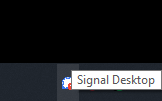
Should show:
1 message by Mike
2 messages by Lucy
q2apro
on 17 Jan 2021
How many normal users know what a command line option is? And even know how to add this to the executing link? - No, it must be an option under >Preferences.
Well as you can see there is a PR on the works otherwise this is open source, so you can contribute it yourself if you really need it
cromefire
on 17 Jan 2021
@q2apro Already impleme ted in PR linked above. Feel free to try it and provide feedback.
For your suggestion about the tooltip, please submit a new issue for that to avoid mangling everything in one issue. I can see some drawbacks in using tooltips for.that purpose and it deserve a separate discussion.
sadortun
on 17 Jan 2021
With the recent WhatsApp debacle and Signal's obscene increase in popularity it's time to make this the default.
This is what's usually expected, and a lot of people trying out Signal vs Telegram are going to notice the lack of tray and of the configuration option and weigh it negatively, as I almost did!
 AgustinLado
on 18 Jan 2021
AgustinLado
on 18 Jan 2021
See above, a PR is already in the pipeline... It doesn't make it default (that's another issue) but it adds an easy option
cromefire
on 18 Jan 2021
Add '--start-in-tray' or '--use-tray-icon' as startup argument.
I haven't found where this is documented.
It would be way more convenient if the dev team add this feature to Preferences. Also the way the window reacts is important. for instance, if I quit Signal while maximize I definitely want it to open maximize. Or if I change the size for the window obviously I'm not expecting the program to override my preferences.
 Javanmardi
on 19 Jan 2021
Javanmardi
on 19 Jan 2021
It would be way more convenient if the dev team add this feature to Preferences.
Please read. A fix is underway.
cromefire
on 19 Jan 2021
Also the way the window reacts is important. for instance, if I quit Signal while maximize I definitely want it to open maximize. Or if I change the size for the window obviously I'm not expecting the program to override my preferences.
This is a different issue. Please look if such an issue already exists and if not file one.
cromefire
on 19 Jan 2021
Minimizing to tray should definetely be an option in File->Preferences, especially if the funcionality is already there.
agree
Personally, I would turn it on by default.
+1
 MarcinSzafran
on 21 Jan 2021
MarcinSzafran
on 21 Jan 2021
GitHub has a like button which can be used to upvote something. As stated the default activation is another issue, feel free to create one.
cromefire
on 21 Jan 2021
Add '--start-in-tray' or '--use-tray-icon' as startup argument.
It does start in background, the process is shown in my process list, but unfortunately I don't get a tray icon on Gnome Shell 3.32 (with the KStatusNotifierItem/AppIndicator Support extension installed and activated). Other applications using the tray are working fine.
@KopfKrieg - the Signal tray icon works fine for me on my Ubuntu box (20.04, GNOME 3.36).
 itsjustarumour
on 24 Jan 2021
itsjustarumour
on 24 Jan 2021
Thanks for the update. I switched from Archlinux to Fedora a few months ago, and I'm using now the Flathub build of Signal. It works now if I start it with --use-tray-icon. A graphical/GUI option to show the tray icon would still be better, though (or the Flathub build enabling the option, but they'll only include it if the official version of Signal desktop has it also enabled by default).
KopfKrieg
on 25 Jan 2021
I just wrote a feature request on the forum as requested, but since this one already exists; I tried this out on macOS with open -a Signal --args --start-in-tray and it behaves a bit weirdly. Specifically, it opens with a dock icon and menu bar… until the window is first closed, then its dock icon disappears. If I reopen it by re-launching it, then I get a window, and the window gets focus, but it's still not in the dock.
 glyph
on 27 Jan 2021
glyph
on 27 Jan 2021
@glyph did you try the PR #4827 or from the release version ? Would you be able to send me a .patch with any improvments or fixes for mac/os ?
sadortun
on 28 Jan 2021
@glyph did you try the PR #4827 or from the release version ?
Release version only - exciting to see that PR though, thank you!
Would you be able to send me a
.patchwith any improvments or fixes for mac/os ?
Nope, just a user here, not a contributor; my open source dance card is full by a factor of 500% or so :).
glyph
on 28 Jan 2021
March 2021 - is there any update? The feature works perfectly for me, but it's definitely hard for family members who are not tech adept.
 ap4aaron
on 5 Mar 2021
ap4aaron
on 5 Mar 2021
March 2021 - is there any update? The feature works perfectly for me, but it's definitely hard for family members who are not tech adept.
@ap4aaron: Please see this comment from last week: https://github.com/signalapp/Signal-Desktop/pull/4827#pullrequestreview-598717928
yookoala
on 6 Mar 2021
Hi, folks.
Signal-desktop is running for me on system tray. I did this:
- install gnome-shell-extension-appindicator (apt install gnome-shell-extension-appindicator);
- Enable "Kstatusnotifieritem/application support" in Gnome Tweaks (may you have to restart the Gnome to get this extension available in Tweaks);
- Go to extensions.gnome.org and install, the extension Topicons Plus.
When I enable only Kstatusnotifieritem, some icons apperas on system tray, like Dropbox, but not for Signal-Desktop. If I disable Kstatusnotifieritem and enable tha Topicons Plus, all icons appear on system tray, but icons are large. Finally, if I enable the both (Kstatusnotiferitem and Topincons Plus), all icons appear on system tray area (top bar, on the right side) and all icons are smaller.
So, I think this is a Gnome Shell problem. I don't like so much some changes that have been made on it. It seems to me that some changes make Gnome loss some standards, which makes some solutions be tricky.
Sorry for my so poor English :(
 mariolb
on 18 Mar 2021
mariolb
on 18 Mar 2021
Related issues
 halb9
·
3Comments
halb9
·
3Comments
 hanzei
·
3Comments
hanzei
·
3Comments
 github-cygwin
·
3Comments
github-cygwin
·
3Comments
 jeremymasters
·
3Comments
jeremymasters
·
3Comments
 TarkanY
·
3Comments
TarkanY
·
3Comments
Most helpful comment
Add '--start-in-tray' or '--use-tray-icon' as startup argument.
I haven't found where this is documented.