Signal-desktop: Spell-check unavailable when /tmp mounted as noexec
- [x] I have searched open and closed issues for duplicates
Bug description
Upon new installation of Signal Desktop for Linux, importing Signal data exported from Chrome app fails upon attempt to select directory from which to import.
Steps to reproduce
- Install Signal Desktop Apt package
- Execute signal-desktop
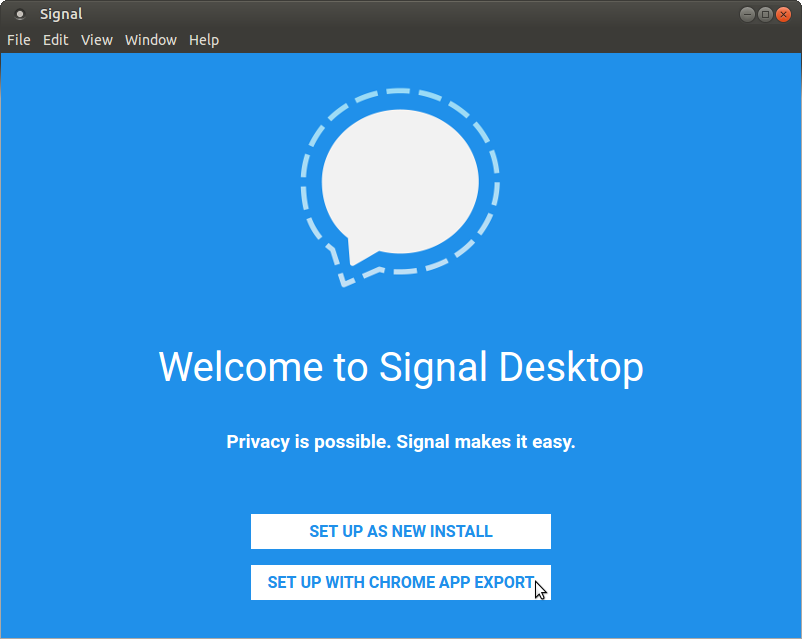
- Click "SET UP WITH CHROME APP EXPORT"
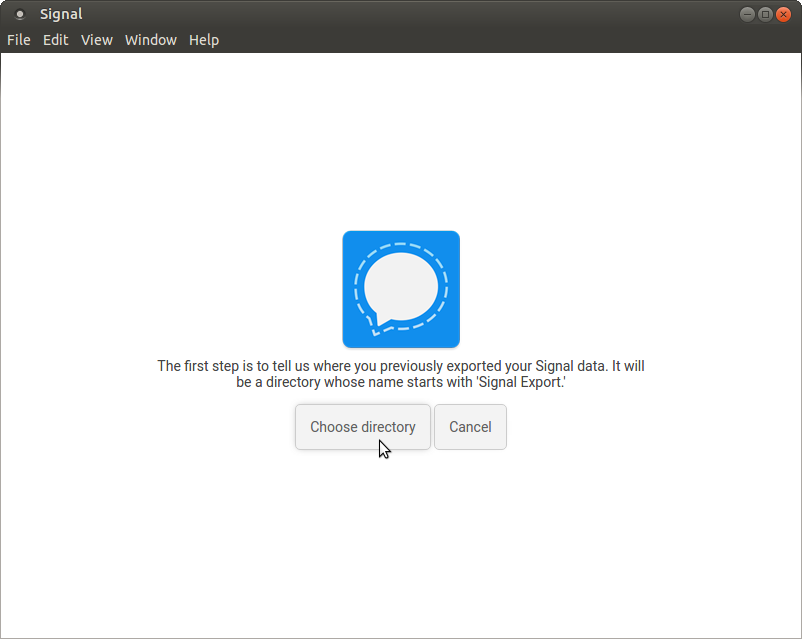
- Click "Choose directory"
Actual result:
Nothing happens in GUI.
Following message is logged to standard output:
"TypeError: Cannot read property 'getDirectoryForImport' of undefined\n at child.onImport (file:///opt/Signal/resources/app.asar/js/views/import_view.js:102:21)\n at HTMLDivElement.dispatch (file:///opt/Signal/resources/app.asar/js/components.js:4409:9)\n at HTMLDivElement.elemData.handle (file:///opt/Signal/resources/app.asar/js/components.js:4095:28)"
Expected result:
File/directory selection dialog appears
Screenshots
Platform info
Operating System: GNU/Linux (4.10.0-32-generic #36~16.04.1-Ubuntu SMP)
Browser: n/a
Signal version: 1.0.34
Link to debug log
https://gist.github.com/pmocek/20ac06d9a44947243d1e46733b0e5a17
 pmocek
All 18 comments
It looks like basic things were unable to start up in the app, because nodeSetImmediate is not available. Do you happen to have you /tmp mounted as noexec? That's what caused this in https://github.com/WhisperSystems/Signal-Desktop/issues/1618
 scottnonnenberg
on 31 Oct 2017
scottnonnenberg
on 31 Oct 2017
Yes, of course, I have /tmp mounted with noexec:
$ fgrep '/tmp' /proc/mounts
/dev/sda5 /tmp btrfs rw,noexec,noatime,ssd,space_cache,subvolid=273,subvol=/@tmp 0 0
/dev/sda5 /var/tmp btrfs rw,noexec,noatime,ssd,space_cache,subvolid=276,subvol=/@var_tmp 0 0
mounting /tmp noexec is also explained in the Securing Debian Manual.
 unDocUMeantIt
on 2 Nov 2017
unDocUMeantIt
on 2 Nov 2017
(the feature is supporting /tmp mounted as noexec)
scottnonnenberg
on 2 Nov 2017
is /tmp used in exec mode constantly, or is this just blocking the import dialog for the time being? the thing is, since i exported previous conversations from the chrome extension, i can no longer use it, so right now i'm stuck with neither desktop solution until this is resolved. like i'm locked out.
unDocUMeantIt
on 2 Nov 2017
You can go back to using the chrome dialog with these steps: go to chrome://extensions in your browser, find Signal, then click the background.html link, then enter this text in the Console tab:
window.storage.put('migrationEnabled', false);
window.storage.put('migrationState', 0);
window.storage.put('migrationEverCompleted', false);
Wait a bit, then:
window.location.reload();
By changing this from a bug report to a feature request, you imply that it is working as designed, and thus that the design assumes that a Linux user of Signal Desktop has not implemented a once- if not currently-recommended-by-Debian-among-others system hardening measure. Is that documented anywhere that developers, much less users, could find it?
pmocek
on 2 Nov 2017
You raise a good point. Bug it is. I liked that other tag since it also indicated that it could potentially be a substantial amount of work. :0/
scottnonnenberg
on 2 Nov 2017
You can go back to using the chrome dialog with these steps: go to chrome://extensions in your browser, find Signal, then click the background.html link, then enter this text in the Console tab:
thanks, got it back again.
(hint to others: the background link becomes available when developer options are enabled).
unDocUMeantIt
on 2 Nov 2017
Some reference material.
The core error, from https://github.com/WhisperSystems/Signal-Desktop/issues/1618:
/opt/Signal/resources/electron.asar/renderer/init.js:155 Error: /tmp/.org.chromium.Chromium.Zl3FPz: failed to map segment from shared object
    at process.module.(anonymous function) [as dlopen] (ELECTRON_ASAR.js:173:20)
    at Object.Module._extensions..node (module.js:598:18)
    at Object.module.(anonymous function) [as .node] (ELECTRON_ASAR.js:187:18)
    at Module.load (module.js:488:32)
    at tryModuleLoad (module.js:447:12)
    at Function.Module._load (module.js:439:3)
    at Module.require (module.js:498:17)
    at require (internal/module.js:20:19)
    at Object.<anonymous> (/opt/Signal/resources/app.asar/node_modules/spellchecker/lib/spellchecker.js:3:16)
    at Object.<anonymous> (/opt/Signal/resources/app.asar/node_modules/spellchecker/lib/spellchecker.js:107:3)
Brave has this same problem: https://github.com/brave/browser-laptop/issues/900
And finally, this PR may make the application useable (though without spell-check) on Linux with /tmp mounted as noexec: https://github.com/WhisperSystems/Signal-Desktop/pull/1734
scottnonnenberg
on 9 Nov 2017
And finally, this PR may make the application useable (though without spell-check) on Linux with
/tmpmounted asnoexec: #1734
yes, i just tested v1.0.37 and can confirm the import dialog does open now. thanks!
unDocUMeantIt
on 9 Nov 2017
Yes, it works now, this issue should be closed
 balping
on 15 Nov 2017
balping
on 15 Nov 2017
I'm going to keep it open, because there's still something wrong when /tmp is mounted noexec - spellcheck is disabled.
scottnonnenberg
on 15 Nov 2017
Just came across this issue. The suggestion from @scottnonnenberg on 3 Nov 2017 to go down the chrome://extensions route resolved my case.
Short version; This is still an issue but the mentioned comment above is a working temporary fix.
In my case this was just after installing the latest .deb. I set things up, saw that my contacts had imported, saw the backup option and took that. I created and used a new dot dir for the backup. It completed and gave me a success window with no buttons. Restarting multiple times did not resolve it. Started searching and found this post.
 Unifex
on 13 May 2018
Unifex
on 13 May 2018
@Unifex Are you sure you're commenting on the right bug? How is the behavior you are seeing related to this? I'd recommend that you open a new bug and include your debug log as directed in the standard issue template.
 scottnonnenberg-signal
on 14 May 2018
scottnonnenberg-signal
on 14 May 2018
I believe this was fixed by 52e594901f6f30269e7bbe45b94b68eb9f7419f7
 jtracey
on 29 Mar 2020
jtracey
on 29 Mar 2020
That would make sense since the spell checking implementation has been entirely replaced. I'm going to close this issue for now but feel free to re-open it if the issue persists with the new spellcheck implementation.
 kenpowers-signal
on 30 Mar 2020
kenpowers-signal
on 30 Mar 2020
Related issues
 fredaas
·
3Comments
fredaas
·
3Comments
 ProactiveServices
·
3Comments
ProactiveServices
·
3Comments
 halb9
·
3Comments
halb9
·
3Comments
 PanderMusubi
·
3Comments
PanderMusubi
·
3Comments
 github-cygwin
·
3Comments
github-cygwin
·
3Comments
Most helpful comment
You can go back to using the chrome dialog with these steps: go to
chrome://extensionsin your browser, find Signal, then click the background.html link, then enter this text in the Console tab:Wait a bit, then: