Signal-desktop: Signal desktop is super slow
- [x] I have searched open and closed issues for duplicates
Bug description
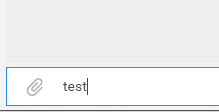
When sending a message from desktop (after pressing Enter), sometimes after more then 15 seconds the text still appears in the input field and not in the messages log area. Also after the message appears in the conversation area it's still not sending, only after few more seconds you can see that the message have been sent (one "V"). Most of the time the first message in a session working OK, but the later messages are not.
Also all the syncing process when opening the app and chat conversions is super slow and can take more then half minute, even if there is nothing to sync.
Steps to reproduce
- Just use the chrome app regularly in private or group chats.
- Try to send multiple messages in one chat session
Screenshots
Message after pressing Enter to send it:
Platform info
Operating System: Windows 7
Browser: Chromium 60.0.3112.90 (64-bit)
Signal version: 0.42.1
Link to debug log
https://gist.github.com/anonymous/2c3a041982565511e22ad9683654f3d8
 sha-265
All 40 comments
Wow, that's surprisingly slow. I'm sorry you ran into this behavior. We did introduce new trust checks right before send in 0.42.x, but they shouldn't take this long.
Please let us know what you experience with the latest build, released yesterday, 0.42.2. It has a specific fix to help with this - previously those trust checks would get very slow very fast with large groups.
 scottnonnenberg
on 13 Aug 2017
scottnonnenberg
on 13 Aug 2017
@scottnonnenberg yes, it's better on 0.42.2, but still not the best performances.
sha-265
on 14 Aug 2017
Hm. Can you tell us more about your computer specs? Processor, RAM, and so on?
scottnonnenberg
on 14 Aug 2017
I (as well as some of my conversationees) are also experiencing a large latency when choosing a conversation box ( about 5-10s ) or sending a message (5s). This seems to be a regression since one of the last updates.
➜  ~ cat /proc/cpuinfo
processor       : 0
vendor_id       : GenuineIntel
cpu family      : 6
model           : 78
model name      : Intel(R) Core(TM) i7-6560U CPU @ 2.20GHz
This is a Ubuntu distro, but the same latency has also been experienced by others on OSX, so it appears to be an operating system independent regression.
 Fuzion24
on 14 Aug 2017
Fuzion24
on 14 Aug 2017
@Fuzion24 When you say 'choosing a conversation box' do you mean selecting a conversation from the list in the left? Would you consider providing logs so we can help understand these slow-downs?
scottnonnenberg
on 14 Aug 2017
I'm unsure this is related but I also experience slowdowns in sending messages.
I didn't experienced 15seconds lag, but more likely 3~7seconds before the text sent from the input field appears in the conversation area. Which can still be annoying when you're chatting in real-time with someone.
Because once the message is "submitted" (with Enter key) even if it's still in the input field, if you start writing your next message without noticing the previous one is still here, after those few seconds of lag the whole content of the input field will be handled over to the conversation area without you needing to hit the enter button again. Including what you already started writing after hitting Enter.
I'm using signal for about 14months already, but this started to happen only a few days ago
It doesn't happen every time, but I feel like it happen when I type (too?) fast...
I just noticed that the input field grays out when this lags happens, is this intended maybe ?
 Xykun
on 15 Aug 2017
Xykun
on 15 Aug 2017
@Xykun I would really appreciate it if you could submit some debug logs so we can see what's going on with your install. 3-7 seconds is far, far too long to way for these new (in 0.42.x) pre-send checks.
scottnonnenberg
on 15 Aug 2017
I can confirm that myself plus another Signal user I converse with regularly are experiencing this. When switching between conversations in the desktop app there is a 5 to 10 second delay before the conversation appears. This is not ideal but manageable. The big problem is that after typing a message and pressing enter the message does not send for sometimes 5 seconds or more. If you begin to type something else it will then send the previous message plus what you just typed, after the delay. Very odd and only recently started happening.
 Nadaklu
on 15 Aug 2017
Nadaklu
on 15 Aug 2017
Hi there, @Nadaklu, please update to the latest version of the app 0.42.4 which prevents that 'send the previous message plus what you just typed' behavior. Please also capture some logs for us when you're experiencing slowness.
_Regarding delays during initial conversation load:_ We fetch, from the server, the profile of each user in that conversation to ensure that they are still who they say they are, so it will be affected by your internet speeds. But we'd certainly like to ensure that there's nothing else slowing this down more than necessary.
_Regarding delays before send:_ We go to to our local indexeddb database for some security-related checks before send, which was slow for large groups up until 0.42.2 because we would do too many checks. Again, we'd like to speed this up if we can.
So please send logs. Thanks!
scottnonnenberg
on 15 Aug 2017
@scottnonnenberg Yes, selecting a conversation box on the left hand side. It seems that the longer the conversation history is with that person, the longer it takes to initially load the conversation. That delay seems to only happen once per start of Signal.
The timestamps here show no significant delay to indicate this is happening:
2017-08-15T19:02:50.756Z GET https://textsecure-service-ca.whispersystems.org:80/v1/profile/+[REDACTED]620 200 Success
2017-08-15T19:02:50.778Z done with status fetch
2017-08-15T19:02:53.099Z fetchMessages
2017-08-15T19:02:53.115Z GET https://textsecure-service-ca.whispersystems.org:80/v1/profile/+[REDACTED]829
2017-08-15T19:02:53.149Z GET https://textsecure-service-ca.whispersystems.org:80/v1/profile/+[REDACTED]829 200 Success
2017-08-15T19:02:53.174Z done with status fetch
The latency for message sends tends to be intermittent. In particular, it's the delivery receipt that experiences the latency.
2017-08-15T19:02:50.778Z done with status fetch
2017-08-15T19:02:53.099Z fetchMessages
2017-08-15T19:02:53.115Z GET https://textsecure-service-ca.whispersystems.org:80/v1/profile/+[REDACTED]829
2017-08-15T19:02:53.149Z GET https://textsecure-service-ca.whispersystems.org:80/v1/profile/+[REDACTED]829 200 Success
2017-08-15T19:02:53.174Z done with status fetch
2017-08-15T19:04:02.066Z clear attention
2017-08-15T19:05:48.759Z clear attention
2017-08-15T19:05:49.473Z done with status fetch
2017-08-15T19:05:51.795Z done with status fetch
2017-08-15T19:06:22.794Z clear attention
2017-08-15T19:06:23.958Z PUT https://textsecure-service-ca.whispersystems.org:80/v1/messages/+[REDACTED]829
2017-08-15T19:06:24.163Z PUT https://textsecure-service-ca.whispersystems.org:80/v1/messages/+[REDACTED]829 200 Success
2017-08-15T19:06:24.276Z PUT https://textsecure-service-ca.whispersystems.org:80/v1/messages/+[REDACTED]461
2017-08-15T19:06:24.347Z PUT https://textsecure-service-ca.whispersystems.org:80/v1/messages/+[REDACTED]461 200 Success
2017-08-15T19:06:28.541Z addToCache +[REDACTED]829.1 1502823983824
2017-08-15T19:06:30.046Z queueing envelope +[REDACTED]829.1 1502823983824
2017-08-15T19:06:30.053Z delivery receipt from +[REDACTED]829.1 1502823983824
2017-08-15T19:06:30.088Z removeFromCache +[REDACTED]829.1 1502823983824
2017-08-15T19:06:42.370Z addToCache +[REDACTED]829.1 1502824001862
2017-08-15T19:06:42.417Z queueing envelope +[REDACTED]829.1 1502824001862
2017-08-15T19:06:42.424Z message from +[REDACTED]829.1 1502824001862
2017-08-15T19:06:42.434Z New remote ephemeral key
2017-08-15T19:06:42.704Z Deleting chain closed at 1502731293569
2017-08-15T19:06:42.724Z updateCache +[REDACTED]829.1 1502824001862
2017-08-15T19:06:42.749Z data message from +[REDACTED]829.1 1502824001862
2017-08-15T19:06:42.755Z queuing handleDataMessage +[REDACTED]829.1 1502824001862
2017-08-15T19:06:42.763Z starting handleDataMessage +[REDACTED]829.1 1502824001862
2017-08-15T19:06:42.770Z beginning saves in handleDataMessage +[REDACTED]829.1 1502824001862
2017-08-15T19:06:42.838Z done with handleDataMessage +[REDACTED]829.1 1502824001862
2017-08-15T19:06:42.848Z removeFromCache +[REDACTED]829.1 1502824001862
2017-08-15T19:06:42.863Z Sending 1 read receipts
2017-08-15T19:06:42.962Z PUT https://textsecure-service-ca.whispersystems.org:80/v1/messages/+[REDACTED]461
2017-08-15T19:06:43.003Z PUT https://textsecure-service-ca.whispersystems.org:80/v1/messages/+[REDACTED]461 200 Success
2017-08-15T19:06:43.863Z clear attention
2017-08-15T19:06:58.334Z clear attention
2017-08-15T19:06:59.733Z clear attention
@scottnonnenberg Sure, do I need to submit it here, or by using the send debug logs option from the desktop app ?
Edit: didn't refresh page sorry, but I don't know how to locate what you exactly need in my logs and they are pretty long so I'm not sure if I should post those here
Edit again : It just happened a few times now, so it should be visible in those lines I guess
2017-08-16T13:13:45.761Z PUT https://textsecure-service-ca.whispersystems.org:80/v1/messages/+[REDACTED]379 200 Success
2017-08-16T13:13:45.895Z addToCache +[REDACTED]718.2 1502889225411
2017-08-16T13:13:45.915Z queueing envelope +[REDACTED]718.2 1502889225411
2017-08-16T13:13:45.918Z delivery receipt from +[REDACTED]718.2 1502889225411
2017-08-16T13:13:45.961Z removeFromCache +[REDACTED]718.2 1502889225411
2017-08-16T13:13:47.735Z addToCache +[REDACTED]718.1 1502889225411
2017-08-16T13:13:50.820Z queueing envelope +[REDACTED]718.1 1502889225411
2017-08-16T13:13:50.823Z delivery receipt from +[REDACTED]718.1 1502889225411
2017-08-16T13:13:50.889Z removeFromCache +[REDACTED]718.1 1502889225411
2017-08-16T13:13:50.973Z PUT https://textsecure-service-ca.whispersystems.org:80/v1/messages/+[REDACTED]718
2017-08-16T13:13:51.210Z PUT https://textsecure-service-ca.whispersystems.org:80/v1/messages/+[REDACTED]718 200 Success
2017-08-16T13:13:51.255Z PUT https://textsecure-service-ca.whispersystems.org:80/v1/messages/+[REDACTED]379
2017-08-16T13:13:51.361Z PUT https://textsecure-service-ca.whispersystems.org:80/v1/messages/+[REDACTED]379 200 Success
2017-08-16T13:13:51.493Z addToCache +[REDACTED]718.1 1502889230832
2017-08-16T13:13:51.508Z queueing envelope +[REDACTED]718.1 1502889230832
2017-08-16T13:13:51.511Z delivery receipt from +[REDACTED]718.1 1502889230832
2017-08-16T13:13:51.553Z removeFromCache +[REDACTED]718.1 1502889230832
2017-08-16T13:13:51.564Z addToCache +[REDACTED]718.2 1502889230832
2017-08-16T13:13:51.591Z queueing envelope +[REDACTED]718.2 1502889230832
2017-08-16T13:13:51.594Z delivery receipt from +[REDACTED]718.2 1502889230832
2017-08-16T13:13:51.627Z removeFromCache +[REDACTED]718.2 1502889230832
Xykun
on 15 Aug 2017
My friend and I have this issue too. I have a log here: https://gist.github.com/anonymous/9fb1361c6277ed16f3fe474a25aa1e9d
I have one friend that I message with daily, and we message _a lot_ all in real time, this happens frequently for both of us. It takes a long time for our message to show sent on our desktop, and then it lags when typing in the next message. I can ask him to submit a log too if that would be helpful.
 recursiveMAX
on 16 Aug 2017
recursiveMAX
on 16 Aug 2017
I am jumping on the bandwagon. Dog slow on Ubuntu 16.04 on Dell XPS
Slow when I am typing text into conversation...Text appearing on screen takes 1-2seconds to catchup what I typed in.
https://gist.github.com/anonymous/0d02b182ab1216b6799e2844aba90c97
processor : 0
vendor_id : GenuineIntel
cpu family : 6
model : 142
model name : Intel(R) Core(TM) i7-7500U CPU @ 2.70GHz
stepping : 9
microcode : 0x4e
cpu MHz : 699.865
cache size : 4096 KB
 mojibake-umd
on 17 Aug 2017
mojibake-umd
on 17 Aug 2017
Hey everyone. I just released 0.42.6 which has additional logging to help track down these performance problems. When you run into slowness, please submit a debug log and include it here, and we'll be able to see timings for conversation open and message send.
scottnonnenberg
on 17 Aug 2017
@scottnonnenberg I noticed 0.42.6 earlier today and removed Signal completely before a reinstall. So far I've not experienced any of the slowness I saw in 0.42.5. If it crops back up I'll grab the logs. Thanks for tackling this so quickly!
Nadaklu
on 17 Aug 2017
https://gist.github.com/5d73b25d3d9332381de91c1da7294b98
Just got the slow message from input field to conversation area + input field graying out issue again
Xykun
on 19 Aug 2017
2017-08-21T15:59:57.931Z unloading conversation +[REDACTED]620 due to: windows closed
2017-08-21T15:59:57.936Z unloading conversation +[REDACTED]829 due to: windows closed
2017-08-21T15:59:57.942Z unloading conversation +[REDACTED]291 due to: windows closed
2017-08-21T15:59:59.721Z extension launched
2017-08-21T15:59:59.727Z open inbox
2017-08-21T16:00:01.632Z fetchMessages
2017-08-21T16:00:01.646Z GET https://textsecure-service-ca.whispersystems.org:80/v1/profile/+[REDACTED]829
2017-08-21T16:00:01.688Z GET https://textsecure-service-ca.whispersystems.org:80/v1/profile/+[REDACTED]829 200 Success
2017-08-21T16:00:12.896Z done with status fetch
Looks like a 11-12 second message fetch.
Fuzion24
on 21 Aug 2017
Here is another log of mine that should show the slow time to load all messages and the delay in between sending messages:
recursiveMAX
on 22 Aug 2017
Well, good news - I have a potential fix for some of the performance issues, tracked here: https://github.com/WhisperSystems/Signal-Desktop/pull/1391
It will help with some of the performance problems, but not all of them, especially initial conversation load. I think we'll need some more logging for that. Anyway, keep those logs coming!
scottnonnenberg
on 23 Aug 2017
regarding logs for
initial conversation load
I just experienced very long loading time the conversation with my girlfriend (= a lot of messages have been exchanged over time), but in this case no unread message had to be loaded. I took the debug-log directly after opening the conversation and the last entry says:
2017-08-23T21:05:07.382Z Conversation +[REDACTED]442 took 15195 milliseconds to load
So a bit over 15 seconds loading time for one single conversation.
Let me know if I can be of any help.
edit: forgot to attach the log: https://gist.github.com/anonymous/177703522f5315a1d19c9c8fee763fbd
 rainerzufall
on 23 Aug 2017
rainerzufall
on 23 Aug 2017
@rainerzufall The 10 log entries after and 30 before that line would be useful to figure out generally what's going on while we try to load that conversation. Certainly that is far, far too long!
scottnonnenberg
on 23 Aug 2017
@scottnonnenberg I have already attached the complete log to my post above. You have probably written your comment while I was editing my post. Sorry for that!
Since you wrote you would like to see 10 log entries after that line, but it was the last line of the complete log, I now have scrolled around in this conversation and saved some pictures and then wrote one test message in this thread. After that I took another log: https://gist.github.com/e5133e72b69b6900cf754d16ecc01782
rainerzufall
on 23 Aug 2017
@rainerzufall Looking at the log it appears that the app generally isn't under load, so it's something specific to the conversation. Does it have a lot of large files as attachments? Are the messages very large? Is disappearing messages turned on?
scottnonnenberg
on 23 Aug 2017
Is disappearing messages turned on?
No disappearing messages is off.
Does it have a lot of large files as attachments?
If I scroll until the first "reload more messages animation" comes up, there are 7 photos, each ~1MB big. There are no big arbitrary attachments in this thread as far as I can remember. i checked the last few months and there are several pictures and GIFs, but nothing seems out of the ordinary use case.
Are the messages very large?
Do you mean, do the messages have many characters? I would say no. just usual chat back and forth.
I just started Signal Desktop in the morning. now it took 22 seconds. 2017-08-24T07:21:09.230Z Conversation +[REDACTED]442 took 22054 milliseconds to load https://gist.github.com/anonymous/959cb61ed003a1df9b87b2be9318d39e
And as far as I can remember this has been the case for quite some time. I also have other conversations that take long, but I think this one takes the longest. As I said before, all in all it is a very long conversation history. The conversation is about half a year old (I guess I had to reinstall at some point) and I saw the "reload more messages animation" several dozen times when scrolling through to the beginning. I am afraid I am not helpful in solving this issue. Let me know if there is anything more that I could provide. I will make sure to send logs in the future when you make changes.
rainerzufall
on 24 Aug 2017
One thing to know, for all interested in conversation load performance: when loading up a conversation for the first time, we load 100 messages from the database, then we render them into the browser. So it might be interesting to compare conversations which you know to have at least 100 messages, to see how the load performance changes between them. For my part, I think I'll add some logging to know when the database load is complete, so we can tell if the time is mostly taken with the database query or the render.
@rainerzufall You mention that this is right after starting up the application. It does a lot of work on startup, so I could imagine that the database could be trying to catch up, and so the fetch of messages takes longer than usual. You can test this by starting the app, opening the conversation in question, then switching to another conversation while keeping the window visible. In about an hour, that first conversation will be unloaded. If you then go back and look at it (because the app is fully warmed up) you can see if the load time changes. You could also test this by loading up the app, then waiting five or ten minutes before opening the conversation.
scottnonnenberg
on 24 Aug 2017
For me, the loading time of each conversation is not constant. Conversations with a longer history have quite a bit longer load time.
Leaving the app open, opening a different conversation window, and then re-opening the convo with a long message history again experiences the long load time.
Fuzion24
on 24 Aug 2017
@Fuzion24 So you're saying that it's different for conversations with 500 messages vs. 100 messages? That's definitely unexpected given that we only load 100, but I expect IndexedDB has some interesting performance characteristics I don't know about.
scottnonnenberg
on 24 Aug 2017
@scottnonnenberg
1st test case:
start up Signal Desktop. waited for 15 minutes. opened the one conversation in question. took a debug log. time to load: 2017-08-25T21:07:01.937Z Conversation +[REDACTED]442 took 26444 milliseconds to load
log: https://gist.github.com/79696a298b1315ea043e794e4ef9d16a
2nd test case:
directly after test number 1. opened another conversation (with much less traffic) time to load: 2017-08-25T21:08:37.688Z Conversation +[REDACTED]983 took 742 milliseconds to load
Wait for over an hour. took a debug log. time to load: 2017-08-25T22:32:38.231Z Conversation +[REDACTED]442 took 11194 milliseconds to load
log: https://gist.github.com/e3cb197d9f87f92167e2496ff507dca0
ps. I can confirm @Fuzion24's experience. I also have the feeling that there are very different loading times for conversations with different amount of messages.
rainerzufall
on 26 Aug 2017
Just tried it again, after updating to 0.42.7: Now it took only 1 second! 2017-08-26T11:18:11.050Z Conversation +[REDACTED]442 took 1092 milliseconds to load log: https://gist.github.com/anonymous/74b95d28728f01c285ecf496de3e1d42
after waiting for over an hour for unloading: 2017-08-26T13:06:31.964Z Conversation +[REDACTED]442 took 1172 milliseconds to load log: https://gist.github.com/anonymous/e65b329def2f97c56d63e9c9772bde31
rainerzufall
on 26 Aug 2017
@rainerzufall That is really great to hear, and honestly a little unexpected. :0)
scottnonnenberg
on 28 Aug 2017
@scottnonnenberg For me as well, since your changes did not seem to target initial load! Let's hope it's stays that way :) I will post debug logs again if the initial conversation load takes long again. In any case for your efforts!
rainerzufall
on 28 Aug 2017
Unfortunately, I still seem to be having problems with opening signal/choosing a conversation and have been having problems for quite some time. Not sure what's making conversations take 7 and a half minutes to load, but it seems like an awfully long time. https://gist.github.com/anonymous/a82a1edef0e2c23e7a47e5f6a077d4cb
I also took a debug log a few days ago with an older version but never posted it: https://gist.github.com/anonymous/d4125d77e3a2673895d0a65a63adc65c
(Sorry for deleting my comment before, I thought I might have submitted this to the wrong place. If this should be resubmitted as a separate issue let me know)
 Bananaburger
on 31 Aug 2017
Bananaburger
on 31 Aug 2017
@Bananaburger Wow, that is an extreme example of delays. You win the prize! Sadly, it's not an isolated occurrence in your log - there are a lot of examples of tasks taking more than two minutes:
2017-08-30T00:58:52.545Z queueEnvelope error handling envelope +[REDACTED]399.1 1504012962750 : Error: queueEnvelope +[REDACTED]399.1 1504012962750 task did not complete in time. Calling stack: Error: for stack
    at Object.window.textsecure.createTaskWithTimeout (chrome-extension://bikioccmkafdpakkkcpdbppfkghcmihk/js/libtextsecure.js:40232:29)
    at MessageReceiver.queueEnvelope (chrome-extension://bikioccmkafdpakkkcpdbppfkghcmihk/js/libtextsecure.js:38529:42)
    at MessageReceiver.<anonymous> (chrome-extension://bikioccmkafdpakkkcpdbppfkghcmihk/js/libtextsecure.js:38348:22)
    at <anonymous>
    at chrome-extension://bikioccmkafdpakkkcpdbppfkghcmihk/js/libtextsecure.js:40244:39
The conversation takes more than seven minutes to load here:
2017-08-31T01:15:18.472Z removeFromCache +[REDACTED]399.1 1504046510457
2017-08-31T01:15:18.714Z Conversation [REDACTED_GROUP]Õt took 454152 milliseconds to load
I note that there is a log entry immediately beforehand, which indicates that a delivery receipt first received at 2017-08-31T01:05:19.487Z, ten minutes previous, finally finished processing.
Because it did complete and completed so late, my theory is that there's something wrong with your Chrome install, or IndexedDB. Requests take far, far too long and there isn't even substantial load to explain it. Can you tell us about your computer, and the other things Chrome and your computer were doing while this was happening? When was the last time you restarted Chrome?
scottnonnenberg
on 31 Aug 2017
@scottnonnenberg
In all honesty, I only have Chrome installed because I need it for Signal Desktop, I don't use it as a web browser. I experimented by starting up Chrome and that also took a very long time to start. I tried restarting it, still slow. I tried a complete reinstall, still slow. My computer is by no means bad or slow otherwise. Intel i7 4790k, 16 GB RAM, Samsung 840 EVO SSD on Windows 8.1. Not entirely sure where to go from here.
Edit: I think theres a problem with the profile I'm currently using. About 6 months ago I had to create a new one because the desktop app wouldn't connect with my phone anymore. If I switch to Person 1 (the old profile), the app is able to connect and the conversations load pretty quickly. If I continue to use the most recent one (Person 2), it takes a very long time to load the conversations.
Bananaburger
on 1 Sep 2017
@Bananaburger Well, I'm glad you have at least one profile that works! If you care to investigate a little more, you could perhaps look at the problematic extension's memory usage with the mem_usage entry on chrome://system/, and its indexeddb size with chrome://indexeddb-internals/
scottnonnenberg
on 1 Sep 2017
I'm going to close this issue to encourage people to open their own bugs when they encounter performance issues. Thanks everyone for weighing in here, and I'm happy we were able to help (most) of you. :0)
scottnonnenberg
on 1 Sep 2017
i currently updated to version 0.43.4 and the issue of waiting 5-10 seconds for the messages to be sent is mostly fixed. (_most pressing issue_)
the loading messages issue is still there, but is "kind of faster" now. (_TBH i can live with that one_).
I ended up deleting the app and downloading it again. (Thanks to "Nadaklu" who posted the comment on "Aug 17").
after doing that, is exponentially better.
thank you all for the help.
 batuzay
on 4 Oct 2017
batuzay
on 4 Oct 2017
I'm noticing this same thing... takes like, 5+ seconds for text to send after pressing enter.
I was suspecting my very long conversation history? Lots of media in the conversation stream... including large videos...?
 TurkeyMan
on 13 Mar 2018
TurkeyMan
on 13 Mar 2018
It doesn't make sense to close this issue and look away. The issue still persists, and it's really annoying. It is slow to the point of "barely usable".
 koutheir
on 7 Dec 2018
koutheir
on 7 Dec 2018
@koutheir Please enter a new bug filling out the template fully (we really need a debug log!), and we'll look at it.
 scottnonnenberg-signal
on 10 Dec 2018
scottnonnenberg-signal
on 10 Dec 2018
Related issues
 halb9
·
3Comments
halb9
·
3Comments
 ploum
·
3Comments
ploum
·
3Comments
 muellermartin
·
3Comments
muellermartin
·
3Comments
 petcap
·
3Comments
petcap
·
3Comments
 vincenzopalazzo
·
3Comments
vincenzopalazzo
·
3Comments
Most helpful comment
Hey everyone. I just released
0.42.6which has additional logging to help track down these performance problems. When you run into slowness, please submit a debug log and include it here, and we'll be able to see timings for conversation open and message send.