Signal-desktop: Import failed. Make sure your computer and your phone are connected to the Internet.
- [X] I have searched open and closed issues for duplicates
Bug description
Signal on my Samsung Android phone and also on my Windows 10 PC. On my PC when I go to “Settings” and under “Contacts” I click “Import now” to Import all Signal groups and contacts from my mobile device (Samsung Note 5), it tells me that the “Import failed. Make sure your computer and your phone are connected to the Internet.” My PC and my mobile phone are on the Internet. My PC is connected directly to the Internet and my Samsung Note 5 is on my home Wi-Fi. It tells me that is “Importing” but after a while it fails.
Steps to reproduce
- using hyphens as bullet points
- list the steps
- that reproduce the bug
Actual result: Describe here what happens after you run the steps above (i.e. the buggy behaviour)
Expected result: Describe here what should happen after you run the steps above (i.e. what would be the correct behaviour)
Screenshots


Platform info
Operating System: Windows 10
Browser: Google Chrome
Signal version: 4.6.1
Link to debug log
 TRLocklear
All 78 comments
Hi there, @TRLocklear. Thanks for the detailed issue - the screenshot, steps and debug log are much appreciated. Can you also provide the debug log from the android device? This line in the log seems to indicate that it's on the sending side: 2017-05-29T04:51:52.150Z sync timed out
 scottnonnenberg
on 30 May 2017
scottnonnenberg
on 30 May 2017
Looks like I have the same problem?
Windows log:
```2017-06-29T12:28:42.746Z clear attention
2017-06-29T12:28:53.583Z PUT https://textsecure-service-ca.whispersystems.org:80/v1/messages/+[REDACTED]090
2017-06-29T12:28:54.239Z PUT https://textsecure-service-ca.whispersystems.org:80/v1/messages/+[REDACTED]090 200 Success
2017-06-29T12:28:54.258Z PUT https://textsecure-service-ca.whispersystems.org:80/v1/messages/+[REDACTED]090
2017-06-29T12:28:54.375Z PUT https://textsecure-service-ca.whispersystems.org:80/v1/messages/+[REDACTED]090 200 Success
2017-06-29T12:29:53.556Z sync timed out
2017-06-29T12:30:13.011Z clear attention
IOS log:
```2017/06/29 14:28:53:996  Got message with verb: PUT and path: /api/v1/message
2017/06/29 14:28:53:997  [TSMessagesManager] received envelope: <Envelope type: SignalEncryptedMessage, source: [ REDACTED_PHONE_NUMBER:xxx090 ].2, timestamp: 1498739333563 content.length: 211 />
2017/06/29 14:28:54:026  Got message with verb: PUT and path: /api/v1/message
2017/06/29 14:28:54:027  [TSMessagesManager] received envelope: <Envelope type: SignalEncryptedMessage, source: [ REDACTED_PHONE_NUMBER:xxx090 ].2, timestamp: 1498739334239 content.length: 211 />
2017/06/29 14:28:54:031  [TSMessagesManager] handling content: <Content: <SyncMessage: ContactRequest />>
2017/06/29 14:28:54:042  [TSAttachmentStream] Writing attachment to file: /var/mobile/Containers/Data/Application/3CF70D9E-1D2D-4A21-8601-048D17D81510/Documents/Attachments/7ED8A87D-10D0-4DB7-94A6-1CEE7B50C771.dat
2017/06/29 14:28:54:045  [OWSMessageSender] Failed to write data for outgoing attachment with error:Error Domain=NSCocoaErrorDomain Code=4 "Het bestand '7ED8A87D-10D0-4DB7-94A6-1CEE7B50C771.dat' bestaat niet." UserInfo={NSFilePath=/var/mobile/Containers/Data/Application/3CF70D9E-1D2D-4A21-8601-048D17D81510/Documents/Attachments/7ED8A87D-10D0-4DB7-94A6-1CEE7B50C771.dat, NSUnderlyingError=0x17045cc20 {Error Domain=NSPOSIXErrorDomain Code=2 "No such file or directory"}}
2017/06/29 14:28:54:050  [TSMessagesManager] Failed to send Contacts response syncMessage with error: Error Domain=NSCocoaErrorDomain Code=4 "Het bestand '7ED8A87D-10D0-4DB7-94A6-1CEE7B50C771.dat' bestaat niet." UserInfo={NSFilePath=/var/mobile/Containers/Data/Application/3CF70D9E-1D2D-4A21-8601-048D17D81510/Documents/Attachments/7ED8A87D-10D0-4DB7-94A6-1CEE7B50C771.dat, NSUnderlyingError=0x17045cc20 {Error Domain=NSPOSIXErrorDomain Code=2 "No such file or directory"}}
2017/06/29 14:28:54:065  [TSMessagesManager] handling content: <Content: <SyncMessage: GroupRequest />>
2017/06/29 14:28:54:068  [TSAttachmentStream] Writing attachment to file: /var/mobile/Containers/Data/Application/3CF70D9E-1D2D-4A21-8601-048D17D81510/Documents/Attachments/3D5F3CCF-1093-46D2-AE6C-2057BDDC77D7.dat
2017/06/29 14:28:54:069  [OWSMessageSender] Failed to write data for outgoing attachment with error:Error Domain=NSCocoaErrorDomain Code=4 "Het bestand '3D5F3CCF-1093-46D2-AE6C-2057BDDC77D7.dat' bestaat niet." UserInfo={NSFilePath=/var/mobile/Containers/Data/Application/3CF70D9E-1D2D-4A21-8601-048D17D81510/Documents/Attachments/3D5F3CCF-1093-46D2-AE6C-2057BDDC77D7.dat, NSUnderlyingError=0x174c4ec40 {Error Domain=NSPOSIXErrorDomain Code=2 "No such file or directory"}}
2017/06/29 14:28:54:071  [TSMessagesManager] Failed to send Groups response syncMessage with error: Error Domain=NSCocoaErrorDomain Code=4 "Het bestand '3D5F3CCF-1093-46D2-AE6C-2057BDDC77D7.dat' bestaat niet." UserInfo={NSFilePath=/var/mobile/Containers/Data/Application/3CF70D9E-1D2D-4A21-8601-048D17D81510/Documents/Attachments/3D5F3CCF-1093-46D2-AE6C-2057BDDC77D7.dat, NSUnderlyingError=0x174c4ec40 {Error Domain=NSPOSIXErrorDomain Code=2 "No such file or directory"}}
(in this log, the text " bestaat niet." means "does not exist.")
IOS and Windows 10/Chrome, both fully updated and Signal installed today.
IOS connected to guest wifi, Windows connected to corporate with internet access.
 supersjimmie
on 29 Jun 2017
supersjimmie
on 29 Jun 2017
@supersjimmie That looks like an iOS bug. Please enter a new issue here: https://github.com/WhisperSystems/Signal-iOS/issues
scottnonnenberg
on 3 Jul 2017
@TRLocklear I took another look at the log, and it looks like there are several attempts to do a contact sync, and a least one of them was successful. Looks like the first one did fail, though. Is that right?
scottnonnenberg
on 13 Jul 2017
I am not able to import contacts (same error message) from my Android (nougat) phone. I tried putting my phone in airplane mode and then turned on wifi to make sure desktop and phone were on the same network. signal-desktop running on Chromium Version 60.0.3112.78 (Developer Build) Built on Ubuntu , running on Ubuntu 16.04 (64-bit).
 mdwy62
on 16 Aug 2017
mdwy62
on 16 Aug 2017
@mdwy62 Please consider submitting your debug logs for both the phone and desktop so we can track this issue down for you.
scottnonnenberg
on 16 Aug 2017
Here is the log from the phone. Where should I look for a log on the desktop? I don't see a way to access it throught signal desktop.
Device  : LGE LG-H901 (pplus_tmo_us)
Android : 7.0 (171431702265b, NRD90U)
Memory  : 19M (13.65% free, 512M max)
Memclass: 256
OS Host : LGEACI6R1
App     : Signal 4.9.8

--------- beginning of system
08-16 08:46:25.059 13200 13200 I Timeline: Timeline: Activity_idle id: android.os.BinderProxy@12b0aac time:384033619
08-16 08:46:27.078 13200 13200 I ViewRootImpl: ViewRoot's Touch Event : ACTION_DOWN
08-16 08:46:27.138 13200 13200 I ViewRootImpl: ViewRoot's Touch Event : ACTION_UP
08-16 08:46:28.670 13200 13200 I ViewRootImpl: ViewRoot's Touch Event : ACTION_DOWN
08-16 08:46:28.732 13200 13200 I ViewRootImpl: ViewRoot's Touch Event : ACTION_UP
08-16 08:46:28.803 13200 13200 I Timeline: Timeline: Activity_launch_request id:org.thoughtcrime.securesms time:384037363
--------- beginning of main
08-16 08:46:28.887 13200 13200 W MessageRetrievalService: Active Count: 0
08-16 08:46:28.907 13200 13200 W PassphraseRequiredActionBarActivity: onCreate(null)
08-16 08:46:28.911 13200 13200 W ExperienceUpgradeActivity: getExperienceUpgrade(275)
08-16 08:46:28.913 13200 13200 W PassphraseRequiredActionBarActivity: routeApplicationState(), state: 0
08-16 08:46:28.916 13200 13200 W PassphraseRequiredActionBarActivity: initializeClearKeyReceiver()
08-16 08:46:28.949 13200 13200 W PassphraseRequiredActionBarActivity: onResume()
08-16 08:46:29.100 13200 13200 W KeyCachingService: onStartCommand, org.thoughtcrime.securesms.service.action.ACTIVITY_START_EVENT
08-16 08:46:29.100 13200 13200 W KeyCachingService: Incrementing activity count...
08-16 08:46:29.102 13200 13200 W MessageRetrievalService: Active Count: 1
08-16 08:46:29.193 13200 13710 D OpenGLRenderer: endAllActiveAnimators on 0xcca89580 (MenuPopupWindow$MenuDropDownListView) with handle 0xc9686a30
08-16 08:46:29.209 13200 13200 I Timeline: Timeline: Activity_idle id: android.os.BinderProxy@d2f5160 time:384037769
08-16 08:46:30.510 13200 13200 I ViewRootImpl: ViewRoot's Touch Event : ACTION_DOWN
08-16 08:46:30.576 13200 13200 I ViewRootImpl: ViewRoot's Touch Event : ACTION_UP
08-16 08:46:32.964 13200 13200 I ViewRootImpl: ViewRoot's Touch Event : ACTION_DOWN
08-16 08:46:33.043 13200 13200 I ViewRootImpl: ViewRoot's Touch Event : ACTION_UP
08-16 08:46:33.113 13200 13200 I Timeline: Timeline: Activity_launch_request id:org.thoughtcrime.securesms time:384041672
08-16 08:46:33.156 13200 13200 W PassphraseRequiredActionBarActivity: onPause()
08-16 08:46:33.196 13200 13200 W KeyCachingService: onStartCommand, org.thoughtcrime.securesms.service.action.ACTIVITY_STOP_EVENT
08-16 08:46:33.196 13200 13200 W KeyCachingService: Decrementing activity count...
08-16 08:46:33.196 13200 13200 W MessageRetrievalService: Active Count: 0
@mdwy62 The triple-dot button at the top of the left-pane, then 'Submit debug log.' Since it's pretty long, we'd prefer that you submit the URL of the log here, not the actual contents. Thanks!
scottnonnenberg
on 16 Aug 2017
Got it. Thanks. https://gist.github.com/c15724158635becbd0210f90122d0cbd
mdwy62
on 16 Aug 2017
@mdwy62 your log has a bunch of
sync timed out
That means we didn't get the data from the android client, but there's no evidence of a sync request in the snippet of android log above. Was it captured immediately after an attempted contact import?
 liliakai
on 17 Aug 2017
liliakai
on 17 Aug 2017
I thought it was just after. Trying again. Just captured another failed import attempt.
Signal-Desktop Log: https://gist.github.com/fd3b863150631f422feac03a33ade52d
Signal-Android Log: https://gist.github.com/05b2264ea601188127569e689e08c4af
mdwy62
on 17 Aug 2017
@mdwy62 Thanks for those additional logs. It looks like the sync was never started by desktop for some reason.
I just submitted a pull request which will capture more information in these scenarios to make it easier to track down the problem: https://github.com/WhisperSystems/Signal-Desktop/pull/1381
scottnonnenberg
on 17 Aug 2017
Thanks Scott (and Lilia) - I am not clear what, if anything, I should do. Do I install a new version of the chrome extension with additional logging capabilities? - Mark
mdwy62
on 17 Aug 2017
Nothing to do now. We'll release a build soon with those logging changes, and you'll either get that build automatically a bit after we download it, or, when we comment here you can go to chrome://extensions and click the 'Update extensions now' button.
scottnonnenberg
on 17 Aug 2017
Also getting this error
https://gist.github.com/4c5f2a5501816f529bc77b8ef75058dd
 EvanCarroll
on 12 Sep 2017
EvanCarroll
on 12 Sep 2017
@EvanCarroll Thanks for providing that new log. I see that messages are being sent requesting both the contacts and groups, both with no error. You're sure that your mobile device is ready to receive that message and respond to it? Do you have the Signal app up and running when you do this?
scottnonnenberg
on 13 Sep 2017
Yep, connected with signal app up. I see no notification.
EvanCarroll
on 13 Sep 2017
@EvanCarroll Alright then, time to step it up a notch! If we've sent the message successfully, then we need to investigate the mobile device. Attempt to start a new import again, wait until you get the timeout, then extract logs from both your desktop installation and your mobile device.
scottnonnenberg
on 13 Sep 2017
I'll chime in with mine (Pixel XL 8.0/MacOS 10.12.6). Same issue for me too:
Desktop: https://gist.github.com/949215946affd164944a3455e1b2a17f
Android: https://gist.github.com/8b841e7c16d008fa357a0c36a0ca5e62
 bsaint9
on 15 Sep 2017
bsaint9
on 15 Sep 2017
@bsaint9 Smoking gun in the Android log.
MultiDeviceContactUpdateJob: Not multi device, aborting...
Looks like a case of https://github.com/WhisperSystems/Signal-Android/issues/6505
liliakai
on 15 Sep 2017
So, after some trial and error, I was able to get it working. I followed all the steps here, but, before reinstalling the app, I unlinked it from the android client. I then reinstalled the app, and re-linked it. Everything worked fine this time, and I don't see those errors in the logs anymore. Unlinking and Relinking wasn't enough... I had to follow these steps and include the unlink/relink step before reinstalling the desktop client. Hope that helps everyone.
https://support.signal.org/hc/en-us/articles/218514998-How-do-I-update-contacts-on-Signal-Desktop-
bsaint9
on 15 Sep 2017
Is this still happening to people? Has it perhaps been fixed on the Android side?
scottnonnenberg
on 3 Nov 2017
For me, looks like it has been resolved - Thanks!
I also use Signal on Android as my default Message App. My Signal
contacts on Adroid seem to have transferred over to Chrome. The regular
SMS messages have not but I think that is by design.
- Mark
On 02/11/17 17:17, Scott Nonnenberg wrote:
>
Is this still happening to people? Has it perhaps been fixed on the
Android side?—
You are receiving this because you were mentioned.
Reply to this email directly, view it on GitHub
https://github.com/WhisperSystems/Signal-Desktop/issues/1208#issuecomment-341595281,
or mute the thread
https://github.com/notifications/unsubscribe-auth/ACuTZHSuaTvX5fDuKOnbaV5OWeNphwOmks5syluBgaJpZM4No5n3.
mdwy62
on 3 Nov 2017
This happened to me on iOS attempting to install the Mac client. I ended up uninstalling Signal Desktop and then had to reinstall Signal iOS as it was completely frozen even after multiple force-quits.
 codeslinger
on 4 Nov 2017
codeslinger
on 4 Nov 2017
@codeslinger Please enter a bug in the iOS project https://github.com/WhisperSystems/Signal-iOS/issues! I'm sure they'd very much like to prevent that kind of full freeze for their users.
Note also that 'uninstalling' the new Signal Desktop may still leave all of your configuration files behind, since they are in a different place from the application files.
scottnonnenberg
on 4 Nov 2017
I'm aware: I cleaned out ~/Library/Application Support/Signal as well
codeslinger
on 4 Nov 2017
Android log https://gist.github.com/vovcacik/3773733a89b1bfd147803c96515c23b2
~~Desktop log https://gist.github.com/vovcacik/3c4c062aa7c96466d242140250c88cde~~
Edit: this belongs to signalapp/Signal-Android#7175 where it has already been fixed
 vovcacik
on 11 Nov 2017
vovcacik
on 11 Nov 2017
@vovcacik Your android log has "Not multi device, aborting..." in it, which means that the failed import is likely due to this Android bug: https://github.com/WhisperSystems/Signal-Android/issues/6505
Any additional information you can provide about your experience will help us track down and fix that issue. Thanks!
scottnonnenberg
on 13 Nov 2017
@scottnonnenberg You're right. My problem got fixed in signalapp/Signal-Android#7175. I assume the same is true for @bsaint9 above.
vovcacik
on 17 Apr 2018
I'm still seeing this issue, logs are under: https://gist.github.com/SeppPenner/2e3b9b20ed70079f8ab1fbfb67ed4a76.
Original issue is here: https://github.com/signalapp/Signal-Desktop/issues/2476
I'm on Signal 4.21.6 on Android and 1.13.0 on Windows now.
 SeppPenner
on 24 Jun 2018
SeppPenner
on 24 Jun 2018
@SeppPenner This is the Signal Desktop repository. If you want this to be fixed, you need to make sure progress is happening on bugs (or create bugs) in the Signal Android repository: https://github.com/signalapp/Signal-Android/issues
 scottnonnenberg-signal
on 25 Jun 2018
scottnonnenberg-signal
on 25 Jun 2018
@scottnonnenberg-signal: Ok, I've created one issue in the Android repository now: https://github.com/signalapp/Signal-Android/issues/7941
SeppPenner
on 26 Jun 2018
I have the same issue, but I am on my companies network on the desktop and on data on my mobile.
I'm not sure if I should make a new issue for this or not?
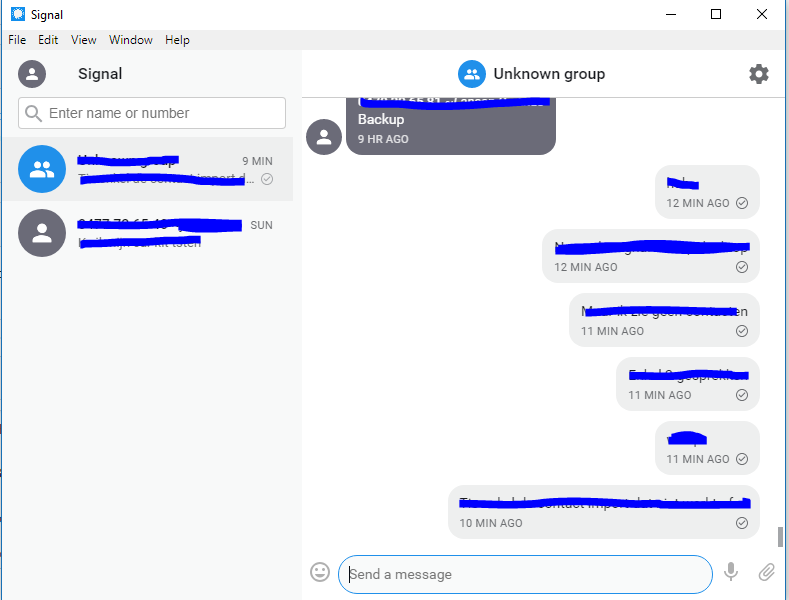
Windows log: https://gist.github.com/TSSchoof/740681400e1583601f9e9f2696900206
I can actually send and receive messages through the application, I just have no contacts (and the group name is not coming over)
 TSSchoof
on 18 Dec 2018
TSSchoof
on 18 Dec 2018
I have the same issue with the signal desktop app on debian stretch and the signal app on my ubuntu touch 16.04 ota 9.
Here are the signal desktop logs and here the signal ut logs. The timestamps of the desktop logs are not that right; I dont know why..
The last successful import of my contacts was on 12/16/2018, which the signal desktop app is telling me at "File" -> "Preferences". The last release of the ut signal app was at 01/01/2018. So it seems to be a desktop app issue from version 1.20 and above.
It is not a big issue, but the contacts at the desktop app look like 01234567 ~ foo bar and not just foo bar
any ideas?
 fabrei
on 9 Jun 2019
fabrei
on 9 Jun 2019
@fabrei Please enter a new bug. Your device is receiving attachments it doesn't like - likely the size in the protobuf doesn't match the attachment it downloaded from the CDN.
scottnonnenberg-signal
on 10 Jun 2019
fabrei
on 10 Jun 2019
I'm having the same problem on v1.25.1 on Windows. I can send messages, just can't see any contacts, only phone numbers. I had problem this morning - Signal would start, but I could not see the program main window nor the icon in the taskbar, so I uninstalled it and then reinstalled it immediately. It solved the problem of starting the application, but after linking the phone I've got stuch with this problem of being unable to sync.
 lakozapamcenje
on 14 Jun 2019
lakozapamcenje
on 14 Jun 2019
@lakozapamcenje Can you get us a debug log? You can upload a debug log from desktop by going to View > Debug Log.
 kenpowers-signal
on 14 Jun 2019
kenpowers-signal
on 14 Jun 2019
@Traktuner Looking at your log, I'm not sure what you're trying to Import. We don't support sending old messages from your mobile device to Desktop. Maybe that's what you're trying to do?
scottnonnenberg-signal
on 22 Jul 2019
@Traktuner Looking at your log, I'm not sure what you're trying to Import. We don't support sending old messages from your mobile device to Desktop. Maybe that's what you're trying to do?
Thanks for you reply! I clicked the "import contacts" button, wich always resulted in the "Import failed" message. I just updated to the latest TestFlight build, now the import worked like a charm.
Thank you!
 ghost
on 22 Jul 2019
ghost
on 22 Jul 2019
@Traktuner Looking at your log, I'm not sure what you're trying to Import. We don't support sending old messages from your mobile device to Desktop. Maybe that's what you're trying to do?
It might be useful to make this clearer near the description of the "Import Contacts" functionality. I'm aware you probably do this for privacy reasons, but it's definitely one of those things you're used to coming from a platform like iMessage, etc.
Not trying to be critical btw. I understand that the wording "Import Contacts" implies just that, and not that messages will show up. But for some reason my biases led me to believe there had to be a way to get my old messages synced across and that this would be the way to do it.
 afiaka87
on 4 Aug 2020
afiaka87
on 4 Aug 2020
@afiaka87 For me, it was clear, and I already wrote that it worked as It should. No need to change any descriptions.
It was just a version mismatch - beta iOS with non-beta Signal app.
ghost
on 5 Aug 2020
Fair enough. Sorry to have taken your time. @Traktuner
afiaka87
on 5 Aug 2020
I had this issue with Windows and iOS. I had not understood until I read one of the comments above that the Signal app needs to be running on the iPhone for the import to work. It might help if it said this next to the button, or at least explained it in the error message rather than the "not connected to the internet" message.
 derekllaw
on 8 Jan 2021
derekllaw
on 8 Jan 2021
I had the same issue.
Desktop log: https://gist.github.com/someone235/6cb730de1cb2c273279ee2b3695430d9
Android log: https://debuglogs.org/058bc27e453a9c22ec718f04032721c2c5447c8b50efdfbe497ffa8072e7a4fc
 someone235
on 9 Jan 2021
someone235
on 9 Jan 2021
I had this same issue with the Linux Deskop version. I got the same error as the OP: "Import failed. Make sure your computer and your phone are connected to the Internet."
However while I was typing this and looking up some information, to make sure, I tried disconnecting my phone from the Wi-Fi and tried the import while just being connected to 4G, and suddenly it worked. So maybe this can help others out there.
 antiftw
on 9 Jan 2021
antiftw
on 9 Jan 2021
I had this same issue with the Linux Deskop version. I got the same error as the OP: "Import failed. Make sure your computer and your phone are connected to the Internet."
However while I was typing this and looking up some information, to make sure, I tried disconnecting my phone from the Wi-Fi and tried the import while just being connected to 4G, and suddenly it worked. So maybe this can help others out there.
This worked for me, thank you. Though the fact that this type of bug and "fix" exist concerns me as a programmer.
 nickenchev
on 9 Jan 2021
nickenchev
on 9 Jan 2021
For me this steps worked:
1- send message to only contact on the desktop app which is "Notes to me"
2- See your message from your phone
3- send a message to one of your contact from your phone
4- you should be able to see the contact and message on the desktop app
5- now, you can import your contacts successfully from preferences menu
 mnuriyumusak
on 9 Jan 2021
mnuriyumusak
on 9 Jan 2021
I had this same issue with the Linux Deskop version. I got the same error as the OP: "Import failed. Make sure your computer and your phone are connected to the Internet."
However while I was typing this and looking up some information, to make sure, I tried disconnecting my phone from the Wi-Fi and tried the import while just being connected to 4G, and suddenly it worked. So maybe this can help others out there.
This has worked for me as well, thanks! Linux desktop (Ubuntu 20.10) and iOS phone. Both on the same network.
 vfxdev
on 9 Jan 2021
vfxdev
on 9 Jan 2021
Has the same problem with my android phone. Turning off WIFI did the trick.
 MarkusMayer
on 10 Jan 2021
MarkusMayer
on 10 Jan 2021
Same here
 TheSlowGrowth
on 10 Jan 2021
TheSlowGrowth
on 10 Jan 2021
For me this steps worked:
1- send message to only contact on the desktop app which is "Notes to me"
2- See your message from your phone
3- send a message to one of your contact from your phone
4- you should be able to see the contact and message on the desktop app
5- now, you can import your contacts successfully from preferences menu
This worked for me.
 mnj93
on 11 Jan 2021
mnj93
on 11 Jan 2021
Maybe there are different scenarios. When I tried yesterday I didn't have the "Notes to me" contact. My contact list was completely empty. After turning off WIFI however the import worked.
MarkusMayer
on 11 Jan 2021
For me, import didn't work either, but letting it fail, then sending a message on my phone to a group chat in there, suddenly made the group appear on my Mac.
 jorisw
on 11 Jan 2021
jorisw
on 11 Jan 2021
Importing was failing (not even a "Notes to me" contact) until I:
- turned wifi off on my phone
- sent a message to a contact from my phone.
Only then did the import succeed.
 rtxm
on 11 Jan 2021
rtxm
on 11 Jan 2021
This definitely should be fixed somehow. I tried to turn off wifi but that alone didn't work. After writing a "note to self" on my android phone, and seeing it appear instantly on signal app in linux (mint 20), only after that the import works on linux app. Dunno if the "wifi off" was necessary. The "not connected to internet" error message is totally misleading.
 Perkolator
on 13 Jan 2021
Perkolator
on 13 Jan 2021
This worked for me :
- Quit app on both phone and desktop
- Start app on phone
- Send message to a contact
- Start app on desktop
After Step 4, all of my contacts appeared in the desktop app
 klynchatl
on 13 Jan 2021
klynchatl
on 13 Jan 2021
I had the same issue and noticed that the big problem that I encountered in importing my contacts was the fact that I had Signal set as my main SMS as well. Once I disabled SMS, all of my contact currently on Signal showed up. However, when I turn on SMS, shouldn't I be able to send and receive messages with ANY of my contacts? It shouldn't be restricted to just my Signal contacts, should it?
 Brocaljer
on 13 Jan 2021
Brocaljer
on 13 Jan 2021
@Brocaljer What I understood from what I read is that you will just send regular SMS's to the contacts that do not have Signal.
If I scroll through my contacts using the Signal app (on my phone) I see a blue letter in front of the contacts that also have Signal, and that letter is not there with regular contacts. This only seems to apply to Android devices though, since Apple doesn't allow you to change your default SMS application. I do not know this from experience since I try to keep away as far as possible from Apple devices. However I do not see regular contacts appearing in the Desktop application, but that seems logical to me.
The main reason to allow signal to be your default SMS app, seems to just make sure everything is consolidated in one place. I would like to refer to this Reddit https://www.reddit.com/r/signal/comments/85fupm/why_use_signal_for_sms/
antiftw
on 13 Jan 2021
This worked for me :
- Quit app on both phone and desktop
- Start app on phone
- Send message to a contact
- Start app on desktop
After Step 4, all of my contacts appeared in the desktop app
Works for me. Thank you
 octoviaa
on 14 Jan 2021
octoviaa
on 14 Jan 2021
This worked for me :
- Quit app on both phone and desktop
- Start app on phone
- Send message to a contact
- Start app on desktop
After Step 4, all of my contacts appeared in the desktop app
Worked for me as well on iOS/macOS.
 frenkcleven
on 15 Jan 2021
frenkcleven
on 15 Jan 2021
This worked for me :
- Quit app on both phone and desktop
- Start app on phone
- Send message to a contact
- Start app on desktop
After Step 4, all of my contacts appeared in the desktop app
Worked for me as well, on mac OSX/iOS
 m-beau
on 15 Jan 2021
m-beau
on 15 Jan 2021
would having two devices with same name screw it up? I have two laptops both hostsnames are the same.
 chovy
on 16 Jan 2021
chovy
on 16 Jan 2021
This worked for me :
1. Quit app on both phone and desktop

2. Start app on phone

3. Send message to a contact

4. Start app on desktop
After Step 4, all of my contacts appeared in the desktop app
Same "Import failed" issue on Fedora 33 running flatpak Signal desktop. This works for me.
 cynici
on 16 Jan 2021
cynici
on 16 Jan 2021
worked on manjaro, thanks bud! must be a bug.
chovy
on 16 Jan 2021
For me this steps worked:
1- send message to only contact on the desktop app which is "Notes to me"
2- See your message from your phone
3- send a message to one of your contact from your phone
4- you should be able to see the contact and message on the desktop app
5- now, you can import your contacts successfully from preferences menu
Worked for me too, thanks
Disable wifi works too
 Schnuecks
on 16 Jan 2021
Schnuecks
on 16 Jan 2021
- Quit app on both phone and desktop
Start app on phone
Send message to a contact
Start app on desktop
Wanted to confirm that this worked for me as well, running on MacOS 10.13.6 and iOS 12.2
 Ilanad
on 18 Jan 2021
Ilanad
on 18 Jan 2021
This issue happens for me too. iOS 14.3, iPhone SE (2nd edition) and Windows 10.
 rayfallon
on 18 Jan 2021
rayfallon
on 18 Jan 2021
Unfortunately it didn't work for me.
Also when going to "Settings"->Import contacts. It hangs on "Importing" and after a while says I should be connected to the internet. (which I am). I only see one contact, and its messages. But at the same time Signal (on Mac) said I should accept the incoming messages (at the same time that they are being displayed).
Error screen (in dutch though):
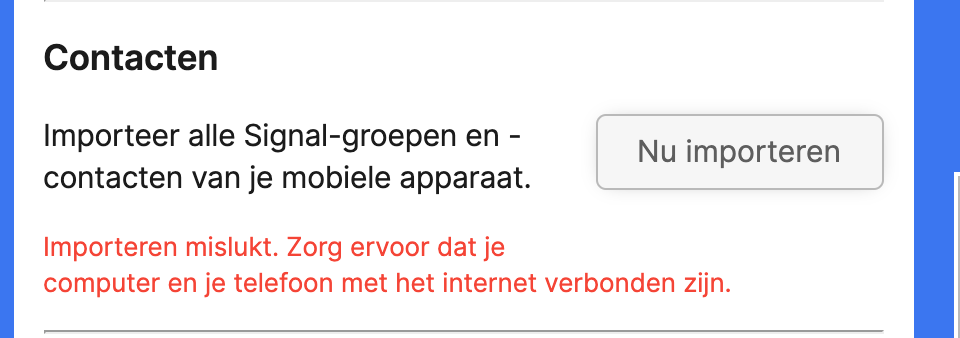
Using Signal v1.39.5
Mac: Catalina 10.15.7
MPB 16 inch, 2019 edition.
iOS: 14.3 (18C66) / iPhone 8
Both connected via Wifi. Same router. Tried Phone over 4G (laptop via Wifi) and redid these steps but did not resolve the issue.
Maybone worth noticing that I didn't set a verification PIN yet (it keeps asking me this).
 stefanhendriks
on 19 Jan 2021
stefanhendriks
on 19 Jan 2021
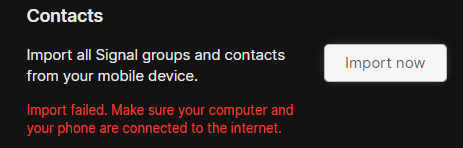
None of the top solutions works anymore. This seems to be a new problem after those big outages.
Perfectly misleading error message.
 msavara
on 19 Jan 2021
msavara
on 19 Jan 2021
Desktop app was upgraded (to version v1.39.6). After it restarted I saw all my contacts. Something got fixed along the way?
edit:
I also tried re-importing and it succeeds now. 🎉
stefanhendriks
on 20 Jan 2021
Same for me. However, there is no 'check for updates' in Signal, you have to go to the website and download the installer yourself. Feels like Signal is a work in progress ... it's a bit away from being as feature rich as WhatsApp but I'm sure it'll get there. It of course doesn't have the same budget as Facebook either :-)
rayfallon
on 20 Jan 2021
@rayfallon interesting. I had a message in the Desktop app saying I should restart to get the latest version. So I did. (I am using the Mac version).
stefanhendriks
on 20 Jan 2021
Ah, I'm on Windows which might explain it.
rayfallon
on 20 Jan 2021
This is a very old catch-all bug. I'm going to close it. If you're still running into import difficultes, please create new issue.
scottnonnenberg-signal
on 28 Jan 2021
This is a very old catch-all bug. I'm going to close it. If you're still running into import difficultes, please create new issue.
No offense but this makes very little sense to me. It doesn't seem like a fix has been merged (have I missed it among the comments?), people are still reporting the issue (just ran into it myself, 1.40.1), yet you are closing it...? Very strange.
 jaromor
on 27 Feb 2021
jaromor
on 27 Feb 2021
Same. Makes no sense. Never been fixed.
 Gordon-Dry
on 17 Mar 2021
Gordon-Dry
on 17 Mar 2021
Let's move discussion to #5040, which is a more active issue.
 EvanHahn-Signal
on 19 Mar 2021
EvanHahn-Signal
on 19 Mar 2021
Related issues
 jeremymasters
·
3Comments
jeremymasters
·
3Comments
 halb9
·
3Comments
halb9
·
3Comments
 demux4555
·
3Comments
demux4555
·
3Comments
 muellermartin
·
3Comments
muellermartin
·
3Comments
 ProactiveServices
·
3Comments
ProactiveServices
·
3Comments
Most helpful comment
This worked for me :
After Step 4, all of my contacts appeared in the desktop app