Shell: Unable to move a window to a second monitor that has a floating window on it
Distribution (run cat /etc/os-release):
NAME="Pop!_OS"
VERSION="20.04 LTS"
ID=pop
ID_LIKE="ubuntu debian"
PRETTY_NAME="Pop!_OS 20.04 LTS"
VERSION_ID="20.04"
HOME_URL="https://system76.com/pop"
SUPPORT_URL="http://support.system76.com"
BUG_REPORT_URL="https://github.com/pop-os/pop/issues"
PRIVACY_POLICY_URL="https://system76.com/privacy"
VERSION_CODENAME=focal
UBUNTU_CODENAME=focal
LOGO=distributor-logo-pop-os
Related Application and/or Package Version (run apt policy pop-shell or provide the latest commit if building locally):
pop-shell:
  Installed: 0.1.0~1588274983~20.04~586efcc
  Candidate: 0.1.0~1588274983~20.04~586efcc
  Version table:
 *** 0.1.0~1588274983~20.04~586efcc 1001
       1001 http://ppa.launchpad.net/system76/pop/ubuntu focal/main amd64 Packages
       1001 http://ppa.launchpad.net/system76/pop/ubuntu focal/main i386 Packages
        100 /var/lib/dpkg/status
Issue/Bug Description:
Moving windows to other screens is inconsistent when the second screen has a floating window on it. Moving with either adjument mode, or just using Super+Shift+Left/Right doesn't do anything.
Steps to reproduce (if you know):
Dual monitor setup, open a window on one monitor and set it to floating, and try moving another window from the other monitor with keybindings.
Expected behavior:
Windows should move seamlessly between monitors even if the second monitor contains any active floating windows.
Other Notes:
Moving with the mouse works as expected, and it seems like the only workaround as of right now.
 robert-sandor
All 14 comments
I also notice this when in tiling mode even with no windows on the target monitor. A tiled window is unable to be moved to another screen via the shortcut (My monitors are stacked, so the shortcut is Ctrl+Shift+Super+Down). It only briefly blinks on the target monitor and stays in it's position. Moving via mouse works. Making it floating with Super+G, then moving it with the shortcut and making it tile again with Super+G works, so does moving it in Super+Enter mode.
 jmbuhr
on 1 May 2020
jmbuhr
on 1 May 2020
What you described is moving the window across workspaces. You have to enter window management mode and move the window with the arrow keys.
 mmstick
on 4 May 2020
mmstick
on 4 May 2020
@mmstick it is not related to Workspaces. I face the same issue as @jannikbuhr described. Steps to reproduce:
- configure dual-monitor setup with vertical layout (one monitor is on top of another)
- enable auto-tiling
- open window on the upper monitor
- try to move the window to lower monitor using "Move window one monitor down" hotkey
- window moves to the lower screen but returns back to upper screen instantly after
Expected behavior:
- the window should stay on the lower screen
 enurseitov
on 4 May 2020
enurseitov
on 4 May 2020
As far as shortcuts go, workspaces use Ctrl or Shift to move a window or move focus, but using Ctrl and Shift (+Super + Arrow) is supposed to move a window across monitors, at least according to the description. The window management mode does indeed work, like I mentioned in my comment above. Maybe the plan is to remove or repurpose the old shortcut?
jmbuhr
on 4 May 2020
I made a small video - gif (albeit pretty poor, but it should get the point across on what i mean here): imgur
you can see that i have a floating window on the right monitor, and when trying to move the terminal, you can see the other window expand, but the terminal stays on the first display (and trying to do this in adjustment mode, using Mod+Right)
Edit: i also updated to the latest available version in the pop os 20.04 repository today, just to check that behaviour out:
pop-shell:
  Installed: 0.1.0~1588624471~20.04~dfb378c
  Candidate: 0.1.0~1588624471~20.04~dfb378c
  Version table:
 *** 0.1.0~1588624471~20.04~dfb378c 1001
       1001 http://ppa.launchpad.net/system76/pop/ubuntu focal/main amd64 Packages
       1001 http://ppa.launchpad.net/system76/pop/ubuntu focal/main i386 Packages
        100 /var/lib/dpkg/status
Note: the issue only seems to appear when you set "Workspaces span displays" in gnome tweaks
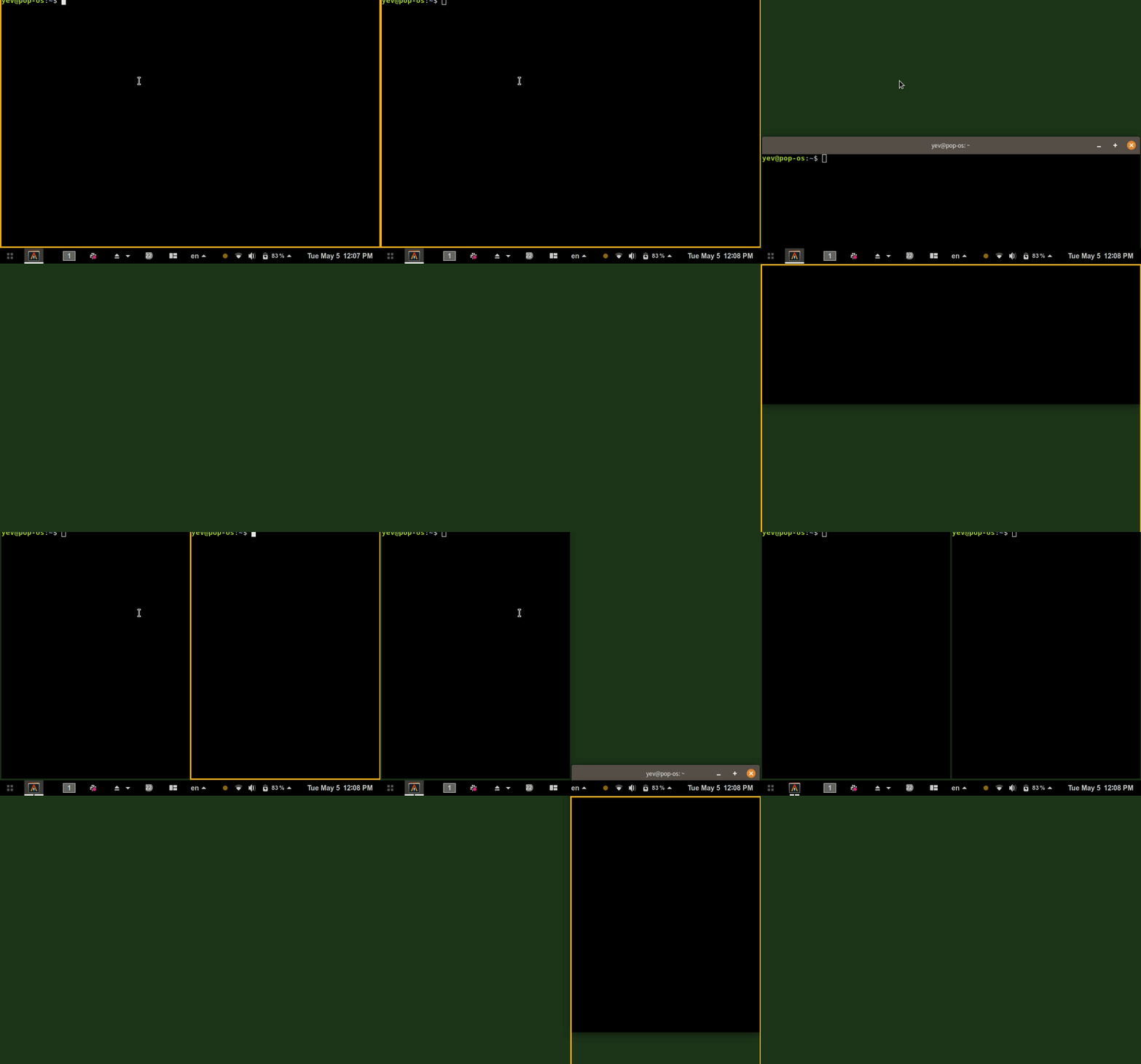
Here is an example of what happens in my case. It shows that you don't even need to have a floating window on the second screen. The problem also appears in a horizontal setup.
In essence, moving windows between monitors is impossible with auto-tiling enabled (unless you move it through floating mode or with a mouse).
enurseitov
on 5 May 2020
I can confirm that the issue only appears with "Workspaces span displays".
jmbuhr
on 5 May 2020
As far as shortcuts go, workspaces use Ctrl or Shift to move a window or move focus, but using Ctrl and Shift (+Super + Arrow) is supposed to move a window across monitors, at least according to the description. The window management mode does indeed work, like I mentioned in my comment above. Maybe the plan is to remove or repurpose the old shortcut?
Yes, that's the plan. Moving window to anywhere on the desktops and across monitors is super + enter then arrow/direction keys. Moving workspace is super + control and arrow/direction keys up/down.
We didn't want to remove or break the previous ctrl +left/right to half-tile in floating mode, preferring to ease people into tiling and hopefully make that key combination less useful and then, perhaps, use that combination for horizontal workspaces to keep things consistent.
 WatchMkr
on 11 May 2020
WatchMkr
on 11 May 2020
I can replicate the OP issue. I'm unable to move a window to a monitor that has only a floating window on it.
WatchMkr
on 11 May 2020
I'm in the same boat - in tiling mode I can not move windows between monitors (when workspaces span monitors). Regardless of the content of the monitor I'm moving a window to (incl empty).
Super+Enter and moving with arrows does work, but it is surprising for a user that the "Move window to monitor" command does not work in tiling mode, and at least from my perspective I'd love to have both options available and working in parallel.
 sundbp
on 19 Jun 2020
sundbp
on 19 Jun 2020
Same setup. Same issue,
only when you set "Workspaces span displays" in gnome tweaks
 christophcemper
on 23 Jun 2020
christophcemper
on 23 Jun 2020
Same setup. Same issue,
only when you set "Workspaces span displays" in gnome tweaks
Extended dual monitor setup. I can confirm the same issue with "Workspaces span displays" in gnome tweaks,
entering Super+Enter works.
 lainor
on 29 Jun 2020
lainor
on 29 Jun 2020
One interesting thing I notice: It works if you first attempt to move the window in the opposite direction. This sort of unlocks all movement. E.g. in adjustment mode pressing Super+k before Super+j when trying to move a window to a second monitor under the first.
Does this happen for others as well?
jmbuhr
on 30 Jun 2020
Recently fixed by implementing workspace management in Pop Shell
mmstick
on 29 Sep 2020
Related issues
 derpmatt
·
7Comments
derpmatt
·
7Comments
 jacobgkau
·
6Comments
jacobgkau
·
6Comments
 leviport
·
7Comments
leviport
·
7Comments
 TomFaulkner
·
4Comments
TomFaulkner
·
4Comments
 depletionmode
·
7Comments
depletionmode
·
7Comments
Most helpful comment
I also notice this when in tiling mode even with no windows on the target monitor. A tiled window is unable to be moved to another screen via the shortcut (My monitors are stacked, so the shortcut is Ctrl+Shift+Super+Down). It only briefly blinks on the target monitor and stays in it's position. Moving via mouse works. Making it floating with Super+G, then moving it with the shortcut and making it tile again with Super+G works, so does moving it in Super+Enter mode.