Sequel-ace: Preferences synchronisation
Based on https://github.com/sequelpro/sequelpro/issues/1843
When working with multiple client machines it would be nice to be able to save the settings / connections to Dropbox / iCloud so that you don't have to recreate the connections on each machine.
(Personally I would prefer iCloud sync)
 stychos
All 9 comments
I was about to open a similar issue but saw this... Is there a way to import the preferences from the old Sequel Pro somehow?
 jlubeck
on 22 Jun 2020
jlubeck
on 22 Jun 2020
@jlubeck try to move your ~/Library/Application Support/Sequel Pro/Data/Favorites.plist into ~/Library/Containers/com.sequel-ace.sequel-ace/Data/Library/Application Support/Sequel Ace/Data
stychos
on 22 Jun 2020
Thank you @stychos . It imported the sites, but not the passwords. I guess it's better than nothing. Thank you!
jlubeck
on 22 Jun 2020
It imported the sites, but not the passwords. I guess it's better than nothing. Thank you!
passwords are in the keychain.
For the rest of the team:
To sync them, it seems you can add an attribute: kSecAttrSynchronizable, but then accessing synced passwords changes.
We'd have to look at SPKeychain.m
We already have an App Group and Keychain Group. Docs mention App Group not Keychain Group which seems strange.
Could replace our SPKeychain with a package: https://github.com/kishikawakatsumi/UICKeyChainStore#icloud_sharing
There's even a Swift version for @Kaspik
Caveat:
Only password items can be synchronized. Keychain syncing is not supported for certificates or cryptographic keys.
 jamesstout
on 25 Jun 2020
jamesstout
on 25 Jun 2020
Let’s not switch ti anything yet and let me take a look on the current Keychain. :)
 Kaspik
on 25 Jun 2020
Kaspik
on 25 Jun 2020
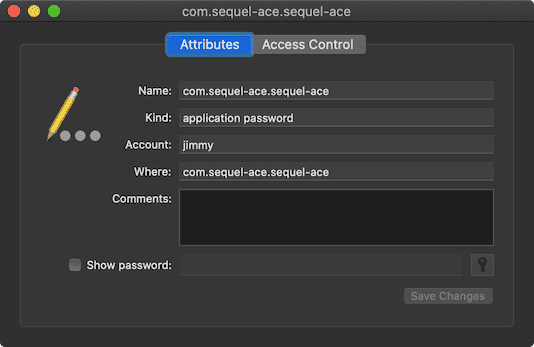
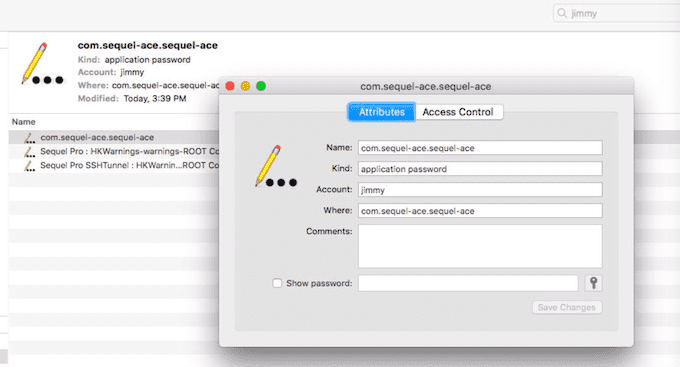
OK. I had a play with that package anyway, and synced a password from my main iMac to my old iMac:
New mac:
old mac after installing and running Sequel Ace from the MAS:
jamesstout
on 25 Jun 2020
Same issue here. Maybe an option is to sync all with iCloud?
 ceesvanegmond
on 3 Jul 2020
ceesvanegmond
on 3 Jul 2020
Let’s not switch ti anything yet and let me take a look on the current Keychain. :)
Any update on this one? thanks
jamesstout
on 30 Jul 2020
We have a docs for the migration: https://github.com/Sequel-Ace/Sequel-Ace/blob/main/docs/get-started/migrating-from-sequel-pro.md
I don't think we are planning to introduce iCloud sync soon enough to make this Issue open, so I would recommend closing it for now...
Kaspik
on 19 Nov 2020
Related issues
 rafmst
·
4Comments
rafmst
·
4Comments
 vuon9
·
4Comments
vuon9
·
4Comments
 salvor-hardin
·
8Comments
salvor-hardin
·
8Comments
 augusl
·
6Comments
augusl
·
6Comments
 netojose
·
4Comments
netojose
·
4Comments
Most helpful comment
@jlubeck try to move your
~/Library/Application Support/Sequel Pro/Data/Favorites.plistinto~/Library/Containers/com.sequel-ace.sequel-ace/Data/Library/Application Support/Sequel Ace/Data