Sequel-ace: How to build Sequel-Ace in Xcode 11.4 locally?
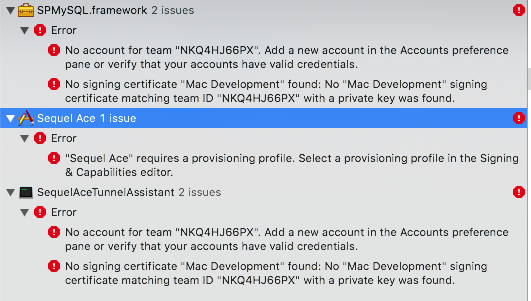
I'm new on Xcode, with Sequel Pro I can build it in Xcode, but can't with Sequel-Ace. Seems like the problem related to Apple Development Account? Could anyone please help me on this issue to build it locally?
 vuon9
vuon9
All 4 comments
You would need to be part of our Apple Developer account or change the code signing to yours.
The main question here is - why do you want to build it? It was the way how to use it for Sequel Pro, but we distribute Sequel Ace differently now. :)
 Kaspik
on 14 Aug 2020
Kaspik
on 14 Aug 2020
I want to build because I believe that I got an error in using it, and it too hard to reproduce steps. So if I can build it, means I could investigate something to report as a new issue. BTW thanks for your answer @Kaspik.
vuon9
on 14 Aug 2020
Yes, you need your own code signing then :)
Kaspik
on 14 Aug 2020
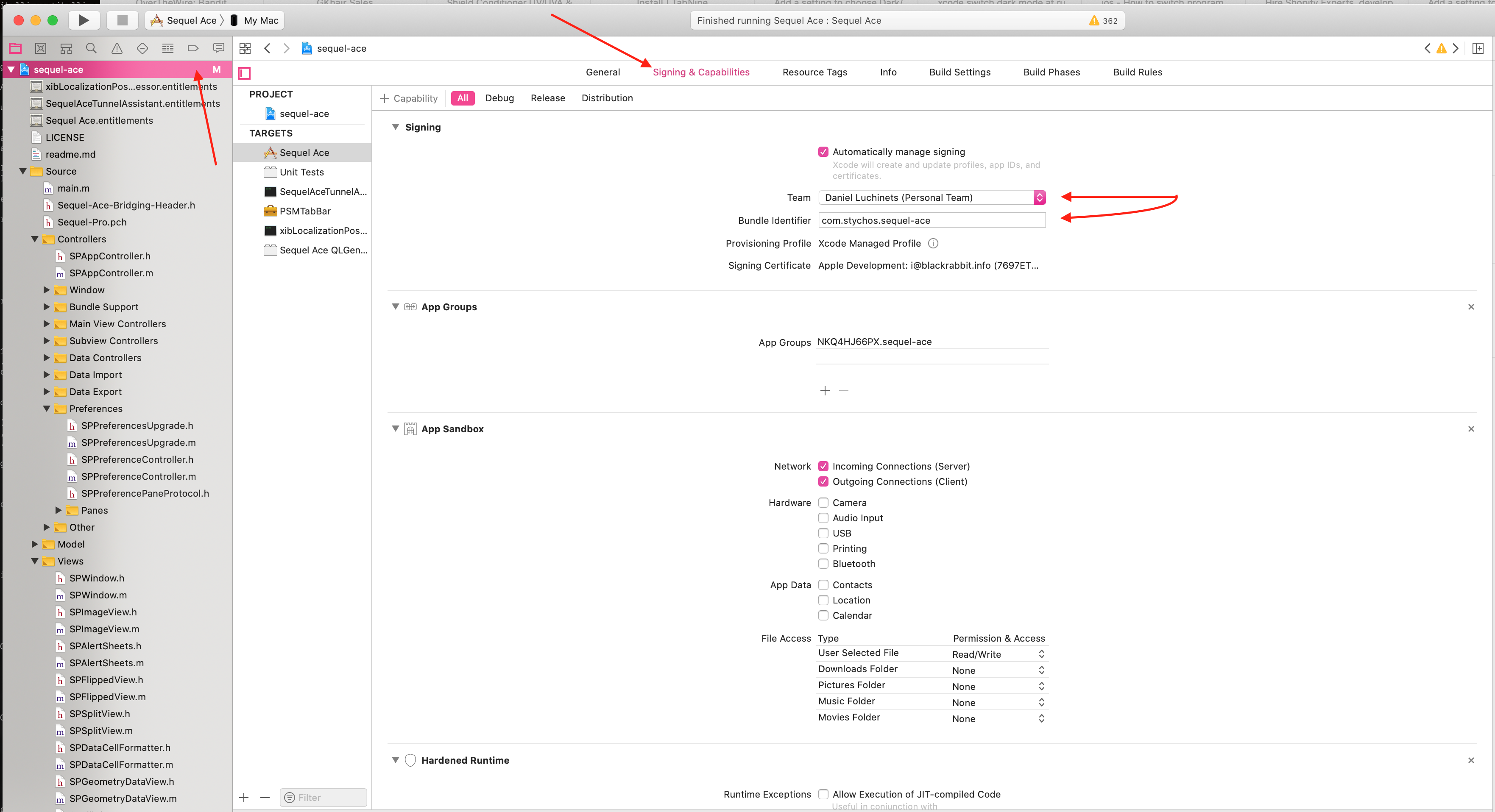
@vuongggggg first, open XCode Preferences -> Accounts tab and log in to iCloud.
Second, open sequel-ace project properties, choose "Signing and Capabilities" tab and change "Team" to your Personal Team. Also, you need to change Bundle Identifier for it and repeat this for Frameworks/SPMySQLFramework.xcodeproj
 stychos
on 14 Aug 2020
stychos
on 14 Aug 2020
Related issues
 augusl
·
6Comments
augusl
·
6Comments
 rafmst
·
4Comments
rafmst
·
4Comments
 salvor-hardin
·
8Comments
salvor-hardin
·
8Comments
 ChrisGitIt
·
5Comments
ChrisGitIt
·
5Comments
 ashatrov-realforce
·
4Comments
ashatrov-realforce
·
4Comments
Most helpful comment
@vuongggggg first, open XCode Preferences -> Accounts tab and log in to iCloud.
Second, open sequel-ace project properties, choose "Signing and Capabilities" tab and change "Team" to your Personal Team. Also, you need to change Bundle Identifier for it and repeat this for Frameworks/SPMySQLFramework.xcodeproj