Securedrop: Add simple GUI updater for Tails journalist workstation
In #3026, we added two commands to securedrop-admin for checking for updates and updating ~/Persistent/securedrop. We should have a simple GUI journalist updater that uses these two commands, along with securedrop-admin tailsconfig to update the journalist workstation. This would replace the routine use of the CLI for the journalist workstation. This was initially described in #2976 (comment). Also:
The sudo password is needed for
tailsconfigso we'll need to have a prompt appear for that.We should have
securedrop-admin check_for_updatesrun on boot as part of our network hook.
Remaining tasks
Tasks have individual issues and are copied here from this comment:
- [x] Finish test suite so that we can catch bugs before test users (#3234)
- [x] Fix sluggish window resizing (#3233)
- [x] Related idea: Shrink the logo and add a Tails Installer inspired SecureDrop banner across the top? (#3235)
- [x] Run blocking actions (
securedrop-admin updateandsecuredrop-admin tailsconfig) in aQThread(#3228) - [x] See if we can add a time estimate to the update progress bar as @ei8fdb suggested (#3230)
- [x] Add CI job for running the GUI tests (#3229)
- [x] Add developer docs (#3231)
- [x] Add note about this feature in the admin, journalist guides (#3232)
- [x] Restart failed updates on next reboot (#3264)
I propose we PR into qt-journalist-updater to build out this feature. When the feature is complete, then someone will propose the branch for merge into the mainline SecureDrop. This approach will make it easier for us to develop a slightly larger feature without trying to do it all in one hard-to-review massive PR.
User Stories
As a journalist, I want my SecureDrop workstation to notify me when an update is needed so that I don't need to rely on my (or my administrator's) awareness of the SecureDrop release cycle.
As a journalist, I want to use a simple GUI to update my journalist workstation so that I do not need to use the command line.
As an administrator, I want journalists to be able to update their own workstations to reduce the amount of time I spend maintaining my SecureDrop deployment.
 redshiftzero
All 12 comments
@redshiftzero This seems like a really good idea.
My feeling is the most realistic user story would be the last you've mentioned above about the admin.
The administrator would want the journalist user to be able to manage the workstation as the administrator benefits more directly, than the journalist - the journalist is doing the work, not the administrator.
@dachary, @belenbarrospena and I spoke about it last week.
A couple of questions that might have some impact on the UI
How often does the SecureDrop Updater check for updates?
I guess updates occur at the end of each release cycle? Not more often?
How long will this update take?
It is good practice to give the user some indication of how long an action will take.
The update is done via the Tor network - so there is a strong possibility it might take longer than on the clear web?
- If I shutdown while the update is going on, what happens? Can it be resumed? Or do I need to restart it from the beginning?
If you like I can put together a simple wireframe based on your proto in #2976?
 ei8fdb
on 19 Mar 2018
ei8fdb
on 19 Mar 2018
How often does the SecureDrop Updater check for updates?
So right now in this qt-journalist-updater branch, every time the workstation boots, it will check for updates - this part is transparent to the user. If updates are needed, the GUI pops up. This is also how the Tails updater works.
I guess updates occur at the end of each release cycle? Not more often?
Yep, exactly. The time between updates is between 2-8 weeks (on the shorter side if we do a few bugfix releases).
How long will this update take?
5 minutes or so, 10 at the outset (even with Tor).
It is good practice to give the user some indication of how long an action will take.
Great point, I could add some text that explicitly says this.
If I shutdown while the update is going on, what happens? Can it be resumed? Or do I need to restart it from the beginning?
Yeah, good point. I'll add some functionality to handle this better. Specifically, right now if we get to the point of checking out the release tag, then securedrop-admin check_for_updates considers the workstation updated, even if tailsconfig did not run. This is not ideal.
A wireframe would be great! I _was_ thinking that the big text box showing detailed output of the update process should not be shown by default (unnecessary technical detail for 95%+ of users).
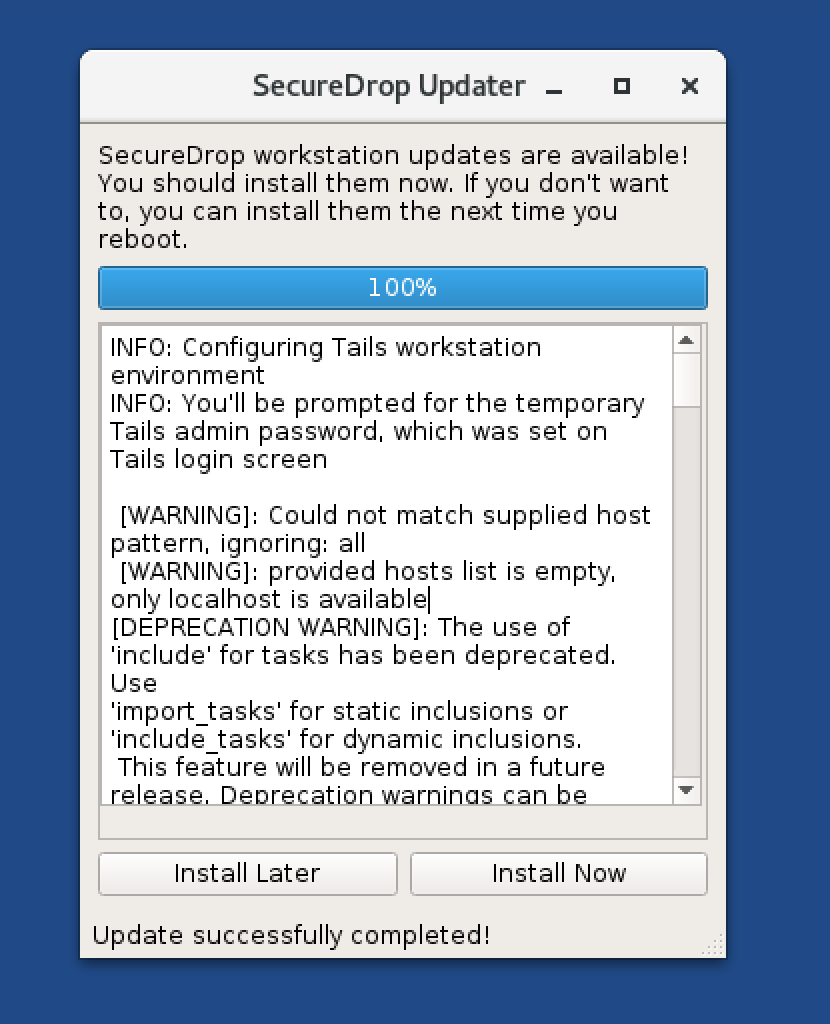
Here are some screenshots of the latest prototype for reference:
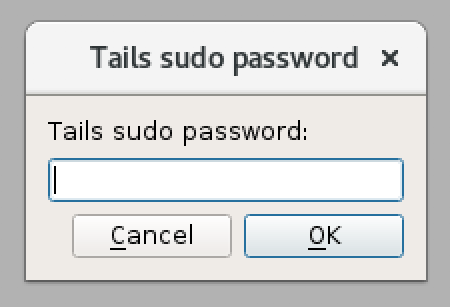
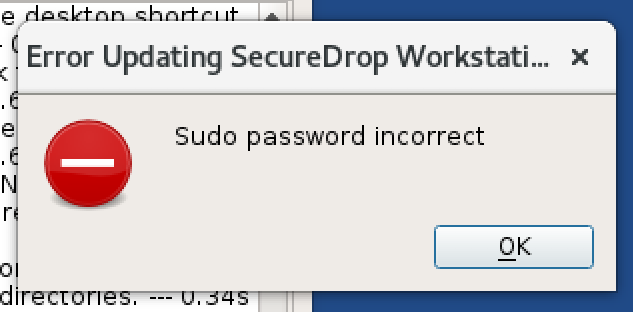
and here is what the current dialog boxes look like:
redshiftzero
on 19 Mar 2018
Hey @kushaldas - as discussed on our one on one today, here's the current state of this branch (qt-journalist-updater): I'm curious if you have any protips based on your experience with PyQt. For the test suite for this feature, I planned to mock out the subprocess calls but otherwise test the behavior when buttons are clicked. To automate sending input to different elements of the GUI (like button clicks), I planned to use either PyQt5.QtTest.QTest or pytest-qt - that said, this is totally open to change if you are aware of another tool that is better/easier for the task.
Currently however, when I'm using e.g. pytest-qt, the interactive button presses aren't working, so I'm missing something possibly obvious.
To get set up on this branch, I do:
$ cd journalist_gui
$ mkvirtualenv journalist_gui -p python3
$ pip3 install requirements.txt
$ pip3 install test-requirements.txt
Then tests can be executed in that directory via pytest -v tests/, and the application can be run via python3 SecureDropUpdater.
An example of functionality that I would want to test using button clicks is the following modification I made based on @ei8fdb's feedback, which hides detailed technical output unless the user is interested:
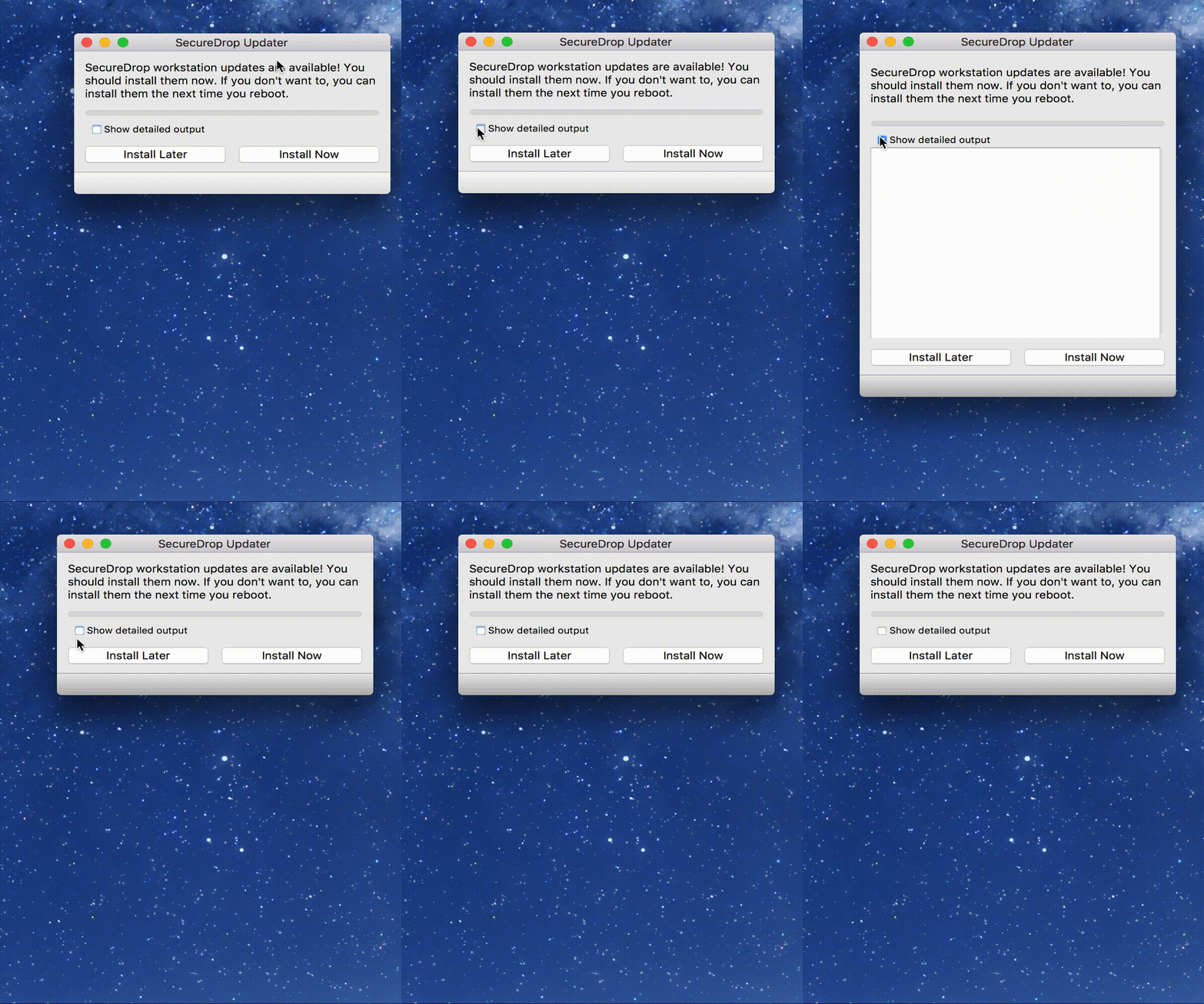
I wrote a test (see full code here) to test this specifically:
def test_output_text_box_displayed_when_checkbox_toggled(app, window, gui):
    gui.mouseClick(window.groupBox, QtCore.Qt.LeftButton)
    assert window.plainTextEdit.isVisible() == True

    # And clicking again should hide the text box once again
    gui.mouseClick(window.groupBox, QtCore.Qt.LeftButton)
    assert window.plainTextEdit.isVisible() == False
However, running the test fails, due to the mouseClicks not working yet. Take a peek, I welcome any feedback. If there isn't something obvious, then my next step will be to write some more tests for some toy examples prior to returning to this.
redshiftzero
on 28 Mar 2018
@redshiftzero You have a QGroupBox which is checkable. But, we can not test that with mouse click. The suggestion from KDE developers was to use a proper QCheckBox instead. The other suggestion was not to have a widget which disappears/reappears.
I pushed a new branch on top of your work. It was a new ui file (with layouts) and corresponding python code. I also added a commit to use simple Python unittest module to test the application. That way we will not depend on any external module for testing.
 kushaldas
on 28 Mar 2018
kushaldas
on 28 Mar 2018
@redshiftzero this looks really good. Simple, straight forward design.
As @eloquence said on the Monday UX call with @dachary and @belenbarrospena this would be a good candidate to test with users.
@redshiftzero What's the most achievable way of me getting this running? If it helps, I have the dev environment setup on my local machine.
Using that we can then do some usability testing with SecureDrop users.
@eloquence to make sure we are able to test, it'd be reall helpful if @belenbarrospena and I could get some assistance on identifying users who we can test it with.
ei8fdb
on 28 Mar 2018
You have a QGroupBox which is checkable. But, we can not test that with mouse click.
Oh interesting - I did _not_ know this. So for me on your branch test_output_text_box_displayed_when_checkbox_toggled in test_gui.py is not passing for me:
======================================================================
FAIL: test_output_text_box_displayed_when_checkbox_toggled (__main__.WindowTestCase)
----------------------------------------------------------------------
Traceback (most recent call last):
  File "test_gui.py", line 41, in test_output_text_box_displayed_when_checkbox_toggled
    self.assertTrue(self.window.plainTextEdit.isEnabled())
AssertionError: False is not true

----------------------------------------------------------------------
Let's discuss and debug together in our one on one tomorrow @kushaldas?
For now @ei8fdb we still have a little bit of work to do before we do testing. However since you have the development environment set up one can get the UI running from your SecureDrop git repository by doing the following:
$ git fetch --all
$ git checkout qt-journalist-updater
$ cd journalist_gui
$ mkvirtualenv journalist_gui -p python3
$ pip3 install requirements.txt
$ python SecureDropUpdater
That said, the way to test this during user testing will be in Tails (either a physical Tails stick or just in a virtual machine). When I'm testing the full functionality of this GUI I use Tails to do so.
In terms of users who can test when this is a _bit_ more mature (i.e. when we have a test suite verifying that everything is working as expected), I think @kvinton and @micahflee would be good people to test it out 😇.
redshiftzero
on 29 Mar 2018
@redshiftzero Ah, I forgot to push the final changes. Stupid me. Pushed the changes now. Please try again.
kushaldas
on 29 Mar 2018
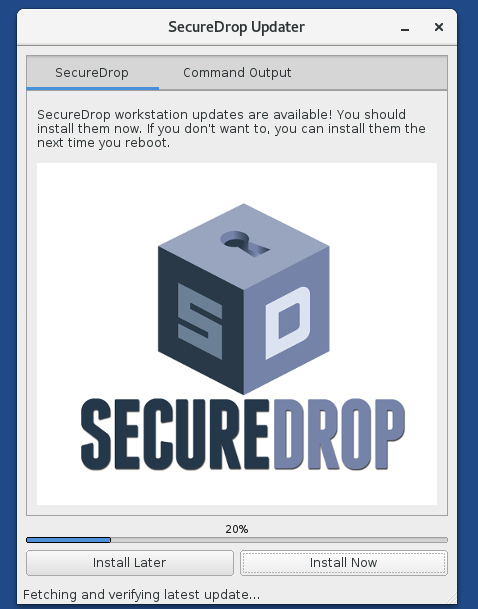
I have made some changes to the UI, added a resources file, moved the icons there. I also found an issue with bytes vs strings (common python3 thing). Fixed that too in my branch. Please have a look.
kushaldas
on 30 Mar 2018
@redshiftzero Btw, I have also received more suggestions on not to test the Qt side, rather focus on the functions/slots (which we wrote) in the testing of the application.
kushaldas
on 30 Mar 2018
This looks great, so I brought all your additions into qt-journalist-updater (feel free to commit directly to that if you like), fixed a couple of minor bugs discovered as I cleaned up and added unit tests. The remaining tasks before this is ready to roll (for user feedback):
- [x] Finish test suite so that we can catch bugs before test users
- [x] Fix sluggish window resizing
- [x] Related idea: Shrink the logo and add a Tails Installer (:wink:) inspired SecureDrop banner across the top?
- [x] Run blocking actions (
securedrop-admin updateandsecuredrop-admin tailsconfig) in aQThread - [x] See if we can add a time estimate to the update progress bar as @ei8fdb suggested
Am I missing anything there? Then we can run this past some users and see what their feedback is. Eventually for merge we'll need to do:
- [x] Add CI job for running the GUI tests
- [x] Add developer docs
- [x] Add note about this feature in the admin, journalist guides
redshiftzero
on 31 Mar 2018
User testing script: https://lab.securedrop.club/main/ux/wikis/updater-gui-user-testing
redshiftzero
on 24 Apr 2018
Disabling branch protection on qt-journalist-updater such that review comments can be addressed by committing directly to the branch
redshiftzero
on 24 Apr 2018
Related issues
 zenmonkeykstop
·
5Comments
zenmonkeykstop
·
5Comments
 conorsch
·
3Comments
redshiftzero
·
5Comments
conorsch
·
3Comments
redshiftzero
·
5Comments
 Hainish
·
6Comments
conorsch
·
5Comments
Hainish
·
6Comments
conorsch
·
5Comments
Most helpful comment
So right now in this
qt-journalist-updaterbranch, every time the workstation boots, it will check for updates - this part is transparent to the user. If updates are needed, the GUI pops up. This is also how the Tails updater works.Yep, exactly. The time between updates is between 2-8 weeks (on the shorter side if we do a few bugfix releases).
5 minutes or so, 10 at the outset (even with Tor).
Great point, I could add some text that explicitly says this.
Yeah, good point. I'll add some functionality to handle this better. Specifically, right now if we get to the point of checking out the release tag, then
securedrop-admin check_for_updatesconsiders the workstation updated, even if tailsconfig did not run. This is not ideal.A wireframe would be great! I _was_ thinking that the big text box showing detailed output of the update process should not be shown by default (unnecessary technical detail for 95%+ of users).
Here are some screenshots of the latest prototype for reference:
and here is what the current dialog boxes look like: