Screentogif: Error message when accessing Editor!
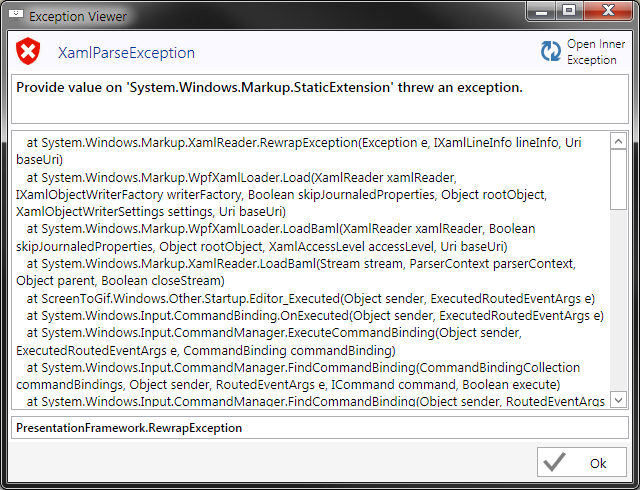
A few days ago everything worked fine. But after recent Windows Update ScreenToGif 2.11 does not allow me to enter Editor. It crashes with an error message.
Windows 7 x64
 alphestdev
All 4 comments
Can you send me the full log? It should be inside a folder structure like "ScreenToGif/Logs" on the same folder where the app is located or inside the documents folder.
If you don't find that folder and the logs, can you press the button "Open Inner Exception" and copy-paste it here?
 NickeManarin
on 12 Jan 2018
NickeManarin
on 12 Jan 2018
Ofcourse. All the info I can find:
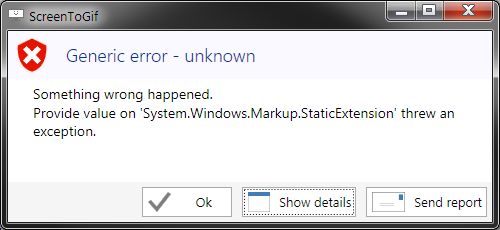
Parent error window looks like this:
"Open Inner Exception" gives this:
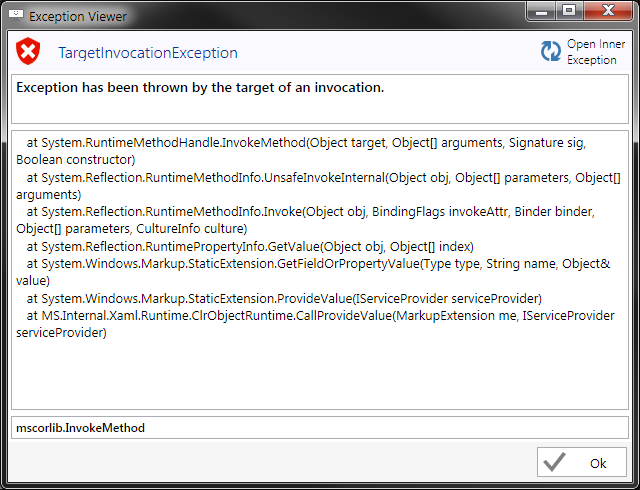
Paste:
   at System.RuntimeMethodHandle.InvokeMethod(Object target, Object[] arguments, Signature sig, Boolean constructor)
   at System.Reflection.RuntimeMethodInfo.UnsafeInvokeInternal(Object obj, Object[] parameters, Object[] arguments)
   at System.Reflection.RuntimeMethodInfo.Invoke(Object obj, BindingFlags invokeAttr, Binder binder, Object[] parameters, CultureInfo culture)
   at System.Reflection.RuntimePropertyInfo.GetValue(Object obj, Object[] index)
   at System.Windows.Markup.StaticExtension.GetFieldOrPropertyValue(Type type, String name, Object& value)
   at System.Windows.Markup.StaticExtension.ProvideValue(IServiceProvider serviceProvider)
   at MS.Internal.Xaml.Runtime.ClrObjectRuntime.CallProvideValue(MarkupExtension me, IServiceProvider serviceProvider)
The log from "ScreenToGif/Logs"
18_01_12.txt
Both portable and installed version have this. Deleting settings file and letting ScreenToGif generate a clean one does not help.
alphestdev
on 12 Jan 2018
Oh, thank you for the fast reply. :)
I was reading the messages that were sent by the feedback tool and I noticed that I've already got a report about this same issue.
So, this is basically an issue with the latest update of .Net Framework (January 2018, KB4074906).
The only way to fix it is by uninstalling that faulty update.
You can read more about this issue on this page:
https://github.com/dotnet/announcements/issues/53
NickeManarin
on 12 Jan 2018
@NickeManarin Thanks for the find!
alphestdev
on 12 Jan 2018
Related issues
 laiqun
·
4Comments
laiqun
·
4Comments
 daniloalonso
·
5Comments
daniloalonso
·
5Comments
 user3323
·
5Comments
user3323
·
5Comments
 Kristinita
·
4Comments
Kristinita
·
4Comments
 AdKiller
·
5Comments
AdKiller
·
5Comments