Scratch-gui: Toolbar too wide for ipad, cuts off username
Expected Behavior
The toolbar should contain the username and not scroll
Actual Behavior
The username is too far to the right and wraps to a new line. It also overlaps the edge of the screen making it not all visible. This causes the whole screen to be scrollable to the right.
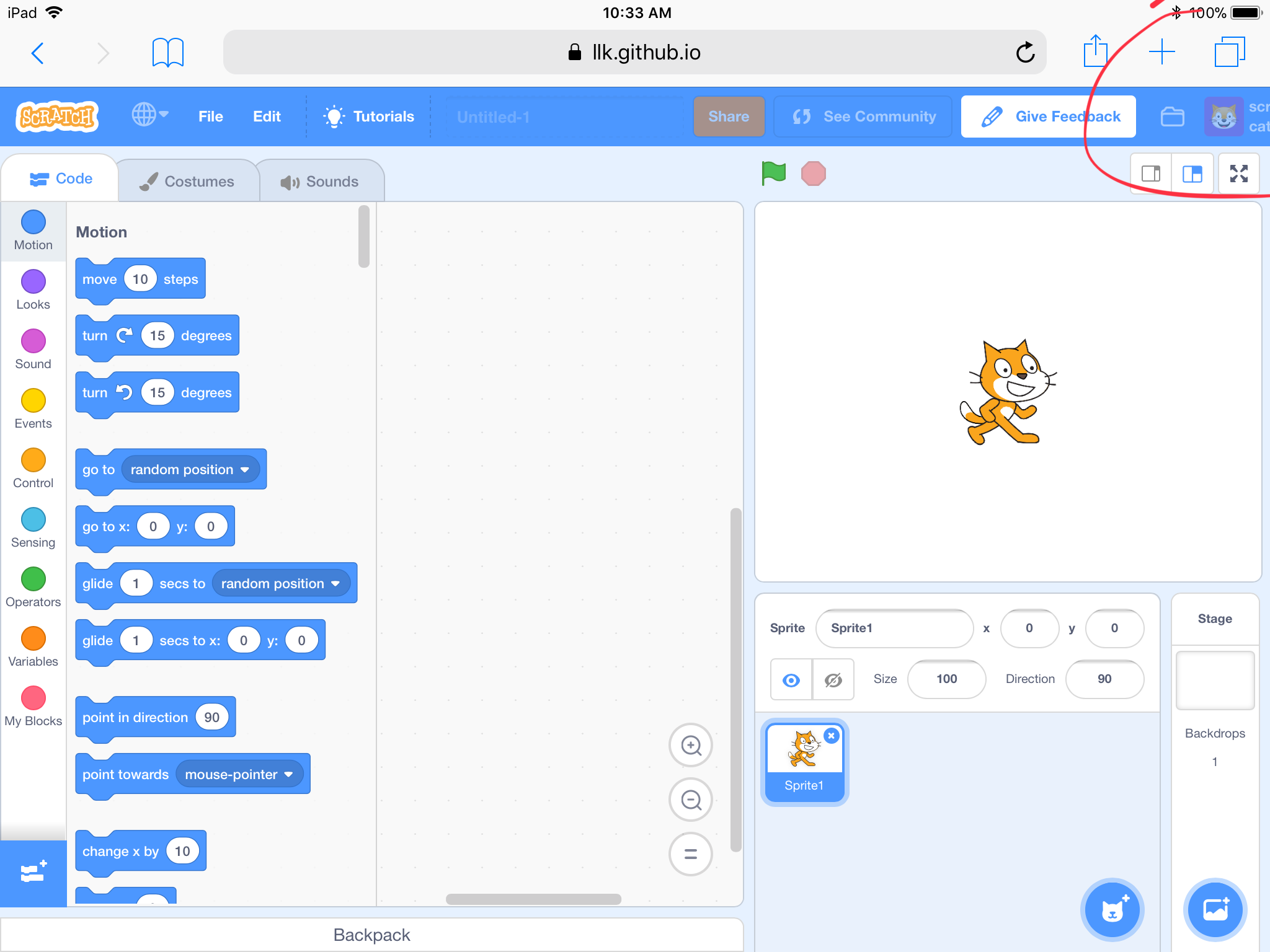
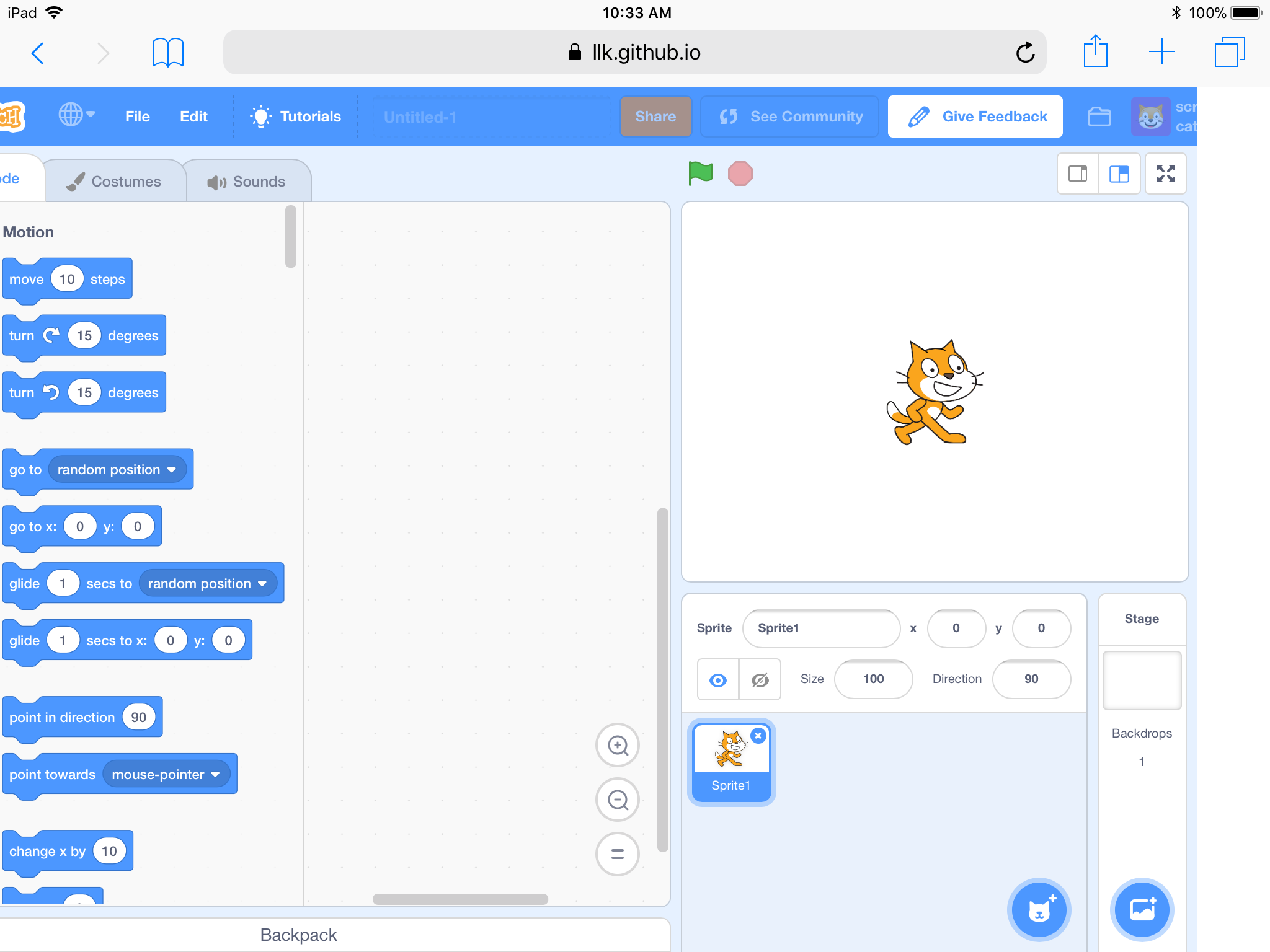
Steps to Reproduce
Launch the editor
Look at the upper right of the screen
Scroll to the right
Operating System and Browser
IOS 11.0.3 Safari
 BryceLTaylor
All 6 comments
Steps of hiding when screen is too small.
- Hide icon on "See community" and "Tutorials"
- Shrink project title field
- Hide user profile picture
- Show icon on "See community" and "Tutorials" and hide text
- Show user profile picture and hide username
- Change Scratch logo to Scratch S

 kyleplo
on 16 Jul 2018
kyleplo
on 16 Jul 2018
Perhaps the first best step is to allow the project title field's size to be flexible? i.e. make the "share", "see community", "my stuff", and username fields float to the right, the "Scratch", language, "file", "edit", "tutorials", and project title fields to float to the left, and unfix the project title field's length, the way the current Scratch header handles the search bar length.
 Kenny2github
on 16 Jul 2018
Kenny2github
on 16 Jul 2018
Perhaps the project title could be changed through a Save As option in the File drop-down. Also the folder icon could be moved to the user drop-down.
 tomrow
on 27 Jul 2018
tomrow
on 27 Jul 2018
We decided on making the project title field flexible in it's width
 LiFaytheGoblin
on 7 Sep 2018
LiFaytheGoblin
on 7 Sep 2018
My fix will work down to a width of 980px which is sufficient for the iPad. For smaller screens we would need to think about sth other than shrinking the title field because I think it should still show a bit of the title.
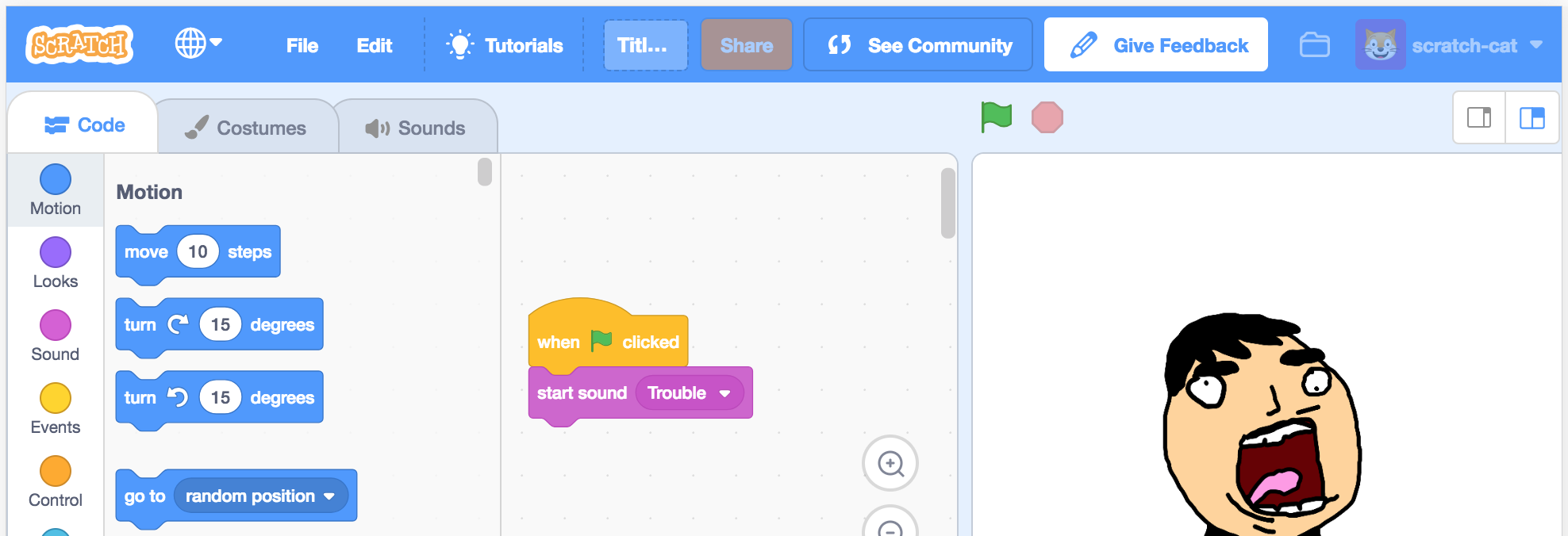
LiFaytheGoblin
on 11 Sep 2018
@LiFaytheGoblin We won't have to worry about the "Give Feedback" button because the final version probably won't have it.
kyleplo
on 11 Sep 2018
Related issues
 chrisgarrity
·
4Comments
chrisgarrity
·
4Comments
 MrBlockCat
·
4Comments
chrisgarrity
·
4Comments
MrBlockCat
·
4Comments
chrisgarrity
·
4Comments
 TaiAurori
·
3Comments
TaiAurori
·
3Comments
 ericrosenbaum
·
4Comments
ericrosenbaum
·
4Comments
Most helpful comment
@LiFaytheGoblin We won't have to worry about the "Give Feedback" button because the final version probably won't have it.