Scratch-gui: 2.0 project sprite doesn't move smoothly and doesn't switch scenes
Expected Behavior

Actual Behavior
- unable to move to the right on a smooth stage (have to jump around the fallen rocket when moving left to right).
- sudden shrift of position when moving from right to left around the rocket.
- unable to switch to next scene when sprite move to the edge.

Steps to Reproduce
Compare project in 2.0 vs. 3.0
https://llk.github.io/scratch-gui/develop/#171494108
Operating System and Browser
Ubuntu 16.04 & Chromium 60.0.3112.113
 yongabyte
All 7 comments
It looks like it's failing to detect the player touching the Edge sprite.
In the player sprite:

In the level sprite:
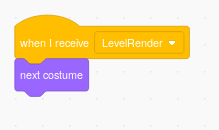
When I added a new, more opaque costume to the Edge sprite, it started working.
 towerofnix
on 19 Sep 2017
towerofnix
on 19 Sep 2017
The Edge sprite's costume is a vector image (a rectangle sitting along the right edge of the screen). When I converted the costume to a bitmap and loaded that in 3.0, it detected a collision with the player and the Edge sprite.
towerofnix
on 19 Sep 2017
The first thing I noticed with the trouble when touching the rocket is that the rocket's color is very similar to the ground. I tried creating various costumes to narrow the problem, and came to some surprising results:
- The "vector original" costume does not work. This is as expected, since it's the same costume.
- The "bitmap original" costume does work. This is interesting, because the actual color of the rocket didn't change.
- The "vector new" costume also works. This is interesting, because this time the difference is the color of the rocket ship.
- The "bitmap new" costume also works.
And yet in my next debugging project, in which I isolate the problem by making the player into a "touching/not-touching the color" indicator which follows the mouse, everything behaved as expected! Surprising.
towerofnix
on 19 Sep 2017
Thanks for the great analysis and repro @towerofnix and @yongabyte !
 thisandagain
on 19 Sep 2017
thisandagain
on 19 Sep 2017
So an update on this. On the original project, the edge triggering a new level seems to be working again (for me, but @towerofnix can you confirm). However just hitting "right arrow" and smoothly moving across the stage still does not work (you get "snagged" on the rocket). Here is a gif of the current state:
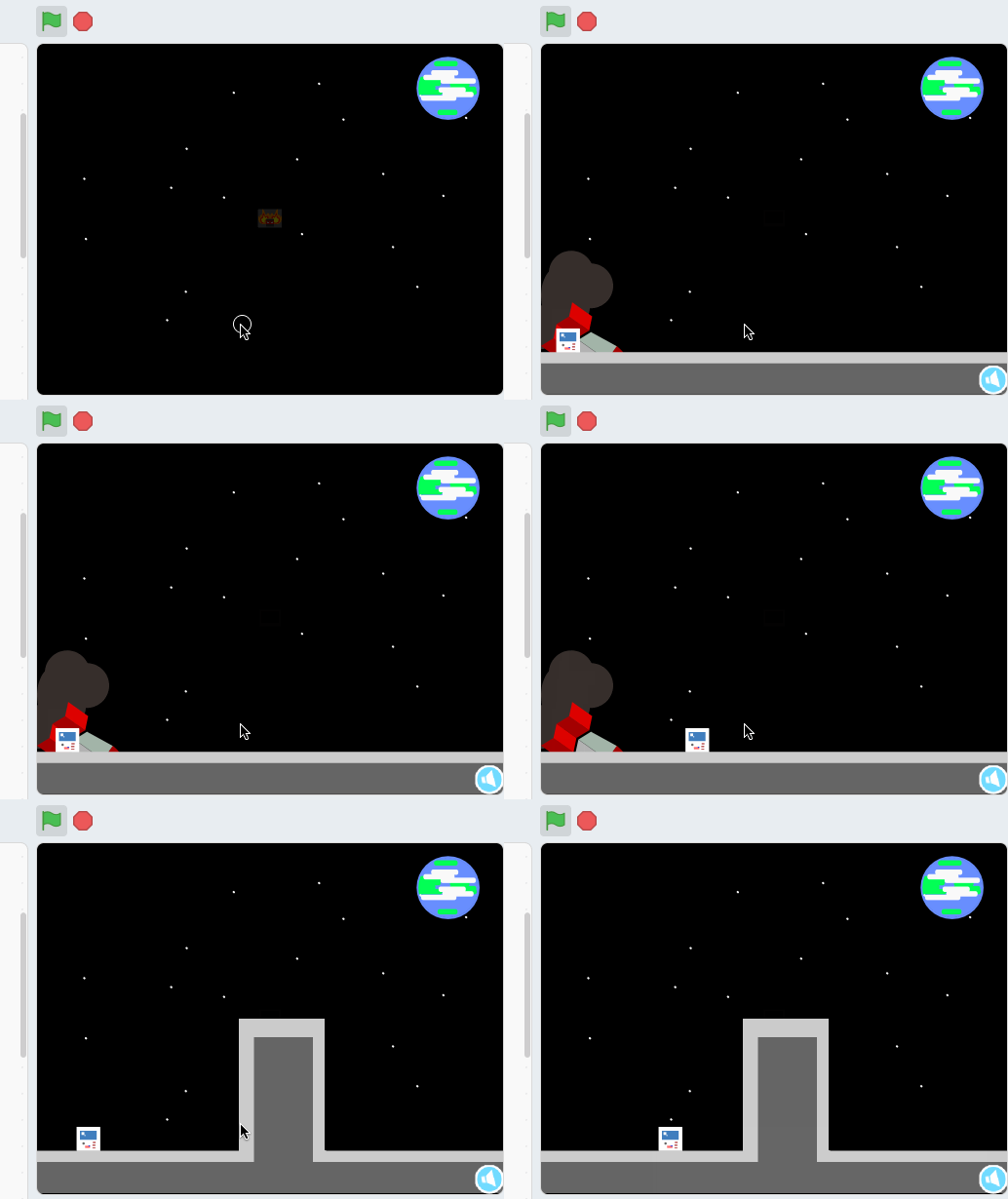
@cwillisf It seems like a subtle difference in the way "touching color" deals with anti-aliasing?
 paulkaplan
on 11 Dec 2017
paulkaplan
on 11 Dec 2017
@paulkaplan I can reproduce this as you described - moving to the edge to activate the next level does work but the player still gets snagged on the rocket (as in your gif).
Also, potentially separate (or related) issue, from this same project - these particular stars in the first level with the rocket behave weirdly:
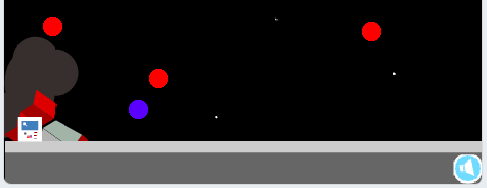
The three red stars "kill" the player sprite, sending it back to the starting position, and the purple star acts as a solid platform (just like the ground).
This is inconsistent with your gif - when I run the project, I need to avoid specifically those stars, whereas you just jump through them (as expected; they're part of the backdrop image). An added level of difficulty, sure, but not an intended one :)
It seems like a subtle difference in the way "touching color" deals with anti-aliasing?
I can definitely see the stars acting the way I described being related to this.
towerofnix
on 11 Dec 2017
I'm going to close this and open an issue on scratch-render specifically about touching-color testing.
paulkaplan
on 12 Dec 2017
Related issues
thisandagain
·
4Comments
 TaiAurori
·
3Comments
TaiAurori
·
3Comments
 chrisgarrity
·
4Comments
chrisgarrity
·
4Comments
 fsih
·
3Comments
fsih
·
3Comments
 ericrosenbaum
·
4Comments
ericrosenbaum
·
4Comments
Most helpful comment
The first thing I noticed with the trouble when touching the rocket is that the rocket's color is very similar to the ground. I tried creating various costumes to narrow the problem, and came to some surprising results:
And yet in my next debugging project, in which I isolate the problem by making the player into a "touching/not-touching the color" indicator which follows the mouse, everything behaved as expected! Surprising.