Scratch-gui: Adding the stop all block to a "waiting until" stack didn't stop all
Expected Behavior
A lot of times, when you add a block to an active stack of blocks, the change immediately takes effect. In this case, that didn't seem to happen here, when Jie showed it to me. The block also didn't have the active yellow highlight, but it was still "active" kind of - the "wait until" block makes it a little confusing whether the stack is active while it's waiting until, or only when what it's waiting until happens...?
Actual Behavior
Jie reported during the Catch Game internal playtest (6/2/17):
If I don't have a Stop All block and run the script, and then add the Stop All while the script is running, code will not stop even after you reach greater than the win score. May have something to do with not resetting properly (since I noticed the "win" sprite is visible even before actually winning)
Script running without stop block

Script still running after Stop All block added and winning score reached

Operating System and Browser
_Mac OS, Chrome_
 jwzimmer
All 8 comments
I'm wondering if this may have had to do with some of the other problems that were occurring at the same time. I wasn't able to reproduce. I tried two different projects:


 paulkaplan
on 6 Jun 2017
paulkaplan
on 6 Jun 2017
@jwzimmer do you think you could try to find a way to reproduce the original error?
paulkaplan
on 7 Jun 2017
Repro
I repro'd bugs by following the steps in the Catch Game card (since I figured that was how Jie encountered this during the playtest). It's not exactly the bug she described, but it seems related... I did repro this part of her original description "(since I noticed the "win" sprite is visible even before actually winning)".
I see three issues while using the stack in the "You Win!" card (there are errors in the console as well):
- The green flag sprite I am showing/ hiding when the player wins does not get re-hidden on green flag until the 2nd time you have clicked green flag after triggering the "show" of the green flag sprite initially
- This happens whether or not the "stop all" block is part of the stack
- If the stop all block is present, the project will not restart on green flag after it is triggered; you have to click one of the stacks in the project in order to restore being able to use green flag to start the project
- Mysterious: Somehow I got in a state towards the end of trying these things that caused the green flag not to work to restart the project even if I clicked on another stack in the project, which had worked consistently previously to "fix" the project
- The stack that moves the apple did start working again eventually when I clicked it, but it caused the apple to move very quickly over the screen and the score to increase very quickly.
- There weren't any new errors in the console, other than the ones I had seen consistently already.
- Once I was in this state, clicking that stack would always make the apple & score go crazy, but if I clicked green flag when the stack was active, it would return the project to acting "normally"
- Green flag continued not to work to start the project unless that particular stack was active; clicking another stack, then green flag, does not start the project
- Very weird: the project was consistently working normally then going crazy cyclically if I clicked red stop sign, both stacks (the one that moves the apple up and down and the one next to it), then the green flag; and if I clicked the green flag then clicked both stacks
- I started to screen record this, but Google Calendar stole attention from the gui
- When I came back to the gui to continue recording, the project seemed to have fixed itself
- I'm back to only seeing issues 1 & 2
The apple & score going crazy
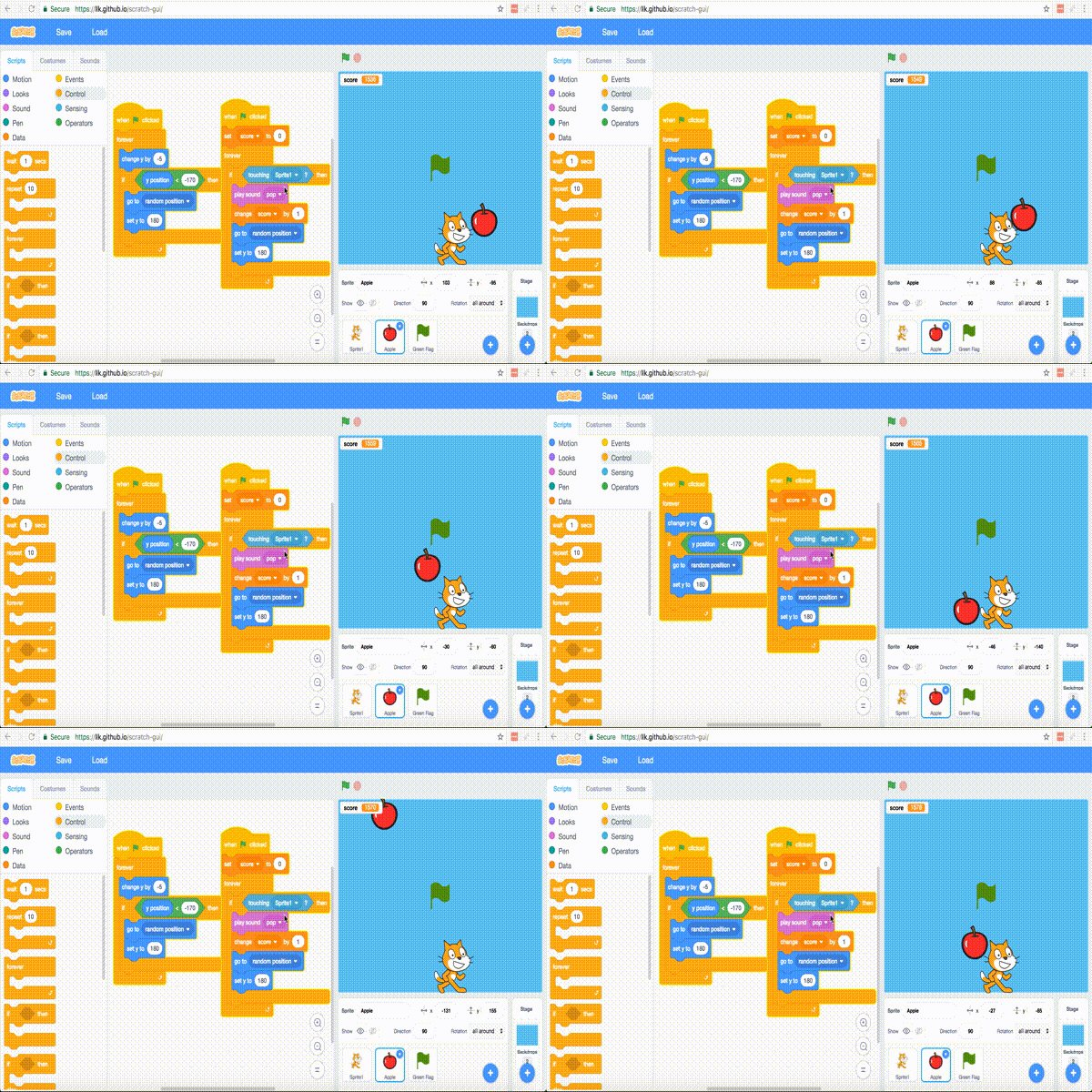
More detailed description of issues 1 & 2
- One of the cards/ steps near the end, "You Win!" has the stack that seems to break
- The first time playing the project with that stack, the green flag sprite hid when the score became greater than 10, and the rest of the project stopped, as expected
- The green flag sprite disappears on green flag only the 2nd time you click green flag after a play session in which the green flag sprite was shown
- The score variable does reset consistently on green flag, in contrast to the show/ hide state of the green flag sprite
- If the stack is playing, and the score has not triggered the wait until condition, and you add the stop all block, when you do trigger the condition, the stop all block does work (stops the project)
- If the stack has the stop all block when you start playing it, then it does trigger the stop all block appropriately, but subsequently, green flag will not re-start the project (doesn't start playing, does not reset score to 0) no matter how many times you click it.
- You have to click any stack in the project to get out of this state; when you click the stack, that stack will start, then when you click green flag, the project will play as usual (clicking on the stack seems to "fix" being able to start the project with green flag)
- If I remove the "stop all" block at the end of the stack, the project can be re-started with the green flag after being stopped with red stop sign; the stop all block seems to be causing the issue where the project won't re-start on green flag
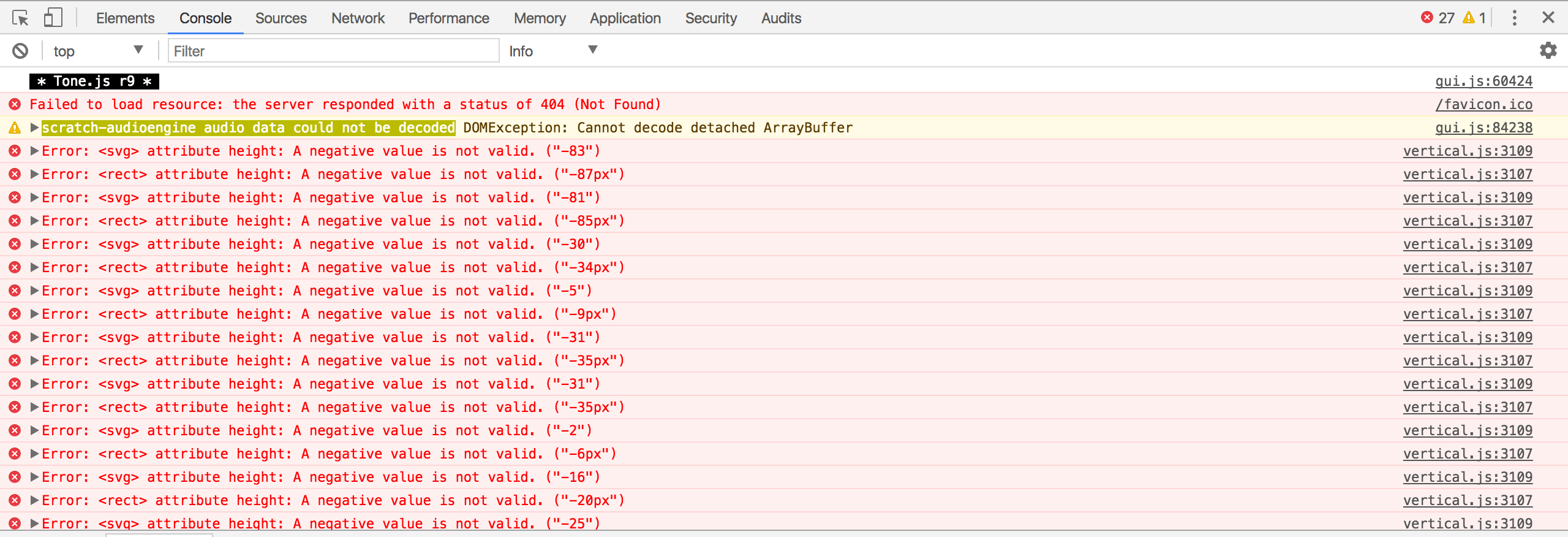
Errors in the console
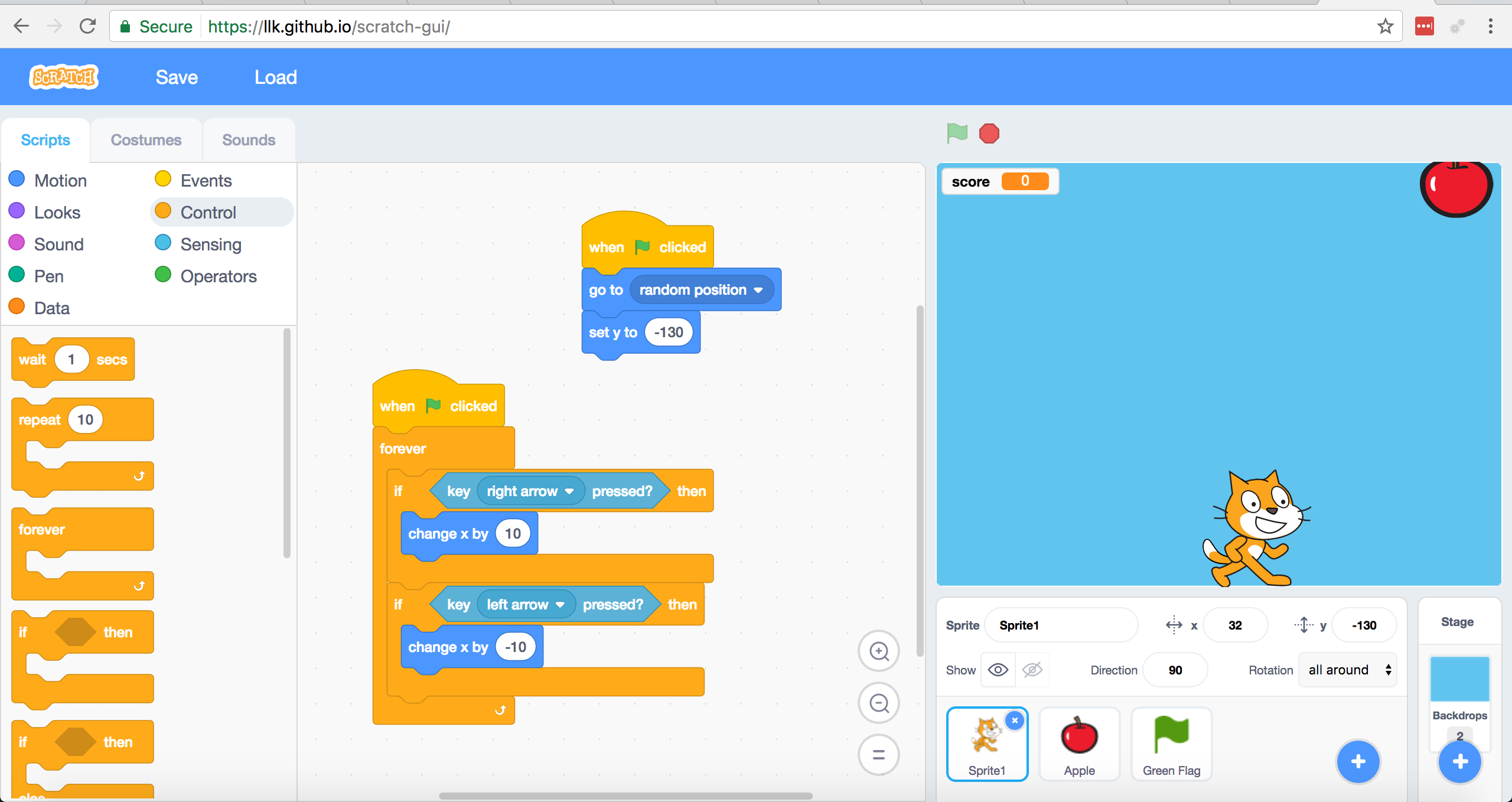
All the contents of my project during issues 1 & 2


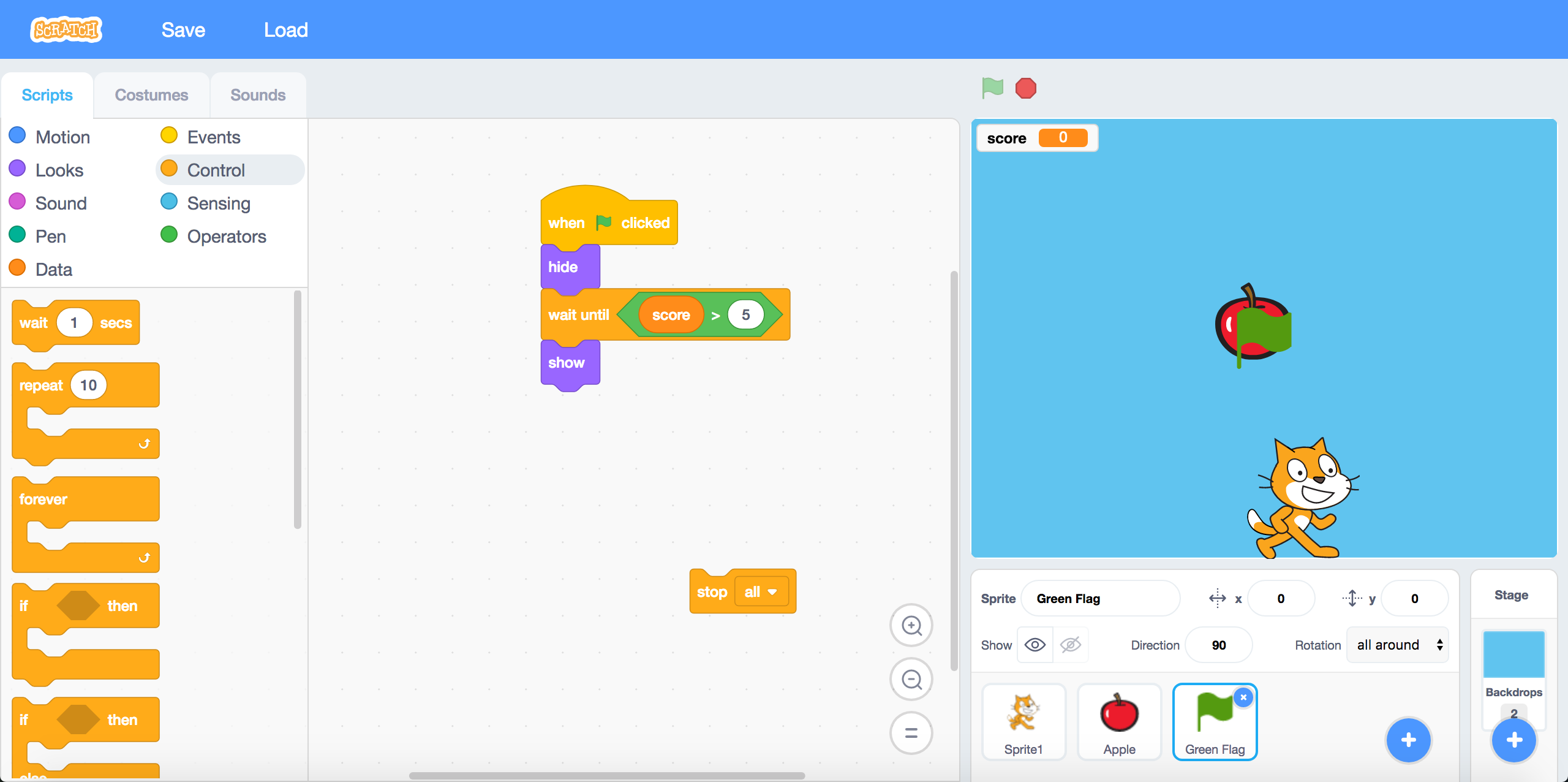
The state of my project during issue 3, the mysterious one
- Note stop all block is not connected to a stack
- Note score is 0
- Note that green flag does not work to restart project
- Unless I click the stack that moves the apple up and down, then click green flag while that stack is active


jwzimmer
on 7 Jun 2017
Alright so the part of the issue having to do with clicking the green flag again and it not working, here is what is going on:
It seems like a "race condition" of sorts in the way the catch game code was designed. The stack that waits for the variable to be > 10 does not initialize the variable to zero, another stack does that. This means, depending on the execution order, the "you win" stack can fall through directly to stop-all.
In scratch 2 there is an issue with the catch game code also, requiring you to click the green flag twice to get it to run again.
Since we make no guarantees about execution order, the "you win" stack in the catch game cards should look like the right instead of the left:

cc @cwillisf about execution order and @thisandagain about the cards being wrong!
paulkaplan
on 7 Jun 2017
O_O Good catch. @carljbowman can you make this change in the cards?
 thisandagain
on 7 Jun 2017
thisandagain
on 7 Jun 2017
I SEE WHAT YOU DID THERE
 ericrosenbaum
on 7 Jun 2017
ericrosenbaum
on 7 Jun 2017
We are removing this card from the set for the playtest as it requires the Paint Editor.
While it's not ideal, double clicking the Green Flag does cause a reset in 2.0, which highlights a difference in order of execution between 2.0 and 3.0. Do we have a sense as to why this might be the case?
 carljbowman
on 7 Jun 2017
carljbowman
on 7 Jun 2017
I'm going to close this now that @jwzimmer has separated the other part of the issue and we this issue cannot be closed by any code changes in GUI.
paulkaplan
on 8 Jun 2017
Related issues
 rschamp
·
4Comments
rschamp
·
3Comments
ericrosenbaum
·
4Comments
rschamp
·
4Comments
rschamp
·
3Comments
ericrosenbaum
·
4Comments
 chrisgarrity
·
4Comments
chrisgarrity
·
4Comments
 kyleplo
·
4Comments
kyleplo
·
4Comments