Hi!
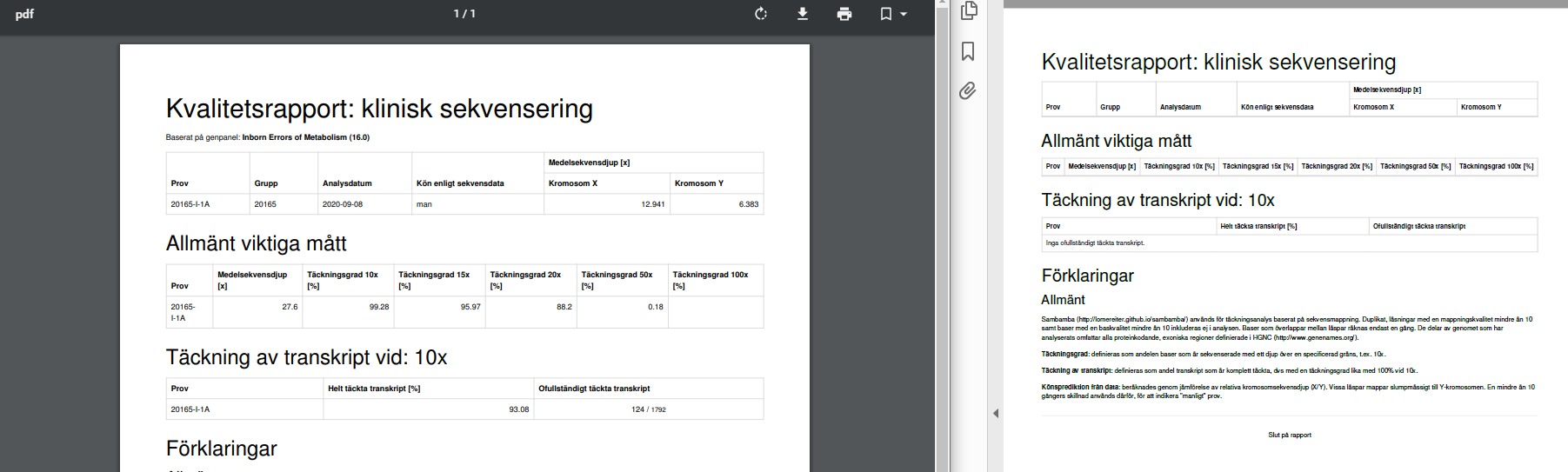
Since Friday we've had issues downloading coverage reports. They open fine (left side in picture below) but downloading gives an error for "Nätverksfel" or "Otillräckliga behörigheter". After reassuming download a file is created with headers but no case-specific data (right side in picture below). Any ideas why this happens and what we can do? Two colleagues over here at CMMS have tried with the same result. Sometimes the created file is not even recognized as a pdf by the computer, but when opened looks like the right side in the picture below.
General reports and mtDNA-panel coverage reports look fine, coverage reports with IEM panel are "empty".
 ielvers
All 7 comments
The picture above is from case 20165 but we had the same issue with case 20141 and a 19xxx-something case.
ielvers
on 21 Sep 2020
Hm, weird - works for me locally and remotely (VPN). We did change the auth for the reports, so could absolutely be our side. Just to be sure, you use the same IP number (range) that you usually do, that worked before, so no changes on your network?
 dnil
on 21 Sep 2020
dnil
on 21 Sep 2020
I checked coverage report for case 20141 and I have the same issue as @ielvers
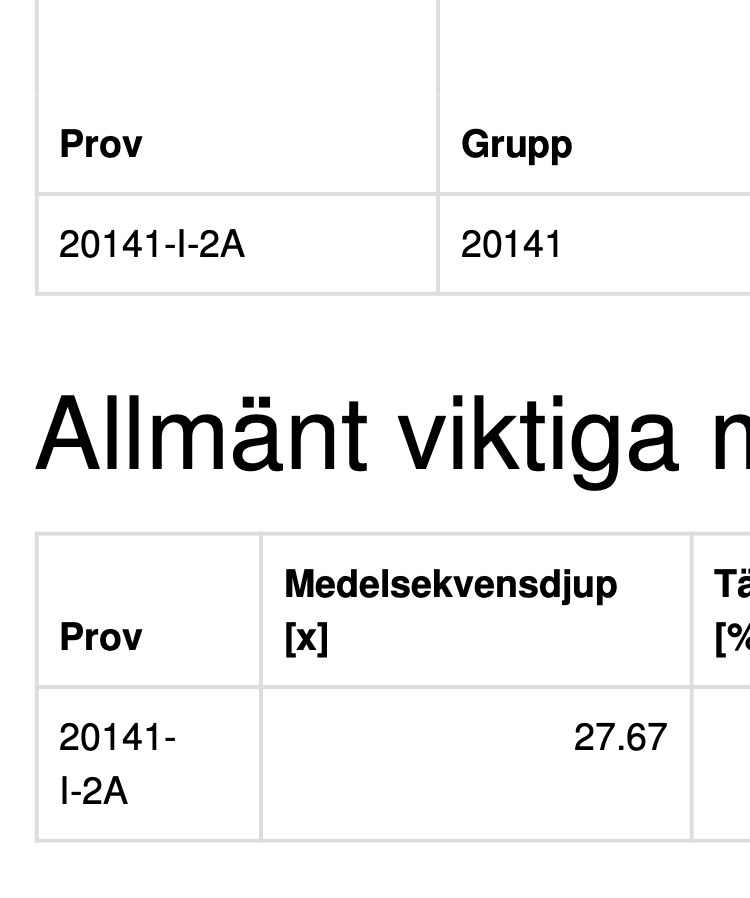
Looks good in browser, but when downloaded as file it is empty. Also the file name looks fishy, only "pdf"
 vwirta
on 21 Sep 2020
vwirta
on 21 Sep 2020
The plot thickens. What browser(s) are you using and from what networks? Have you logged in recently or long ago? Have you cleared your browser caches since last update?
It still works fine for me from home / scilifelab network, also pdf download and with this specific case as well as others. I can send to you if you wish @ielvers, then I guess you could just as well screen dump if you just wanted it now-now.
dnil
on 21 Sep 2020
The browser part doesn't matter either on my end - chrome, firefox and safari are ok here. Hmm..
dnil
on 21 Sep 2020
clearing cache + login again solved the problem for me.
Both for Safari and Chrome.
@dnil @ielvers
vwirta
on 21 Sep 2020
I restarted my computer, cleared the cache and logged in again and now it works. Thank you!!
ielvers
on 22 Sep 2020
Related issues
 1ctw
·
5Comments
1ctw
·
5Comments
 4WGH
·
3Comments
4WGH
·
3Comments
 hassanfa
·
4Comments
hassanfa
·
3Comments
hassanfa
·
4Comments
hassanfa
·
3Comments
 andreaswallberg
·
4Comments
andreaswallberg
·
4Comments
Most helpful comment
clearing cache + login again solved the problem for me.
Both for Safari and Chrome.
@dnil @ielvers