Rpcs3: Size of config windows is too big in linux.
Hi all, well this don't happen in windows, but in linux the size of the winfows for config is very big, i can't see the topbar or the buttons for save and close...
This is my full window, (imp pant):

Note: I'm running without my nvidia card (because with it i can't run the app, there is other issue for that)
Thx. Cya.
 latot
latot
All 22 comments
maybe you should buy a bigger screen. looks like you are running on less than 1280×720.
(please state your resolution etc. is what i mean)
 Megamouse
on 26 Nov 2017
Megamouse
on 26 Nov 2017
mm, i'm running in a notebook:
Size: 14''
Aspect: 16:9
Resolution: 1366x768 (16:9)
Thx.
latot
on 26 Nov 2017
I have ubuntu in 1280x720 and even then I see more of the window.
maybe you have it zoomed in or sth like that?
Megamouse
on 26 Nov 2017
Hi, i don't have zoomed, and what you mean with sth?
Thx.
latot
on 26 Nov 2017
Only in case, i'm running a Gentoo64 system
latot
on 26 Nov 2017
On fedora and arch the windows are to big I agree im using 3200x1800 and 1080p
 ReaperOfSouls1909
on 26 Nov 2017
ReaperOfSouls1909
on 26 Nov 2017
move to better OS
Megamouse
on 26 Nov 2017
:cry:
latot
on 26 Nov 2017
Try configuring your UI in Linux.
 Tutankhamun8080
on 26 Nov 2017
Tutankhamun8080
on 26 Nov 2017
gnome has a auto gui scaler but it seems rpcs3 doesnt follow that
ReaperOfSouls1909
on 26 Nov 2017
maybe the settings can be redesigned using QML and allow for scrolling and configuration on even a 10ft display. Something that works like retroarch.
 nhydock
on 26 Nov 2017
nhydock
on 26 Nov 2017
try my new PR. I made the dialog more widescreen friendly
Megamouse
on 26 Nov 2017
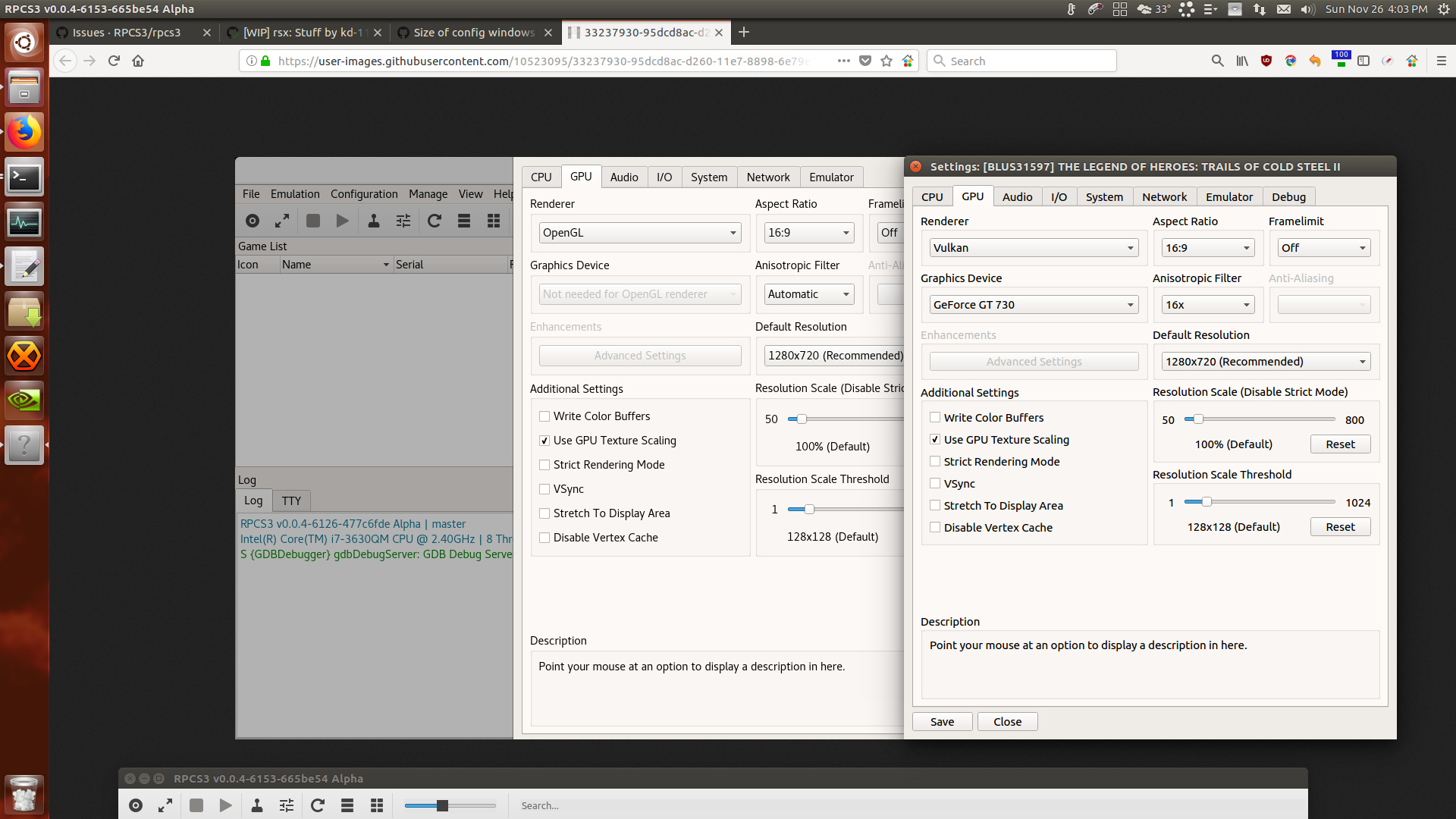
The line spacing and font size is larger in his OS when compared to mine on Ubuntu 16.04.
 greentop
on 26 Nov 2017
greentop
on 26 Nov 2017
I see both huge configuration fonts (like input windows) but "0 sized" fonts in most other places that are unreadable/unusable on Ubuntu MATE 17.10. Setting both qt4 and qt5 configs (GTK+ or default) does not help. Some areas, like the log can be zoomed in with the mouse but not anywhere else. It is unusable at this time.
 ghost
on 27 Nov 2017
ghost
on 27 Nov 2017
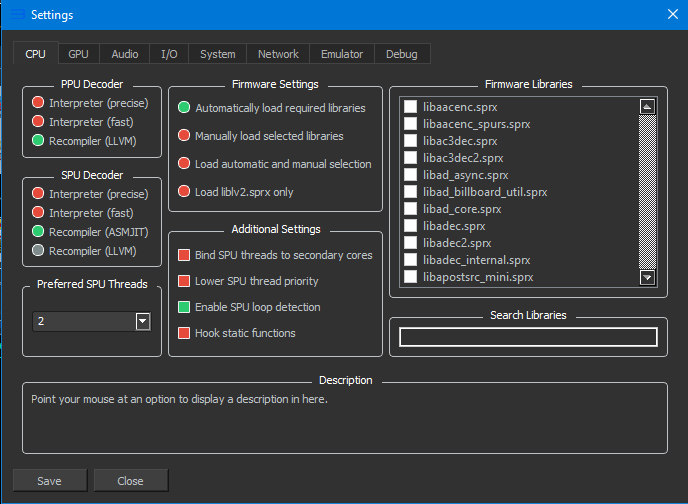
@latot They fixed the setting window for you! So, awesome!
Tutankhamun8080
on 27 Nov 2017
Fixed on the latest build, closing the issue.
Feel free to reopen if it's still somehow a problem.
 AniLeo
on 27 Nov 2017
AniLeo
on 27 Nov 2017
Thx All :smile:
latot
on 27 Nov 2017
@clessley is working all of this for you?
latot
on 28 Nov 2017
@AniLeo @latot Font sizing much improved but the menu icons are huge and some windows still go off screen such as the controller input mapping window.
A lot of alt-F7 is needed to use the GUI outside of a game but the game play itself is fine (was before also).
Machine using proprietary Nvidia drivers. The card itself is GeForce GTX 760 2GB TWIN FROZR video card.
-Display-
Resolution : 1920x1080 pixels
Vendor : The X.Org Foundation
Version : 1.19.5
-Monitors-
Monitor 0 : 1920x1080 pixels
-OpenGL-
Vendor : NVIDIA Corporation
Renderer : GeForce GTX 760/PCIe/SSE2
Version : 4.5.0 NVIDIA 384.90
Direct Rendering : Yes
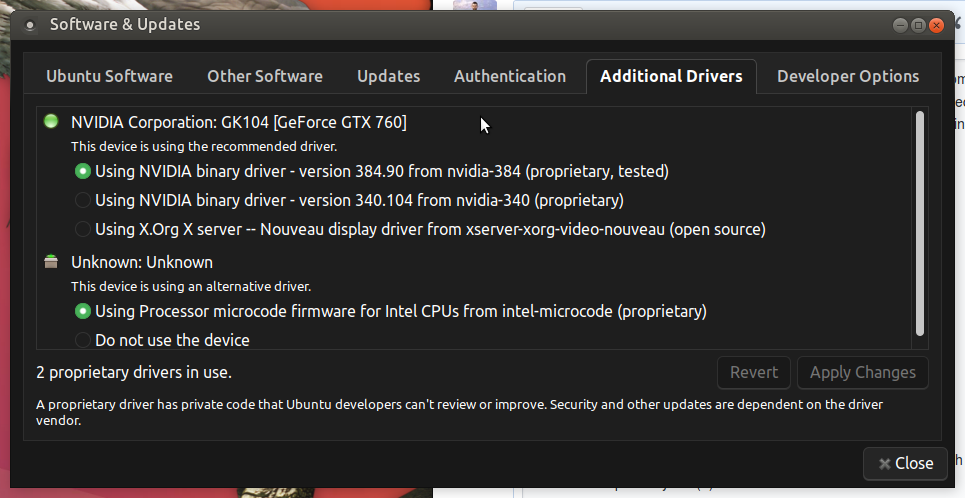
Using Nvidia's driver Ubuntu Mate 17.10

Notice how tiny the zoom is set.

Gamepad setting and config dialog spill over x/y and z axes.
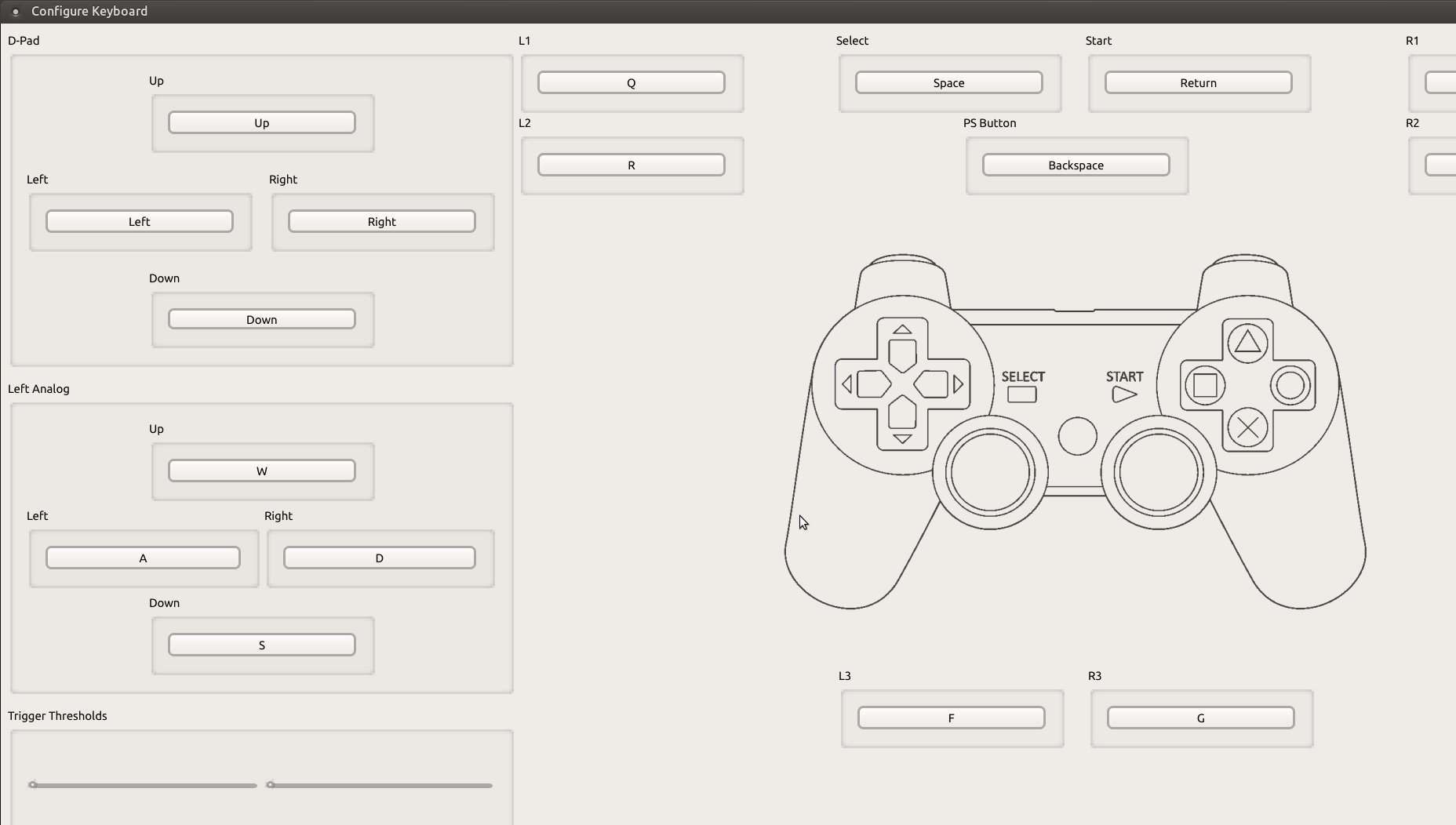
Input pad controller window is SUPER huge and long (always was).
Another machine using the same theme and OS+version but with an AMD card with open source drivers looks perfectly fine(?) using the same build: 0.0.4-50-662fe8c Alpha.
ghost
on 1 Dec 2017
On Linux at 1920x1080 the gamepad config screen is also cut off at the bottom. I guess that is where the save/apply button is?
 poVoq
on 21 Sep 2018
poVoq
on 21 Sep 2018
Also having the same issue as ghost, also with proprietary Nvidia drivers.
OS: Arch Linux x86_64
Kernel: 5.0.9-arch1-1-ARCH
Resolution: 1920x1080
DE: Budgie
WM: Mutter(Budgie)
CPU: AMD FX-8320 (8) @ 3.500GHz
GPU: NVIDIA GeForce GTX 970
Memory: 1448MiB / 7870MiB
 bscubed
on 26 Apr 2019
bscubed
on 26 Apr 2019
Also experiencing the same issue
 SilverMight
on 10 Feb 2020
SilverMight
on 10 Feb 2020
Related issues
 Birch-san
·
3Comments
AniLeo
·
3Comments
Birch-san
·
3Comments
AniLeo
·
3Comments
 Nezarn
·
3Comments
Nezarn
·
3Comments
 uaqlover
·
3Comments
uaqlover
·
3Comments
 kurosh10000
·
3Comments
kurosh10000
·
3Comments
Most helpful comment
move to better OS