Refined-github: Add local time to hover cards based on user location
When collaborating on open-source with people from around the world, it's good to know if the local time with the person you're communicating is in the morning/evening.

 hkdobrev
All 19 comments
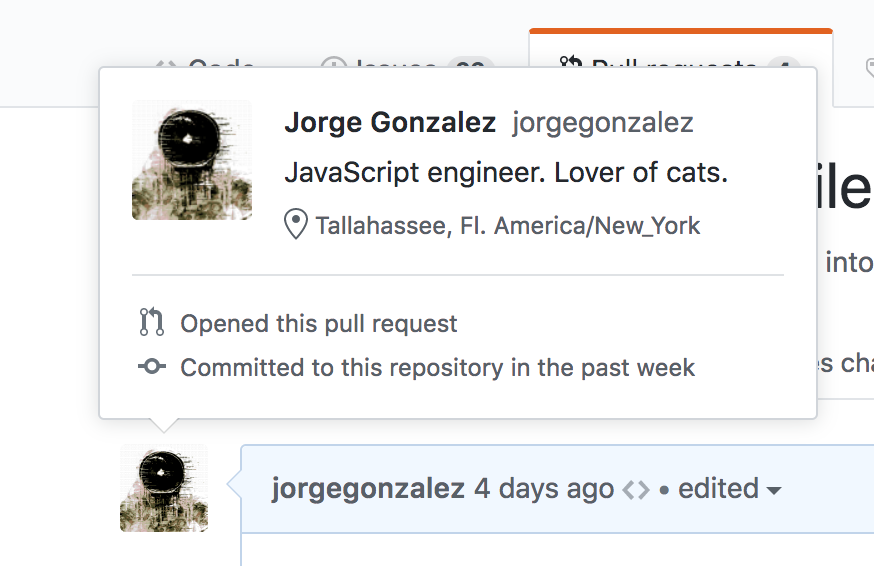
I almost have this working.
 jorgegonzalez
on 6 Apr 2018
jorgegonzalez
on 6 Apr 2018
The previous attempt became rather large and added a permission to Google's servers, which isn't great.
I saw that @SamVerschueren made a CLI tool to get this information: https://github.com/SamVerschueren/dev-time
It uses the API to get the latest push but then uses git clone locally to get the actual timezone.
Perhaps its logic can be adjusted to only use the API
 fregante
on 7 Sep 2019
fregante
on 7 Sep 2019
Would be great if the tool didn't had to clone the repository. At the time I made it I couldn't find another way.
 SamVerschueren
on 8 Sep 2019
SamVerschueren
on 8 Sep 2019
Hello, sorry, any updates on this?
https://github.com/sindresorhus/refined-github/pull/1249 isn't ready, right?:/
 kiprasmel
on 31 Oct 2019
kiprasmel
on 31 Oct 2019
@fregante I found a way to do this without cloning the repository.
You are also able to find the AuthorDate in the .patch of a commit.
For example for b92693c
From b92693c4ee1c6302c74e633fee92876916864d0d Mon Sep 17 00:00:00 2001
From: Federico Brigante <[email protected]>
Date: Sat, 2 Nov 2019 22:01:35 +0700
Subject: [PATCH] Restore mistakenly-deleted function
A problems I found with this approach is that latest-push includes PushEvents where the user is only the committer not the author.
I couldn't find a way to get the CommitterDate just through the api except for the commit.verification.payload of a commit which isn't really reliable :smile:
This means it is possible but it might include several (at least two) requests.
Is this still a viable solution then?
/cc @SamVerschueren if he wants to use this somehow
 dertieran
on 2 Nov 2019
dertieran
on 2 Nov 2019
A problems I found with this approach is that
latest-pushincludesPushEventswhere the user is only the committer not the author.
We probably can't use dev-time directly without completely rewriting it because its dependencies are gigantic (moment): 
It's best to rewrite it just for the browser and RGH.
In short, you can use the users/${user}/events endpoint and then find an authored commit.
fregante
on 8 Nov 2019
Okay so I started to play around with this a bit here show-local-user-time
It's still WIP, but it already works :smile:
Screenshot at 20:02 UTC

I haven't solved the commiter issuer yet!
But my idea right now is to get a commit for each commit autor and then check the commits to match the event actor.
Also I needed a modified api.v3 so I copied it for now, not sure how to integrate that yet.
Should I open a (Draft?) PR for this already?
dertieran
on 9 Nov 2019
A problems I found with this approach is that
latest-pushincludesPushEventswhere the user is only the committer not the author.
I don't see any way to find out. I tried looking at the requests being made and I can't find a way to programmatically tell if this commit was authored by me:
You can click that link to see the API result in the browser, and here's the patch from that commit:
From 8d556c5d9dc0f5471abddacfe84667dd72b1bb23 Mon Sep 17 00:00:00 2001
From: Jimmy Gaussen <[email protected]>
Date: Fri, 8 Nov 2019 02:14:39 +0100
Subject: [PATCH] Allow PR merge-only bots in `dim-bots` (#2519)
---
source/features/dim-bots.tsx | 4 ++--
1 file changed, 2 insertions(+), 2 deletions(-)
diff --git a/source/features/dim-bots.tsx b/source/features/dim-bots.tsx
index 18298f96c..6cf43b6a6 100644
--- a/source/features/dim-bots.tsx
+++ b/source/features/dim-bots.tsx
@@ -5,8 +5,8 @@ import features from '../libs/features';
function init(): void {
const bots = select.all([
/* Commits */
- '.commit-author[href$="%5Bbot%5D"]',
- '.commit-author[href$="renovate-bot"]',
+ '.commit-author[href$="%5Bbot%5D"]:first-child',
+ '.commit-author[href$="renovate-bot"]:first-child',
/* PRs */
'.opened-by [href*="author%3Aapp%2F"]'
Who is Jimmy? Who is @fregante? Are they the same person?
Side note: the Date above is the date I merged the PR, but the timezone matches the original user's, so even if it kinda _is_ the committer date, it's not in the right timezone (it should be +0700)
fregante
on 10 Nov 2019
It should be possible to check it the event actor is the same as the commit author _(from a commit request)_.
So a very simple approach would be:
const event = await getPushEvent(login);
const lastCommit = event.payload.commits[event.payload.commits.length - 1];
const commit = await fetch(lastCommit.url);
if (commit.author.id === event.actor.id) {
return commit;
}
// Check the next commit or event or load more events...
// This might take a bit but hopefully we are on the happy path 😄
Example
PushEvent
{
"id": "10820875487",
"type": "PushEvent",
"actor": {
"id": 1402241,
"login": "fregante"
},
"payload": {
"push_id": 4251725913,
"commits": [
{
"sha": "8d556c5d9dc0f5471abddacfe84667dd72b1bb23",
"author": {
"email": "[email protected]",
"name": "Jimmy Gaussen"
},
"message": "Allow PR merge-only bots in `dim-bots` (#2519)",
"url": "https://api.github.com/repos/dertieran/refined-github/commits/8d556c5d9dc0f5471abddacfe84667dd72b1bb23"
},
{
"sha": "9a58274d9442427dafd6d533dd92a84e5c2594fa",
"author": {
"email": "[email protected]",
"name": "Federico Brigante"
},
"message": "Merge branch 'master' into add-dashboard-label-links",
"url": "https://api.github.com/repos/dertieran/refined-github/commits/9a58274d9442427dafd6d533dd92a84e5c2594fa"
}
]
}
}
I removed some properties
dertieran
on 11 Nov 2019
I think that's right! To put it plainly, event.actor.id is YOUR id and we just need to match it to commit.author.id. If they match, YOU are the author. Good job!
Now, back to the algorithm here. 😅 I think you need this:
def getTimezone(user): string
    while await fetch eventPage+1
        for event in eventPage
            if event is pushevent
                for commit in event # each event can have multiple commits. maybe this loop can be skipped though
                    await fetch commit
                    if commit.author.id === event.actor.id
                        await fetch patch
                        return patch.date.timezone
If you implement this I suggest keeping it in a single function/loop for now, we can optimize it later if needed. It’s easier to just return out of the whole loop instead of handling multiple layers of if function !== NaN
fregante
on 12 Nov 2019
Okay I implemented it and it works pretty good.
As expected the first commit we check is valid.
A good place to test would be the contributors page.
I already found some interesting edge cases through that :smile:
For example a commit where the autor is null or that commits from a push event are not found (404).
dertieran
on 12 Nov 2019
@fregante Is 12 hour format available?
 gurrrung
on 8 Dec 2019
gurrrung
on 8 Dec 2019
It's not, but PR welcome to replace the timeFormatter with <local-time> since it uses the browser's settings
<local-time minute="numeric" hour="numeric" datetime={....}/>
Hey, how will this further help me in setting 24 Hr format in my PC?
Doc says When this markup is viewed in a CDT timezone, it will show Apr 1, 2014 6:30PM. If it's viewed in a browser with European date preferences, it will read 1 Apr 2014 18:30. which I don't understand.
Btw I did some changes and got same 24 hr format. code is here.
gurrrung
on 8 Dec 2019
When this markup is viewed in a CDT timezone, it will show Apr 1, 2014 6:30PM. If it's viewed in a browser with European date preferences, it will read 1 Apr 2014 18:30.
"CDT timezone" is American and they prefer 12-hour.
European timezones generally prefer 24-hour.
But I don't think it has anything to do with my timezone as their readme suggests, but just the browser's language. Even Safari ignores my OS' preference to display 24-hour so I'm guessing it's all about that locale string.
new Intl.DateTimeFormat(undefined,{hour:"numeric", minute:"numeric"}).format(new Date);
What does this output for you? It's 12-hour for me because my locale is en-US.
I thought that their element was somehow smarter than our code, but the only difference is that our code explicitly asks hour12: false and suggests en-US. If I use it-IT the time is 24-hour.
Related but unsolved: https://github.com/whatwg/html/issues/171
fregante
on 8 Dec 2019

It looks like 24-hour format because no AM is here.
gurrrung
on 9 Dec 2019

gurrrung
on 9 Dec 2019
I just did hour12: true and worked it out this way. I got my 12-hour format but I can give a PR if you want changes in the code.
gurrrung
on 9 Dec 2019
Related issues
 MilesBHuff
·
3Comments
MilesBHuff
·
3Comments
 sindresorhus
·
3Comments
hkdobrev
·
3Comments
sindresorhus
·
3Comments
hkdobrev
·
3Comments
 Arcanemagus
·
3Comments
Arcanemagus
·
3Comments
 juliocanares
·
3Comments
juliocanares
·
3Comments
Most helpful comment
I think that's right! To put it plainly,
event.actor.idis YOUR id and we just need to match it tocommit.author.id. If they match, YOU are the author. Good job!Now, back to the algorithm here. 😅 I think you need this: