Readthedocs.org: Problem Installing the setup
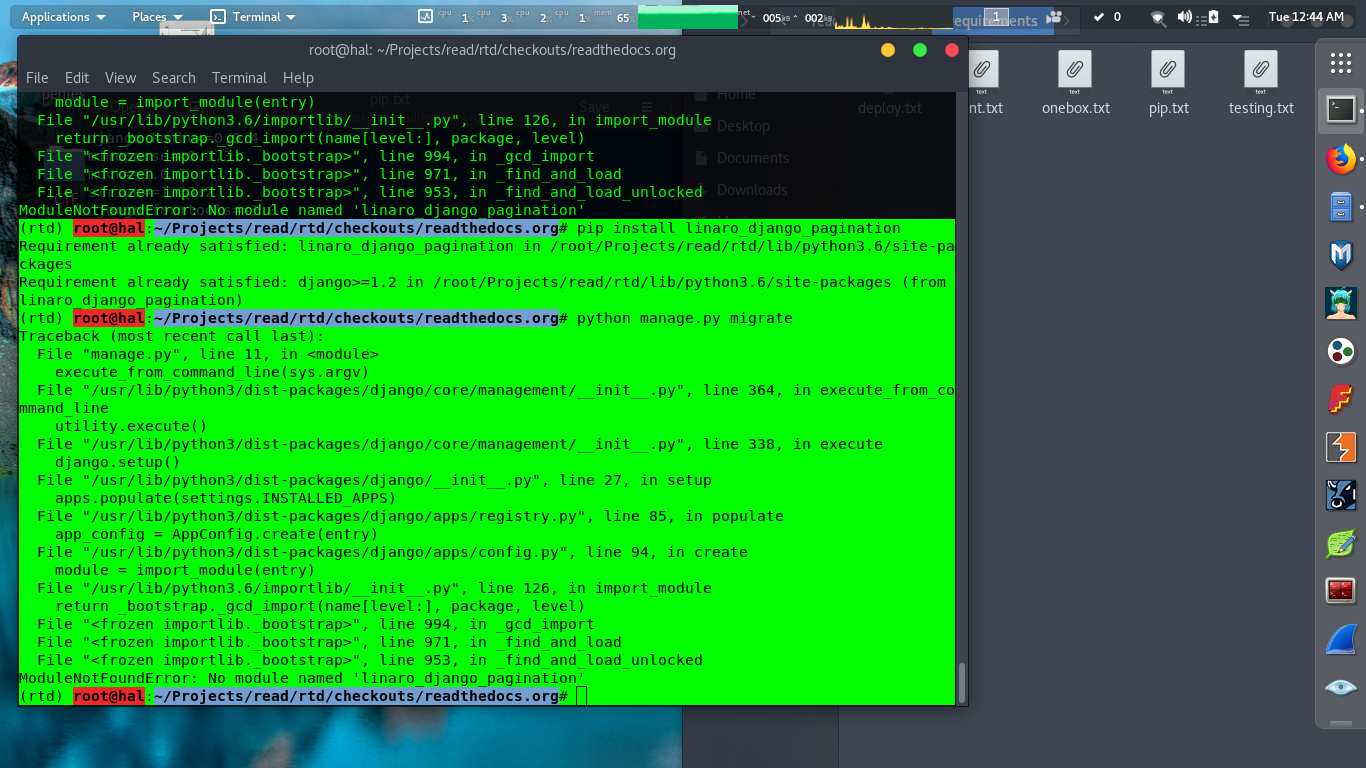
1)when installing through requirements.txt all modules are not installed.
2) problems in modules
 Tikam02
All 20 comments
Official Pagenation Download page.
https://pythonhosted.org/linaro-django-pagination/installation.html
Installation
Prerequisites
This package requires django 1.2. It is not tested on earlier versions and may not work properly there.
To build the documentation from source you will need sphinx.
Installation Options
There are several installation options available:
Using Ubuntu PPAs
For Ubuntu 10.04 onward there is a stable PPA (personal package archive):
ppa:linaro-validation/ppa
To add a ppa to an Ubuntu system use the add-apt-repository command:
sudo add-apt-repository ppa:linaro-validation/ppa
After you add the PPA you need to update your package cache:
sudo apt-get update
Finally you can install the package, it is called python-versiontools:
sudo apt-get install python-linaro-django-pagination
Using Python Package Index
This package is being actively maintained and published in the Python Package Index. You can install it if you have pip tool using just one line:
pip install linaro-django-pagination
Using source tarball
To install from source you must first obtain a source tarball from either pypi or from Launchpad. To install the package unpack the tarball and run:
python setup.py install
You can pass --user if you prefer to do a local (non system-wide) installation.
Note
To install from source you will need distutils (replacement of setuptools) They are typically installed on any Linux system with python but on Windows you may need to install that separately.
Tikam02
on 12 Feb 2018
it's not running even after installing all pagenation modules.
Tikam02
on 12 Feb 2018
@Tikam02 did you followed each and every step? I set up my system today itself and it is working fine.
Also provide the console error which you are getting.
 142ayushkumar
on 12 Feb 2018
142ayushkumar
on 12 Feb 2018
That's because RTD use a custom package from GitHub https://github.com/rtfd/readthedocs.org/blob/master/requirements/pip.txt#L73
Please follow the instructions here https://docs.readthedocs.io/en/latest/install.html
 stsewd
on 12 Feb 2018
stsewd
on 12 Feb 2018
default environment is python3 or python2
Tikam02
on 12 Feb 2018
mine is Python 2.7.12
142ayushkumar
on 12 Feb 2018
@Tikam02 do you mean the python interpreter on which rtd run? Python 2 and 3 (no well tested) are supported. If is about the build environment for documentation, python2 is the default.
stsewd
on 12 Feb 2018
yup i think now it'll work for 2.7 and 3.4 specifically.Please upgrade this platform to 3.6 and if possible we can also make it python package pip rtd in future development.
Thanks for the information.
Tikam02
on 12 Feb 2018
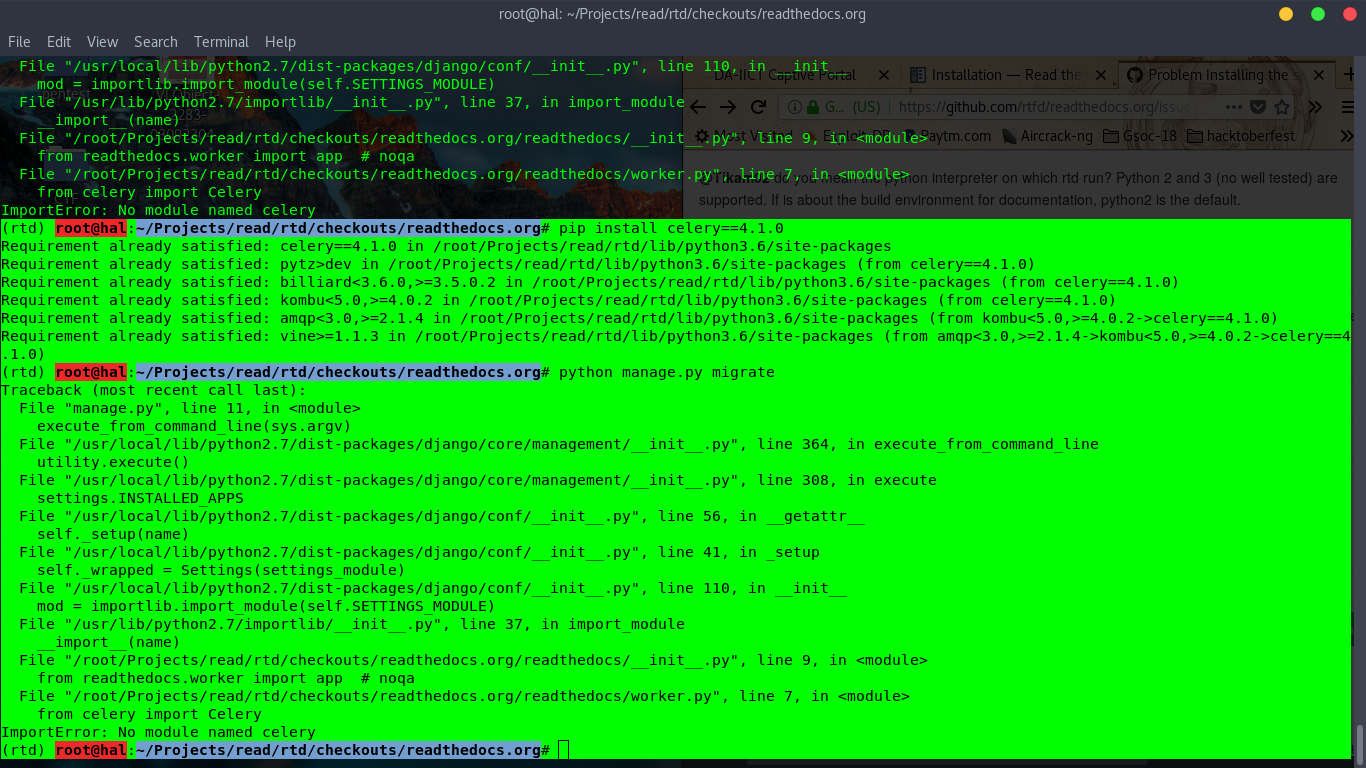
still there is some problem with celery module in 2.7, followed each steps.bug even after istalling celery module.
Tikam02
on 12 Feb 2018
@Tikam02 you working on python 2?
142ayushkumar
on 12 Feb 2018
yeah, because i had 2.7, 3.5 and 3.6 environment that's why.
This project need a stable version for getting started for everyone,installation is main with all required packages.
Tikam02
on 12 Feb 2018
Your celery module is being installed in python 3.6 and you are running python 2.7.
This is causing ImportError.
Use python --version and pip --version to check which version of python and pip you are using
 Jigar3
on 12 Feb 2018
Jigar3
on 12 Feb 2018
I am also facing the same problems
 hionnode
on 13 Feb 2018
hionnode
on 13 Feb 2018
@Tikam02 as @Jigar3 mention, probably is a problem with your virtualenv, try using pip as python -m pip or python3 -m pip (in your case looks like your virtualenv is python3, you can try running python3 manage.py migrate).
stsewd
on 13 Feb 2018
@Jigar3 after running in virtualenv 2.7 and installing celery in 2.7 still there is error.
ImportError: No module named celery
Tikam02
on 13 Feb 2018
Upload screenshot
Jigar3
on 13 Feb 2018
virtualenv - python2.7
all modules installed manually
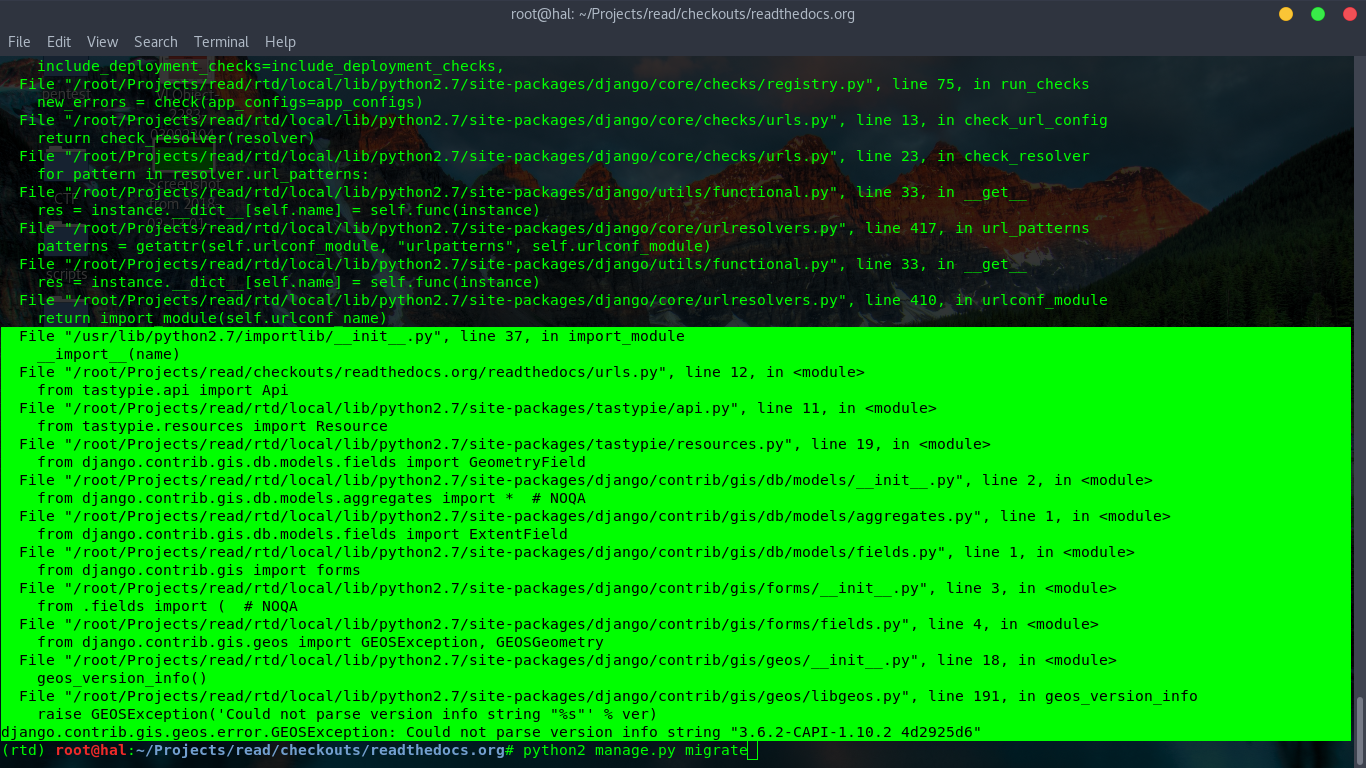
error after python2 manage.py migrate
Tikam02
on 13 Feb 2018
django.contrib.gis.geos.error.GEOSException: Could not parse version info string "3.6.2-CAPI-1.10.2 4d2925d6"
Tikam02
on 13 Feb 2018
The error says:
GEOSException: Could not parse version info string "3.4.2-CAPI-1.8.2 r3921"
And the geos_version_info warns:
Regular expression should be able to parse version strings such as '3.0.0rc4-CAPI-1.3.3', '3.0.0-CAPI-1.4.1' or '3.4.0dev-CAPI-1.8.0'
For this Error: django.contrib.gis.geos.error.GEOSException: Could not parse version info string "3.6.2-CAPI-1.10.2 4d2925d6"
solution is :
Edit this file: site-packages/django/contrib/gis/geos/libgeos.py
Look for the function: geos_version_info
And change this line:
ver = geos_version().decode()
With this line:
ver = geos_version().decode().split(' ')[0]
Tikam02
on 13 Feb 2018
done everything is okay.
Tikam02
on 13 Feb 2018
Related issues
 davidfischer
·
4Comments
davidfischer
·
4Comments
 humitos
·
3Comments
humitos
·
4Comments
humitos
·
3Comments
humitos
·
4Comments
 cagataycali
·
4Comments
cagataycali
·
4Comments
 krzychb
·
4Comments
krzychb
·
4Comments