Readthedocs.org: Needs Fix Overflow-x
Details
- Read the Docs project URL: *.readthedocs.io
Expected Result
When I open *.readthedocs.io docs my browser can not scroll.
ENV:
Chrome: Version 67.0.3396.99 (Official Build) (64-bit)
Device: Mac OS X
Actual Result
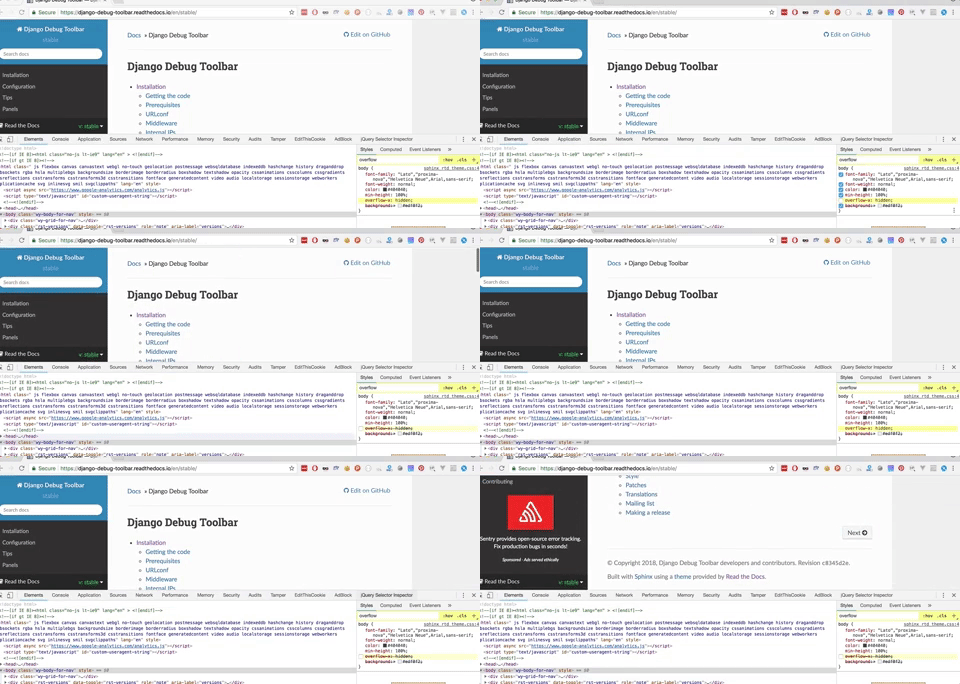
I fixed with delete overflow-x: hidden; property from html body.
Note: I can scroll other browsers like as Opera, Firefox, Safari but Chrome does not responding scroll event.
 cagataycali
All 4 comments
I believe this is a dupe of https://github.com/rtfd/readthedocs.org/issues/4066. According to that ticket:
Disabling 'Experimental Web Platform features' flag at chrome://flags/ seems to fix the issue in Chrome 66.
However also according to that ticket, this was supposed to be fixed in Chrome 67. I am using the identical browser version to you also on MacOS without issue so I think it is related to the experimental feature.
 davidfischer
on 3 Jul 2018
davidfischer
on 3 Jul 2018
What a good catch, I’ll try this solution and update my issue 🔥
cagataycali
on 3 Jul 2018
According to the underlying Chromium ticket, the issue is still present in 67.
davidfischer
on 3 Jul 2018
I'm going to close this out but feel free to re-open if it is still an issue.
davidfischer
on 3 Jul 2018
Related issues
 humitos
·
4Comments
humitos
·
4Comments
humitos
·
4Comments
humitos
·
4Comments
 lennartkoopmann
·
4Comments
lennartkoopmann
·
4Comments
 pllim
·
3Comments
humitos
·
3Comments
pllim
·
3Comments
humitos
·
3Comments