React-native-web: ScrollView: content renders in Chrome but not Safari
Do you want to request a feature or report a bug?
Bug
What is the current behavior?
Blank page in Safari
If the current behavior is a bug, please provide the steps to reproduce and
if a minimal demo of the problem via Glitch or similar (template:
https://glitch.com/edit/#!/react-native-web-playground).
- Go to https://mixed-lightning.glitch.me/ in Safari.
- Observe blank screen.
- Go to Chrome and notice renders correctly:
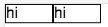
- Source code is at https://glitch.com/edit/#!/mixed-lightning?path=src/App/index.js:1:0:
const styles = StyleSheet.create({
  cellStyle: {
    backgroundColor: 'white',
    width: 50,
    borderWidth: 1,
    borderStyle: 'solid'
  }
});

class App extends Component {
  render() {
    return (
      <View>
        <ScrollView horizontal={true}>
          <View style={styles.cellStyle}>
            <Text>hi</Text>
          </View>
          <View style={styles.cellStyle}>
            <Text>hi</Text>
          </View>
        </ScrollView>
      </View>
    );
  }
}
Note that adding the following attribute to the outer View element fixes it:
style={{display: 'block'}}
But it doesn't seem this should be necessary, as we're using Flexbox.
What is the expected behavior?
Safari renders scroll view content like in Chrome.
Environment (include versions). Did this work in previous versions?
- OS: macOS Sierra 10.12.6 (16G29)
- Device: MacBook Pro
- Browser: Chrome Version 60.0.3112.101 (Official Build) (64-bit), Safari Version 10.1.2 (12603.3.8)
- React Native for Web (version): .0.119
- React (version): 15.6.1
 lyahdav
All 7 comments
Hi @lyahdav,
I wonder if the Safari issue you are seeing is related to this flexbug: https://github.com/philipwalton/flexbugs/issues/132
By adding a flexBasis: 'auto' to your scrollview– we'll override the default 0% value and Safari should be happy.
Your example remixed: https://harvest-hubcap.glitch.me/
Source code: https://glitch.com/edit/#!/harvest-hubcap?path=src/App/index.js:22:63
 chrisheninger
on 26 Aug 2017
chrisheninger
on 26 Aug 2017
The core of the problem is this:
In Chrome, flex:1 sets flexBasis:0%.
In Safari, flex:1 sets flexBasis:0px.
Both browsers handle these values in opposite ways. In Safari, 0% causes the content to collapse down to 0px height. In Chrome, it is 0px that does this.
 necolas
on 18 Sep 2017
necolas
on 18 Sep 2017
I think #648 fixes the problem if you want to give it a try
necolas
on 19 Sep 2017
Master should now have a fix for flex:1 use in all supported browsers…except IE. We don't currently support IE10/11 in Twitter Lite, so it's not my priority to fix that browser's flex issues right at this moment
necolas
on 20 Sep 2017
In Safari on iOS <= 10 this bug still persists i.e. the ScrollView has a height of zero.
 moritzmhmk
on 1 Aug 2018
moritzmhmk
on 1 Aug 2018
Same here, still seeing the problem.
 PeterKottas
on 2 Oct 2018
PeterKottas
on 2 Oct 2018
Setting flex: 1 on the root container fixed this for me
moritzmhmk
on 2 Oct 2018
Related issues
 zhangking
·
3Comments
zhangking
·
3Comments
 bcpugh
·
3Comments
bcpugh
·
3Comments
 SamyPesse
·
3Comments
SamyPesse
·
3Comments
 ricklove
·
3Comments
ricklove
·
3Comments
 passion0470
·
3Comments
passion0470
·
3Comments
Most helpful comment
Hi @lyahdav,
I wonder if the Safari issue you are seeing is related to this flexbug: https://github.com/philipwalton/flexbugs/issues/132
By adding a
flexBasis: 'auto'to your scrollview– we'll override the default 0% value and Safari should be happy.Your example remixed: https://harvest-hubcap.glitch.me/
Source code: https://glitch.com/edit/#!/harvest-hubcap?path=src/App/index.js:22:63