React-native-web: Different flex blox layout for Web and Android
The problem
- Web

- Android
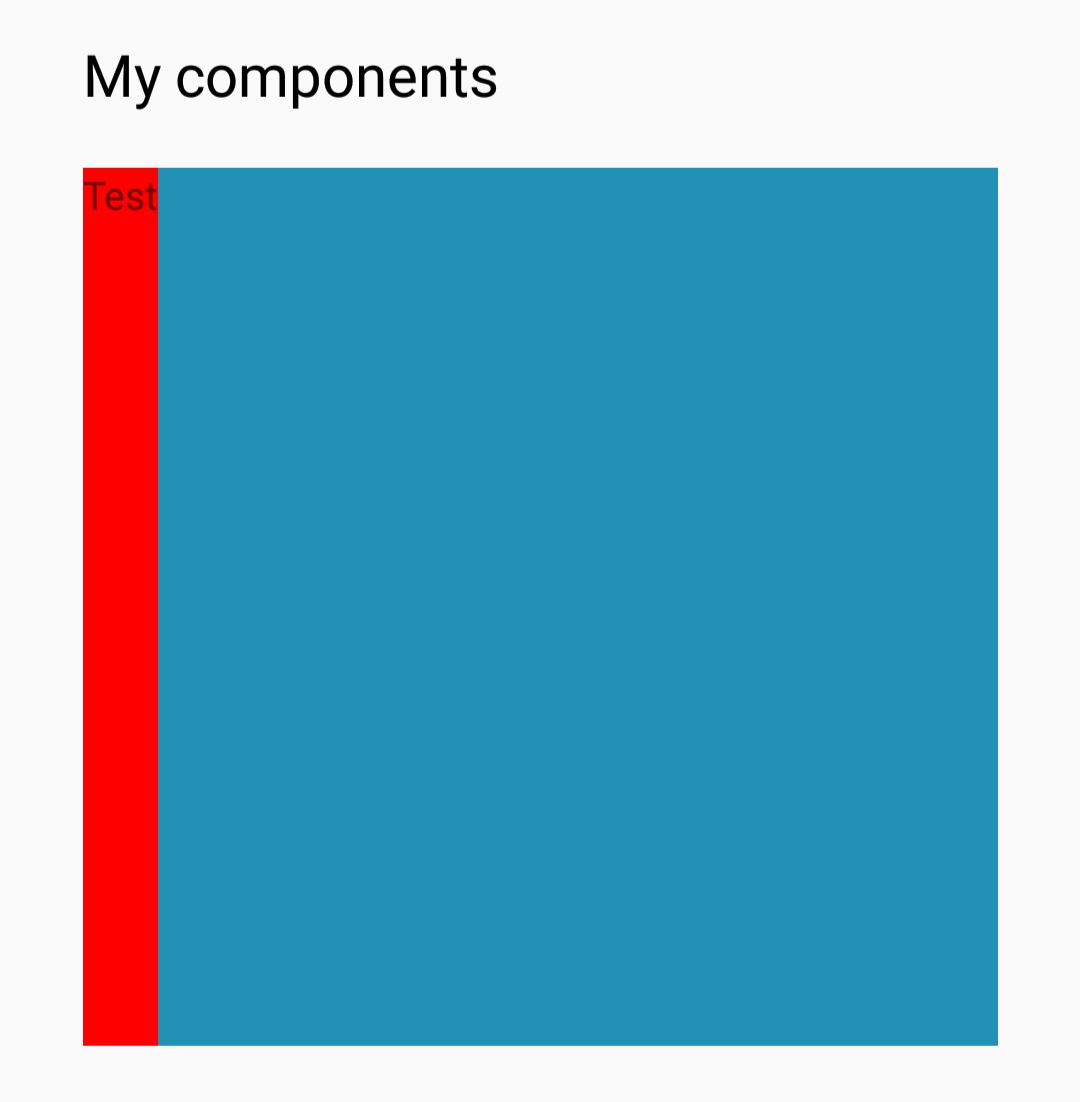
How to reproduce
web: https://codesandbox.io/s/zqkk5o9oml
native: https://snack.expo.io/SJVSGL9fE
<View
    style={{flex: 1, width: '100%', backgroundColor: '#2191b6'}}>
    <View style={{alignItems: 'flex-start'}}>
        <View>
            <View style={{flex: 1, backgroundColor: 'red', alignSelf: 'stretch'}}>
                <Text>
                    {'Test'}
                </Text>
            </View>
        </View>
    </View>
    <View style={{flexDirection: 'row', height: 300, width: 300, backgroundColor: 'green'}}>
    </View>
</View>
Expected behavior
Same displaying result on both platforms.
Environment
Did this work in previous versions? - No
- React Native for Web (version): Tested with 2 versions: ^0.10.0-alpha.2 / ^0.9.x
- React (version): ^16.6.x
- Browser: Chrome 71
 iksent
All 3 comments
Looks like it might be a flexbox implementation bug in Yoga. The flex:1 on the text wrapper shouldn't behave like that, as is clear from how the browsers render it.
React Native docs mention that you must propagate flex:1 through the view hierarchy to be sure elements have a height greater than 0. Once you do that in your example, the rendering matches web.
https://facebook.github.io/react-native/docs/height-and-width#flex-dimensions
 necolas
on 14 Jan 2019
necolas
on 14 Jan 2019
I suggest you open an issue in the React Native and/or Yoga repos. We have been discussing getting Yoga compatibility with web flexbox improved, so this is helpful
necolas
on 14 Jan 2019
I have to close this as there's nothing I can do about it in this project. Please follow the recommendation of including flex:1 through the relevant View hierarchy, and try not to rely on quirks of the flexbox implementation in React Native. I hope in the future there won't be this cross-platform discrepancy and there is some useful context here: A flexbox implementation in Rust
necolas
on 16 Jan 2019
Related issues
 ricklove
·
3Comments
ricklove
·
3Comments
 roryabraham
·
3Comments
roryabraham
·
3Comments
 DaKaZ
·
3Comments
necolas
·
3Comments
DaKaZ
·
3Comments
necolas
·
3Comments
 EvanBacon
·
3Comments
EvanBacon
·
3Comments
Most helpful comment
Looks like it might be a flexbox implementation bug in Yoga. The flex:1 on the text wrapper shouldn't behave like that, as is clear from how the browsers render it.
React Native docs mention that you must propagate flex:1 through the view hierarchy to be sure elements have a height greater than 0. Once you do that in your example, the rendering matches web.
https://facebook.github.io/react-native/docs/height-and-width#flex-dimensions