React-native-reanimated: Unsupported node type : param
Description
The app crashes on start with the error "Unsupported node type : param
Screenshots
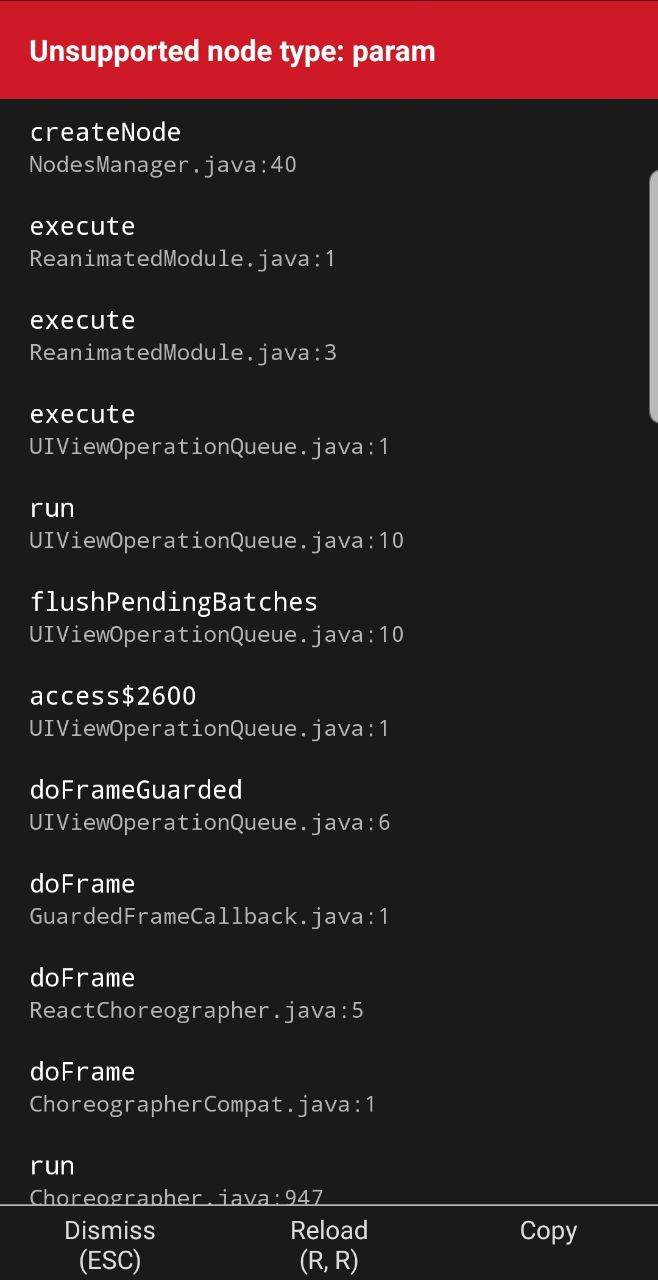
Steps To Reproduce
- Open the app
Expected behavior
The app starts on Home screen
Actual behavior
The app crashes
Package versions
- React: "16.8.3",
- React Native: "https://github.com/expo/react-native/archive/sdk-35.0.0.tar.gz",
- React Native Reanimated: "^1.4.0"
Thanks :)
 jeanschneider
All 6 comments
Hi @jeanschneider,
can you provide code for your app, preferably on snack? I'm afraid I can't help you without that.
 jakub-gonet
on 7 May 2020
jakub-gonet
on 7 May 2020
Hello,
Thanks for your response.
I tried importing the code to snack but infortunately it doesn't work (there are so many other errors probably happenning before this one).
Anyway here is the code :
I saw there is an issue for the same problem opened on the react github and on stackoverflow. It seems like it suddenly happened (no changes have been made to the code, just opened it a few days later and it wasn't working anymore). On stackoverflow, the guy solved it by downgrading to 1.4.0. It didn't solved the issue for me
jeanschneider
on 7 May 2020
Oh, this is a huge repro 😄
I can't really debug on this one, please try submitting some smaller repro.
I think this may be related to react-navigation which uses reanimated in such a way that triggers this error
You can try checking if NodesManager.java in reanimated java sources from node_modules contains else if ("param".equals(type). In your app, it throws an exception on line 277. This error is strange because on line 270 we check for param type, so it shouldn't be happening
jakub-gonet
on 7 May 2020
Yeah, it's a decent sized project !
Okayyy so latest updates ! I realized the downgrade did not work (bcz of expo cache, so dumb I did not think about this one 🤬). Now that I downgraded reanimated to 1.4.0, it starts again !
jeanschneider
on 7 May 2020
Alright, I'll close this one for now in that case, because it's probably related to proc changes in 1.4 and we're aware of this problem. If you provide smaller repro I'm happy to reopen
jakub-gonet
on 7 May 2020
steps for windows machine:
- Delete .expo and node_modules folder
- run command
npm install [email protected] - run command for clear expo cache,
expo r -c
 SomnathKadam
on 9 May 2020
SomnathKadam
on 9 May 2020
Related issues
 TheWirv
·
32Comments
TheWirv
·
32Comments
 sa8ab
·
21Comments
sa8ab
·
21Comments
 mrousavy
·
24Comments
mrousavy
·
24Comments
 likern
·
23Comments
likern
·
23Comments
 guptaamol
·
18Comments
guptaamol
·
18Comments