React-native-permissions: Invalid RNPermission PERMISSIONS.IOS.PHOTO_LIBRARY should be one of
Bug
Environment info
React native info output:
System:
    OS: macOS 10.14.6
    CPU: (8) x64 Intel(R) Core(TM) i7-8569U CPU @ 2.80GHz
    Memory: 137.86 MB / 16.00 GB
    Shell: 3.2.57 - /bin/bash
  Binaries:
    Node: 12.10.0 - /usr/local/bin/node
    Yarn: 1.17.3 - /usr/local/bin/yarn
    npm: 6.11.3 - /usr/local/bin/npm
    Watchman: 4.9.0 - /usr/local/bin/watchman
  SDKs:
    iOS SDK:
      Platforms: iOS 12.1, macOS 10.14, tvOS 12.1, watchOS 5.1
    Android SDK:
      API Levels: 22, 25, 27, 28, 29
      Build Tools: 28.0.3, 29.0.2
      System Images: android-24 | Google Play Intel x86 Atom
  IDEs:
    Android Studio: 3.5 AI-191.8026.42.35.5791312
    Xcode: 10.1/10B61 - /usr/bin/xcodebuild
  npmPackages:
    react: 16.8.6 => 16.8.6
    react-native: 0.60.4 => 0.60.4
  npmGlobalPackages:
    react-native-cli: 2.0.1
Library version: 2.0.2
Steps To Reproduce
Running on iOS I added to the podFile:
  permissions_path = '../node_modules/react-native-permissions/ios'
  pod 'Permission-Camera', :path => "#{permissions_path}/Camera.podspec"
  pod 'Permission-LocationWhenInUse', :path => "#{permissions_path}/LocationWhenInUse.podspec"
  pod 'Permission-PhotoLibrary', :path => "#{permissions_path}/PhotoLibrary.podspec"
  pod 'Permission-MediaLibrary', :path => "#{permissions_path}/MediaLibrary.podspec"
then I check that permission with
check(ios.permission.PHOTO_LIBRARY)
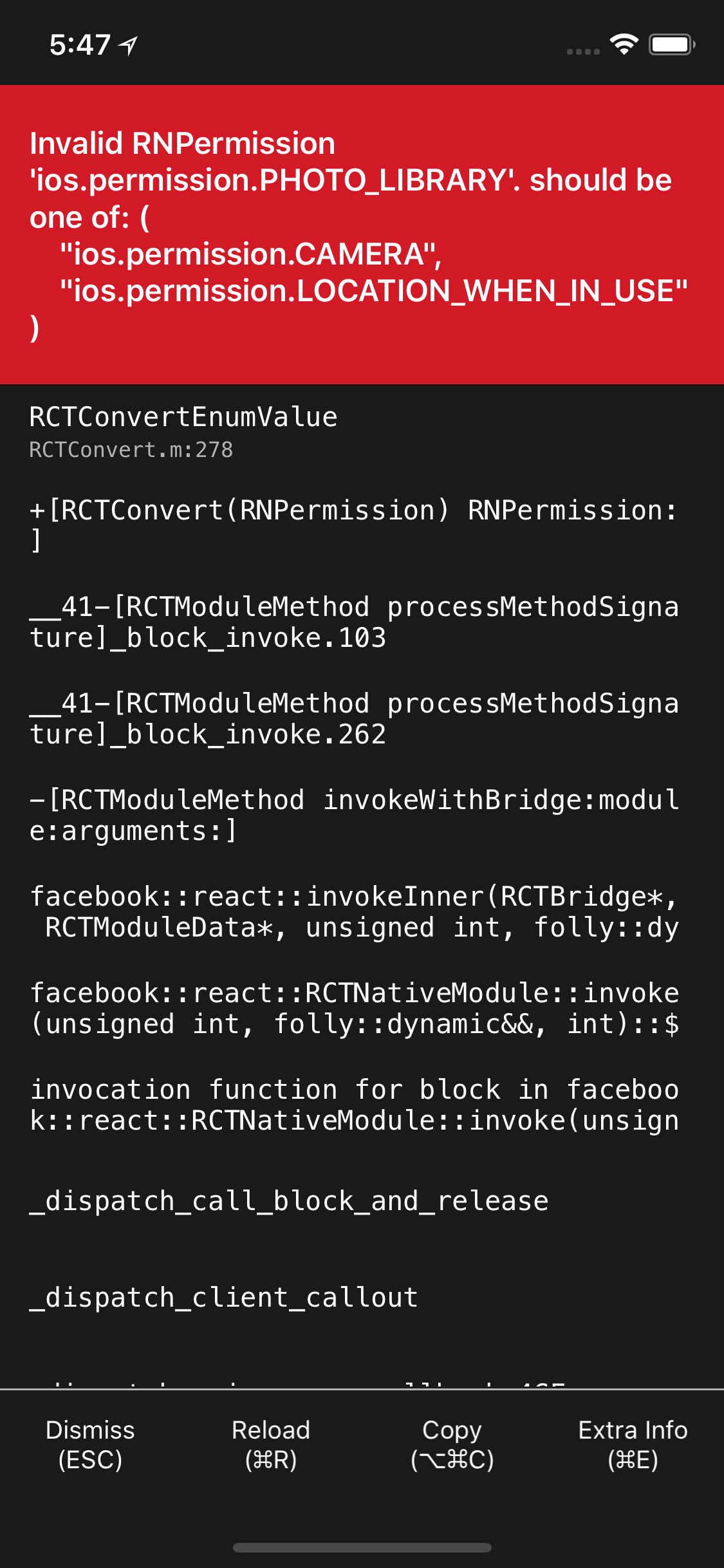
and i receive the error
Describe what you expected to happen:
I expect the library to return a status for the given permission
Location Permission works Good
I have cleaned derived data, uninstall app, rebuild, pod install, yarn ... etc
 zubjorge
All 11 comments
It is like deja-vu https://github.com/react-native-community/react-native-permissions/issues/343 :-) (that one came in just a couple hours ago)
I think this is a types / import problem if it is the same as #343 - you either need to put that thing in quotes or you need to actually reference the constant type correctly
I am going to tentatively resolve this because I think if you examine your code it will be fixed on your side but if I am wrong of course we will reopen and examine
 mikehardy
on 9 Oct 2019
mikehardy
on 9 Oct 2019
I'm using PERMISSIONS.IOS.PHOTO_LIBRARY
zubjorge
on 9 Oct 2019
not what your code says :arrow_up: - it says check(ios.permission.PHOTO_LIBRARY)
and that would be missing the quotes, so it won't work, but should be what you say in the second comment. Maybe you could paste your code in here and we could look?
No need to thumbs-down me, I'm not trying to be snarky or anything - it just genuinely looked like the same issue to me and was so close in time to the previous one
mikehardy
on 9 Oct 2019
seems like only two modules got installed somehow, but your podfile looks right and you attest that you have done what should be done by react-native-clean-project with the "wipe iOS build" option. So, confusing at minimum. I can't spot the error unless the check line I quoted above is wrong
mikehardy
on 9 Oct 2019
This is how I have it
import {
check, request, PERMISSIONS, RESULTS
} from 'react-native-permissions'
check(PERMISSIONS.IOS.PHOTO_LIBRARY)
I checked the related issue that you mentioned but I 'think' I have no typos.
Im gonna restart the computer to see if this helps
zubjorge
on 9 Oct 2019
I removed
pod 'Permission-Camera', :path => "#{permissions_path}/Camera.podspec"
pod 'Permission-LocationWhenInUse', :path => "#{permissions_path}/LocationWhenInUse.podspec"
pod 'Permission-PhotoLibrary', :path => "#{permissions_path}/PhotoLibrary.podspec"
pod 'Permission-MediaLibrary', :path => "#{permissions_path}/MediaLibrary.podspec"
and did a pod install, cleared project, then re added them and and pod install again...got this on the console
Installing Permission-Camera (2.0.2)
Installing Permission-LocationWhenInUse (2.0.2)
Installing Permission-MediaLibrary (2.0.2)
Installing Permission-PhotoLibrary (2.0.2)
I'm still having the issue
zubjorge
on 9 Oct 2019
yeah, the pods don't need to be there with RN60+ auto-linking, seeing the Permission-PhotoLibrary is promising, that gives you the constant in native code, maybe a react-native-clean-project with "wipe iOS build" would do the trick this time? You should definitely see the photo library in the red box now given that it linked (or it should work)
mikehardy
on 9 Oct 2019
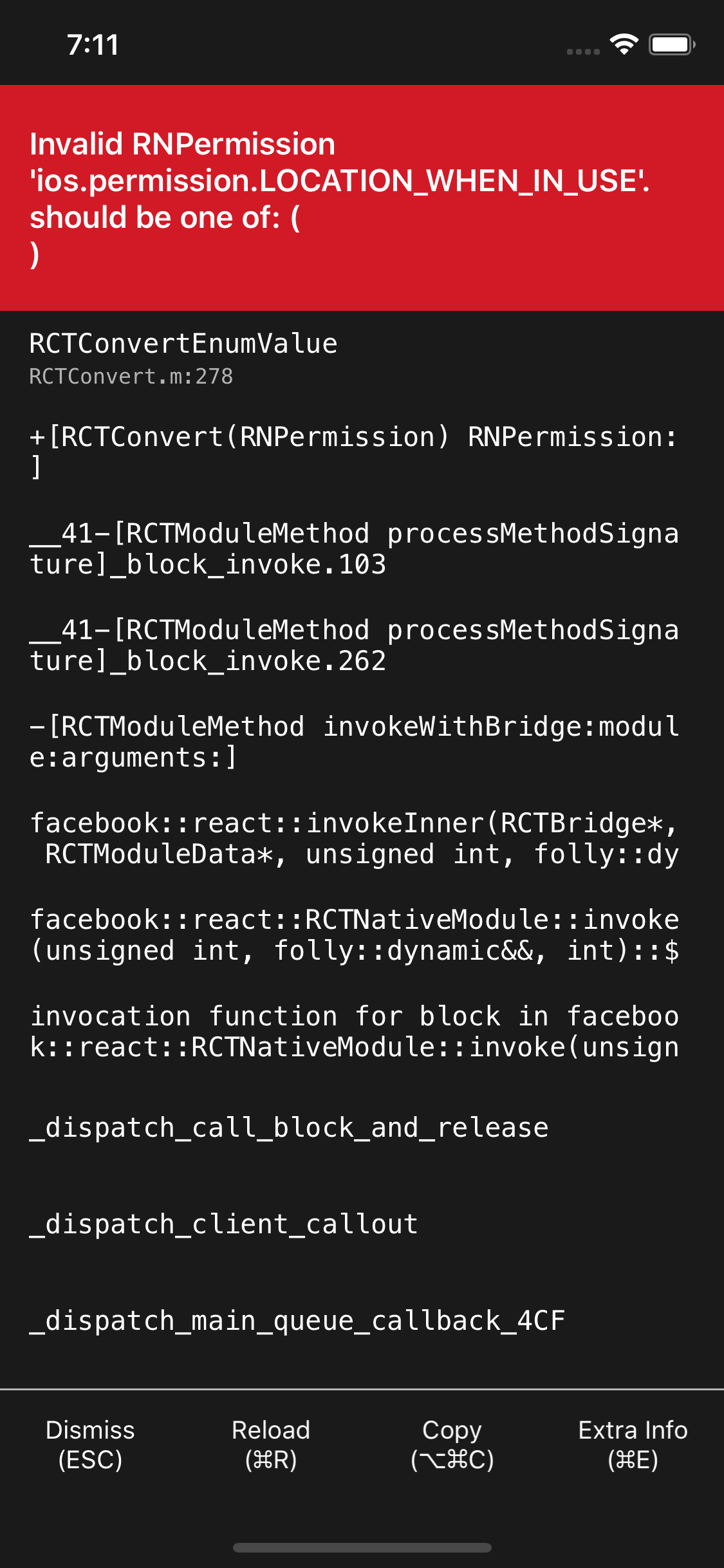
I cleared project, etc... and removed the stuff from podfile, but I think this is necessary even tho im on 0.60+, since it complains and returns an empty array
zubjorge
on 9 Oct 2019
Ok I got it solved...I guess it has something to do with Pods/Cache not being updated
So I needed to run:
rm -rf $TMPDIR/react-*
rm -rf $TMPDIR/metro-*
watchman watch-del-all
yarn cache clean
rm -rf ios/pods
pod install
yarn install
to be able to make it 'fresh' install pods..
Also, even if I'm on 0.60+ I still needed to add the pods to the PodFile.
Hope this helps anyone on the same situation as me.
Thank you @mikehardy
zubjorge
on 9 Oct 2019
You shouldn't have to add the pods, maybe check the template and make sure you have the two Podfile bits that invoke auto-linking? https://github.com/facebook/react-native/blob/master/template/ios/Podfile#L2 and L78
And the commands you list are why I swear by react-native-clean-project and my CI uses this deep-clean call into package.json
   "deep-clean": "./node_modules/.bin/react-native-clean-project --keep-node-modules --remove-iOS-build --keep-brew --keep-pods --remove-iOS-pods --remove-android-build && yarn clean",
    "clean": "\\rm -fr ./node_modules && \\rm -fr dist/* && \\rm -fr ios/build ios/Pods ios/KScoreApp.xcarchive && \\rm -fr android/build android/app/build",
sorry it was such a pain for you but glad you got it working!
mikehardy
on 9 Oct 2019
just type this in your project root directory:
npx react-native-clean-project --remove-iOS-build --remove-iOS-pods
it will work
 HamzaFunavry
on 11 Dec 2019
HamzaFunavry
on 11 Dec 2019
Related issues
 tmpapageorgiou
·
18Comments
tmpapageorgiou
·
18Comments
 jessiealbarian
·
43Comments
jessiealbarian
·
43Comments
 WrathChaos
·
25Comments
WrathChaos
·
25Comments
 bithavoc
·
22Comments
bithavoc
·
22Comments
 ppdbxdawj
·
18Comments
ppdbxdawj
·
18Comments
Most helpful comment
Ok I got it solved...I guess it has something to do with Pods/Cache not being updated
So I needed to run:
to be able to make it 'fresh' install pods..
Also, even if I'm on 0.60+ I still needed to add the pods to the PodFile.
Hope this helps anyone on the same situation as me.
Thank you @mikehardy