React-native-permissions: 'Permissions.check is not a function' Error
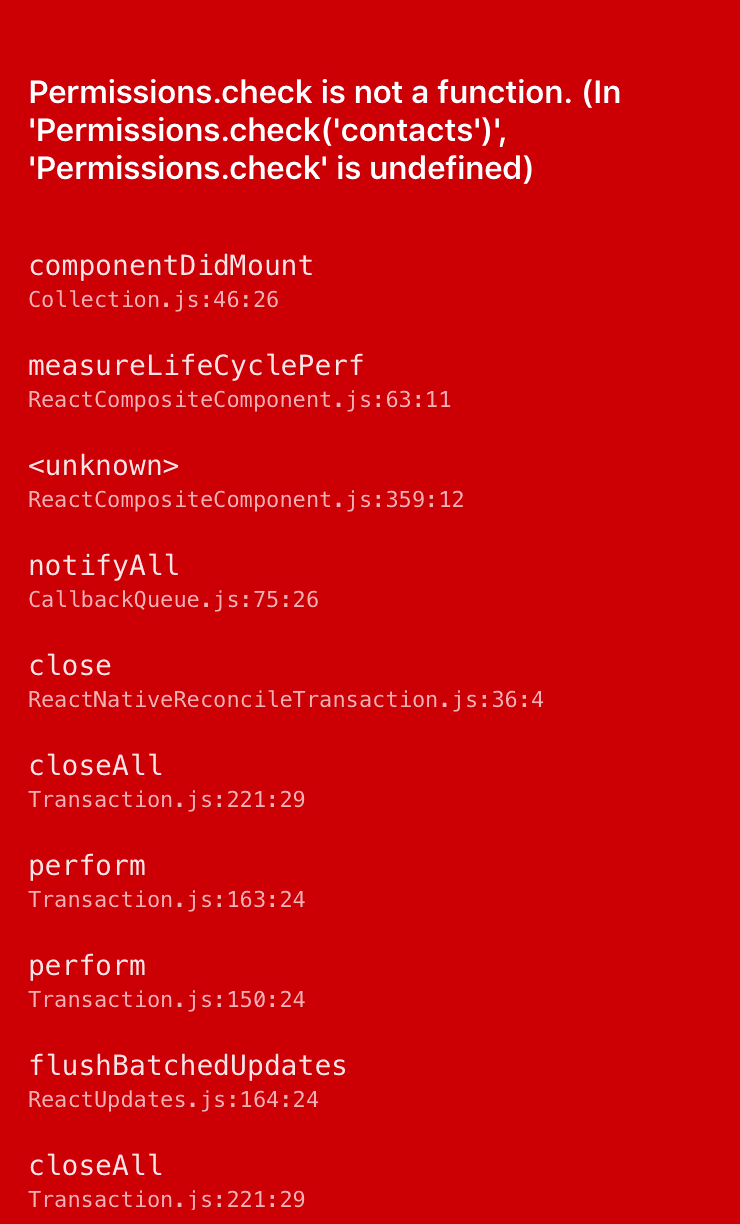
I upgraded from 1.0.1 to 1.0.3 and started receiving this error. It said,
Permissions.check is not a function. (In 'Permissions.check('contacts')', 'Permissions.check' is undefined)
To fix this, I was forced to downgrade to 1.0.1.
 jessiealbarian
All 43 comments
@jessalbarian Are you using Android? iOS? Which OS version? TypeScript? JavaScript?
 zoontek
on 2 Dec 2017
zoontek
on 2 Dec 2017
Android and iOS, the same error on real devices and the emulators on Android Studio and Xcode. The code base is React Native. The attached image is from an Xcode emulator for iPhone 6.
jessiealbarian
on 2 Dec 2017
I just release 1.0.4, can you give it a try?
Don't forget to cleanup your cache by starting the packager with yarn start --reset-cache
zoontek
on 2 Dec 2017
@zoontek Facing same issue on 1.0.4
ios on xcode emulator
iphone 7 plus

"react": "16.1.0",
"react-native": "0.50.3",
"react-native-permissions": "^1.0.4",
 chinmayv
on 5 Dec 2017
chinmayv
on 5 Dec 2017
Just to be sure, did you run react-native link react-native-permissions?
 MoOx
on 6 Dec 2017
MoOx
on 6 Dec 2017
Same issue here!
 hazemhagrass
on 13 Dec 2017
hazemhagrass
on 13 Dec 2017
Are you using react-native link react-native-permissions? Is a Podfile present in your project?
zoontek
on 13 Dec 2017
@zoontek yes I'm using react-native link react-native-permissions
I believe
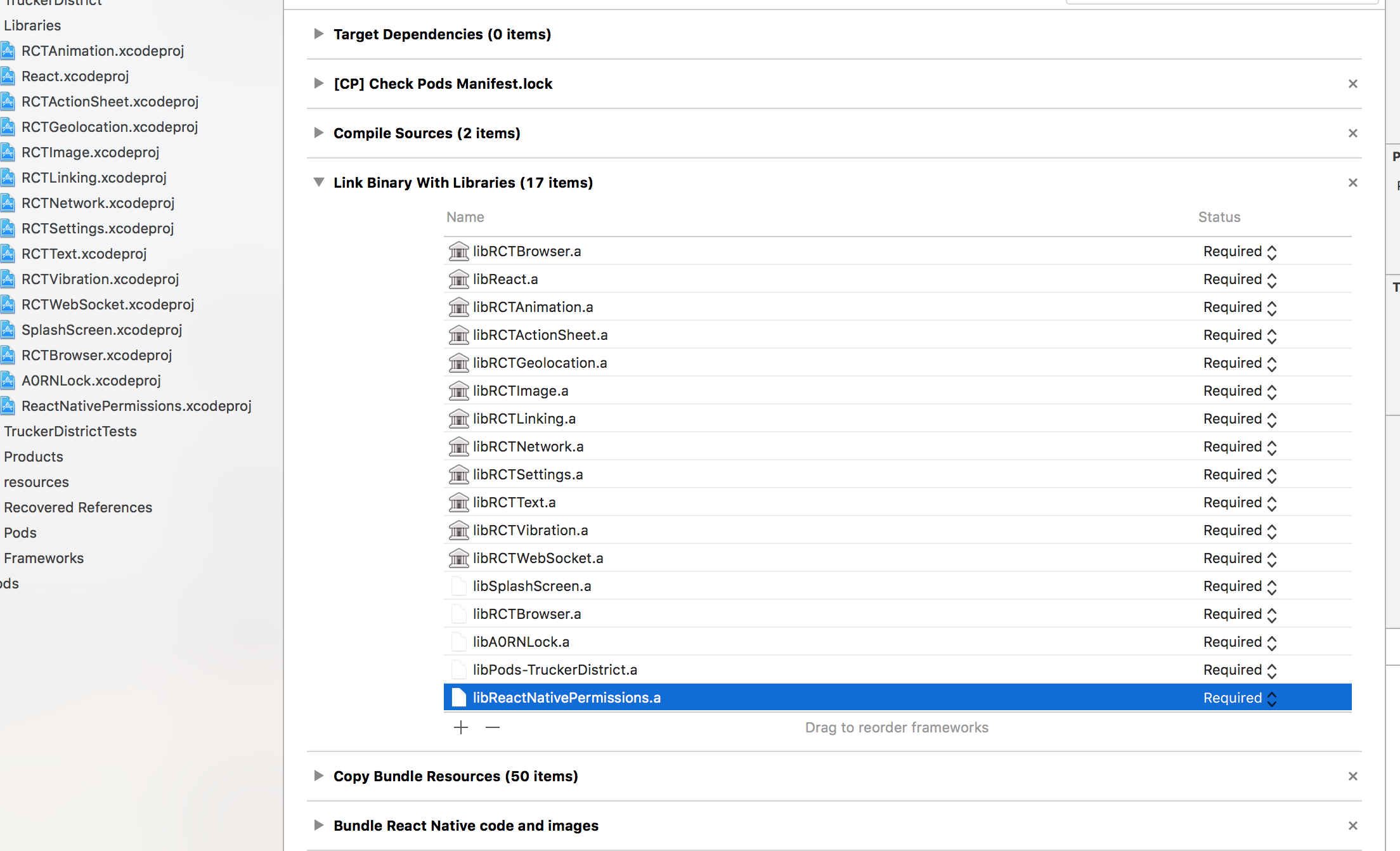
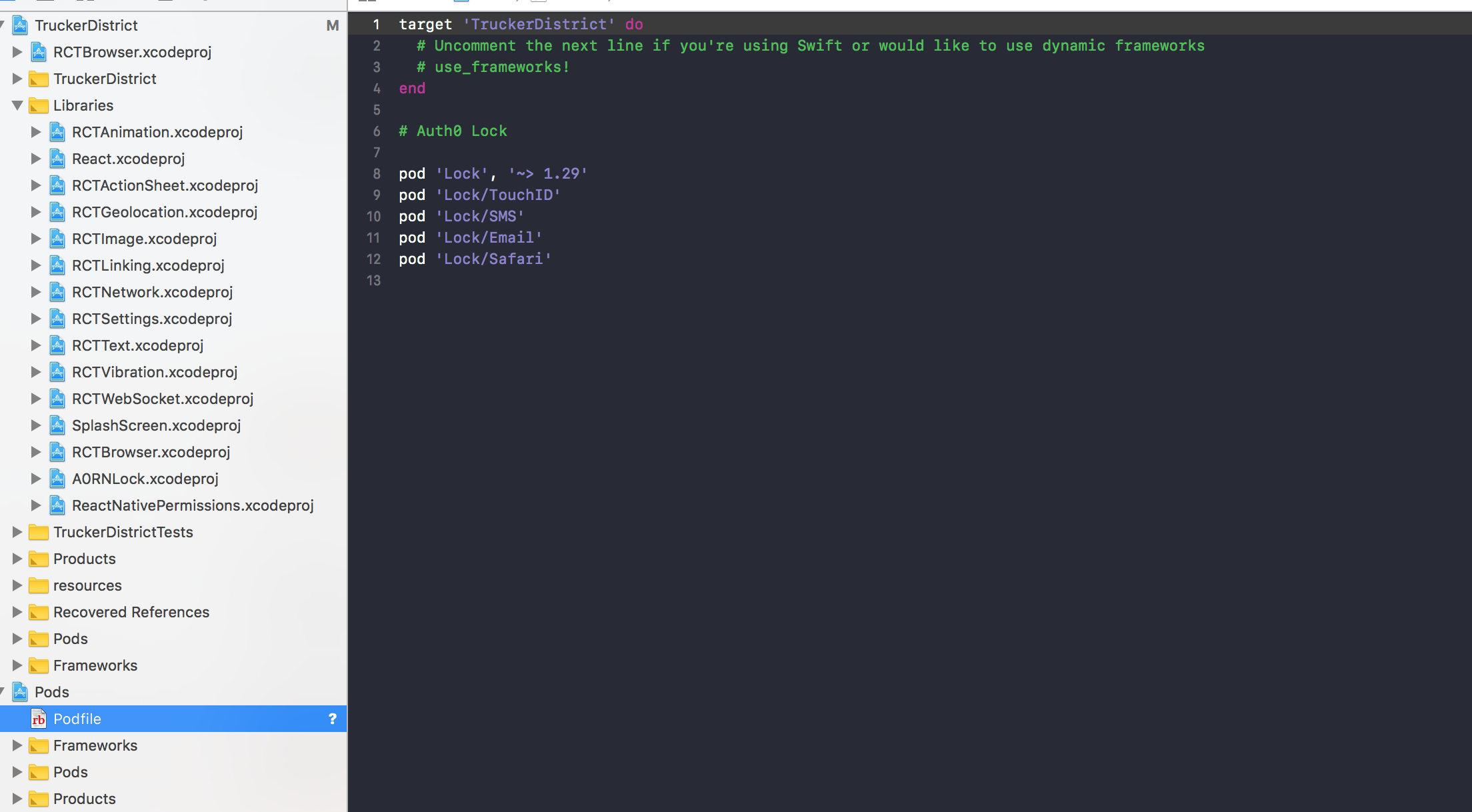
yes there is a POD file in my project.
hazemhagrass
on 13 Dec 2017
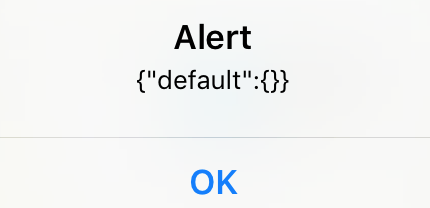
@hazemhagrass Can you do a console.log(ReactNativePermissions) and tell me what's the output?
zoontek
on 13 Dec 2017
@zoontek here we go
hazemhagrass
on 13 Dec 2017
Do you use CommonJS or ESmodule?
If you use the first one, don't forget to add the default: https://github.com/gaearon/redux-thunk#note-on-2x-update
Still, the module is not linked properly. Make sure the Library path is available in the Header Search paths (in build settings)
zoontek
on 13 Dec 2017
@zoontek no diffrence.
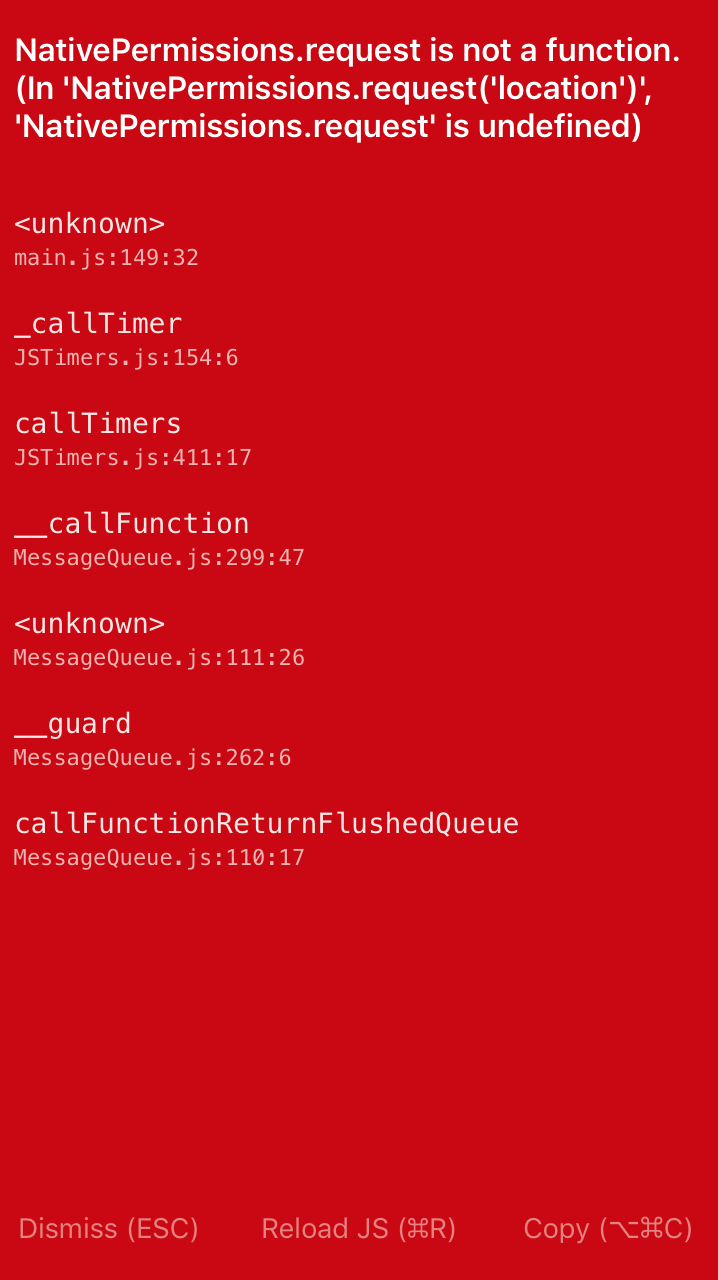
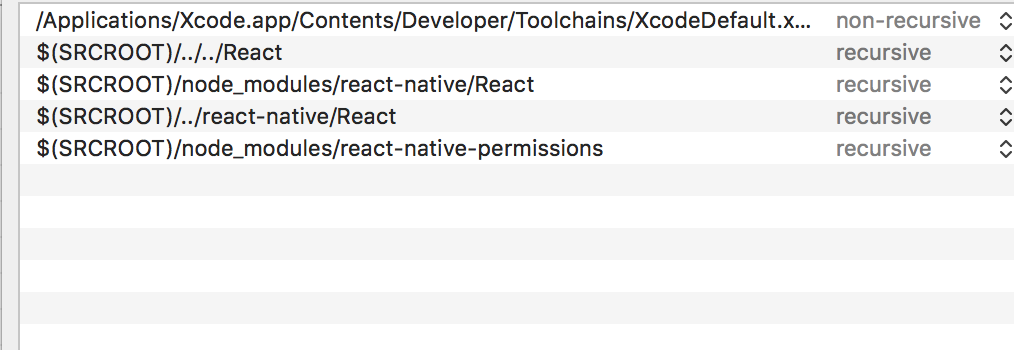

hazemhagrass
on 13 Dec 2017
@zoontek FYI This is happening only with your plugin, all others are fine
hazemhagrass
on 13 Dec 2017
Remove it from recovered references and add it manually
zoontek
on 13 Dec 2017
@zoontek which one I should remove and add manually? your plugin?
hazemhagrass
on 13 Dec 2017
I'm seeing the same issue
 FrenchBully
on 13 Dec 2017
FrenchBully
on 13 Dec 2017
Still having this issue.
jessiealbarian
on 13 Dec 2017
@hazemhagrass @jessalbarian This fixed it for me Permissions.default.check(key) instead of Permissions.check(key)
FrenchBully
on 13 Dec 2017
@FrenchBully Thanks for help but still not working
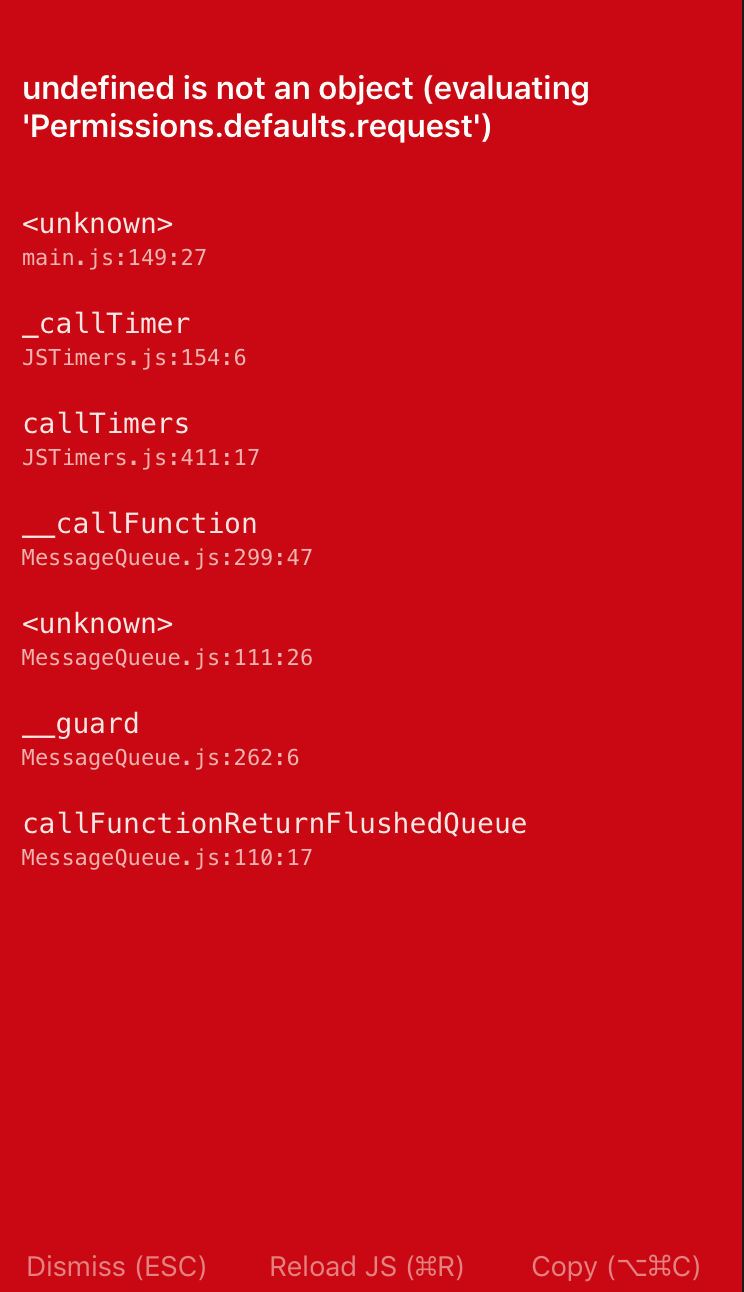
hazemhagrass
on 14 Dec 2017
@zoontek not working even after manual edits.
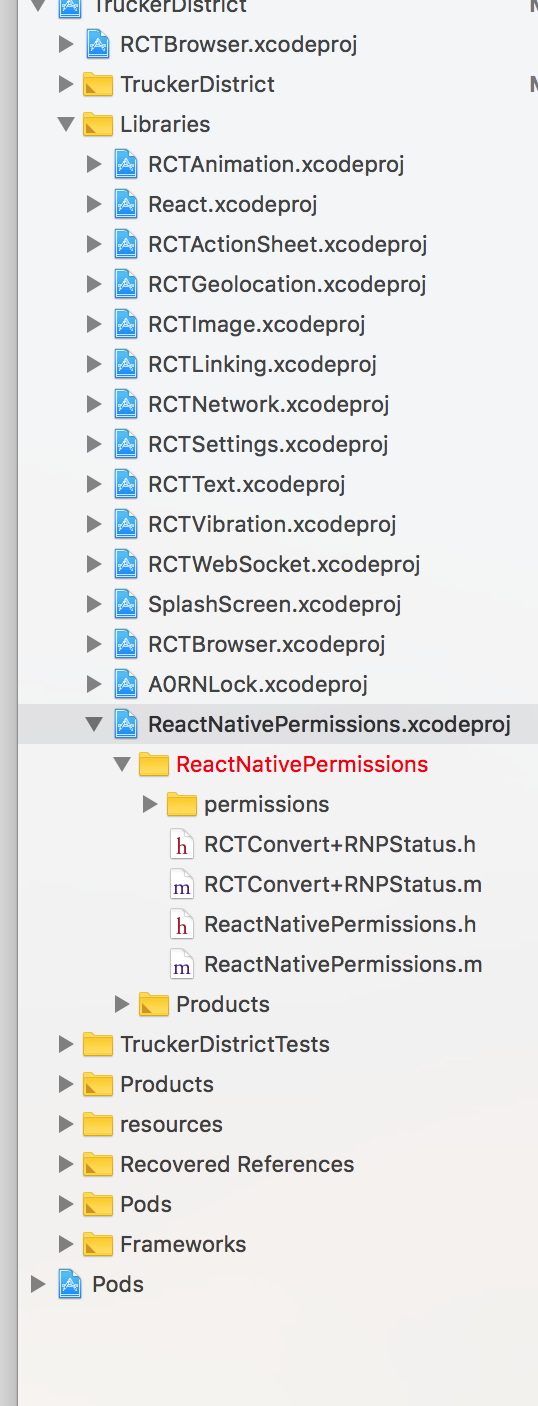
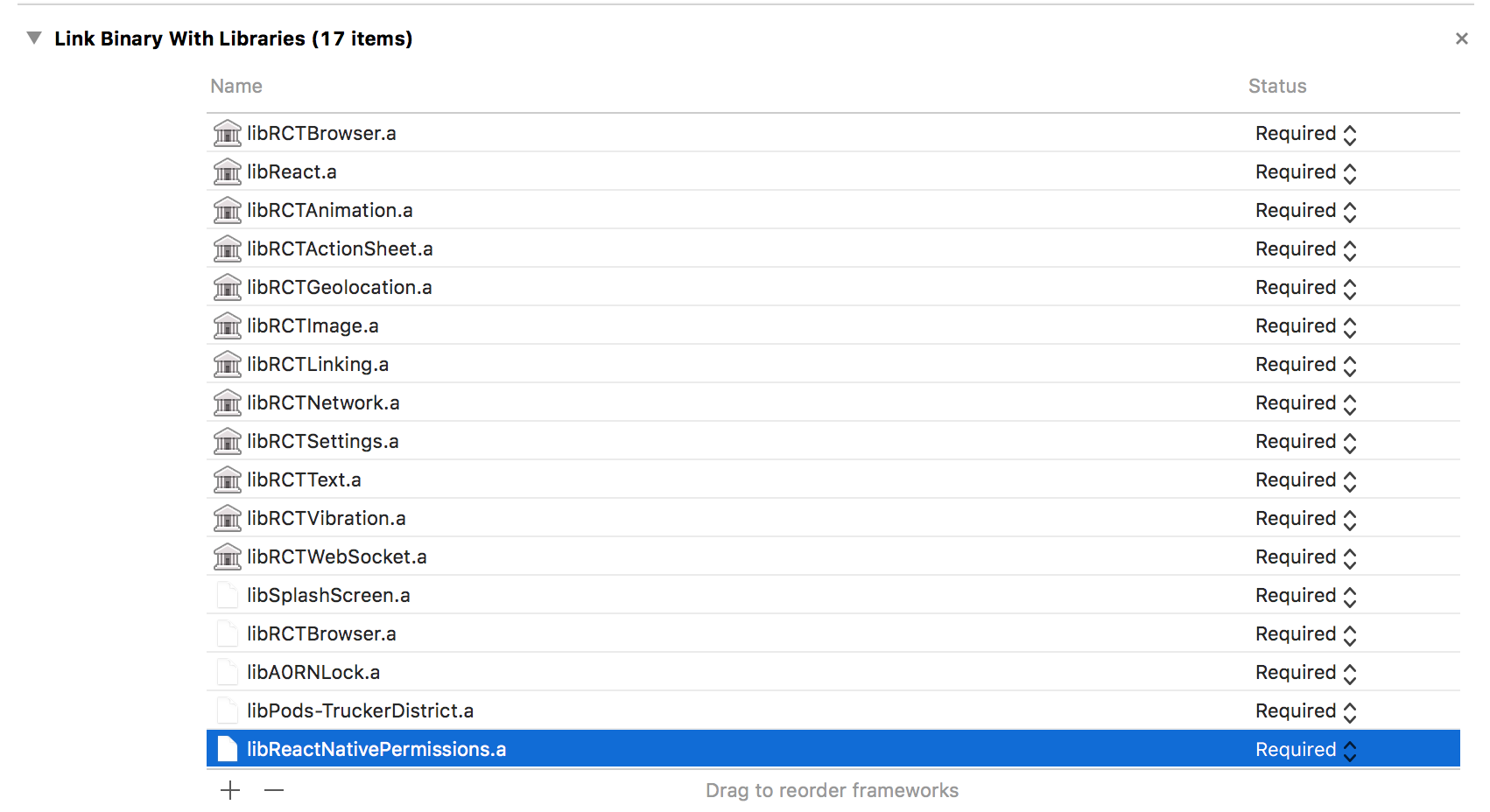
hazemhagrass
on 14 Dec 2017
@hazemhagrass default not defaults, if you console.log('Permissions: ', Permissions) you'll be able to see the available function calls.
https://github.com/yonahforst/react-native-permissions/commit/d3b2991f68f535eab888f19f9f6a3fad4ae79b5d#diff-168726dbe96b3ce427e7fedce31bb0bcR4
FrenchBully
on 14 Dec 2017
@FrenchBully Still not working
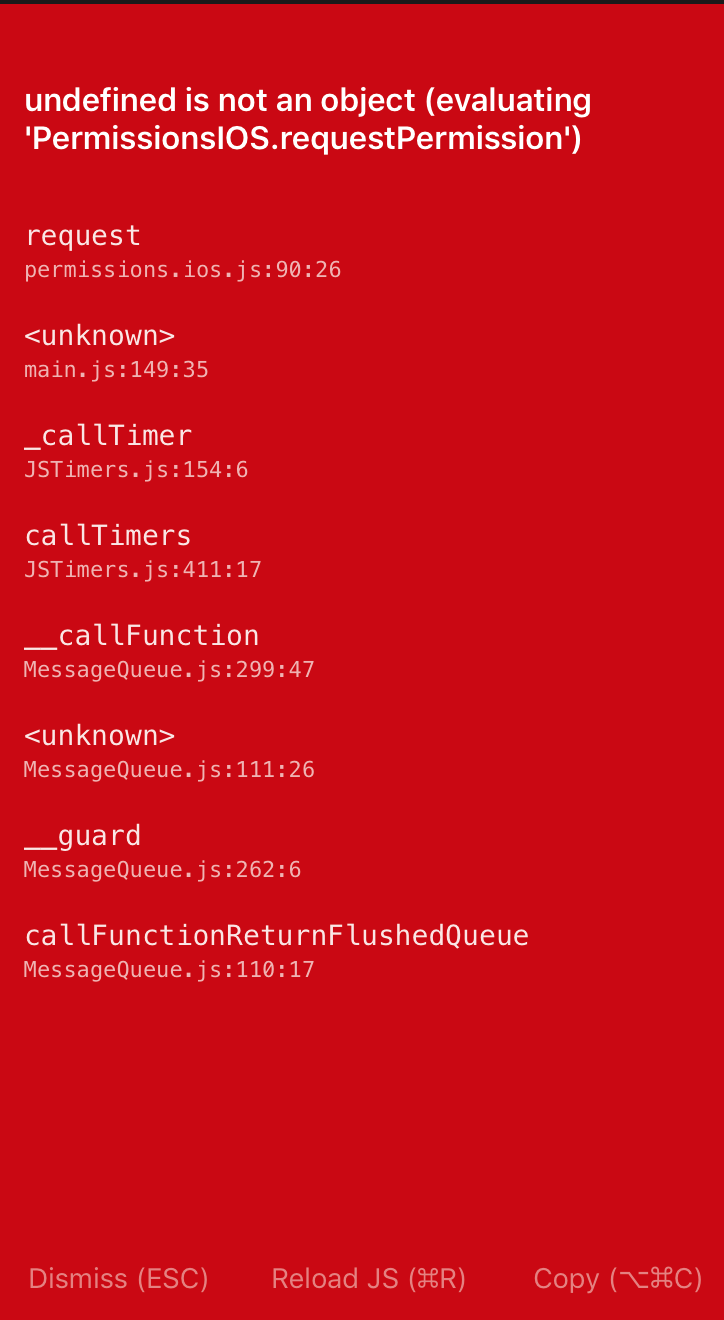

hazemhagrass
on 15 Dec 2017
@zoontek I tried your latest version1.0.5 but still not working, any help on that?
hazemhagrass
on 15 Dec 2017
@hazemhagrass sorry to hear it didn't work out for you. I'm currently using v1.0.5 as well. can you at least console.log(Permissions)? Curious what it looks like.
FrenchBully
on 15 Dec 2017
@hazemhagrass The directory is in red in Xcode, meaning it can't find it (because it doesn't exists, the permissions folder is in the same folder as the xcode project)
Right click on the xcodeproj in Xcode > Show in finder.
zoontek
on 15 Dec 2017
I had to clean project, clean folders, delete Pods. and reinstall. In addition to deleting ReactNativePermissions.xcodeproj from Libraries then re-adding, and deleting and relinking in Build Phases. Also had to use require instead of importing the module. const Permissions = require('react-native-permissions');
FrenchBully
on 15 Dec 2017
zoontek
on 15 Dec 2017
I have similar issue in iOS with 1.0.6 on RN 0.51.0
I have keys in info.plist, set Podfile
I tried Permissions.check, Permissions.request,
Permissions.default.check, Permissions.default.request
TypeError: Cannot read property 'requestPermission' of undefined
    at ReactNativePermissions.request
which from
return PermissionsIOS.requestPermission(permission, type || DEFAULTS[permission]);
 delia-m
on 22 Dec 2017
delia-m
on 22 Dec 2017
@delia-m Same question, what does console.log(Permissions) gives to you? Do you have a Podfile?
zoontek
on 25 Dec 2017
@zoontek Yes I had Podfile and console.log printed permissions object but error came up as soon as I call it.
I tried to downgrade react-native-permissions but I've got same issue..
I guess this is migration issue on react-native-permissions with latest RN version.
I pull react-native-permissions out for now, and permission asks when I try to touch contacts even I don't ask in my code.
But I will glad to have this permissions package if it works.
delia-m
on 8 Jan 2018
Make sure to give your project a thorough clean, cmd + shift + k in xcode, if you're installing through pods. rebuild and should be good to go
 kylealwyn
on 17 Jan 2018
kylealwyn
on 17 Jan 2018
@delia-m Did you do an unlink before updating, like according to the release notes: https://github.com/yonahforst/react-native-permissions/releases/tag/1.0.6 ?
zoontek
on 17 Jan 2018
@kylealwyn @zoontek yes I both tried 😞
delia-m
on 18 Jan 2018
I have the same problem as @delia-m , and nothing works.
 Solitaryo
on 12 Feb 2018
Solitaryo
on 12 Feb 2018
I've got similar issue.
NodeJS 9.1.0
React-Native 0.52.2
Platform iOS 11.2 on simulator
I tried to update react-native-permissions from 1.0.1.
I start by unlink, it delete many lines in project.pbxproj file. Then I upgrade with yarn to the latest version 1.1.1. Then I link, it only add one line in the Podfile (pod 'ReactNativePermissions', :path => '../node_modules/react-native-permissions').
If I launch react-native run-ios at this step, build is ok but if I accept a permission window in the app (location in my case) it throw an error :
TypeError: undefined is not an object (evaluating 'PermissionsIOS.getPermissionsStatus')
I also tried to pod install but I can't launch the app after that. To many module providers kind of erros in metro that seems link to React dependencies in react-native-permissions podfile.
Did I miss something ?
 Freddy03h
on 13 Feb 2018
Freddy03h
on 13 Feb 2018
@Freddy03h Can you provides the content of your Podfile?
I'll try to fix this as soon as I can (I'm a little bit busy currently)
zoontek
on 14 Feb 2018
No problem, for now I stay on 1.0.1.
My current Podfile :
platform :ios, '8.0'

target 'companyname' do
  inherit! :search_paths
  pod 'Batch', '~> 1.10'
  pod 'FBSDKCoreKit', '~> 4.25.0'
  pod 'FBSDKLoginKit', '~> 4.25.0'
  pod 'FBSDKShareKit', '~> 4.25.0'
  pod 'Firebase/Core', '~> 4.6.0'
  pod 'Firebase/Crash'
  pod 'Stripe', '~> 11.2.0'
  pod 'AppsFlyerFramework'

end
@Freddy03h You need to declare React dependency locally (as react-native-permissions require it). By not doing it, you use React dependencies set in various dep podspec. That's probably the cause of the too many modules providers
Check here how to do it: https://facebook.github.io/react-native/docs/integration-with-existing-apps.html#configuring-cocoapods-dependencies
A workaround to disable cocoapods linking: do an react-native unlink react-native-permissions, rename the Podfile to _Podfile, do a react-native link react-native-permissions and then rename _Podfile to Podfile
zoontek
on 15 Feb 2018
@zoontek Thank's for the fast answer ! I'm not sur what to do with React pods dep so I tried the workaround and it work well 👍
Freddy03h
on 15 Feb 2018
I'm running into a similar issue. I do not have a podfile, i've linked using react-native link, checked that the library project is in the project and the file is in the build phase.
TypeError: undefined is not an object (evaluating 'PermissionsIOS.getPermissionStatus')

This error is located at:
    in ScreenComponent (created by Connect(ScreenComponent))
    in Connect(ScreenComponent) (at NavigableScreen.js:22)
    in NavigableScreen (created by Connect(NavigableScreen))
    in Connect(NavigableScreen) (at SceneView.js:31)
    in SceneView (at CardStack.js:405)
    in RCTView (at View.js:71)
    in View (at createAnimatedComponent.js:147)
    in AnimatedComponent (at Card.js:26)
    in Card (at PointerEventsContainer.js:55)
    in Container (at CardStack.js:436)
    in RCTView (at View.js:71)
    in View (at CardStack.js:365)
    in RCTView (at View.js:71)
    in View (at CardStack.js:364)
    in CardStack (at CardStackTransitioner.js:97)
    in RCTView (at View.js:71)
    in View (at Transitioner.js:187)
    in Transitioner (at CardStackTransitioner.js:49)
    in CardStackTransitioner (at StackNavigator.js:60)
    in Unknown (at createNavigator.js:52)
    in Navigator (at createNavigationContainer.js:216)
    in NavigationContainer (at index.js:182)
    in AppNavigator (created by Connect(AppNavigator))
    in Connect(AppNavigator) (at index.js:198)
    in Provider (at index.js:197)
    in Root (at renderApplication.js:35)
    in RCTView (at View.js:71)
    in View (at AppContainer.js:102)
    in RCTView (at View.js:71)
    in View (at AppContainer.js:122)
    in AppContainer (at renderApplication.js:34)

check
    permissions.ios.js:59:26
componentWillMount
    scanCardScreen.js:56:22
callComponentWillMount
    ReactNativeRenderer-dev.js:5906:4
mountClassInstance
    ReactNativeRenderer-dev.js:5990:29
updateClassComponent
    ReactNativeRenderer-dev.js:7819:27
performUnitOfWork
    ReactNativeRenderer-dev.js:10513:25
workLoop
    ReactNativeRenderer-dev.js:10584:43
_invokeGuardedCallback
    ReactNativeRenderer-dev.js:134:15
invokeGuardedCallback
    ReactNativeRenderer-dev.js:67:32
renderRoot
    ReactNativeRenderer-dev.js:10677:30
performWorkOnRoot
    ReactNativeRenderer-dev.js:11449:34
performWork
    ReactNativeRenderer-dev.js:11364:8
batchedUpdates
    ReactNativeRenderer-dev.js:11547:20
batchedUpdates
    ReactNativeRenderer-dev.js:2517:31
_receiveRootNodeIDEvent
    ReactNativeRenderer-dev.js:2670:17
receiveTouches
    ReactNativeRenderer-dev.js:2741:28
__callFunction
    MessageQueue.js:353:47
<unknown>
    MessageQueue.js:118:26
__guardSafe
    MessageQueue.js:316:6
callFunctionReturnFlushedQueue
    MessageQueue.js:117:17
 jhogendorn
on 26 Feb 2018
jhogendorn
on 26 Feb 2018
I am having the same issue in iOS 11.2 with the simulator. Using version 1.1.1. I tried manual link and also the pod file. What I just found out after trying to add the manual library is that if I choose to show it in finder, the file does not exists.
ReactNativePermissions appear as a Development Pod too (instead of a normal pod), which I am not sure if this has something to do with the issue.
I do see the project inside the public headers in the Pod folder but that is it. There is no folder for this project with the rest of the pods.
 sfratini
on 27 Feb 2018
sfratini
on 27 Feb 2018
Alright, my problem was that I was missing the .default in the import so require('react-native-permissions') becomes require('react-native-permissions').default.
I didn't see this anywhere in the docs and it was working fine on Android. I'll check later if this breaks Android now.
sfratini
on 27 Feb 2018
It's just better to replace
const Permissions = require('react-native-permissions');
by
import Permissions from 'react-native-permissions';
 prashoor-dev
on 28 Jun 2018
prashoor-dev
on 28 Jun 2018
Related issues
 algera
·
44Comments
algera
·
44Comments
 MugeshM
·
18Comments
MugeshM
·
18Comments
 mtt87
·
28Comments
mtt87
·
28Comments
 Daavidaviid
·
18Comments
Daavidaviid
·
18Comments
 BasilJohn
·
41Comments
BasilJohn
·
41Comments