React-native-google-places-autocomplete: Search result disappeared when close keyboard.
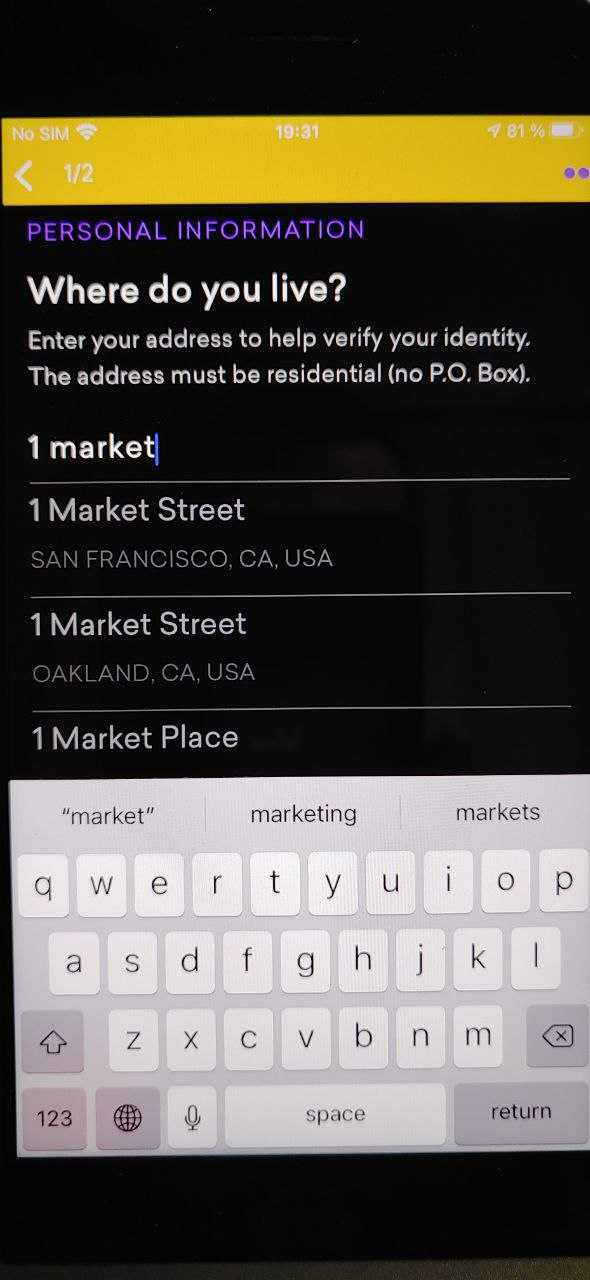
I put a header by using renderHeaderComponent, so due to it, I can't see search results on the small phone because they are behind a keyboard. When I close the keyboard, the result disappeared, so I can't select anything.
How can I keep the search result even if I close the keyboard?
 llfk
llfk
All 11 comments
The same issue with me.
Describe the bug
While text input is focused (keyboard visible) - search results are visible. Once text input blurs (keyboard hides) - search results erases from screen.
Reproduction - (required - issue will be closed without this)
- Provide custom
renderRowfunction toGooglePlacesAutocompletefield. - Type request to the input.
- See scrollable suggestion list.
Tap
return(ordone) button onKeyboard(iOS) to hide keyboard and blur the field.Expected result
Result list should be visible and user able to select an item
Actual result
Result list hides as Keyboard hides
My look and feel
We want to provide custom large items
 doctorrokter
on 19 Feb 2021
doctorrokter
on 19 Feb 2021
Would you be willing to put in a PR?
 bell-steven
on 2 Mar 2021
bell-steven
on 2 Mar 2021
Facing same issue, pls resolve it
 rmn183
on 5 Mar 2021
rmn183
on 5 Mar 2021
@rmn183 please do not spam the issues.
This is an open-source library. You are more than welcome to propose a solution and submit a PR.
bell-steven
on 7 Mar 2021
Assuming we have similar issues,
keyboardShouldPersistTaps={'handled'} on my parent ScrollView did the trick
Edit: On second thought seems to be a different scenario, sorry!
 jordangrant
on 11 Mar 2021
jordangrant
on 11 Mar 2021
Having the same issue in "react-native-google-places-autocomplete": "^2.2.0",
 vizFlux
on 25 Apr 2021
vizFlux
on 25 Apr 2021
@rmn183 please do not spam the issues.
This is an open-source library. You are more than welcome to propose a solution and submit a PR.
Will look for it
rmn183
on 25 Apr 2021
Having the same issue in
"react-native-google-places-autocomplete": "^2.2.0",
Hi, @vizFlux don't customize your rowDescription method, If you have!
rmn183
on 25 Apr 2021
Cloned that repo in order to make a fix, but looks like fix already exists. There is a new boolean prop keepResultsAfterBlur which should do the trick (I have the same solution in my app patch). But version from npm has no such property. Repo master version and version in npm the same - 2.2.0.
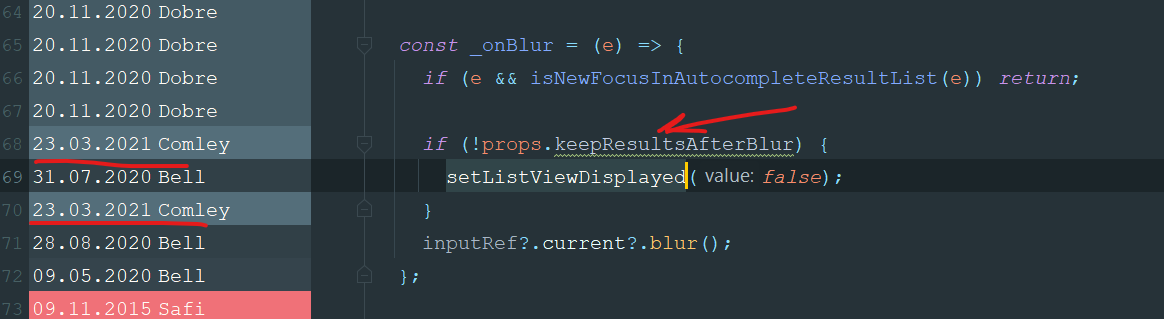
Will continue to use local patch, until that flag will appear in npm :)
doctorrokter
on 25 Apr 2021
Any news on this? I updated to the last version and keepResultsAfterBlur still doesn't do the trick
 xaviserrag
on 13 Jul 2021
xaviserrag
on 13 Jul 2021
keepResultsAfterBlur is part of v2.3.0, which was just published.
bell-steven
on 2 Aug 2021
Related issues
 quandevelopment
·
4Comments
quandevelopment
·
4Comments
 tezahzulueta
·
3Comments
tezahzulueta
·
3Comments
 KhalilKhalaf
·
4Comments
KhalilKhalaf
·
4Comments
 sohel-tech
·
3Comments
sohel-tech
·
3Comments
 tgreco
·
3Comments
tgreco
·
3Comments
Most helpful comment
keepResultsAfterBluris part ofv2.3.0, which was just published.