React-native-google-places-autocomplete: no streets after update to 1.3.8
Hi,
after updating to 1.3.8. the query results don't show the streets anymore. If I go back to 1.3.6. iIr works again. Is this a bug or did you changed the API.
Best Qung
 quandevelopment
All 4 comments
If you are talking about the query prop, you can simply remove the types from the object.
edit: check https://github.com/FaridSafi/react-native-google-places-autocomplete/issues/332#issuecomment-418185951
 guilhermepontes
on 16 Aug 2018
guilhermepontes
on 16 Aug 2018
thanks for your answer.
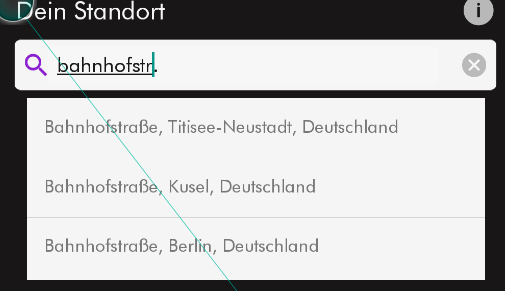
in the first screenshot you can see the results, if you type a street into the search bar.
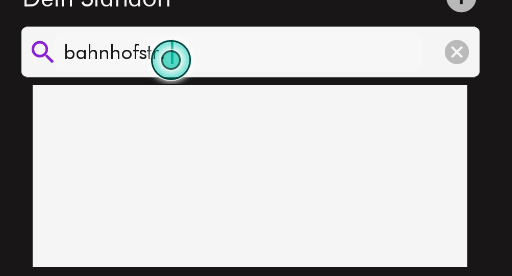
on the second screenshot you can see the current version 1.3.9. There are no streets in the results.
types = 'geocode' in both cases
thanks!
quandevelopment
on 24 Aug 2018
same issue. even removing types, removing also filterReverseGeocodingByTypes did the trick
 guillermodoghel
on 3 Sep 2018
guillermodoghel
on 3 Sep 2018
same issue. even removing types, removing also
filterReverseGeocodingByTypesdid the trick
Perfekt! That was the solution!
Thanks a lot!
quandevelopment
on 13 Sep 2018
Related issues
 frankfaustino
·
4Comments
frankfaustino
·
4Comments
 nikohosn
·
3Comments
nikohosn
·
3Comments
 macs03
·
3Comments
macs03
·
3Comments
 yashwanth15
·
3Comments
yashwanth15
·
3Comments
 yasirdev
·
3Comments
yasirdev
·
3Comments
Most helpful comment
same issue. even removing types, removing also
filterReverseGeocodingByTypesdid the trick