React-native-calendars: Agenda loadItemsForMonth on scroll uses previous month
Description
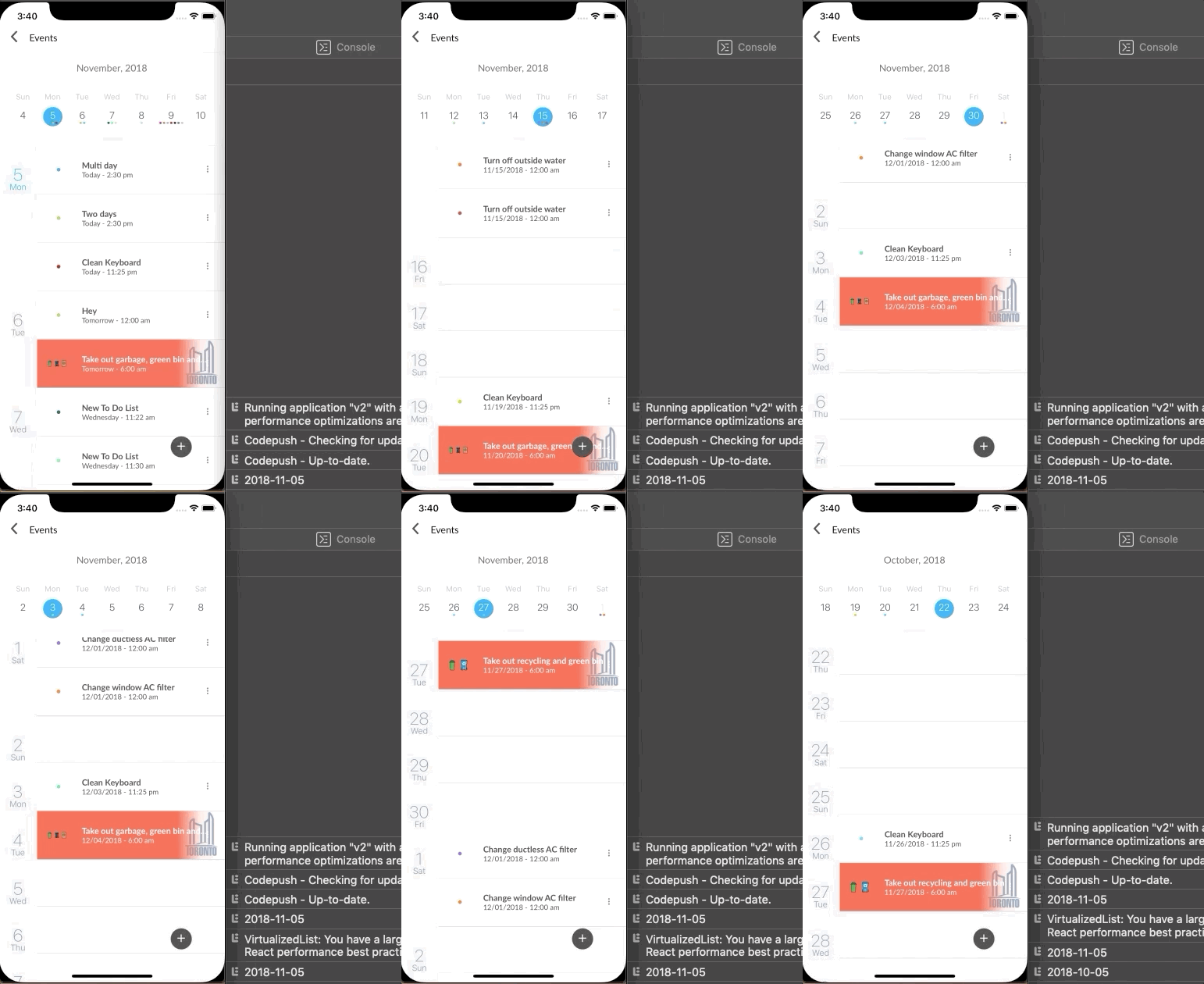
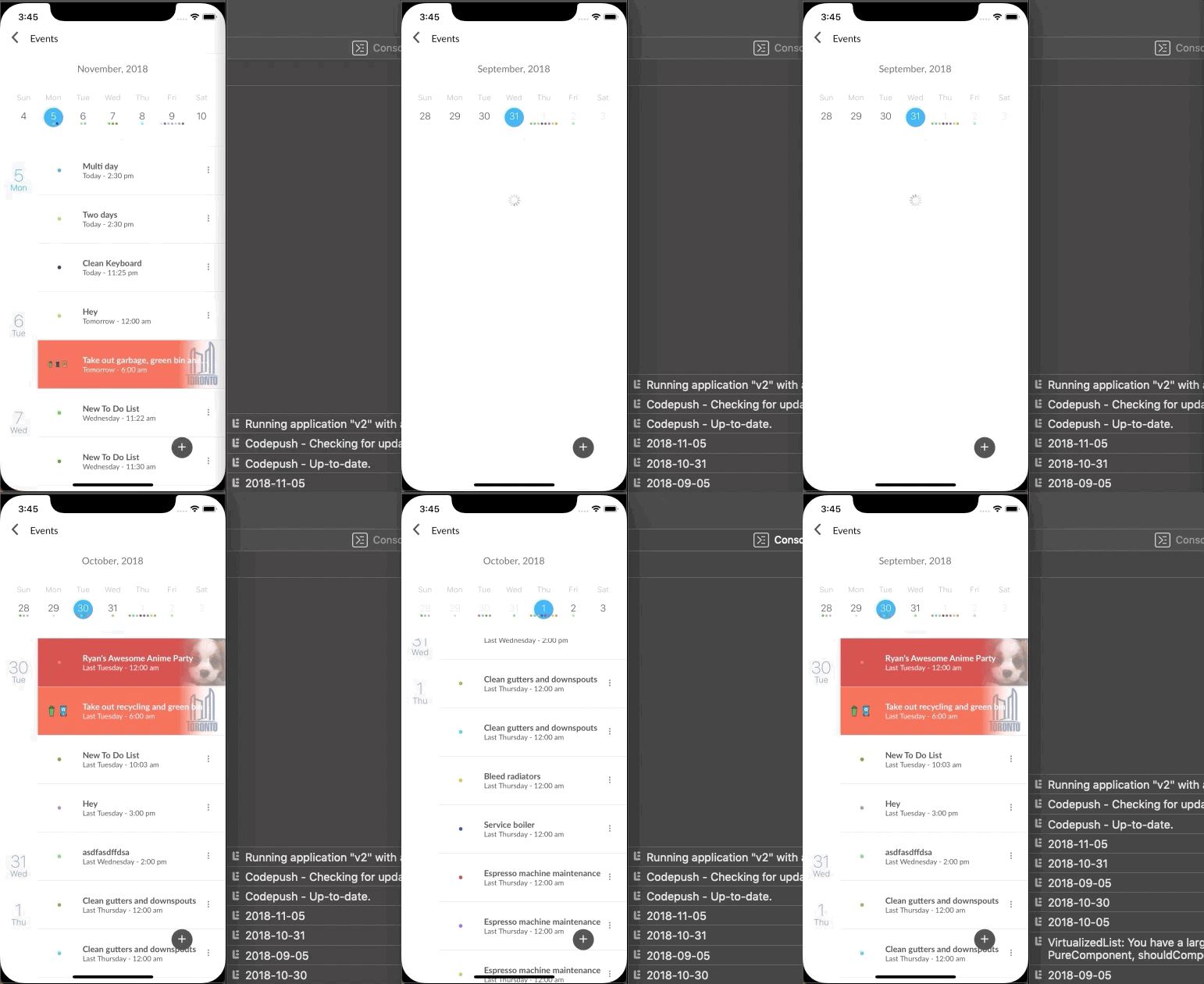
When scrolling the main Agenda and CalendarList views, loadItemsForMonth seems to be using the previous month rather than the current month.
On initial load and on clicking into a date from CalendarList views, the month is correct. On scrolling to the next month in Agenda, it begins to use the previous month.
Expected Behavior
The correct month should be used for the scroll events.
Observed Behavior
On iOS, the initial load and clicking on a date in CalendarList work, while scrolling breaks the month.
On Android, the initial load seems to re-call loadItemsForMonth on a componentDidMount, triggering it twice with a second
Environment
Please run these commands in the project folder and fill in their results:
npm ls react-native-calendars: [email protected]npm ls react-native:
Also specify:
- Phone/emulator/simulator & version: iPhone X + iPhone X Simulator, 12.1 - Android Emulator Pixel
Reproducible Demo
 dlimx
dlimx
All 6 comments
I believe this is due to loadItemsForMonths being called by onVisibleMonthChange.
The 0th index is always taken which leads to it usually being the previous month. I'll submit a PR in a bit after some testing - I believe using the 1st index if it exists fixes this issue.
dlimx
on 5 Nov 2018
I'm facing some problems to render the list when I have many items, on your example the list scroll works correctly, can you post your code on codesandbox?
my problem:
https://user-images.githubusercontent.com/8001358/47867461-55ff2f00-dde0-11e8-8b17-056329aea983.gif
 victorsilent
on 6 Nov 2018
victorsilent
on 6 Nov 2018
So, I was facing a problem that is related. I use this to fetch more data of other months. What I discovered is that even when the agenda in the top is minified if I scroll the list, the loadItemsForMonth is triggered. So I verify in the loadItemsForMonth if the bar is maximized and only in this case I fetch more data.
For load more data when scrolling the list, I use the onDayChange.
<Agenda
  onCalendarToggled={flag => this.setState({ locked: flag })}
  items={items}
  onDayPress={this._dayChange}
  onDayChange={this._dayChange}
  loadItemsForMonth={(day) => {
    if (this.state.locked) {
      this._dayChange(day);
    }
  }}
  //ANOTHER PROPERTIES
/>
_dayChange = (day) => {
  const { year, month, dateString } = day;
     if (parseInt(moment(this.state.currentMonth, 'MMMM YYYY').format('MM'), 10) !== parseInt(month, 10)) {
        this.setState({ currentMonth: moment(dateString).format('MMMM YYYY') });
        //FETCH MORE DATA
     }
}
 williamquintas
on 11 Jan 2019
williamquintas
on 11 Jan 2019
I just sent a PR that help to solve this problem. #746
 marllonfrizzo
on 22 Feb 2019
marllonfrizzo
on 22 Feb 2019
Do you still have a problem?
 chenei
on 13 Jun 2020
chenei
on 13 Jun 2020
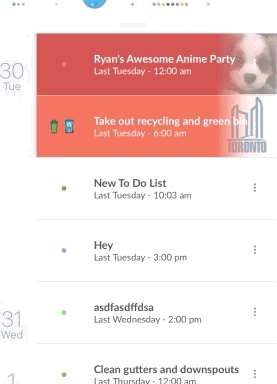
How do you manage to create this part?
I can't load my items that way, could someone help me or guide me?
 gerahrios
on 5 Aug 2020
gerahrios
on 5 Aug 2020
Related issues
 srichallamalla935
·
4Comments
srichallamalla935
·
4Comments
 Yandamuri
·
4Comments
Yandamuri
·
4Comments
 akhilsanker
·
4Comments
akhilsanker
·
4Comments
 sonnguyenit
·
3Comments
sonnguyenit
·
3Comments
 anishtr4
·
3Comments
anishtr4
·
3Comments
Most helpful comment
So, I was facing a problem that is related. I use this to fetch more data of other months. What I discovered is that even when the agenda in the top is minified if I scroll the list, the loadItemsForMonth is triggered. So I verify in the loadItemsForMonth if the bar is maximized and only in this case I fetch more data.
For load more data when scrolling the list, I use the onDayChange.