React-native-calendars: Disable Previous/Past dates
I just want to disable the previous/past dates. I have gone through the doc but ihave not seen any option to disable Past/Previous dates dates
 anishtr4
👍1
All 3 comments
Firstly get today's date by,
````
import moment from 'moment';
..
class Mycal extends component
{..
const today = moment().format("YYYY-MM-DD");
..
}
Within Component Calendar you can add minDate prop as,
     ```
<Calendar
      ..
      minDate={today}
      />
 AishwaryaSurana
on 4 Sep 2017
AishwaryaSurana
on 4 Sep 2017
👍6
❤1
Yes, use the minDate property.
 tautvilas
on 14 Sep 2017
tautvilas
on 14 Sep 2017
@anishtr4 - It's Not working I Wonder why people tell its working...
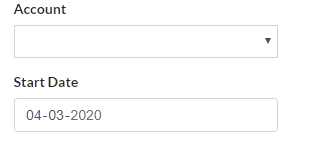
Below the code :
render() {
const today = moment().format("DD-MM-YYYY");
id="datePicker"
type="date"
name="startDate"
className={
form-control ${
                      formErrors.startDate ? "is-invalid" : ""
}}required
pattern="\d{2}-\d{2}-\d{4}"
minDate={today}
max="2020-12-31"
onKeyPress={this.deTyped}
onChange={this.handleChange}
value={formValues.startDate}
/>
{formErrors.startDate}
}
 emidsnithin
on 9 Mar 2020
emidsnithin
on 9 Mar 2020
Was this page helpful?
0 / 5 - 0 ratings
Related issues
 dobiedad
·
4Comments
dobiedad
·
4Comments
 idlework
·
4Comments
idlework
·
4Comments
 microwin168
·
4Comments
microwin168
·
4Comments
 joaosauer
·
4Comments
joaosauer
·
4Comments
 nickitatkach
·
4Comments
nickitatkach
·
4Comments
Most helpful comment
Firstly get today's date by,
````
import moment from 'moment';
..
class Mycal extends component
{..
const today = moment().format("YYYY-MM-DD");
..
}