React-native-calendars: CalenderList in Agenda component doesn't show / render current week until scroll or choosing another date
Description
On initial load of the Agenda component the CalendarList component on top doesn't show until I scroll the items rendered below in the scrollview or after opening the CalendarList via the knob and manually selecting a date. Important to mention this happened only in iOS devices and it happened to the included Agenda example too (https://github.com/wix/react-native-calendars/blob/master/example/src/screens/agenda.js).
Expected Behavior
The CalendarList should show the week of the current selected date without user interaction on initial load
Observed Behavior
The CalendarList doesn't show at all until user interacts. Observed only in iOS.
Environment
[email protected]:react-native-cli: 2.0.1:react-native: 0.49.3:
- iOS Simulator iPhone 6:
- iPhone's 7, X:
Screenshot

Thanks.
 chaimPaneth
All 20 comments
Does upgrading RN version solve your problem?
 tautvilas
on 29 Mar 2018
tautvilas
on 29 Mar 2018
I am experiencing the same issue. We have been using react-native-calendar for almost a year now but this bug has just recently appeared. I will dig a little and see if I can help.
"react": "16.3.1",
"react-native": "0.54.4",
"react-native-calendar": "1.17.7"

 twelvearrays
on 6 Apr 2018
twelvearrays
on 6 Apr 2018
i got the same problem with my app the version of calender is :"[email protected]",
react-native-cli: 2.0.1
react-native: 0.54.0
the sample of the source code have no this problem ,but this is the bug with my project ,i also use the other component like:
react-navigation,
can you tell my how this bug cause?
 gaoyunjiao
on 9 Apr 2018
gaoyunjiao
on 9 Apr 2018
I got same problem because i have set pastScrollRange={0} futureScrollRange={0}
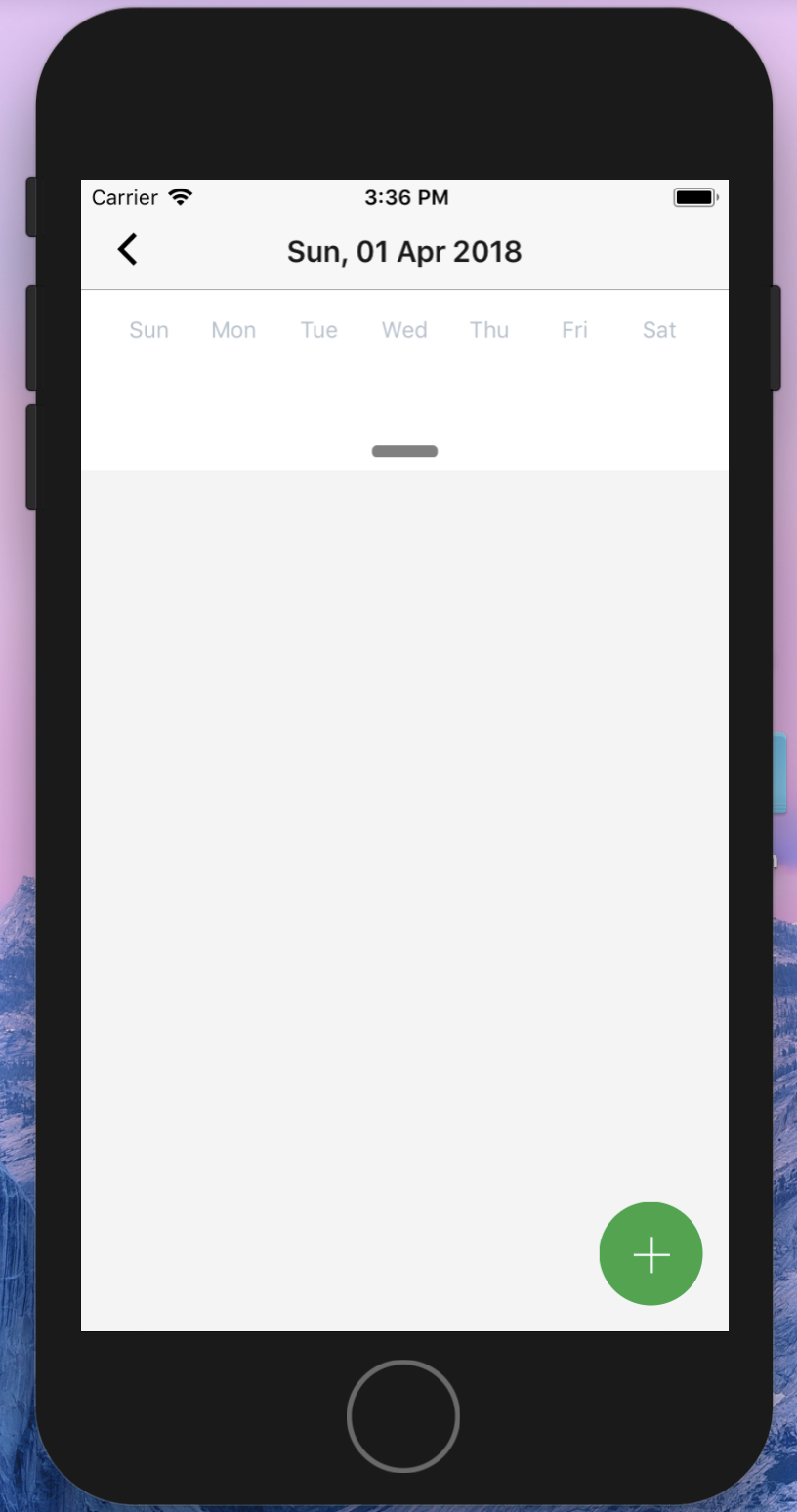
when i set pastScrollRange={1} futureScrollRange={0}
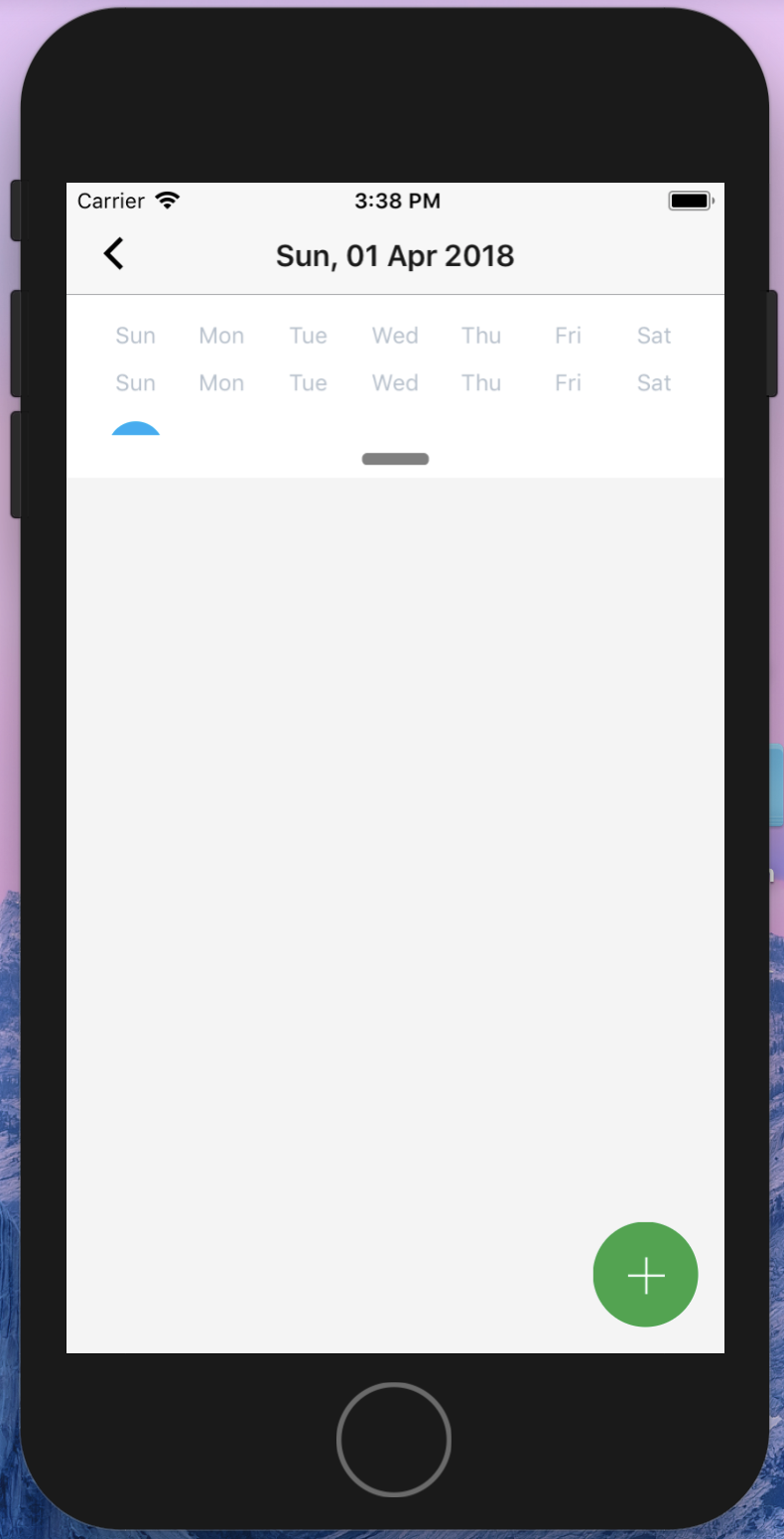
"react": "16.3.1",
"react-native": "0.55.2",
"react-native-calendar": "1.17.7"
 Ferrick90
on 10 Apr 2018
Ferrick90
on 10 Apr 2018
I have the same problem when i updated to react-native 0.54.
However it was working correctly on react-native 0.52
Please note: Im using expo SDK
 miladi7
on 12 Apr 2018
miladi7
on 12 Apr 2018
in file /src/calender-list/index.js
I wrapped the body of scrollToDay (line 70) function inside a settimeout, and it works ilke a charm in both ios and android:
scrollToDay(d, offset, animated) {
setTimeout(() => {
  const day = parseDate(d);
  const diffMonths = Math.round(this.state.openDate.clone().setDate(1).diffMonths(day.clone().setDate(1)));
  let scrollAmount = (calendarHeight * this.pastScrollRange) + (diffMonths * calendarHeight) + (offset || 0);
  let week = 0;
  const days = dateutils.page(day, this.props.firstDay);
  for (let i = 0; i < days.length; i++) {
    week = Math.floor(i / 7);
    if (dateutils.sameDate(days[i], day)) {
      scrollAmount += 46 * week;
      break;
    }
  }
  this.listView.scrollToOffset({offset: scrollAmount, animated});
}, 10);
}
miladi7
on 13 Apr 2018
@miladi7 thanks , it works for me.
gaoyunjiao
on 15 Apr 2018
@miladi7 I tried your solution but unfortunately it didn't work for me, I tried putting all scrollTo events in a timeout so it runs on the main thread but it didn't fix the issue for me.
@tautvilas I tried upgrading react-native to as far as 0.54.0 but it didn't solve the issue.
Thanks.
chaimPaneth
on 15 Apr 2018
Hi
I have the same problem, I thought is was based on an element above it with a dynamic height, that pushed down the "frame" of the day selection, but the content remained at its original position.
Is there a way to trigger a redraw?
Thanks.
EDIT: the temporary solution of the timeout worked for me. thanks.
 dhcmega
on 18 Apr 2018
dhcmega
on 18 Apr 2018
I've experienced a similar issue as Ferrick90 with the week display falling between 2 weeks.
I've also previously seen the week as blank - however not for some time.
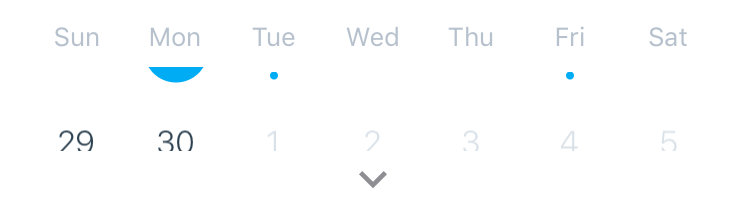
While this doesn't happen every time, it does happen 3/5 times.
First noticed it after updating to RN .55.3 with 1.14.2.
Persists with 1.18.2.
 RobertBisson
on 23 Apr 2018
RobertBisson
on 23 Apr 2018
Hi
Now it started giving me red screen with "Can't find variable: calendarHeight", maybe because of this hack? The app crashes.
Thanks.
dhcmega
on 25 Apr 2018
the invisible week (original issue) solved in 1.19.2
tautvilas
on 26 Apr 2018
I'm still having the problem. I think the temporary solution is to recall scrollToDay.
dhcmega
on 26 Apr 2018
I think it's related with the fact that the selected day has no events in it. After many reloads, all with this error, I added an event (directly into database) and retested and it worked.
@RobertBisson also has selected a day with no events
dhcmega
on 27 Apr 2018
I am experiencing the same issue. We have been using react-native-calendar for almost a year now but this bug has just recently appeared. I will dig a little and see if I can help.
"react": "16.3.1",
"react-native": "0.54.4",
"react-native-calendar": "1.17.7"
@twelvearrays would you be willing to share your custom components when populating your agendalist? I like how those look within the date!
 Korysam15
on 20 Sep 2018
Korysam15
on 20 Sep 2018
i was also facing this issue in android current date was not showing in first attempt.
check if you are using - pastScrollRange={0}
give it at-least 1 it will work fine.
 ReactNativeDeveloperVJ
on 25 Oct 2018
ReactNativeDeveloperVJ
on 25 Oct 2018
@Ferrick90 any update
 Gops1994
on 31 Oct 2018
Gops1994
on 31 Oct 2018
Still reproduced
 whalemare
on 30 Sep 2019
whalemare
on 30 Sep 2019
I have found a following workaround:
    state = {
        key: 'initial'
    }

    handleLayout = () => {
        this.setState({ key: 'ready' });
    };

    render() {
        return (
            <CalendarList
                key={key}
                onLayout={this.handleLayout}
               ...
This way when the calendar component is ready the key will be updated causing the component to re-mount.
 gpawlik
on 6 Apr 2020
gpawlik
on 6 Apr 2020
any updates on this issue?
 narender2031
on 21 Apr 2020
narender2031
on 21 Apr 2020
Related issues
 sonnguyenit
·
3Comments
sonnguyenit
·
3Comments
 anishtr4
·
3Comments
anishtr4
·
3Comments
 henrikra
·
3Comments
henrikra
·
3Comments
 chapeljuice
·
3Comments
chapeljuice
·
3Comments
 filippoitaliano
·
3Comments
filippoitaliano
·
3Comments
Most helpful comment
in file /src/calender-list/index.js
I wrapped the body of scrollToDay (line 70) function inside a settimeout, and it works ilke a charm in both ios and android:
scrollToDay(d, offset, animated) {
setTimeout(() => {
}