React-native-calendars: Current month's calendar not displaying.
Description
My calendars are displaying the incorrect default dates. Am I doing something wrong?
Expected Behavior
When I open the calendar it should display the current month & year (September 2017 right now).
Observed Behavior
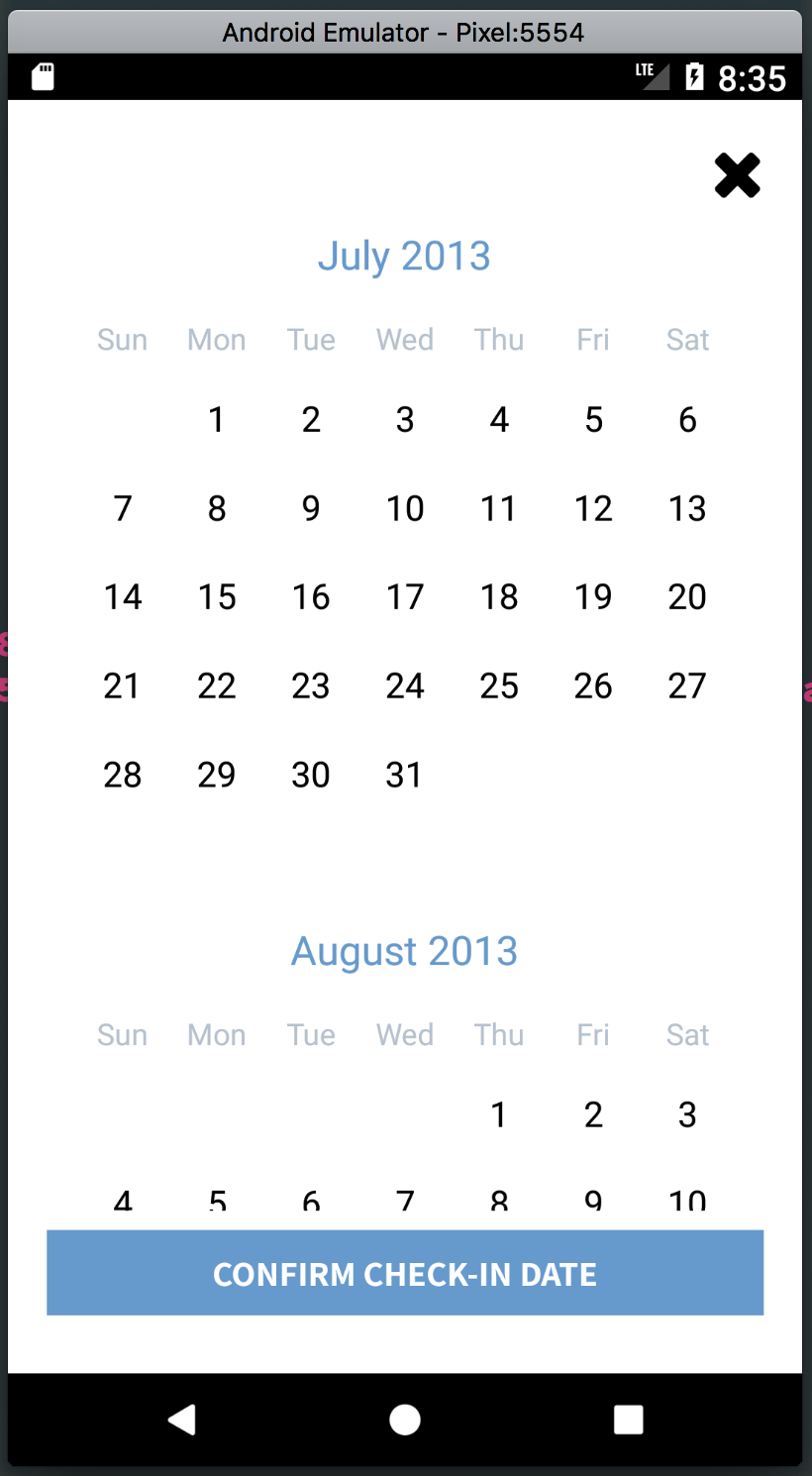
_Whether or not_ I include the "current" parameter on the component, it's still just displaying July 2013 instead of September 2017.
Here's my markup:
let todaysDate = Moment().format('L')
<CalendarList
  onDayPress={(day) => this.onDayPress(day)}
  style={styles.calendar}
  current={todaysDate}
  markedDates={{[this.state.selected ? this.state.selected : this.state.ciDate]: {selected: true}}}
/>
Screenshot of result:
Environment
"react": "^16.0.0-alpha.6",
"react-native": "0.44.0",
"react-native-calendars": "^1.6.2",
 chapeljuice
All 3 comments
Just as a follow up, if I add the following parameter on the component:
pastScrollRange={24}
It then displays September 2015 by default, and I cannot scroll before that.
chapeljuice
on 28 Sep 2017
Hi, apparently RN 44 FlatList does not have initialScrollIndex property which this calendar is using. You can either downgrade react-native-calendars to 1.5.9 version or upgrade you RN version for calendars-list to work
 tautvilas
on 29 Sep 2017
tautvilas
on 29 Sep 2017
Thanks so much for the reply! I ended up trying to upgrade RN but it was too much of a hassle so I downgraded react-native-calendars and it worked great.
Thanks again!
chapeljuice
on 29 Sep 2017
Related issues
 moiiiiit
·
4Comments
moiiiiit
·
4Comments
 sonnguyenit
·
3Comments
sonnguyenit
·
3Comments
 kewin1807
·
4Comments
kewin1807
·
4Comments
 henrikra
·
3Comments
henrikra
·
3Comments
 Yandamuri
·
4Comments
Yandamuri
·
4Comments
Most helpful comment
Hi, apparently RN 44 FlatList does not have initialScrollIndex property which this calendar is using. You can either downgrade react-native-calendars to 1.5.9 version or upgrade you RN version for calendars-list to work