React-datepicker: Problem with datepicker on firefox with october month
Whenever October month is shown there is a bug which does not show all days, it can be seen it on mainpage of react-datepicker . https://hacker0x01.github.io/react-datepicker/
Both 2017 and 2018 are wrong on displaying all days as we can see on images attached
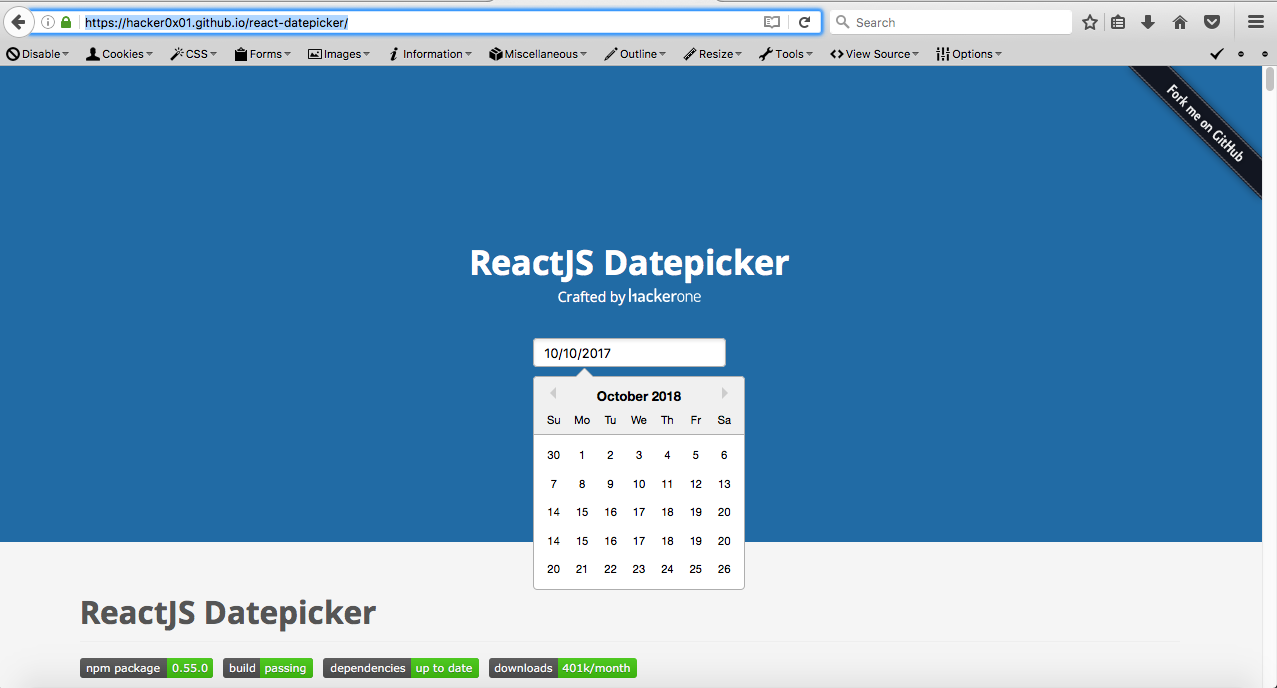
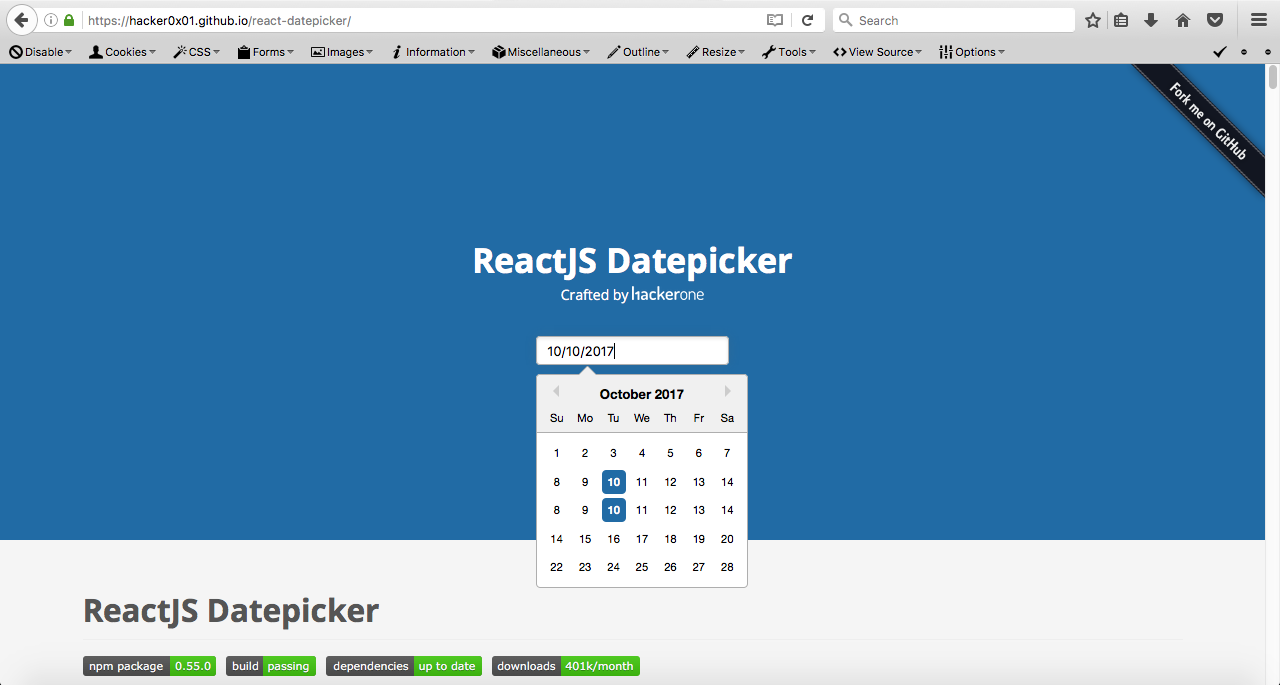
This only happens on firefox so far.
 kauehmoreno
All 8 comments
What version of Firefox are you using?
I just tried with Firefox 55.0.3, and it looks normal to me.
 aij
on 10 Oct 2017
aij
on 10 Oct 2017
I've just check my version, and it's a little bit old.. I'm using 46.0.1 . I will update and check it out
kauehmoreno
on 10 Oct 2017
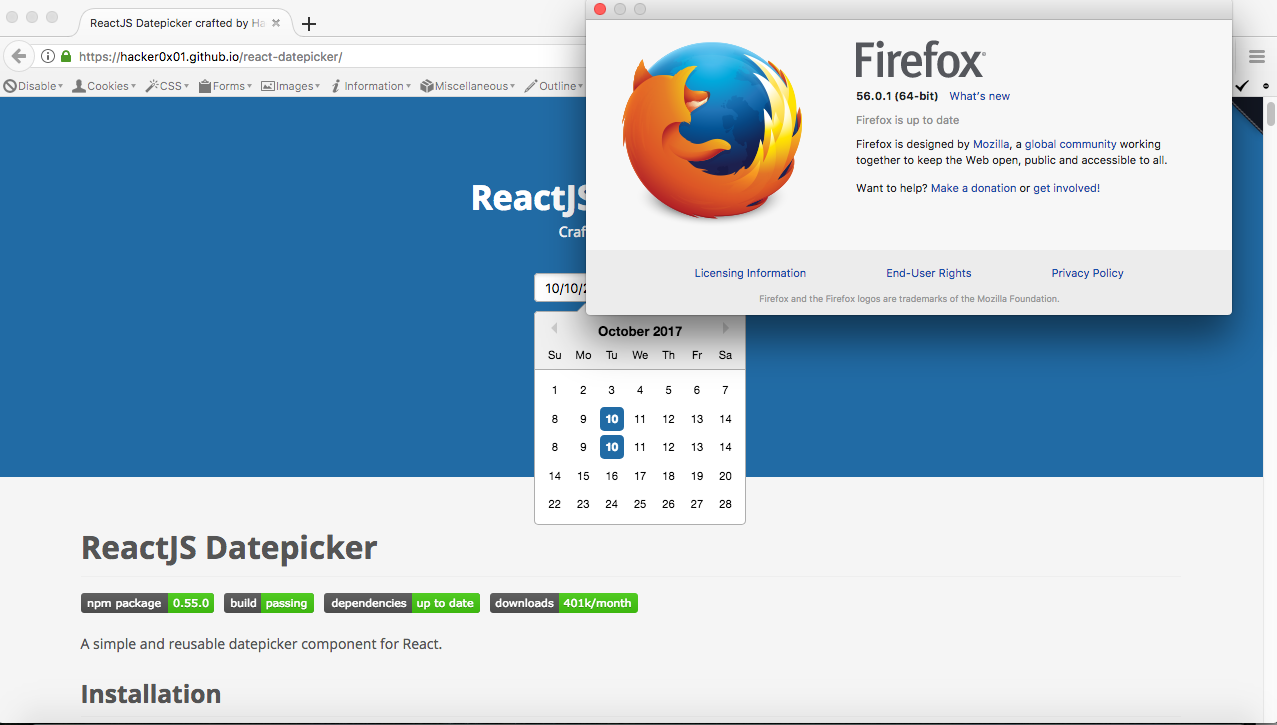
I've just updated to 56.0.1 and still happening to me
kauehmoreno
on 10 Oct 2017
Hi, i'm having this issue in Firefox as well. Using 56.0.1.
Worth mentioning that in October, in Brazil (GMT-3) we have daylight saving time beginning. Maybe it's a problem with moment.js.
 gabriel-card
on 10 Oct 2017
gabriel-card
on 10 Oct 2017
That seems like a good clue. In the screenshot the calendar is displaying duplicate rows for the week of 8-14, probably due to incorrect day arithmetic around DST.
 rafeememon
on 10 Oct 2017
rafeememon
on 10 Oct 2017
@gabriel-card Can you check whether #1066 fixes it for you?
aij
on 10 Oct 2017
@aij hi!
Just tested from master, didn't fix. Could it be moment.js's locale settings?
edit: just saw my code, i'm setting it globally to 'pt-br', so it should work just fine. This is mindbogging.
gabriel-card
on 11 Oct 2017
This issue has been automatically marked as stale because it has not had recent activity. It will be closed if no further activity occurs. Thank you for your contributions.
![stale[bot] picture](https://avatars3.githubusercontent.com/in/1724?v=4&s=40) stale[bot]
on 30 Aug 2019
stale[bot]
on 30 Aug 2019
Related issues
 sarav1234
·
3Comments
sarav1234
·
3Comments
 ericreis
·
3Comments
ericreis
·
3Comments
 pinturic
·
3Comments
pinturic
·
3Comments
 formigone
·
3Comments
formigone
·
3Comments
 ali-master
·
3Comments
ali-master
·
3Comments
Most helpful comment
Hi, i'm having this issue in Firefox as well. Using 56.0.1.
Worth mentioning that in October, in Brazil (GMT-3) we have daylight saving time beginning. Maybe it's a problem with moment.js.