Rawtherapee: Haze Removal causes clipping only for RAW (NO FIX)
hi there
can you add some switch to not affect hi-lights on dehaze?
please look on attached pics. it clipps hi-lights even on 0.
so even if in ACR we use clarity+dehaze on 100, it never clips.
it works much better but this little problem must be solved, can you do something with it?
best regards
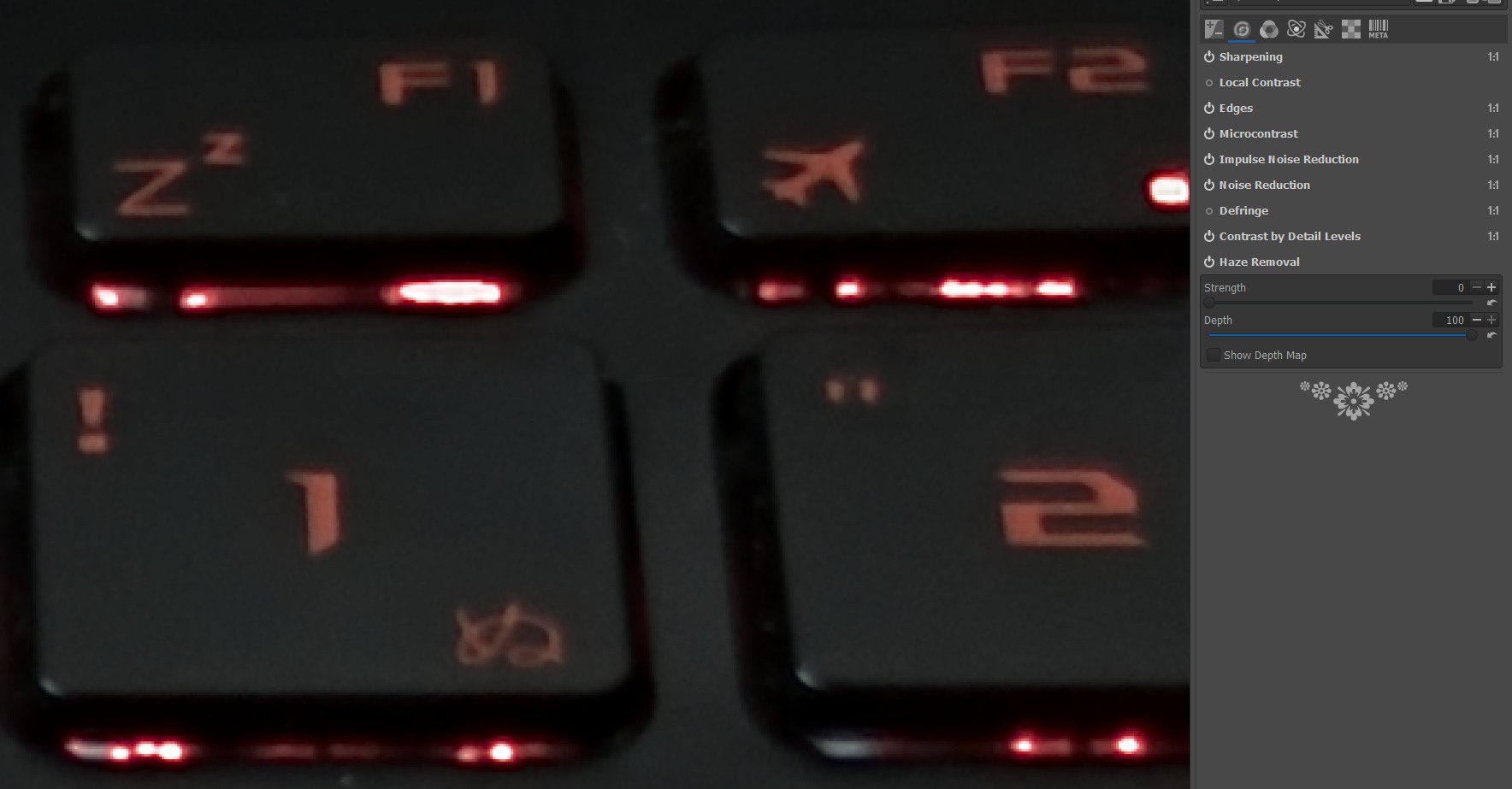
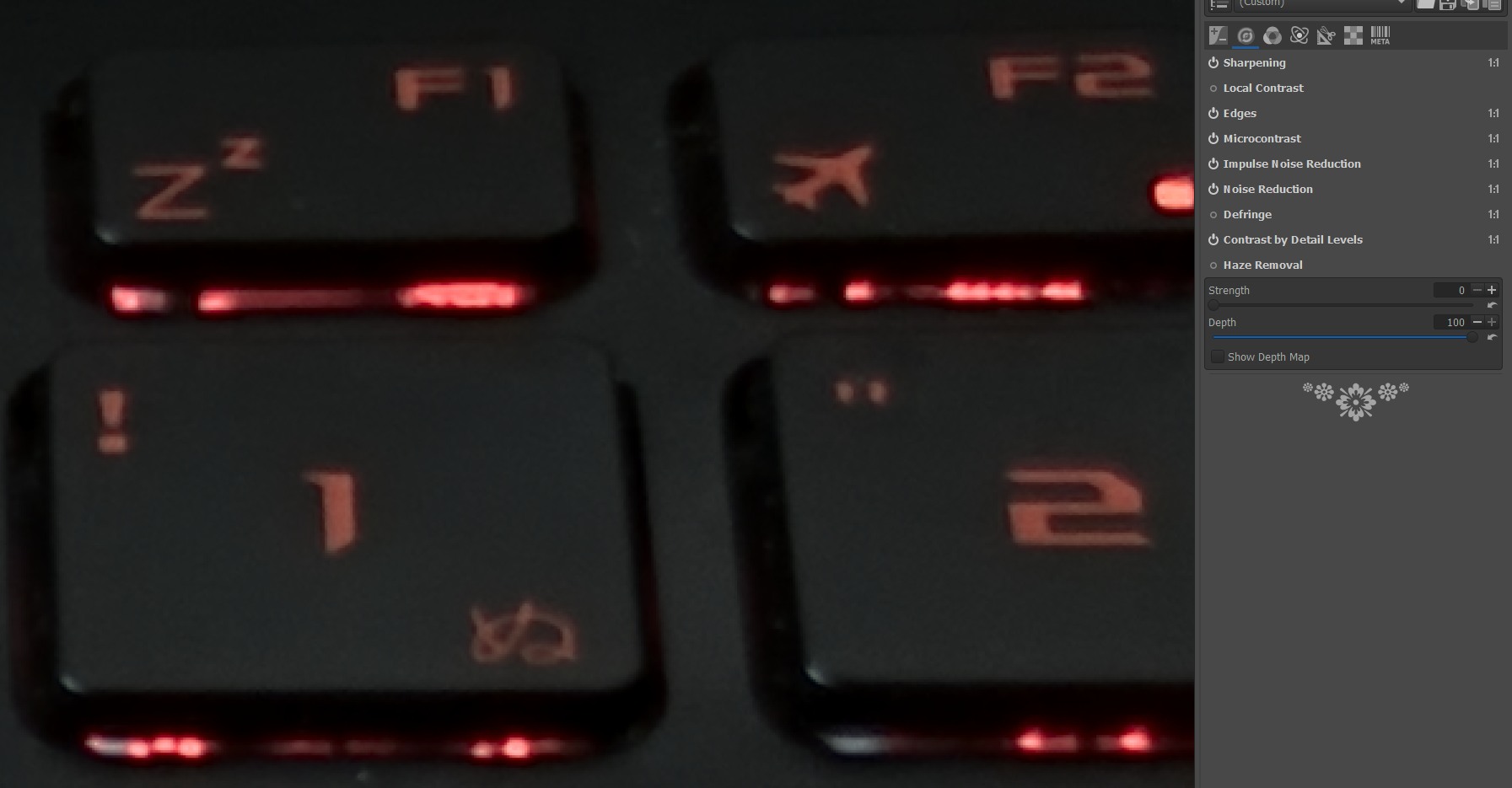
P,S
it seems that this does not always works the same, and only for RAW. for jpg it has a different effect for some reason... I thought that this problem is more global and constant, so Im sorry about it.
I turned off all the settings and found few that enhance the effect, but even without them it is here.
so I attach this particular raw and settings.
issue.zip
 sdfsssdf
All 6 comments
While this may be an actual issue, this is absolutely not the way a bug report should be written.
- The title is nondescriptive and unnecessarily demanding.
- You do not provide any of the required information (http://rawpedia.rawtherapee.com/How_to_write_useful_bug_reports).
- You use multiple tools at the same time, so there's no way to tell what is actually going on.
- You are not using the dehazing tool for its intended use, i.e. there is very likely no haze in a photo of a keyboard.
@sdfsssdf Please modify your issue to address all points.
 Thanatomanic
on 7 Apr 2019
Thanatomanic
on 7 Apr 2019
@Thanatomanic
- I'm not a pro debugger .. and I have no idea what the problem is and what I need for it to become "scriptive"
I found the problem and posted it .. further editing as it is convenient, for him comfort, always produce the author of the repository. - In one you are right, it seems that this does not always works the same, and only for RAW. for jpg it has a different effect for some reason... I thought that this problem is more global and constant, so Im sorry about it.
I turned off all the settings and found few that enhance the effect, but even without them it is here.
so I attach this particular raw and settings.
issue.zip
but
your 4th point, it looks inappropriate. I use what I consider necessary ok? This is my business and I will decide what and when to use. I did not come here to take advice on color correction, and not to argue about tastes.
- In one you are right, it seems that this does not always works the same, and only for RAW. for jpg it has a different effect for some reason... I thought that this problem is more global and constant, so Im sorry about it.
sdfsssdf
on 7 Apr 2019
@sdfsssdf
I use what I consider necessary ok? This is my business and I will decide what and when to use. I did not come here to take advice on color correction, and not to argue about tastes.
It's perfectly fine that you use what you consider necessary. It's our business to decide what to do in RawTherapee and when to do that.
 heckflosse
on 7 Apr 2019
heckflosse
on 7 Apr 2019
Haze Removal does not clip highlights in the sample photo. There is also no haze in the sample photo.
 Beep6581
on 8 Apr 2019
Beep6581
on 8 Apr 2019
Correction: Haze Removal causes clipping with strength=0 when the working space is small (sRGB, some in Adobe RGB).
Beep6581
on 8 Apr 2019
@Beep6581
Correction: Haze Removal causes clipping with strength=0 when the working space is small (sRGB, some in Adobe RGB).
it only for raw,please try my settings when i use same pic in jpg in same sRGB it not clips.
anyway can it be fixed or add addishional checkbox in this ?
best regards
sdfsssdf
on 8 Apr 2019
Related issues
heckflosse
·
4Comments
heckflosse
·
3Comments
 elecprog
·
5Comments
elecprog
·
5Comments
 JIPG2
·
3Comments
Beep6581
·
4Comments
JIPG2
·
3Comments
Beep6581
·
4Comments
Most helpful comment
While this may be an actual issue, this is absolutely not the way a bug report should be written.
@sdfsssdf Please modify your issue to address all points.