Python-language-server: Language Server seemingly stuck at analysis stage
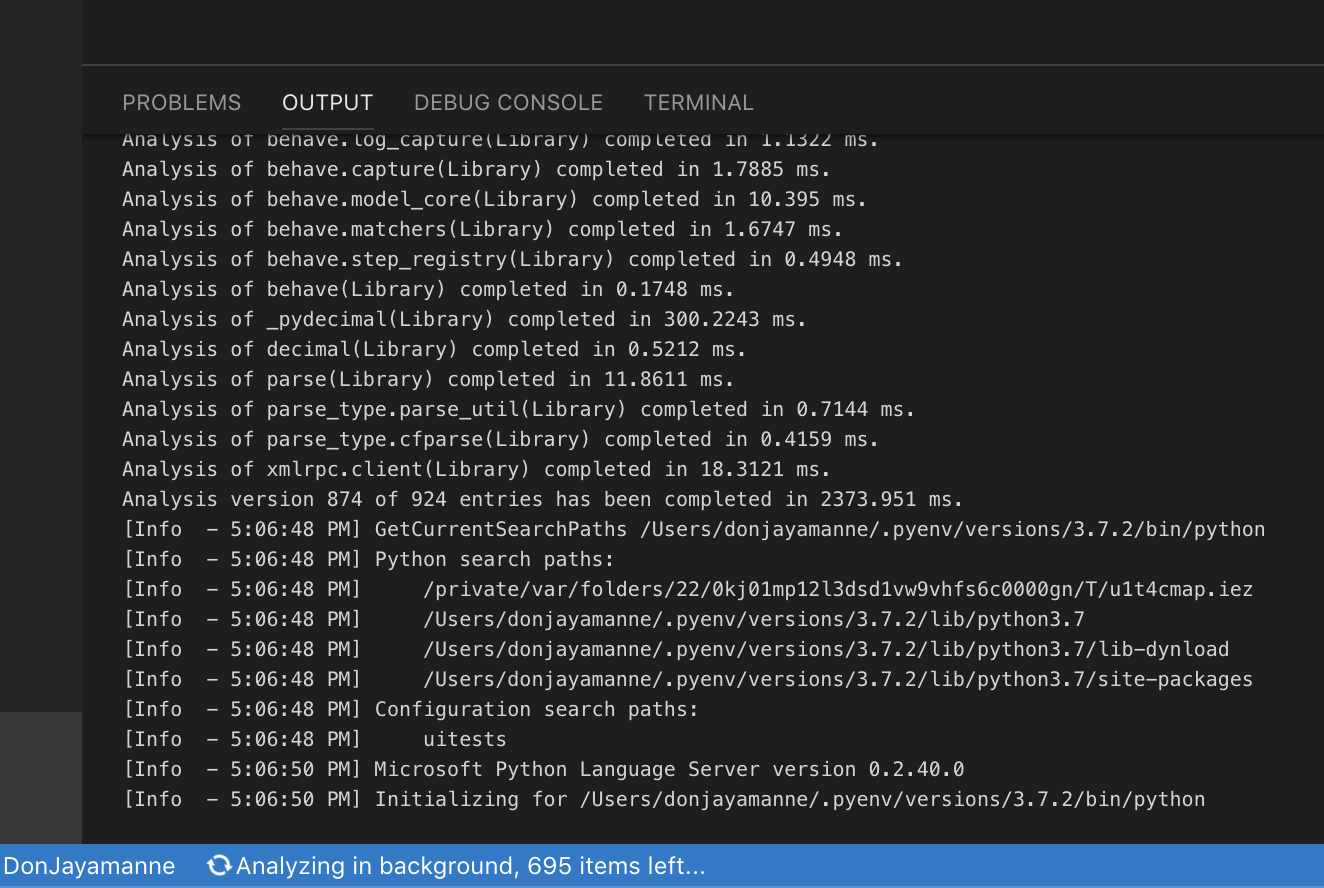
All 50 comments
I also have the same problem
 aniaan
on 3 Apr 2019
aniaan
on 3 Apr 2019
Ubuntu 18.04 languageServer.0.2.41 have same problem
two hours later ...:

 zhen8838
on 3 Apr 2019
zhen8838
on 3 Apr 2019
In at least my case it's not just seemingly stuck but it also takes up a lot of CPU.
 faassen
on 3 Apr 2019
faassen
on 3 Apr 2019
@DonJayamanne , what module is opened in your case?
 AlexanderSher
on 3 Apr 2019
AlexanderSher
on 3 Apr 2019
Sorry don't have that info anymore.
 DonJayamanne
on 3 Apr 2019
DonJayamanne
on 3 Apr 2019
Same here on Ubuntu 16.04.
If I open an empty project with system Python 2.7.12 it looks ok. Just typing some import lines (os or requests for example) it's also ok.
But as soon as I select a VirtualEnv with Python 3.6 and do the same, the Microsoft.Python.LanguageServer process seems to get stuck in an endless loop and uses 100% cpu.
I guess this started after upgrading to the latest version.
 marconfus
on 3 Apr 2019
marconfus
on 3 Apr 2019
I think I probably have reproducible steps:
- Create and activate a new Python 3.7.2 virtualenv (I used pyenv)
- Install packages as detailed in this requirements.txt file (
pip install -r requirements.txt) - Open vscode and select the interpreter created on step 1 above
- Create and save a new file with this one line:
import boto3
Sorry for a rather big requirements.txt file and for not being able to nail it down to a few packages at the moment. I'll update this issue if that changes.
If anyone could confirm those steps reproduce the issue, I'd be grateful.
Thanks!
 scorphus
on 3 Apr 2019
scorphus
on 3 Apr 2019
We have a repro for this (but thanks either way!); it's just idna. https://github.com/Microsoft/python-language-server/issues/832#issuecomment-479609316
 jakebailey
on 3 Apr 2019
jakebailey
on 3 Apr 2019
0.2.42 has been built and pushed to all of the channels (containing #873); it should fix the hangup introduced in 0.2.41.
jakebailey
on 3 Apr 2019
@jakebailey this has fixed the issue for me in Microsoft/vscode-python#5100. Thank you!
 blackrobot
on 3 Apr 2019
blackrobot
on 3 Apr 2019
How do we apply this fix? Thanks very much!
 andrew-weisman
on 4 Apr 2019
andrew-weisman
on 4 Apr 2019
Reload VS Code, and if that doesn't update it, you can delete the downloaded language server and have the extension download it again. See Microsoft/vscode-python#3977.
jakebailey
on 4 Apr 2019
@zhen8838 , @BeanNan , @marconfus - can you please check if the issue is fixed for you?
AlexanderSher
on 4 Apr 2019
Yes, Now analysis successful. The analysis speed is now much faster. but I don't know why something can't autocomplete:

I have to import tensorflow.python as tf

Anyway, I am still very grateful for your work. thanks so much.
zhen8838
on 4 Apr 2019
For me I'm still stuck at "Analyzing in the background, X items left..." where X is unchanging for a couple hours, but it appears that less CPU is being used. Thanks for the fix so far!
andrew-weisman
on 4 Apr 2019
@zhen8838 , this is probably #867
@andrew-weisman , can you enable full logging ("python.analysis.logLevel": "Trace"), copy full log before hanging and attach it to the bug as a file?
AlexanderSher
on 4 Apr 2019
I don't think that'd be #867; the new code should still bail when it sees the complicated comprehension that defines __all__ in tensorflow. I'll check tomorrow to be sure.
jakebailey
on 4 Apr 2019
Thanks for your efforts, now I working with python-language-server so good.
zhen8838
on 4 Apr 2019
@AlexanderSher @jakebailey Thanks for your efforts.
For me, after upgrade languageServer to 0.2.43, the analysis ends in about 5~7 minutes, but I got some problems like @zhen8838 https://github.com/Microsoft/python-language-server/issues/869#issuecomment-479729081 .
1 - Launch VS Code with shell command in iTerm2.
_1.1 - languageServer:_

Analysis stopped after 5 to 7 minutes, but CPU and RAM usage doesn't look good.






_1.2 - Intelligent Code Completion_
IntelliSense does not work properly,I try:
import tensorflow as tf
import pandas as pd
It seems that IntelliSense is not working for tensorflow, but working for pandas.

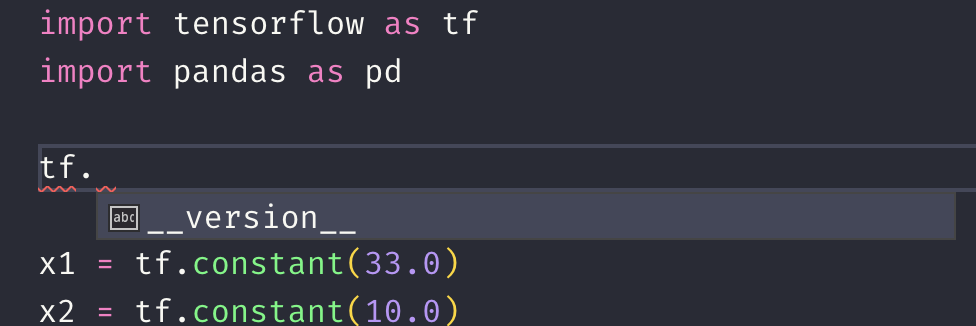
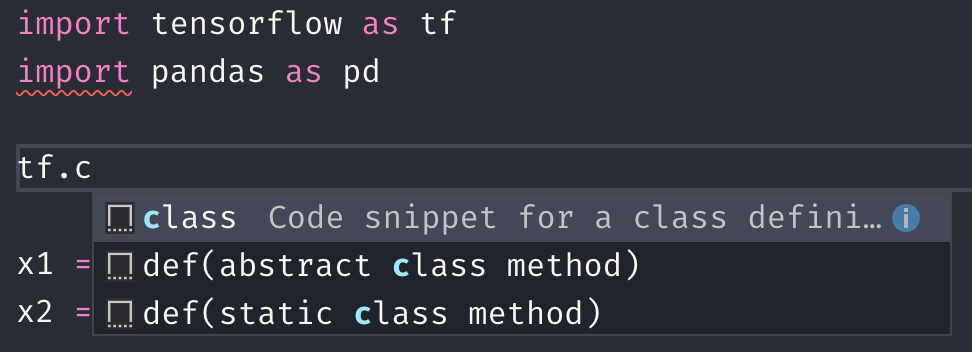
My python virtual environment is correct and the code works.

BUT parameter info for tf looks working :(
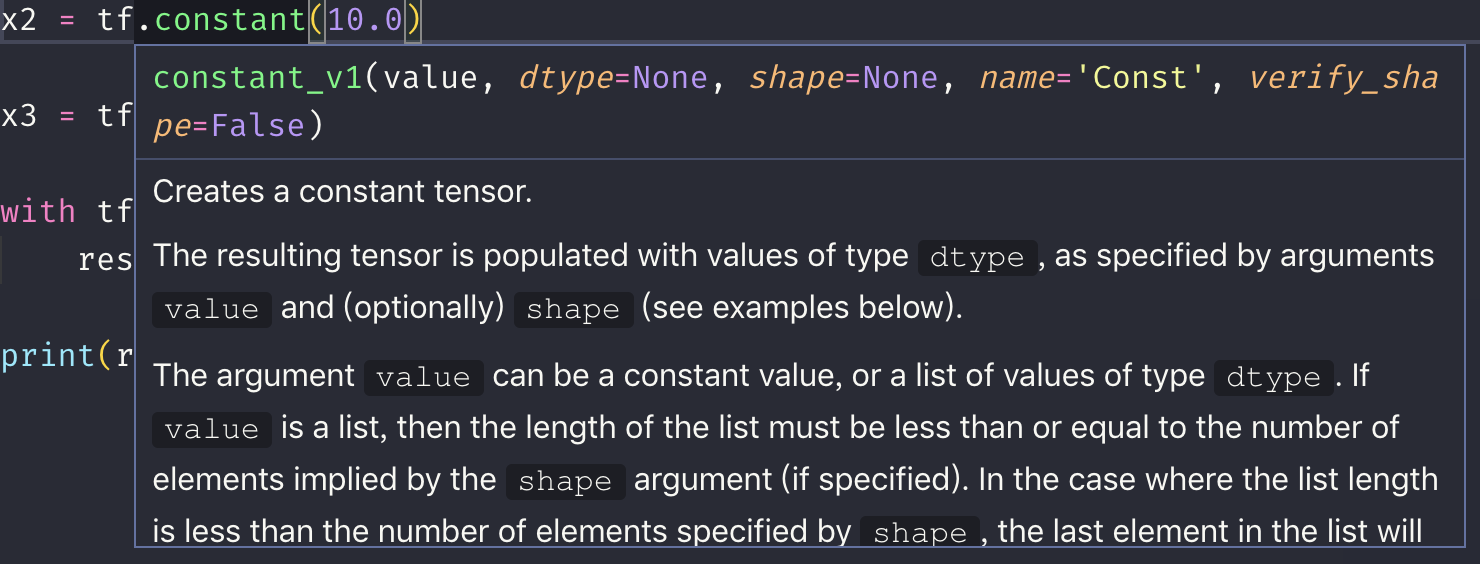
I don't know why, that's it.
2 - Launch VS Code.app directly.
It seems that code can't find the python virtual environment, and analysis seems not working.
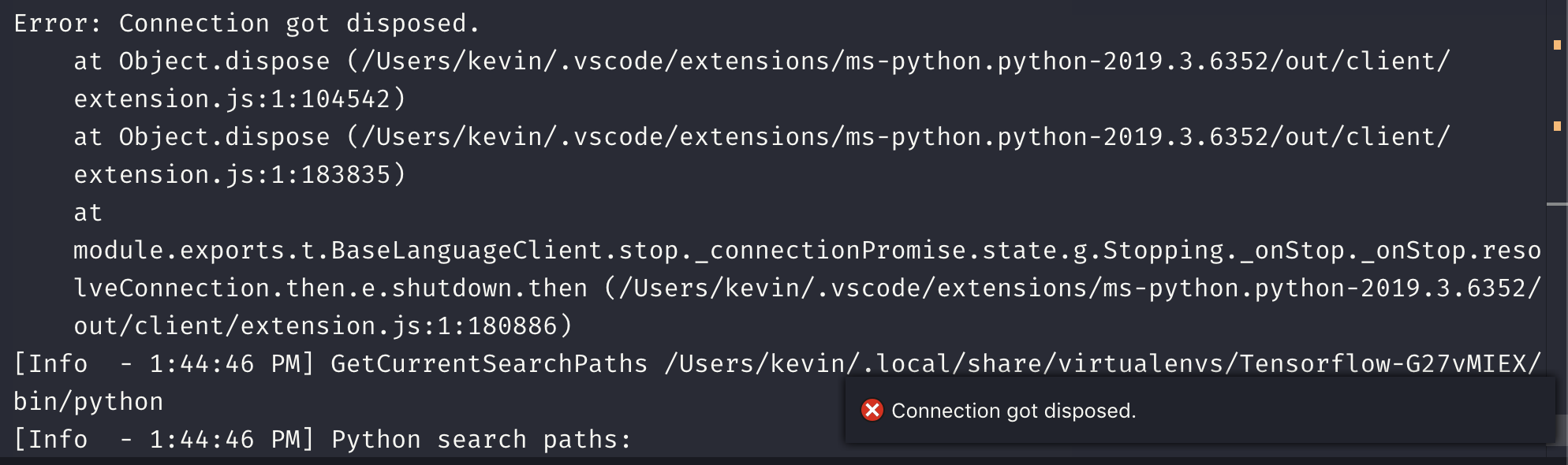
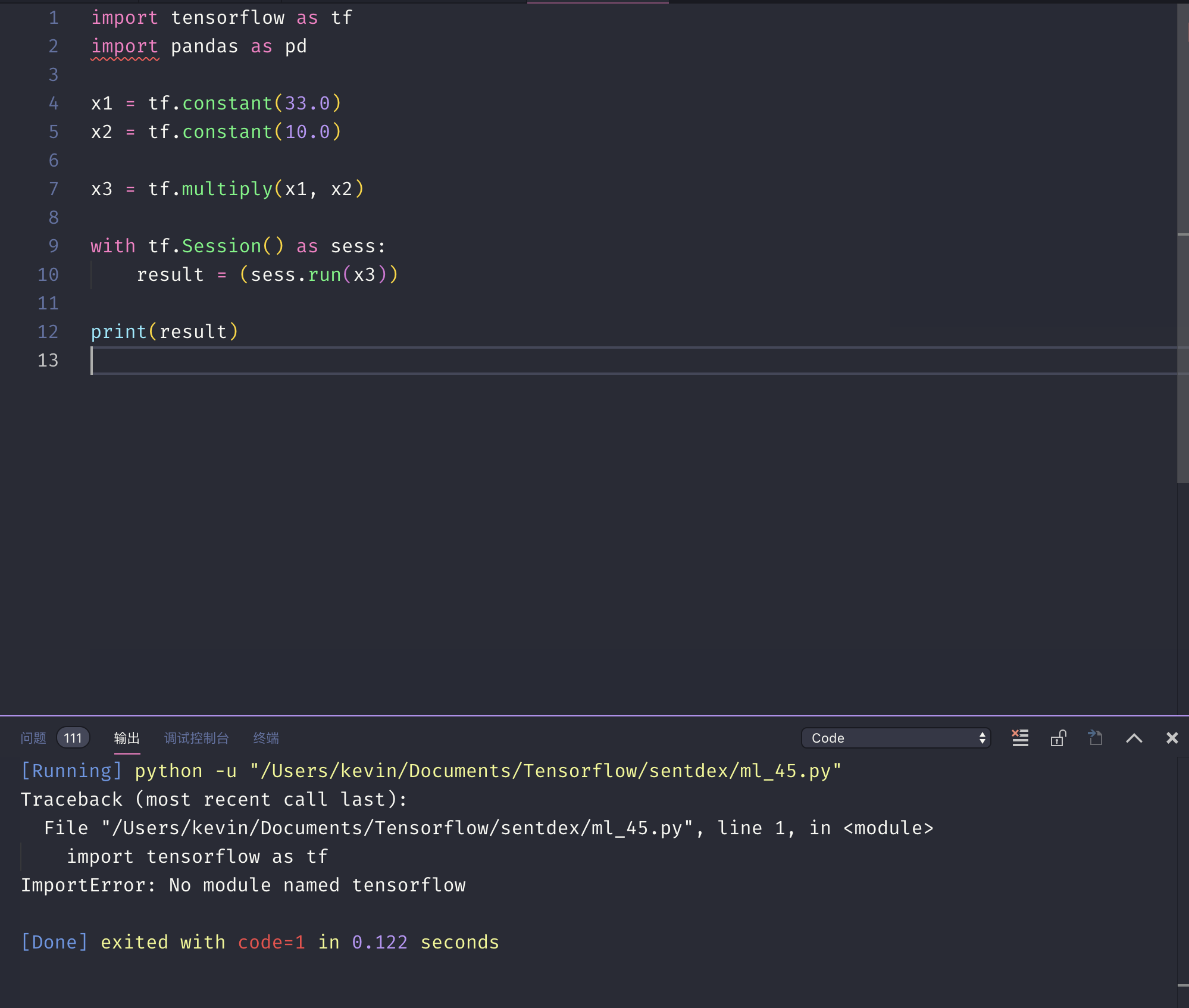
I tried debugging and the code worked fine.

 lonelygo
on 4 Apr 2019
lonelygo
on 4 Apr 2019
@zhen8838 , @BeanNan , @marconfus - can you please check if the issue is fixed for you?
Yes, the bug is gone now. Thanks!
marconfus
on 4 Apr 2019
@jakebailey:

AlexanderSher
on 4 Apr 2019
Dang, okay. I'll file a separate issue for that and look into it. The tensorflow __all__ should have been marked as unusable.
jakebailey
on 4 Apr 2019
Opened as #881 to keep this thread about the analysis getting stuck rather than unrelated issues.
jakebailey
on 4 Apr 2019
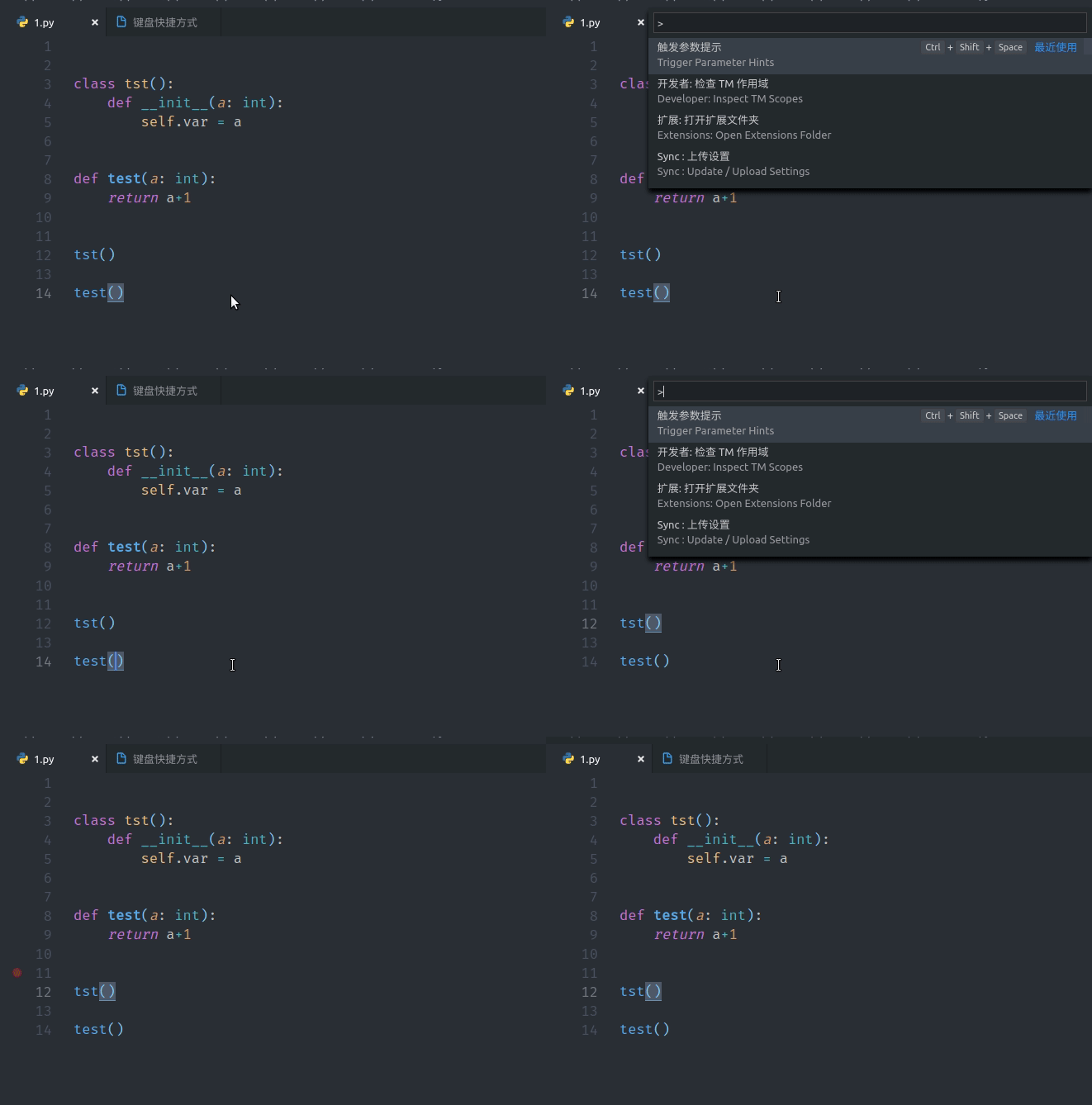
I don't know why it can't Intellisense Class init parameter :
zhen8838
on 5 Apr 2019
Just FYI it works for me now, i.e., the background analysis doesn't hang forever and finishes in about 30min or so, and the CPU usage is way down overall. Thanks for all your work!
andrew-weisman
on 5 Apr 2019
It still stays with hight CPU load even on small project like this Pyramid example project: https://github.com/Pylons/pyramid_blogr.
Just check it out and install it in a Python 3 virtualenv with pip install -e .
After that when ever i open one of the Python files, this process keeps working on 100% for ever: .vscode/extensions/ms-python.python-2019.3.6352/languageServer.0.2.43/Microsoft.Python.LanguageServer
I often work on bigger projects based on the CMS Plone, there VS Code is currently kind of useless.
 MrTango
on 5 Apr 2019
MrTango
on 5 Apr 2019
@zhen8838 please file a separate issue, as that's unrelated to the analysis getting stuck.
@MrTango The analyzer still needs to inspect dependencies; even if the project is small the imports still need to be inspected. We're still working on more ways to improve performance, so things should continue to improve.
jakebailey
on 5 Apr 2019
@jakebailey thx for the info. I'm aware of the fact that VS Code needs to analyse the libraries as Pyramid too, but that is the case for pretty much for every project. And Pyramid is not a big library not talking about frameworks like Django & co. Currently as much as i like VS Code in general, I must say for Python development it's not very much useful. Even the basic goto definition of Sumlime test works better and with the anaconda plugin the autocompletion just works. VS Code is heating the room for a long while and still eats up more than 10GB memory after a while. So i gues until the caching and performance issues are really solved, I'll switch back to sublime.
MrTango
on 8 Apr 2019
@MrTango
. So i gues until the caching and performance issues are really solved, I'll switch back to sublime.
You can still use VSCode with a work around, just change the following setting in your settings.json to turn off the language server and use Jedi:
"python.jediEnabled": true
Not really, if I do that, jedi is driving the CPU the same way and worse, the autocompletion is blocking even normal snippets. :(
MrTango
on 8 Apr 2019
@MrTango - yes, Jedi sometimes has CPU and RAM issues as well. Is your code uses just Pyramid or anything else as well? Is it Plain Python or Anaconda? What Python version is it?
 MikhailArkhipov
on 8 Apr 2019
MikhailArkhipov
on 8 Apr 2019
Hi, it's plain Python 3 in this case, the example project i was talking about has just a view dependencies https://github.com/Pylons/pyramid_blogr/blob/master/setup.py
But I'm developing a lot with bigger stack like the CMS Plone or the ERP Odoo.
The Pyramid project I'm currently working on is bit bigger than the example, but even the smal project is slow in VS Code that's what i wanted to show. It might be also simpler to figgure out why on that code base, than on bigger ones. I gues i really need to wait for the caching feature, you talked about for the future.
but thx a lot for your effort, I'll keep an eye on vs code ;)
MrTango
on 9 Apr 2019
Since original issues appear to be resolved, closing this one. Opened https://github.com/Microsoft/python-language-server/issues/936 on @MrTango case. Please open separate issues with specific configurations if you are still experiencing problems. Thanks.
MikhailArkhipov
on 11 Apr 2019
The original issue of hanging during "analyzing in background". Same symptoms as originally described, and I'm on server version 0.2.66.0. I think I've pin-pointed which package import is causing it, but unfortunately I can't reveal which one it is. It's a very small package though, so I'm surprised it's causing this problem.
I'm on MacOS Mojave with Pyenv Python 3.7.2.
 raaaaaymond
on 9 May 2019
raaaaaymond
on 9 May 2019
@raaaaaymond , can you try LS 0.2.74 from beta channel?
AlexanderSher
on 9 May 2019
using LS 0.2.74 and today i got it.
 dzpt
on 13 May 2019
dzpt
on 13 May 2019
@aaveidt, @raaaaaymond - when you say 'stuck' do you mean it is actually running (i.e. CPU consumption is visible) or CPU is 0 and it is just the stale message?
MikhailArkhipov
on 15 May 2019
TLDR: SOLVED for now. VSCode 1.34.0, languageServer 0.2.82.0.
@MikhailArkhipov I mean the CPU was running, but nothing happens for hours and hours.
Update @AlexanderSher I never tried languageServer 0.2.74 because I just switched to Jedi for a while (which has its own problems), but recently I upgraded to VSCode 1.34.0, with languageServer 0.2.82.0, and it's working fine for me for now.
raaaaaymond
on 23 May 2019
The issue is still here.
Any workarounds?

I don't understand why is there 2 processes running.
 petrosschilling
on 27 Jun 2019
petrosschilling
on 27 Jun 2019
This issue is old, and the langauge server has had many changes and a version bump since then. Your issue may be different.
Please follow the instructions at this section and file a new issue with logs and some more info, thanks: https://github.com/microsoft/python-language-server/blob/master/TROUBLESHOOTING.md#filing-an-issue
jakebailey
on 27 Jun 2019
This issue occured again. Language Server always stuck at analysis stage. Please check and provide possible solution as soon as possible.
Environment data
- VS Code version: 1.36.0 (Stable Channel)
- Extension version (ms-python.python): 2019.6.22090
- OS and version: Ubuntu 18.04 LTS
- Python version (& distribution if applicable, e.g. Anaconda): 2.7.15
- Type of virtual environment used (N/A | venv | virtualenv | conda | ...): virtualenv
@jakebailey @DonJayamanne @MikhailArkhipov
 kaushall
on 5 Jul 2019
kaushall
on 5 Jul 2019
See my previous comment; we need some code sample, list of requirements, etc, in order to reproduce this and figure out if something's wrong.
jakebailey
on 8 Jul 2019
@jakebailey As per your instruction I've created a new issue with details, Please help.
Here is the url: https://github.com/microsoft/python-language-server/issues/1291
kaushall
on 9 Jul 2019
Hey @kaushall a temporary solution for you:
uninstall IntelliCode and enable jedi on settings.json
"python.jediEnabled": true,
petrosschilling
on 9 Jul 2019
@petrosschilling Thanks, Yes I'm using jedi right now.
kaushall
on 9 Jul 2019
I confirm I'm having the same problem again immediately after updating to VSCode 1.36.0. I've posted on @kaushall thread #1291 with more details.
For the moment I can use Jedi but it doesn't work as well with VSCode as does the official Python extension.
raaaaaymond
on 9 Jul 2019
1.Run the Extenesions: Open Extensions Folder command
2.Quit VS Code
3.Delete the folder containing the Python extension (name should have a prefix of ms-python.python)
4.Reinstall Python Extension
This step is work for me!
 jingyulong
on 23 Aug 2019
jingyulong
on 23 Aug 2019
What worked for me :
- Change from virtualenv to default python 3 interpreter .
- Close and restart VSCODE
- Change back to virtualenv.
 nnay13
on 27 Aug 2019
nnay13
on 27 Aug 2019
I'm running into this with the remote extension. I'm using Remote SSH with the Python plugin installed on the remote instance. It's just constantly stuck at "Analyzing in background, 3888 items left..." and PyLint works super slowly which I think is related. It will keep underlining code that is already changed with stale messages.
 AlJohri
on 28 Aug 2019
AlJohri
on 28 Aug 2019
@AlJohri - please don't reuse closed issues. Per @jakebailey comment above open separate issue as each case is different and we need to track which change/PR relates to a particular problem. Thanks
MikhailArkhipov
on 28 Aug 2019
Related issues
 astrowonk
·
39Comments
astrowonk
·
39Comments
 JoeCodeswell
·
55Comments
DonJayamanne
·
29Comments
JoeCodeswell
·
55Comments
DonJayamanne
·
29Comments
 dmayo77
·
49Comments
dmayo77
·
49Comments
 busykoala
·
29Comments
busykoala
·
29Comments
Most helpful comment
0.2.42 has been built and pushed to all of the channels (containing #873); it should fix the hangup introduced in 0.2.41.