Pysimplegui: [ Enhancement Demo Program ] Wanted - A meter demo program
Type of Issues (Enhancement, Error, Bug, Question)
Demo Program
Operating System
Windows, Linux, Mac, Raspberry Pi (thus the 3.5 requirement)
Python version
3.5 +
PySimpleGUI Port and Version
PySimpleGUI-tk 4.18.0 and earlier, the earlier the better
Description
There are SO many demo programs that are on the list to do, and it's a slow process working through them. One every 2 or 3 weeks is about what's happening now.
One such demo is a "Meter" User Defined Element. In this demo it will be a Graph Element.
Features:
- Draw an arc to represent the meter. Even a short-arc is OK. Doesn't have to be almost a circle, but of course more options are good.
- Label the meter in some way
- Line implementation
- Line that is fixed to the bottom center of the meter
- Line fixed in the center
- Move in a life-like manner (the trickiest part)
Google has no shortage of examples
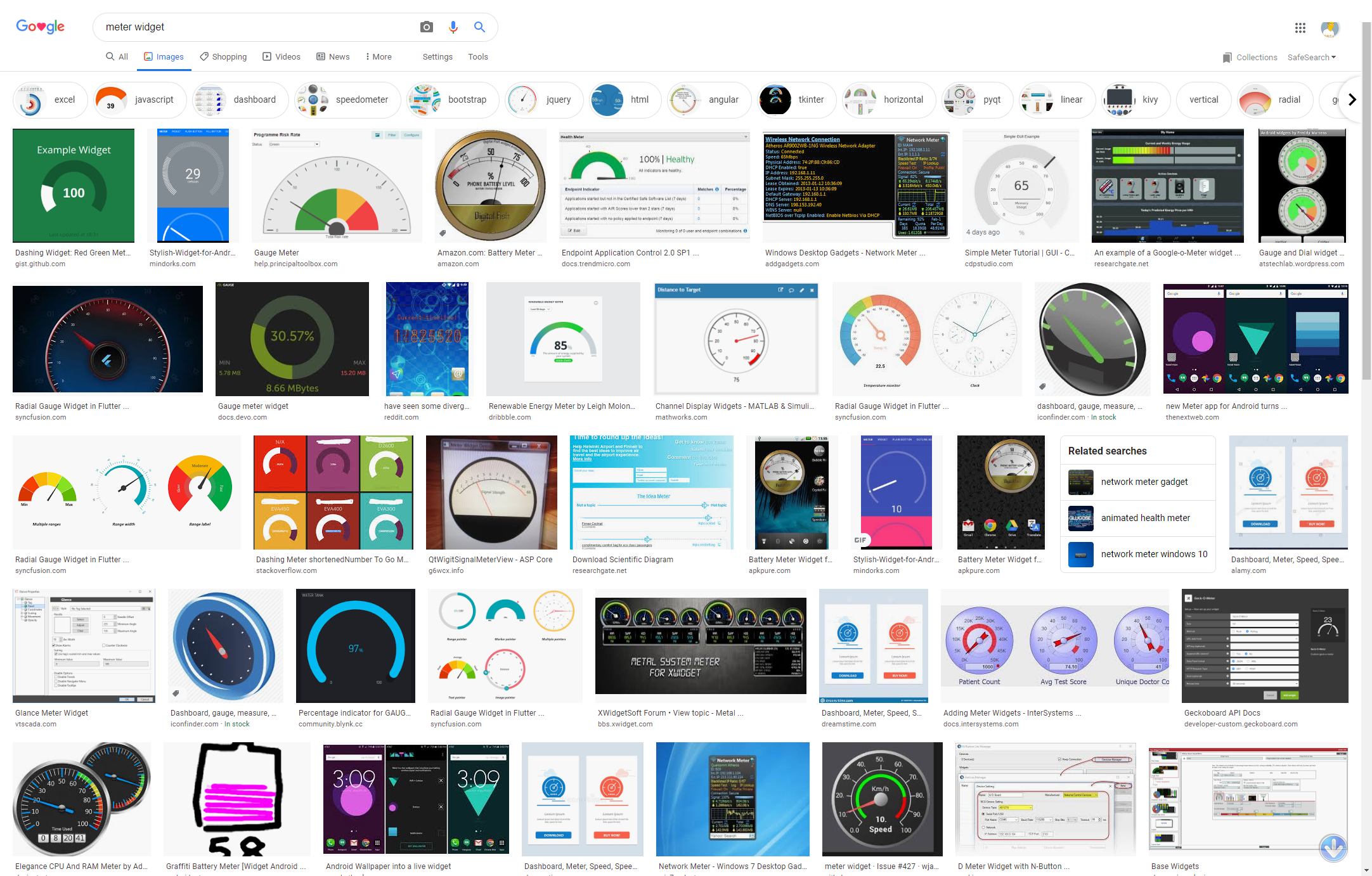
These were made with WxPython, but I'm NOT looking for a WxPython implementation. It's should be using PySimpleGUI the tkinter port, with a Graph element.

Needle Movement
It would be great for the needle to sweep from one location to another. Bonus points / extra credit if you somehow manage to get acceleration and/or bounce in there. But sweeping, not jumping is a must. Or perhaps make an option to have both, but sweeping in the minimum.
Delivery
It's a Demo Program. It's meant to help people add Meters to their code. It shouldn't require changes to PySimpleGUI and work on versions going as far back as possible.
The spirit of demo programs is they are there to give people a jump start. If someone is making a dashboard and it needs a meter, then your code will most certainly give them a big head-start on their project and I can promise you they'll be thankful for it.
 PySimpleGUI
All 15 comments
No test and no more comment !
import PySimpleGUI as sg
import math
import random
from time import sleep

def Map(func, sequence, *argc):
    """
    map function with extra argument, not for tuple
    """
    if isinstance(sequence, list):
        return list(map(lambda i:func(i, *argc), sequence))
    return func(sequence, *argc)

def add(number1, number2):
    """
    Add two number
    """
    return number1 + number1

def limit(number):
    """
    Limit angle in range 0 ~ 360
    """
    return number if 0<=number<=360 else 0 if number<low else 360

class Clock():
    """
    Draw background circle or arc
    All angles defined as clockwise from negative x-axis.
    """
    def __init__(self, center_x=0, center_y=0, radius=100, start_angle=0,
        stop_angle=360, fill_color='white', line_color='black', line_width=2):

        instance = Map(isinstance, [center_x, center_y, radius, start_angle,
            stop_angle, line_width], (int, float)) + Map(isinstance,
            [fill_color, line_color], str)
        if False in instance:
            raise ValueError
        start_angle, stop_angle = limit(start_angle), limit(stop_angle)
        self.all = [center_x, center_y, radius, start_angle, stop_angle,
            fill_color, line_color, line_width]
        self.figure = []
        self.new()

    def new(self):
        """
        Draw Arc or circle
        """
        x, y, r, start, stop, fill, line, width = self.all
        start, stop = (180-start, 180-stop) if stop<start else (180-stop, 180-start)
        if start == stop%360:
            self.figure.append(draw.DrawCircle((x, y), r, fill_color=fill,
                line_color=line, line_width=width))
        else:
            self.figure.append(draw.DrawArc((x-r, y+r), (x+r, y-r), stop-start,
                start, style='arc', arc_color=fill))

    def move(self, delta_x, delta_y):
        """
        Move circle or arc in clock by delta x, delta y
        """
        if False in Map(isinstance, [delta_x, delta_y], (int, float)):
            raise ValueError
        self.all[0] +=  delta_x
        self.all[1] +=  delta_y
        for figure in self.figure:
            draw.MoveFigure(figure, delta_x, delta_y)


class Tick():
    """
    Create tick on click for minor tick, also for major tick
    All angles defined as clockwise from negative x-axis.
    """
    def __init__(self, center_x=0, center_y=0, start_radius=90, stop_radius=100,
        start_angle=0, stop_angle=360, step=6, line_color='black', line_width=2):

        instance = Map(isinstance, [center_x, center_y, start_radius,
            stop_radius, start_angle, stop_angle, step, line_width],
            (int, float)) + [Map(isinstance, line_color, (list, str))]
        if False in instance:
            raise ValueError
        start_angle, stop_angle = limit(start_angle), limit(stop_angle)
        self.all = [center_x, center_y, start_radius, stop_radius,
            start_angle, stop_angle, step, line_color, line_width]
        self.figure = []
        self.new()

    def new(self):
        """
        Draw ticks on clock
        """
        (x, y, start_radius, stop_radius, start_angle, stop_angle, step,
            line_color, line_width) = self.all
        start_angle, stop_angle = (180-start_angle, 180-stop_angle
            ) if stop_angle<start_angle else (180-stop_angle, 180-start_angle)
        for i in range(start_angle, stop_angle+1, step):
            start_x = x + start_radius*math.cos(i/180*math.pi)
            start_y = y + start_radius*math.sin(i/180*math.pi)
            stop_x  = x +  stop_radius*math.cos(i/180*math.pi)
            stop_y  = y +  stop_radius*math.sin(i/180*math.pi)
            self.figure.append(draw.DrawLine((start_x, start_y),
                (stop_x, stop_y), color=line_color, width=line_width))

    def move(self, delta_x, delta_y):
        """
        Move ticks by delta x and delta y
        """
        if False in Map(isinstance, [delta_x, delta_y], (int, float)):
            raise ValueError
        self.all[0] += delta_x
        self.all[1] += delta_y
        for figure in self.figure:
            draw.MoveFigure(figure, delta_x, delta_y)

class Pointer():
    """
    Draw pointer of clock
    All angles defined as clockwise from negative x-axis.
    """
    def __init__(self, center_x=0, center_y=0, angle=0, inner_radius=20,
        outer_radius=80, outer_color='white', pointer_color='blue',
        origin_color='black', line_width=2):

        instance = Map(isinstance, [center_x, center_y, angle, inner_radius,
            outer_radius, line_width], (int, float)) + Map(isinstance,
            [outer_color, pointer_color, origin_color], str)
        if False in instance:
            raise ValueError

        self.all = [center_x, center_y, angle, inner_radius, outer_radius,
            outer_color, pointer_color, origin_color, line_width]
        self.figure = []
        self.new(degree=angle)

    def new(self, degree=0):
        """
        Draw new pointer by angle, erase old pointer if exist
        degree defined as clockwise from negative x-axis.
        """
        (center_x, center_y, angle, inner_radius, outer_radius,
            outer_color, pointer_color, origin_color, line_width) = self.all
        if self.figure != []:
            for figure in self.figure:
                draw.DeleteFigure(figure)
            self.figure = []
        d = degree - 90
        self.all[2] = degree
        dx1 = int(2*inner_radius*math.sin(d/180*math.pi))
        dy1 = int(2*inner_radius*math.cos(d/180*math.pi))
        dx2 = int(outer_radius*math.sin(d/180*math.pi))
        dy2 = int(outer_radius*math.cos(d/180*math.pi))
        self.figure.append(draw.DrawLine((center_x-dx1, center_y-dy1),
            (center_x+dx2, center_y+dy2),
            color=pointer_color, width=line_width))
        self.figure.append(draw.DrawCircle((center_x, center_y), inner_radius,
            fill_color=origin_color, line_color=outer_color, line_width=line_width))

    def move(self, delta_x, delta_y):
        """
        Move pointer with delta x and delta y
        """
        if False in Map(isinstance, [delta_x, delta_y], (int, float)):
            raise ValueError
        self.all[:2] = [self.all[0]+delta_x, self.all[1]+delta_y]
        for figure in self.figure:
            draw.MoveFigure(figure, delta_x, delta_y)

class Meter():
    """
    Create Meter
    All angles defined as count clockwise from negative x-axis.
    Should create instance of clock, pointer, minor tick and major tick first.
    """
    def __init__(self, center=(0, 0), clock=None, pointer=None,
            minor_tick=None, major_tick=None):
        self.center_x, self.center_y = self.center = center
        self.clock = clock
        self.minor_tick = minor_tick
        self.major_tick = major_tick
        self.pointer = pointer
        self.dx = self.dy = 1

    def move(self, delta_x, delta_y):
        """
        Move Meter to move all componenets in meter.
        """
        self.center_x, self.center_y =self.center = (
            self.center_x+delta_x, self.center_y+delta_y)
        if self.clock:
            self.clock.move(delta_x, delta_y)
        if self.minor_tick:
            self.minor_tick.move(delta_x, delta_y)
        if self.major_tick:
            self.major_tick.move(delta_x, delta_y)
        if self.pointer:
            self.pointer.move(delta_x, delta_y)

    def change(self, degree=0, step=1, delay=0.01):
        """
        Change position of meter
        """
        x, y = self.center_x, self.center_y
        if self.pointer:
            angle = self.pointer.all[2]
            step = step if degree >= angle else -step
            for d in range(angle, degree, step):
                self.pointer.new(degree=d)
                x += self.dx
                y += self.dy
                if abs(x)>220:
                    self.dx = -self.dx
                if abs(y)>140:
                    self.dy = -self.dy
                self.move(self.dx, self.dy)
                window.Refresh()
                sleep(delay)
            self.pointer.new(degree=degree)
            window.Refresh()

layout = [
    [sg.Button('Quit', size=(6, 1), font=('Courier New', 16), key='Quit',
        enable_events=True)],
    [sg.Graph((643, 483), (-321, -241), (321, 241), key='-Graph-')]]
window = sg.Window('Meter', layout=layout, finalize=True, no_titlebar=True)
draw = window.find_element('-Graph-')

start_angle = 45
stop_angle = 270
clock = Clock(start_angle=start_angle, stop_angle=stop_angle)
minor_tick = Tick(start_angle=start_angle, stop_angle=stop_angle, line_width=2)
major_tick = Tick(start_angle=start_angle, stop_angle=stop_angle, line_width=5,
    start_radius=80, step=30)
pointer = Pointer(angle=start_angle, inner_radius=10, outer_radius=75,
    pointer_color='white', line_width=5)
meter = Meter(clock=clock, minor_tick=minor_tick, major_tick=major_tick,
    pointer=pointer)

while True:

    event, values = window.read(timeout=10)

    if event == 'Quit':
        break

    degree = random.randint(start_angle, stop_angle)
    meter.change(degree)

window.close()
 jason990420
on 14 Apr 2020
jason990420
on 14 Apr 2020
Hey, thanks!
I should have made a note that I hired someone to do this work this past week. I'll pass this over to them and to see how it compares to what they've been developing. Perhaps I don't need to continue to fund that work. Thanks for the submission!
One thing I decided that I should not have put into the "Requirements" was the animation. With a function that simply moves the needle provided, then animation can be easily added on top of that. The more important thing was the meter and the ability to "set" the needle (quickly) to a particular position after everything else is drawn.
I'll be looking at this today for sure! Wow, you've come though again Jason! Your code is always innovative and I look forward to trying it out.
PySimpleGUI
on 14 Apr 2020
WOW
Just wow!
You've come through again, in a HUGE way. This is amazing! Thank you Jason. I'll hire you next time for sure. Let's talk offline :-) Can I reach you via email at your outlook address?
PySimpleGUI
on 14 Apr 2020

Here's what this bit of pure PySimpleGUI code does. It's incredible.... I don't know how you come through with these things Jason, but you do. From the Minesweeper to the Solitaire, you've written programs that I never dreamed possible.
PySimpleGUI
on 14 Apr 2020
Of course, You can contact with me by email.
Email: [email protected]
jason990420
on 14 Apr 2020
Hiya....
Can you remove the bounce part and perhaps make it so that the normal interface jumps. We can't have a sleep in the middle of the meter portion of the code.
The sweep action, etc, must be part of the user code that is called using the event loop's timeout as the thing that controls that sweep speed. Can't afford to do sleeps in the middle of the event looks.
I should have done a better job of specing the thing out before posting it.
PySimpleGUI
on 17 Apr 2020
How about it ?
Call meter.change() with stop_angle and step to initialize rotation parameters, then call meter.change() without any option to start in loop.
import PySimpleGUI as sg
import math
import random

def Map(func, sequence, *argc):
    """
    map function with extra argument, not for tuple
    """
    if isinstance(sequence, list):
        return list(map(lambda i:func(i, *argc), sequence))
    return func(sequence, *argc)

def add(number1, number2):
    """
    Add two number
    """
    return number1 + number1

def limit(number):
    """
    Limit angle in range 0 ~ 360
    """
    return number if 0<=number<=360 else 0 if number<low else 360

class Clock():
    """
    Draw background circle or arc
    All angles defined as clockwise from negative x-axis.
    """
    def __init__(self, center_x=0, center_y=0, radius=100, start_angle=0,
        stop_angle=360, fill_color='white', line_color='black', line_width=2):

        instance = Map(isinstance, [center_x, center_y, radius, start_angle,
            stop_angle, line_width], (int, float)) + Map(isinstance,
            [fill_color, line_color], str)
        if False in instance:
            raise ValueError
        start_angle, stop_angle = limit(start_angle), limit(stop_angle)
        self.all = [center_x, center_y, radius, start_angle, stop_angle,
            fill_color, line_color, line_width]
        self.figure = []
        self.new()

    def new(self):
        """
        Draw Arc or circle
        """
        x, y, r, start, stop, fill, line, width = self.all
        start, stop = (180-start, 180-stop) if stop<start else (180-stop, 180-start)
        if start == stop%360:
            self.figure.append(draw.DrawCircle((x, y), r, fill_color=fill,
                line_color=line, line_width=width))
        else:
            self.figure.append(draw.DrawArc((x-r, y+r), (x+r, y-r), stop-start,
                start, style='arc', arc_color=fill))

    def move(self, delta_x, delta_y):
        """
        Move circle or arc in clock by delta x, delta y
        """
        if False in Map(isinstance, [delta_x, delta_y], (int, float)):
            raise ValueError
        self.all[0] +=  delta_x
        self.all[1] +=  delta_y
        for figure in self.figure:
            draw.MoveFigure(figure, delta_x, delta_y)


class Tick():
    """
    Create tick on click for minor tick, also for major tick
    All angles defined as clockwise from negative x-axis.
    """
    def __init__(self, center_x=0, center_y=0, start_radius=90, stop_radius=100,
        start_angle=0, stop_angle=360, step=6, line_color='black', line_width=2):

        instance = Map(isinstance, [center_x, center_y, start_radius,
            stop_radius, start_angle, stop_angle, step, line_width],
            (int, float)) + [Map(isinstance, line_color, (list, str))]
        if False in instance:
            raise ValueError
        start_angle, stop_angle = limit(start_angle), limit(stop_angle)
        self.all = [center_x, center_y, start_radius, stop_radius,
            start_angle, stop_angle, step, line_color, line_width]
        self.figure = []
        self.new()

    def new(self):
        """
        Draw ticks on clock
        """
        (x, y, start_radius, stop_radius, start_angle, stop_angle, step,
            line_color, line_width) = self.all
        start_angle, stop_angle = (180-start_angle, 180-stop_angle
            ) if stop_angle<start_angle else (180-stop_angle, 180-start_angle)
        for i in range(start_angle, stop_angle+1, step):
            start_x = x + start_radius*math.cos(i/180*math.pi)
            start_y = y + start_radius*math.sin(i/180*math.pi)
            stop_x  = x +  stop_radius*math.cos(i/180*math.pi)
            stop_y  = y +  stop_radius*math.sin(i/180*math.pi)
            self.figure.append(draw.DrawLine((start_x, start_y),
                (stop_x, stop_y), color=line_color, width=line_width))

    def move(self, delta_x, delta_y):
        """
        Move ticks by delta x and delta y
        """
        if False in Map(isinstance, [delta_x, delta_y], (int, float)):
            raise ValueError
        self.all[0] += delta_x
        self.all[1] += delta_y
        for figure in self.figure:
            draw.MoveFigure(figure, delta_x, delta_y)

class Pointer():
    """
    Draw pointer of clock
    All angles defined as clockwise from negative x-axis.
    """
    def __init__(self, center_x=0, center_y=0, angle=0, inner_radius=20,
        outer_radius=80, outer_color='white', pointer_color='blue',
        origin_color='black', line_width=2):

        instance = Map(isinstance, [center_x, center_y, angle, inner_radius,
            outer_radius, line_width], (int, float)) + Map(isinstance,
            [outer_color, pointer_color, origin_color], str)
        if False in instance:
            raise ValueError

        self.all = [center_x, center_y, angle, inner_radius, outer_radius,
            outer_color, pointer_color, origin_color, line_width]
        self.figure = []
        self.stop_angle = angle
        self.new(degree=angle)

    def new(self, degree=0):
        """
        Draw new pointer by angle, erase old pointer if exist
        degree defined as clockwise from negative x-axis.
        """
        (center_x, center_y, angle, inner_radius, outer_radius,
            outer_color, pointer_color, origin_color, line_width) = self.all
        if self.figure != []:
            for figure in self.figure:
                draw.DeleteFigure(figure)
            self.figure = []
        d = degree - 90
        self.all[2] = degree
        dx1 = int(2*inner_radius*math.sin(d/180*math.pi))
        dy1 = int(2*inner_radius*math.cos(d/180*math.pi))
        dx2 = int(outer_radius*math.sin(d/180*math.pi))
        dy2 = int(outer_radius*math.cos(d/180*math.pi))
        self.figure.append(draw.DrawLine((center_x-dx1, center_y-dy1),
            (center_x+dx2, center_y+dy2),
            color=pointer_color, width=line_width))
        self.figure.append(draw.DrawCircle((center_x, center_y), inner_radius,
            fill_color=origin_color, line_color=outer_color, line_width=line_width))

    def move(self, delta_x, delta_y):
        """
        Move pointer with delta x and delta y
        """
        if False in Map(isinstance, [delta_x, delta_y], (int, float)):
            raise ValueError
        self.all[:2] = [self.all[0]+delta_x, self.all[1]+delta_y]
        for figure in self.figure:
            draw.MoveFigure(figure, delta_x, delta_y)

class Meter():
    """
    Create Meter
    All angles defined as count clockwise from negative x-axis.
    Should create instance of clock, pointer, minor tick and major tick first.
    """
    def __init__(self, center=(0, 0), clock=None, pointer=None, degree=0,
            minor_tick=None, major_tick=None):
        self.center_x, self.center_y = self.center = center
        self.degree = degree
        self.clock = clock
        self.minor_tick = minor_tick
        self.major_tick = major_tick
        self.pointer = pointer
        self.dx = self.dy = 1

    def move(self, delta_x, delta_y):
        """
        Move Meter to move all componenets in meter.
        """
        self.center_x, self.center_y =self.center = (
            self.center_x+delta_x, self.center_y+delta_y)
        if self.clock:
            self.clock.move(delta_x, delta_y)
        if self.minor_tick:
            self.minor_tick.move(delta_x, delta_y)
        if self.major_tick:
            self.major_tick.move(delta_x, delta_y)
        if self.pointer:
            self.pointer.move(delta_x, delta_y)

    def change(self, degree=None, step=1):
        """
        Rotation of pointer
        call it with degree and step to set initial options for rotation.
        Without any option to start rotation.
        """
        if self.pointer:
            if degree != None:
                self.pointer.stop_degree = degree
                self.pointer.step = step if self.pointer.all[2] < degree else -step
                return True
            now = self.pointer.all[2]
            step = self.pointer.step
            new_degree = now + step
            if ((step > 0 and new_degree < self.pointer.stop_degree) or
                (step < 0 and new_degree > self.pointer.stop_degree)):
                    self.pointer.new(degree=new_degree)
                    return False
            else:
                self.pointer.new(degree=self.pointer.stop_degree)
                return True


layout = [
    [sg.Button('Quit', size=(6, 1), font=('Courier New', 16), key='Quit',
        enable_events=True)],
    [sg.Graph((643, 483), (-321, -241), (321, 241), key='-Graph-')]]
window = sg.Window('Meter', layout=layout, finalize=True, no_titlebar=True)
draw = window.find_element('-Graph-')

clock = Clock(start_angle=0, stop_angle=180)
minor_tick = Tick(start_angle=0, stop_angle=180, line_width=2)
major_tick = Tick(start_angle=0, stop_angle=180, line_width=5, start_radius=80, step=30)
pointer = Pointer(angle=0, inner_radius=10, outer_radius=75, pointer_color='white', line_width=5)
meter = Meter(clock=clock, minor_tick=minor_tick, major_tick=major_tick, pointer=pointer)
new_angle = random.randint(0, 180)
print(new_angle)
meter.change(degree=new_angle)
while True:

    event, values = window.read(timeout=20)

    if event == 'Quit':
        break

    if meter.change():
        new_angle = random.randint(0, 180)
        print(new_angle)
        meter.change(degree=new_angle)

window.close()
YES!
I'm sorry to have been so brief in my request. I SO much appreciate you doing this. It's truly amazing. It will be put to great use!
PySimpleGUI
on 17 Apr 2020
Update file Meter
Not found more problem for PEP8 naming problem.
jason990420
on 6 May 2020
I got what you mean. You mean ther're lot of names named in Camelcase for PySimpleGUI. In my program, capture only the name in definition, so only Camelcase name found, All assignment of new names for PEP8 will not be found. I think it's not my fault, but sorry it get this problem shown again.
In my case, I cannot to check manual all the time when programming and this program is much easy and quick to find the answer. So Camelcase names used in my program, that's it.
jason990420
on 6 May 2020
Yes, the problem with your program finding the CamelCase names is my fault and it is why this issue was opened:
https://github.com/PySimpleGUI/PySimpleGUI/issues/2862
Where you can help however is to know and use the PEP8 bindings. All of the method names you see and call have a PEP8 equivalent. So while your reference program may tell you that Text.Get exists, then you write your code, you know that Text.get exists and should be what you use.
Window.Read also has of course Window.read, etc, etc.
FindElement is a completely different issue. You shouldn't find any mention of it anywhere in the official PySimpleGUI documentation nor demo programs anymore. It has been replaced with the "dictionary-style" lookups that use window[key] instead of 'window.FindElement(key)`.
For your own personal programs none of this matters of course. It's only in code that is going to be shown to others that it matters. I try to be really careful when I publish code, particularly code that may be seen by students. There are some users that have less than 1 month of Python experience that are attempting to use PySimpleGUI. Even a list comprehension is beyond their abilities. I forget this sometimes and use the shortest solution I can think of when I shouldn't because I will only confuse the user.
There are 2 PEP8 exceptions that happen in PySimpleGUI.
One is with functions that return elements. These are things like Submit, FileBrowse, etc. While these are functions, they are used by the user inside of layouts, as if they are elements. When I make "user defined elements" in my demo programs, I also name them with CamelCase because they are being placed inside of layouts.
The other is some member variables / properties. The variable Element.Widget should have been called Element.widget. I have continued to use CamelCase for most of the class variables in PySimpleGUI so that the code remains consistent. It's a tragic situation. If I do the right thing and call them by PEP8 names, then there will be a mixed mess of both types. There is also the problem of some variables, like Widget that are being used by user code so I cannot simply rename them all and start using PEP8 names everywhere. The same with all of the Popup functions. I have to keep the Popup function as well as popup because I don't want to break all of the old programs.
When PySimpleGUI is rewritten, then these non-PEP8 names can all be fixed, but it's going to be a little while 🙄 Until then, the best I can do is "set a good example" by only using the PEP8 bindings.
(sorry for the long answer.... I seem incapable of being brief)
PySimpleGUI
on 6 May 2020
In my case, I cannot to check manual all the time
Why not use the DocStrings through the IDE? I described how to do this in the new video series "PySimpleGUI 2020" on YouTube.
If you are using PyCharm, then pressing Control+Q will bring up the documentation for the element. With PyCharm you can also use Control+P to view the parameters and for those you don't even need docstrings for it to work. It works on all functions.
There is a bug in PyCharm where Control+Q doesn't work if you're using a shortened alias.
Here's what I mean using the Text Element.

You get the doc string information either as a side-bar or it will also do it as a popup window instead.
This way you never leave your editor to run your program. I assume VS Code has something identical.
PySimpleGUI
on 7 May 2020
Here is the Control+P version shown on a CBox element. This is an alias element so PyCharm's bug stops the ControlQ docstring from working. It doesn't show any docstring as a result. But, you can always get the ControlP parameters from any call in Python:

It doesn't tell you the definition of each parameter, but it does tell you the type of each.
PySimpleGUI
on 7 May 2020
Yes, IDE can provide something to help coding, but you must know which object/function/method to use. Just like what you question 'Is a "Cheat Sheet" possible?', I can quick review all items in short time to find which Element and which functions work and how work.
For PEP8, a suggestion here, maybe you can have all the definitions with PEP8 compatiable and assignments expressions for backward compatiable.
jason990420
on 7 May 2020
Ahhh.... you are right! There is no "Directory" tool that I'm aware of. I will check this in PyCharm to see if something provides that. Without it, you are correct, there's no way to know all of the methods you can call on an object. I guess I have them all memorized and the rest I use code completion for. I think it's code completion that is my tool of choice, but it's got too many choices many times.
Yes, changing definitions to PEP8 is the right answer. There is an Issue opened to do that.
I'm glad you've got a tool to help. The PEP8 "conversion" was done in a way that makes it possible to do them in your head. ThisVariableWillBe == this_variable_will_be. That is how I did them all. But as you suggest, will fix by changing all the definitions.
PySimpleGUI
on 7 May 2020
Related issues
 martinmeteor
·
4Comments
martinmeteor
·
4Comments
 ncotrb
·
4Comments
ncotrb
·
4Comments
 yogesh-aggarwal
·
3Comments
yogesh-aggarwal
·
3Comments
 scmanjarrez
·
5Comments
scmanjarrez
·
5Comments
 OndoyManing
·
4Comments
OndoyManing
·
4Comments