Pysimplegui: Need installer help
I followed the instructions on the PyPI site about packaging. I've done it before using PySimpleGUI.
What I did was package up the chess demo and released it as PySimpleGUI-chess
You can pip install it!
It will install it in your site packages however. Do people know, somehow, to go to a path like this:
C:\Python\Anaconda3\Lib\site-packages\PySimpleGUI-chess
to get to their installed program?
I got lucky and all of the image files as included. It ran successfully out of that folder. It's just weird that people will go to that location.
I see these requirements.txt files in GitHub folders, but don't understand how they work. They don't seem to play any role in the process I just went through.
 MikeTheWatchGuy
All 52 comments
The requirements.txt (Can be named anything) is for pip installing all packages in that list. So if users are doing it manually, it saves them time from manually doing it, and makes sure all the right versions are installed that are needed.
pip3 install -r requirements.txt
Will install everything in that file :)
Reference: https://pip.pypa.io/en/stable/reference/pip_freeze/
 eagleEggs
on 13 Oct 2018
eagleEggs
on 13 Oct 2018
The process for users is:
Download the zip file or use desktop github to get the project files...
open command prompt, go to that folder
Then run pip install
?
How can people more easily find when pip installs everything? The site packages folder is almost impossible to find. On Linux the .local file is hidden for example. It's a terrible thing. I would like for people to be able to pip install to their own folder.
MikeTheWatchGuy
on 13 Oct 2018
Well it also depends on a few things including if they've added pip (%pythondir%/scripts) to their environment variable. If they try to run pip and it's not an environment variable, it won't find pip and error out - Unless they CD into the right DIR. You could build a package to automate that though. Keeping things in sitepackages at least stays within python norms.
eagleEggs
on 13 Oct 2018
It's AWESOME that people can type
pip pysimplegui-chess
and get the entire folder with .py file, png files etc....
And yet that folder is buried, nearly impossible to get
There HAS to be a better way... there's no way to tell pip to install elsewhere?
MikeTheWatchGuy
on 13 Oct 2018
I just found that
pip show package
will show you where it's installed... that's a start..
MikeTheWatchGuy
on 13 Oct 2018
Why do you want to install elsewhere? People who know python sitepackages might get confused or not like that it's installed elsewhere? Just bouncing this idea around
eagleEggs
on 13 Oct 2018
I'm think install in a subdir of the current dir. Like, "right where I am", so I don't have to search.
I found that pip show will tell you the location of the package.
MikeTheWatchGuy
on 13 Oct 2018
I'm think install in a subdir of the current dir. Like, "right where I am", so I don't have to search.
On the pro side, using pip, you can set the requirements that the PySimpleGUI package (and all other required packages) is automatically downloaded, if not installed.
But personally, I would not expect or want pip to install anything outside the python path dirs. At least for security reasons.
For this case, I would most likely look for a zip-file release on the corresponding GitHub-repository with all files and the requierements.txt (+ README.md).
Pip packages are "static" and nothing you usually fiddle around with, as things get nasty if you update them.
 MPoppinga
on 14 Oct 2018
MPoppinga
on 14 Oct 2018
I view pip as the "Installer" for Python. It magically works, gets all the stuff you need. It'll even download an exe best I can tell since that's what howdoi installs.
It works great for packages. I would like it or something like it to work for applications. I don't want sample, downloaded applications to go into my site packages. And let's say I'm not a GitHub user. Pip is perfect at delivering the files for someone like that. I don't see installing in a path of your choice any worse security risk than downloading a GitHub folder to a path of your choice.
MikeTheWatchGuy
on 14 Oct 2018
It kind of breaks the norms... but sometimes a hero comes from the midst and finds a better way :)
Also check this out, just realized that adding a requirements.txt fills out this dependency tree which is kind of cool: https://github.com/eagleEggs/topanga/network/dependencies
eagleEggs
on 14 Oct 2018
And sometimes pioneers are the ones to get arrows in their back.
If you're running windows, I sure would appreciate it if you could try to install the pysimplegui-howdoi program and tell me if it works. I've not gotten any verification that it works. It would be great to be able to post something about it on Reddit... because this IS a life-changing tool for programmers. But if it's not installed people will never know about it.
MikeTheWatchGuy
on 14 Oct 2018
I got it!!
I figured out how to LAUNCH the program that was pip installed.
This will work, for example, on the HowDoI installation.
After you do:
pip install PySimpleGUI-HowDoI
run this:
python -m PySimpleGUI-HowDoI.PySimpleGUI-HowDoI
_Please_ give this a try... I am dying to see if someone can also run this cool tool... and I think this may be the way to make it widely available. Maybe I should use a lot less UpperAndLowerCasedCharacters together ?
MikeTheWatchGuy
on 15 Oct 2018
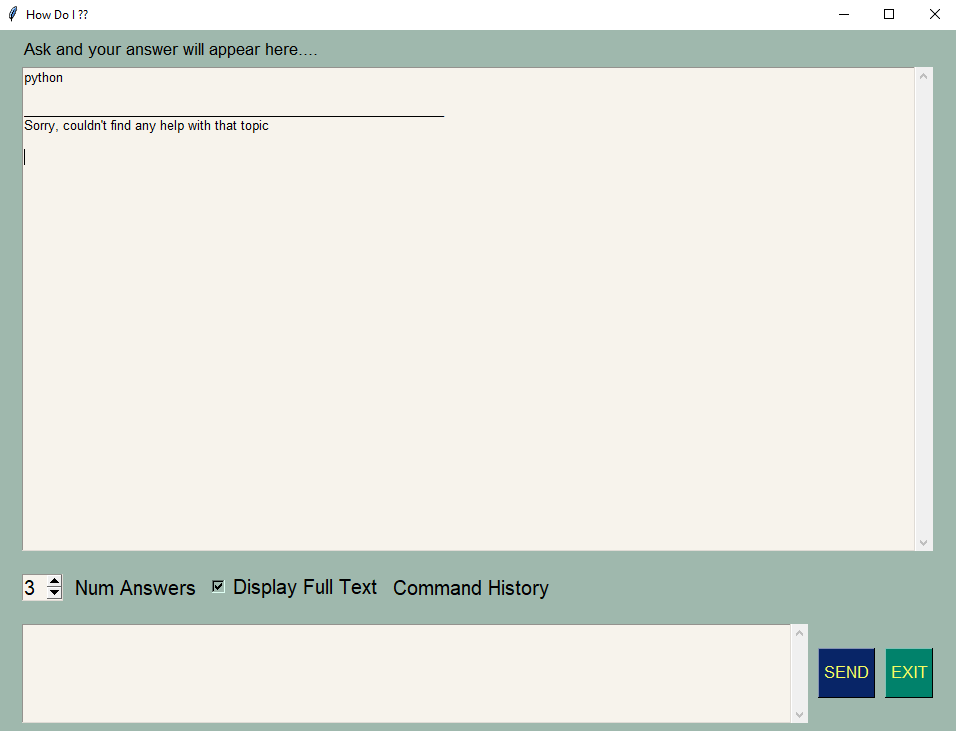
I just did the pip install, but when running it there is always the 'can't find anything' result. I'm not looking into see what the issue is yet as to mimic a regular user installing it.
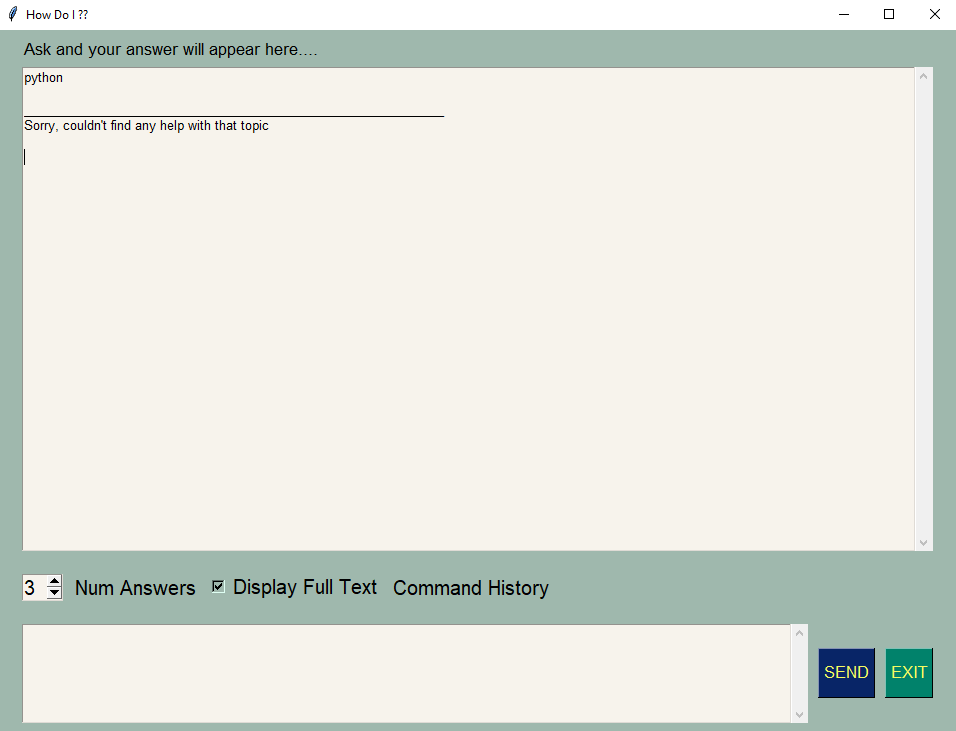
But wow - the howdoi code is nice. Know what the license is? Some neat methods in parsing and general structure.
eagleEggs
on 15 Oct 2018
give me a few minutes
MikeTheWatchGuy
on 15 Oct 2018
If you install version 1.1.1, then this should work after the pip install
python -m PySimpleGUI-HowDoI.pysimplegui-howdoi
I've been trying and trying to remove all of the upper case stuff... I managed to get the last part all lower case, but I think I have to remove entire project from PyPI to get the first part all lower case. After you test I'll try again
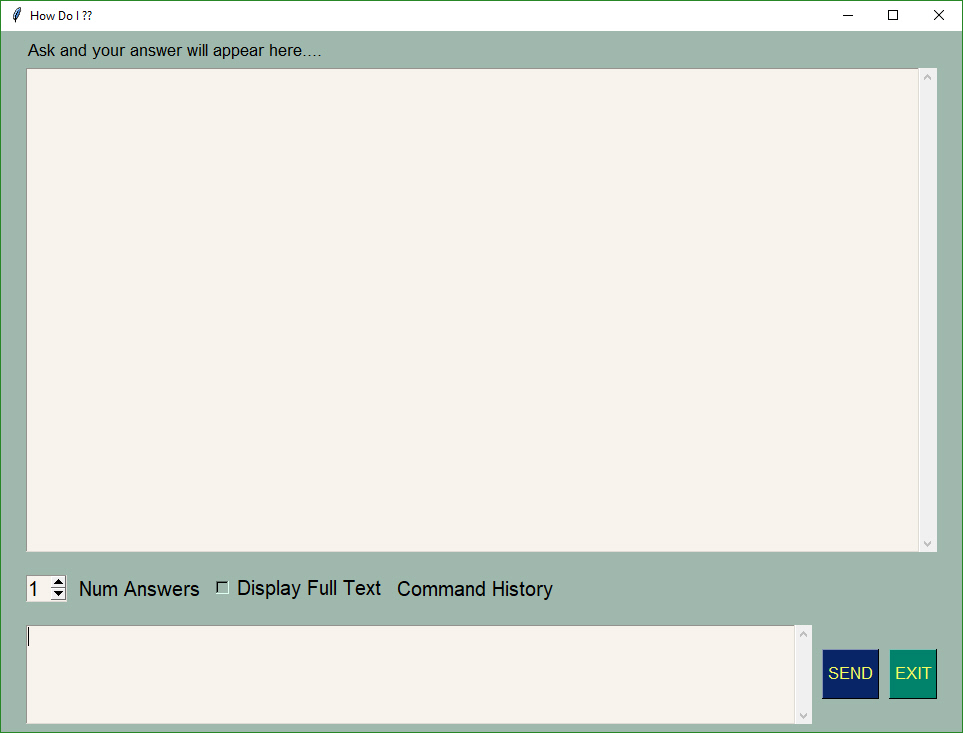
Your window should look like this:
MikeTheWatchGuy
on 15 Oct 2018
Howdoi 1.1.1? Why is it tied to a much older version?
eagleEggs
on 15 Oct 2018
The 1.1.1 is the version of
pysimplegui-howdoi
That is NOT the version of PySimpleGUI.
did you pip install pysimplegui-howdoi ?
Don't try to get clever and install old versions of pysimplegui thinking that's what the 1.1.1 belongs to. Just do the install of pysimplegui-howdoi
Then try the python -m command I gave you. If that doesn't work, then navigate to your python packages and find the FOLDER NAME for the install of pysimpelgui-howodi. You need to make the upper and lower case of that when typing in the python -m command
MikeTheWatchGuy
on 15 Oct 2018
if this all works, then I'll attempt to remove the pypi install so that the upper and lower case issues go away entirely
MikeTheWatchGuy
on 15 Oct 2018
Hmmm still getting same result with 1.1.1, may need to add some error catching to see what's going on.
eagleEggs
on 15 Oct 2018
what does "getting same result" mean. Can you copy and paste what you see?
MikeTheWatchGuy
on 15 Oct 2018
Same screenshot I sent earlier
eagleEggs
on 15 Oct 2018
oh, wait!
I didn't see the screenshots
MikeTheWatchGuy
on 15 Oct 2018
I'm adding some catches to see what's messing it up
eagleEggs
on 15 Oct 2018
you need to make sure "hoiwdoi" is installed correctly
MikeTheWatchGuy
on 15 Oct 2018
type
python -m howdoi.howdoi
You should see this:
c:\python\pycharmprojects>python -m howdoi.howdoi
usage: howdoi.py [-h] [-p POS] [-a] [-l] [-c] [-n NUM_ANSWERS] [-C] [-v]
                 [QUERY [QUERY ...]]

instant coding answers via the command line

positional arguments:
  QUERY                 the question to answer

optional arguments:
  -h, --help            show this help message and exit
  -p POS, --pos POS     select answer in specified position (default: 1)
  -a, --all             display the full text of the answer
  -l, --link            display only the answer link
  -c, --color           enable colorized output
  -n NUM_ANSWERS, --num-answers NUM_ANSWERS
                        number of answers to return
  -C, --clear-cache     clear the cache
  -v, --version         displays the current version of howdoi
It works from HDI CLI
eagleEggs
on 15 Oct 2018
So you saw the results I posted when you typed that exact string?
I don't know what "It works from HDI CLI" means
MikeTheWatchGuy
on 15 Oct 2018
Running HowDoI from command line (No PSG):
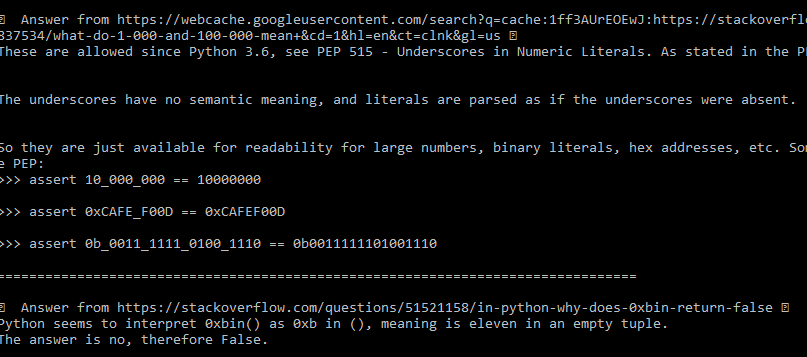
Running PSG-HowDoI (In PSG GUI):
eagleEggs
on 15 Oct 2018
I'm going to keep asking the same question.....
What happens when you type
python -m howdoi.howdoi
MikeTheWatchGuy
on 15 Oct 2018
I don't need to know that you figured out how to use the howdoi command line version... I need to know what happens when you invoke that exact string
MikeTheWatchGuy
on 15 Oct 2018
That's kind of what I was referring to, when I type that it opens HowDoI, which works.
eagleEggs
on 15 Oct 2018
you sent me screen shots NOT of what I asked you to type
MikeTheWatchGuy
on 15 Oct 2018
That is what opens when I run that command:
python -m howdoi.howdoi
It opens HowDoI and I submitted a query which worked.
eagleEggs
on 15 Oct 2018
ok, thank you
MikeTheWatchGuy
on 15 Oct 2018
There's a problem in the popen ... it's not launching the query correctly for some reason.
MikeTheWatchGuy
on 15 Oct 2018
I'm not sure how to debug this further. If the command line is working and my gui is launching. There's nothing else left to hook up.
MikeTheWatchGuy
on 15 Oct 2018
it's like there's a permission problem of executing the python call to execute python -m howdoi.howdoi
MikeTheWatchGuy
on 15 Oct 2018
Hmm ok it works.... No explanation :D But it's pretty cool
eagleEggs
on 15 Oct 2018
whoa, wait... it WORKS? With MY Code??
MikeTheWatchGuy
on 15 Oct 2018
as in.. the whole thing works??
MikeTheWatchGuy
on 15 Oct 2018
Dude, welcome to the 22nd century of coding!
This is the most amazing tool I've encountered. It's like a magic-8-ball of coding. Ask a question and it'll answer with the right answer 70% of the time
MikeTheWatchGuy
on 15 Oct 2018
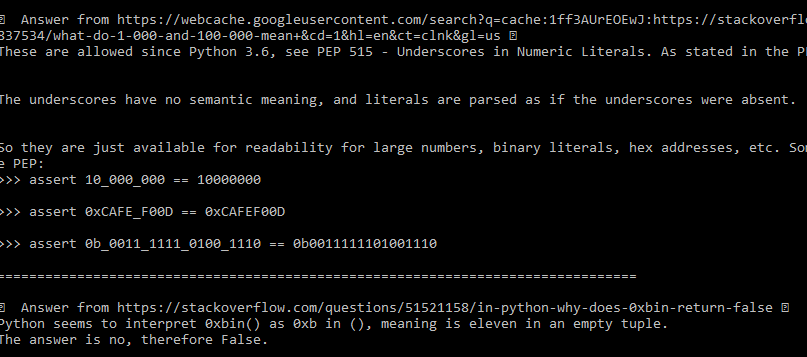
Yes. Very cool. I will be testing it. Off the bat there are these assert lines that kind of get in the way just FYI in the results:
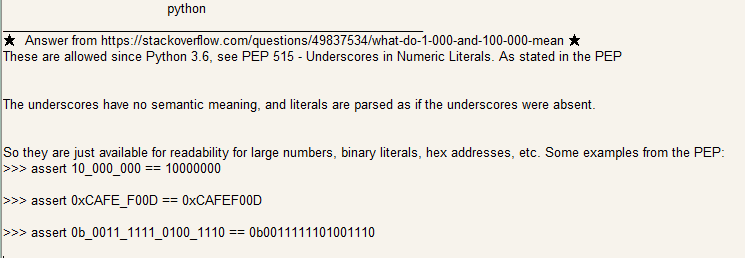
LOL nevermind I think those are from the results...
eagleEggs
on 15 Oct 2018
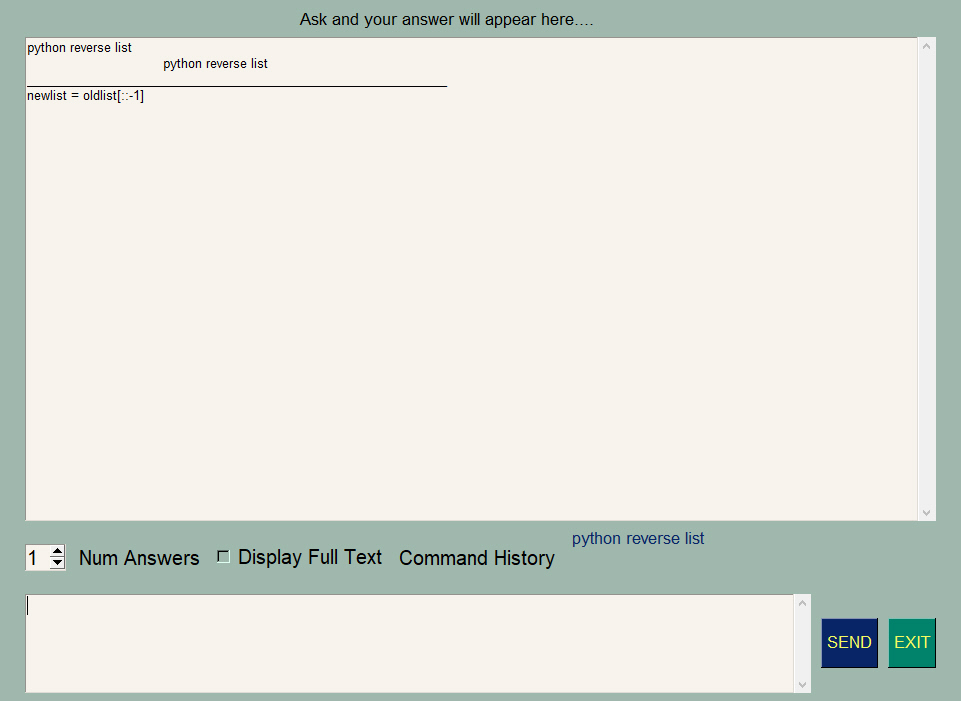
I've never seen the assert... and I don't get so much text... are you asking for more than 1 answer?
MikeTheWatchGuy
on 15 Oct 2018
Cool this will be my go to for searches and I'll let you know how it goes
eagleEggs
on 15 Oct 2018
Try this one request... should be short and sweet
MikeTheWatchGuy
on 15 Oct 2018
Yes all good. The asserts were from an actual result.... lol. Threw me off
eagleEggs
on 15 Oct 2018
If I could reach through the screen and give you a good smack I would ;-)
MikeTheWatchGuy
on 15 Oct 2018
I'm glad you took the time and worked through this.... I'm being honest when I say it'll change your coding life
Rarely do I need to GO to stack overflow... it comes to me by way of howdoi
I use it for C# stuff too.
MikeTheWatchGuy
on 15 Oct 2018
ok, I'll remove it all from pypi and start over again so that it'll all be lower case
Have fun!
MikeTheWatchGuy
on 15 Oct 2018
@eagleEggs do you happen to know the "magic" thing that happened that caused you to do from unable to get any output to it fully working?
MikeTheWatchGuy
on 15 Oct 2018
Sure, I was being a doof and typed it in the wrong window!
eagleEggs
on 15 Oct 2018
you too!! Oh! Then I must change that user interface! Don't feel too bad you're not the only one! Damn, I thought everyone would understand where to type.
MikeTheWatchGuy
on 16 Oct 2018
Related issues
MikeTheWatchGuy
·
5Comments
 mozesa
·
4Comments
mozesa
·
4Comments
 ncotrb
·
4Comments
ncotrb
·
4Comments
 OPMUSER
·
5Comments
OPMUSER
·
5Comments
 OndoyManing
·
4Comments
OndoyManing
·
4Comments
Most helpful comment
Cool this will be my go to for searches and I'll let you know how it goes