Pwa-studio: Could not find a schema at lastCachedGraphQLSchema.json
I run the "yarn run build" command and I faced that given below issue. Please help me out. Thanks:-
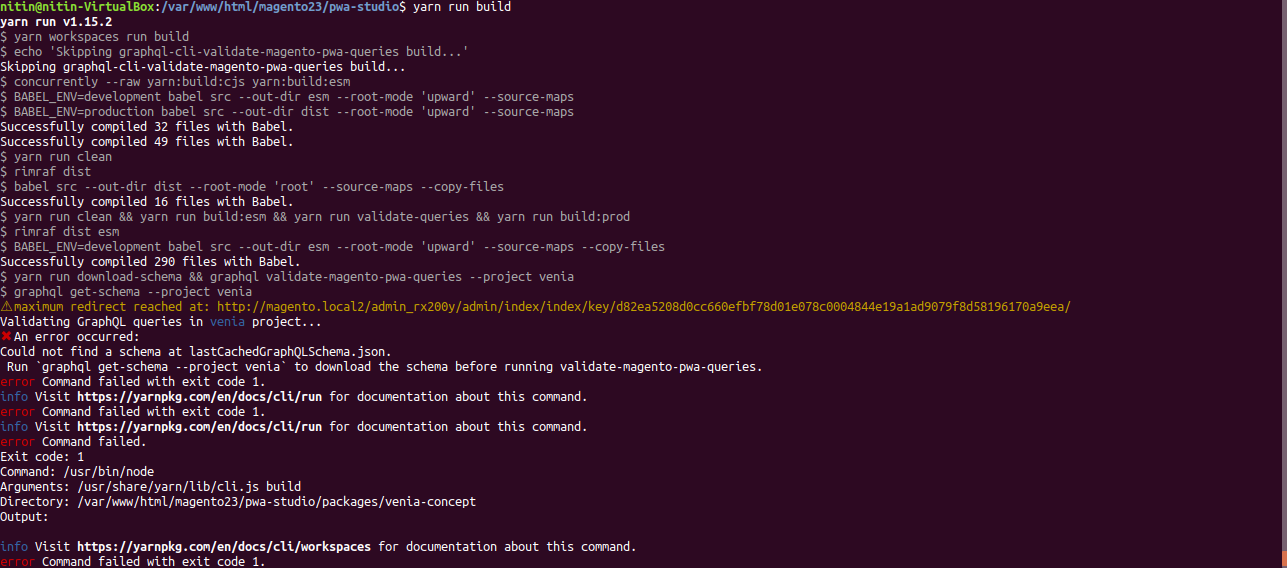
:/var/www/html/magento23/pwa-studio$ yarn run build
yarn run v1.15.2
$ yarn workspaces run build
$ echo 'Skipping graphql-cli-validate-magento-pwa-queries build...'
Skipping graphql-cli-validate-magento-pwa-queries build...
$ concurrently --raw yarn:build:cjs yarn:build:esm
$ BABEL_ENV=development babel src --out-dir esm --root-mode 'upward' --source-maps
$ BABEL_ENV=production babel src --out-dir dist --root-mode 'upward' --source-maps
Successfully compiled 32 files with Babel.
Successfully compiled 49 files with Babel.
$ yarn run clean
$ rimraf dist
$ babel src --out-dir dist --root-mode 'root' --source-maps --copy-files
Successfully compiled 16 files with Babel.
$ yarn run clean && yarn run build:esm && yarn run validate-queries && yarn run build:prod
$ rimraf dist esm
$ BABEL_ENV=development babel src --out-dir esm --root-mode 'upward' --source-maps --copy-files
Successfully compiled 290 files with Babel.
$ yarn run download-schema && graphql validate-magento-pwa-queries --project venia
$ graphql get-schema --project venia
⚠ maximum redirect reached at: http://magento.local2/admin_rx200y/admin/index/index/key/d82ea5208d0cc660efbf78d01e078c0004844e19a1ad9079f8d58196170a9eea/
Validating GraphQL queries in venia project...
✖ An error occurred:
Could not find a schema at lastCachedGraphQLSchema.json.
 Run 'graphql get-schema --project venia' to download the schema before running validate-magento-pwa-queries.
error Command failed with exit code 1.
info Visit https://yarnpkg.com/en/docs/cli/run for documentation about this command.
error Command failed with exit code 1.
info Visit https://yarnpkg.com/en/docs/cli/run for documentation about this command.
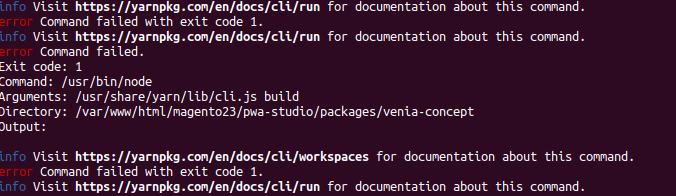
error Command failed.
Exit code: 1
Command: /usr/bin/node
Arguments: /usr/share/yarn/lib/cli.js build
Directory: /var/www/html/magento23/pwa-studio/packages/venia-concept
Output:

info Visit https://yarnpkg.com/en/docs/cli/workspaces for documentation about this command.
error Command failed with exit code 1.
info Visit https://yarnpkg.com/en/docs/cli/run for documentation about this command.`
Screenshots
Please complete the following device information:
- Ubuntu - 18.04
- Magento Version - 2.3
- Yarn v 1.15.2
- NPM version
npm -v- 6.7 - Node Version
node -v- 11.12
- NPM version
 nitinlitmus7
All 32 comments
@nitinlitmus7 what is your MAGENTO_BACKEND_URL? The most recent release, and develop branch, will only work on Magento 2.3.1.
 sirugh
on 22 Mar 2019
sirugh
on 22 Mar 2019
@sirugh thanks for reply, i installed the magento2.3 in ubuntu system locally and i gave my MAGENTO_BACKEND_URL is http://magento.local2/admin_rx200y and please explain which branch i need to develop to run this, Thanks
nitinlitmus7
on 23 Mar 2019
@nitinlitmus7 The latest develop or release/2.1 branches will only work with Magento 2.3.1. If your Magento backend is 2.3.0 you will need to run the 2.0 tag of this project. Install the v2.0.0 version and try to run it again.
git checkout v2.0.0 should do the trick.
Let me know if that works.
sirugh
on 25 Mar 2019
@sirugh thanks for reply, i figured out that issue on morning and it is running fine. Just i changed MAGENTO_BACKEND_URL - magento admin url to magento site url.
Thanks
nitinlitmus7
on 25 Mar 2019
@nitinlitmus7 if you have other issues please open a new issue. Also, I think other folks would really appreciate if you could post _how_ you fixed your issue. Can you add that here?
sirugh
on 25 Mar 2019
Oh I see, you're saying that you were using the admin url for your MAGENTO_BACKEND_URL instead of your site url. Cool. Closing this issue.
sirugh
on 25 Mar 2019
@sirugh ok,
I installed Magento 2.3.0 with PWA Studio 2.1 and PWA studio 2.1 is not compatible with Magento 2.3.0, so i downloaded PWA Studio 2.0. Run yarn run build command and it is working fine. The main issue was PWA and Magento incompatible.
Thanks
nitinlitmus7
on 25 Mar 2019
Just chiming in for posterity here, but as part of yarn build PWA Studio issues a GraphQL introspection query to the endpoint specified in MAGENTO_BACKEND_URL and saves the resulting schema in lastCachedGraphQLSchema.json.
The steps are:
- Download the schema and save it as
lastCachedGraphQLSchema.json - Validate the queries against that schema
A lot of the discussion so far on this issue is around PWA / Magento compatibility, and those issues certainly do come up as part of Step 2 - that's the explicit intended purpose of the validate-queries build step.
But the issue described here looks more like the process failed on Step 1. The MAGENTO_BACKEND_URL in .env is definitely the place to start, and I'm glad that solved your problem 👍
 supernova-at
on 25 Mar 2019
supernova-at
on 25 Mar 2019
I should also note that we don't have much control over Step 1 but we do have an open PR into graphql-cli to fix up their error reporting when something goes wrong.
Once the PR is merged on their end we can output some better error messages when this issue occurs.
supernova-at
on 25 Mar 2019
@supernova-at thanks for reply, issue was resolved, it was a PWA Studio version issue.
Thanks
nitinlitmus7
on 25 Mar 2019
MAGENTO_BACKEND_URL-magento admin urltomagento site url.
@nitinlitmus7 , have you done any change apart from this ? I did same but no luck. Please do needful.
 siddhrock
on 10 Apr 2019
siddhrock
on 10 Apr 2019
I installed Magento 2.3.0 with PWA Studio 2.1 and PWA studio 2.1 is not compatible with Magento 2.3.0, so i downloaded PWA Studio 2.0. Run
yarn run buildcommand and it is working fine. The main issue was PWA and Magento incompatible.
Thanks
@siddhrock exactly what error you are facing. Please give the error detail. Thanks
nitinlitmus7
on 10 Apr 2019
@nitinlitmus7
I am using Magento2.3.1 with PWA 2.1.0
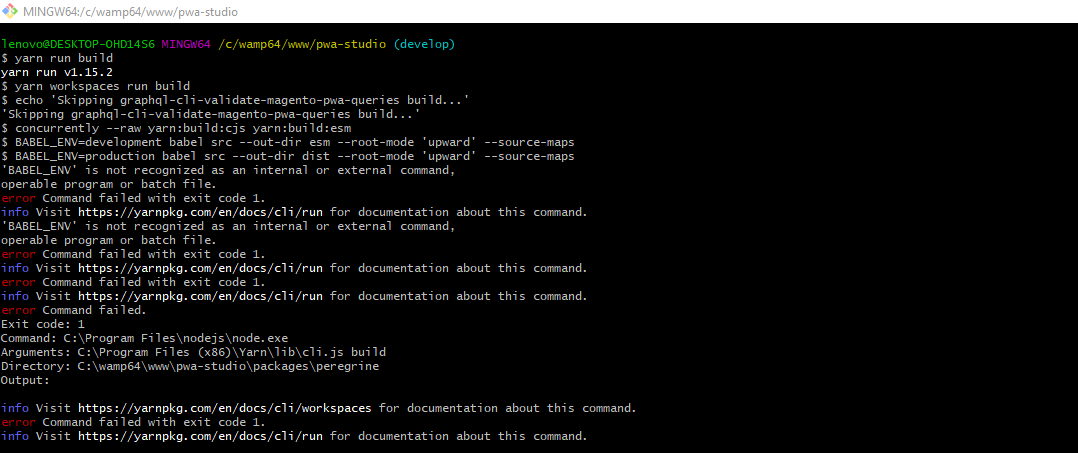
Error which I am facing is
siddhrock
on 10 Apr 2019
@siddhrock which platform you are using, I am using Ubuntu-18.04. If you are using windows it has some issues- Link. If you will try on ubuntu that will not give this error. For windows please create new issue.
nitinlitmus7
on 10 Apr 2019
@nitinlitmus7 I am using Windows 10 Pro
siddhrock
on 10 Apr 2019
hello,
yarn run build error , how to fix ?
Magento 2 CE 2.3.1 ,
nodejs:v12.2.0
yarn:1.16.0
my MAGENTO_BACKEND_URL : http://magento2.s1.com/
request to http://magento2.s1.com//graphql failed, reason: getaddrinfo ENOTFOUND magento2.s1.com
Validating GraphQL queries in venia project...
✖ An error occurred:
Could not find a schema at lastCachedGraphQLSchema.json.
Run graphql get-schema --project venia to download the schema before running validate-magento-pwa-queries.
error Command failed with exit code 1.
info Visit https://yarnpkg.com/en/docs/cli/run for documentation about this command.
error Command failed with exit code 1.
info Visit https://yarnpkg.com/en/docs/cli/run for documentation about this command.
error Command failed.
Exit code: 1
Command: /usr/bin/node
Arguments: /usr/share/yarn/lib/cli.js build
Directory: /var/www/magento2/app/design/frontend/pwa-studio/packages/venia-concept
Output:
info Visit https://yarnpkg.com/en/docs/cli/workspaces for documentation about this command.
error Command failed with exit code 1.
info Visit https://yarnpkg.com/en/docs/cli/run for documentation about this command.
 patrickpeng2091
on 14 May 2019
patrickpeng2091
on 14 May 2019
Bump, still the same.
Is it due to self-signed certs in my case?
⚠ request to https://magento.localhost/graphql failed, reason: unable to verify the first certificate
Validating GraphQL queries in venia project...
✖ An error occurred:
Could not find a schema at lastCachedGraphQLSchema.json.
 DanielRuf
on 15 May 2019
DanielRuf
on 15 May 2019
Hi @patrickpeng2091,
please check if you can access the domain.
getaddrinfo ENOTFOUND magento2.s1.com
DanielRuf
on 15 May 2019
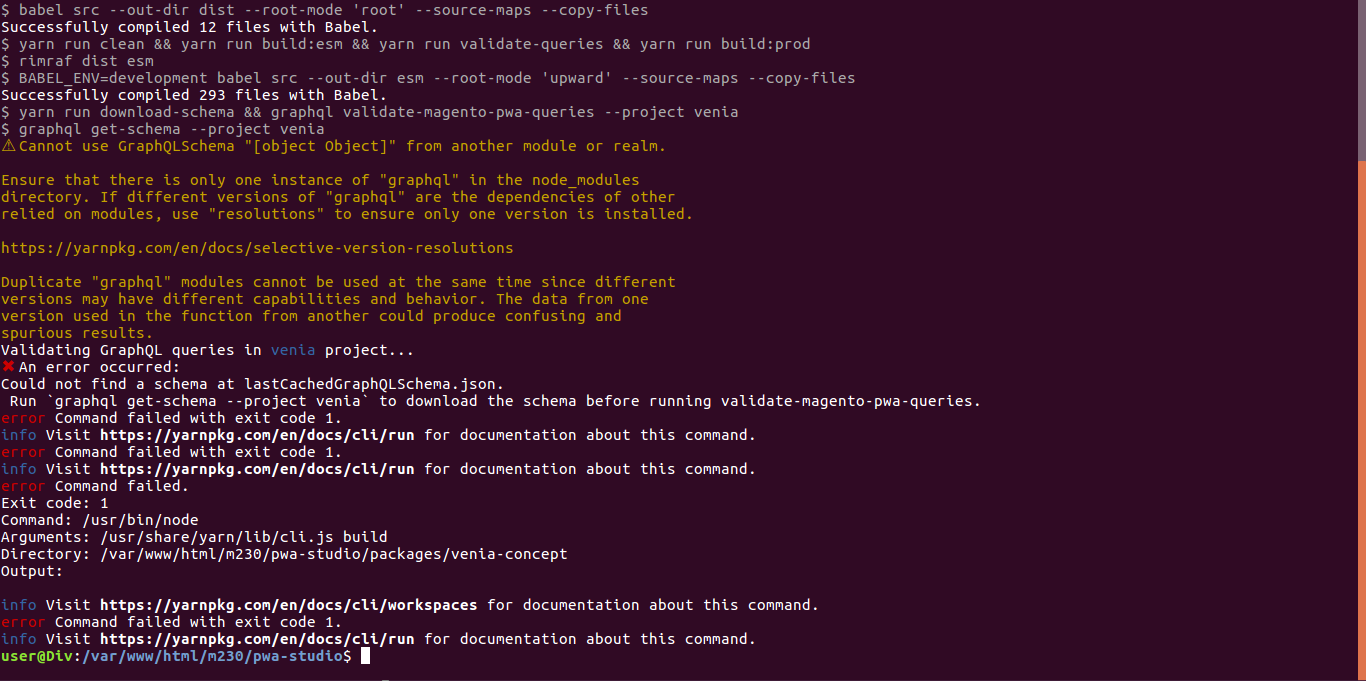
Hi All, I face the same issue. Please see screenshot.
https://i.stack.imgur.com/ZsGio.png
 dodiya-divyarajsinh
on 4 Jun 2019
dodiya-divyarajsinh
on 4 Jun 2019
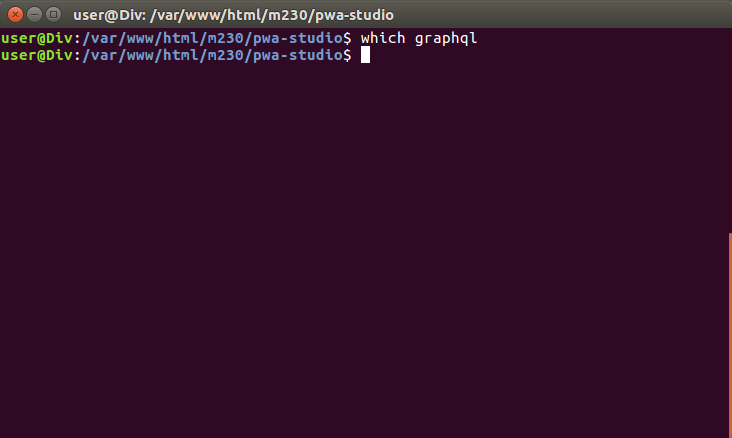
@dodiya-divyarajsinh can you execute which graphql in your terminal and show me the output? What you want is to use the graphql installed by pwa-studio located within your node_modules:
❯ which graphql
./node_modules/.bin/graphql
Hi, @sirugh thank for the response,
It will show nothing(blank) as follow
dodiya-divyarajsinh
on 5 Jun 2019
And stat node_modules/.bin/graphql?
DanielRuf
on 5 Jun 2019
Hi @DanielRuf,
Below is out of stat node_modules/.bin/graphql
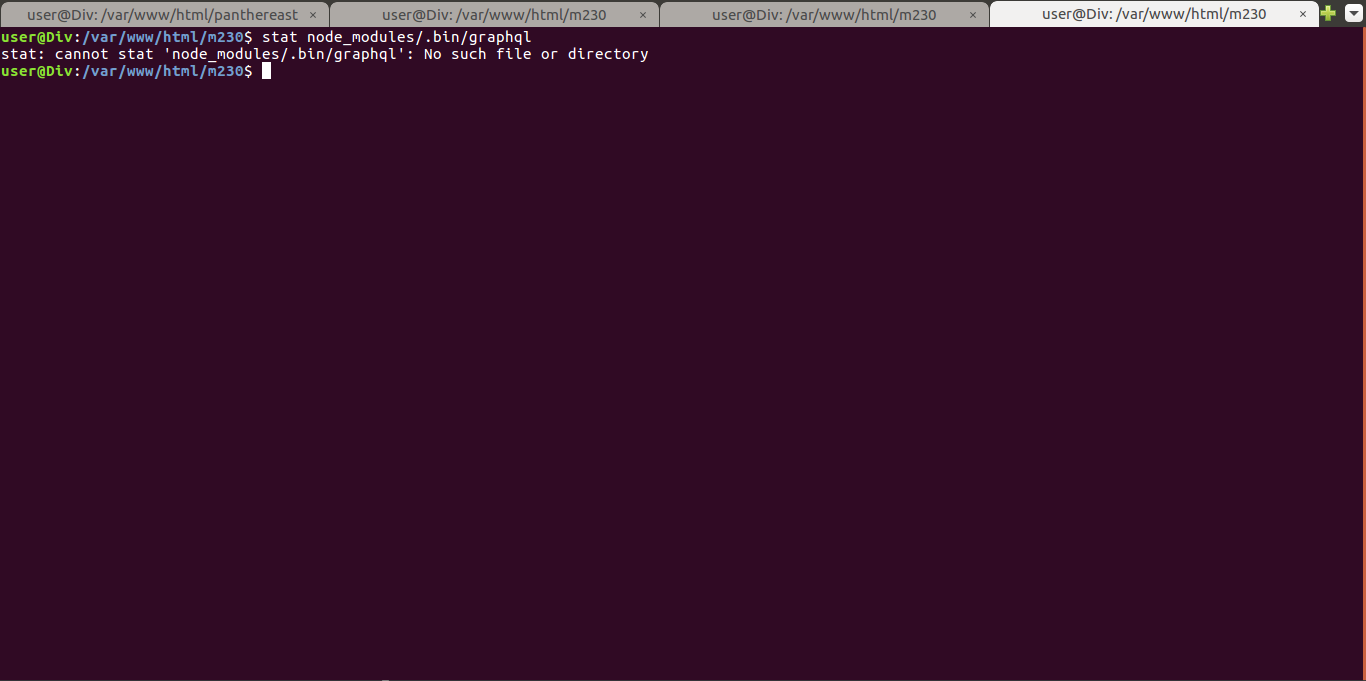
I have use YARN
dodiya-divyarajsinh
on 5 Jun 2019
Same issue here.
Magento -> 2.3.1
PWA-Studio -> develop
SO -> Fedora 26
After running yarn run build
yarn run v1.16.0
$ yarn workspaces run build
$ cp ../../magento-compatibility.js ./lib/
$ concurrently --raw yarn:build:cjs yarn:build:esm
$ BABEL_ENV=production babel src --out-dir dist --root-mode 'upward' --source-maps
$ BABEL_ENV=development babel src --out-dir esm --root-mode 'upward' --source-maps
Successfully compiled 44 files with Babel.
Successfully compiled 70 files with Babel.
$ yarn run clean
$ rimraf dist
$ babel src --out-dir dist --root-mode 'root' --source-maps --copy-files
Successfully compiled 12 files with Babel.
$ yarn run clean && yarn run build:esm && yarn run validate-queries && yarn run build:prod
$ rimraf dist esm
$ BABEL_ENV=development babel src --out-dir esm --root-mode 'upward' --source-maps --copy-files
Successfully compiled 312 files with Babel.
$ yarn run download-schema && graphql validate-magento-pwa-queries --project venia
$ graphql get-schema --project venia
⚠ request to https://magento-pwa.localhost/graphql failed, reason: certificate has expired
Validating GraphQL queries in venia project...
✖ An error occurred:
Could not find a schema at lastCachedGraphQLSchema.json.
 Run `graphql get-schema --project venia` to download the schema before running validate-magento-pwa-queries.
error Command failed with exit code 1.
info Visit https://yarnpkg.com/en/docs/cli/run for documentation about this command.
error Command failed with exit code 1.
info Visit https://yarnpkg.com/en/docs/cli/run for documentation about this command.
error Command failed.
Exit code: 1
Command: /home/me/.nvm/versions/node/v10.15.1/bin/node
Arguments: /usr/share/yarn/lib/cli.js build
Directory: /home/me/projects/magento-pwa/venia/packages/venia-concept
Output:

info Visit https://yarnpkg.com/en/docs/cli/workspaces for documentation about this command.
error Command failed with exit code 1.
info Visit https://yarnpkg.com/en/docs/cli/run for documentation about this command.
And the which graphql return:
/usr/bin/which: no graphql in (/home/me/.nvm/versions/node/v10.15.1/bin:/usr/lib64/qt-3.3/bin:/usr/local/bin:/usr/local/sbin:/usr/bin:/usr/sbin:/var/lib/snapd/snap/bin:/home/me/.local/bin:/home/me/bin)
stat node_modules/.bin/graphql:
  File: node_modules/.bin/graphql -> ../graphql-cli/dist/bin.js
  Size: 26          Blocks: 0          IO Block: 4096   symbolic link
Device: fd00h/64768d    Inode: 5005697     Links: 1
Access: (0777/lrwxrwxrwx)  Uid: ( 1000/me)   Gid: ( 1000/me)
Context: unconfined_u:object_r:user_home_t:s0
Access: 2019-06-07 11:23:11.961004026 -0300
Modify: 2019-06-07 11:23:11.961004026 -0300
Change: 2019-06-07 11:23:11.961004026 -0300
 Birth: -
 LucasCalazans
on 7 Jun 2019
LucasCalazans
on 7 Jun 2019
@LucasCalazans - It appears we're not allowing insecure backends in query validation, which is why you're seeing this error. I think it's reasonable to add the insecure: true flag to packages/venia-concept/.graphqlconfig so this validation works with self-signed certificates, especially since we only expect to validate queries in development environments (skipped in production builds). I'll update the issue description with this proposed fix.
In the meantime, if you change your MAGENTO_BACKEND_URL to http, this should get around the error, or you can manually add this flag to .graphqlconfig.
Edit: I'm actually going to create a new issue for this, since it's different from the originally reported issue and few other comments in this thread. See #1311.
 tjwiebell
on 7 Jun 2019
tjwiebell
on 7 Jun 2019
I think that the error I'm getting is the same reported:
✖ An error occurred:
Could not find a schema at lastCachedGraphQLSchema.json.
Edit: Yes, this error was about the certificate. I've changed to HTTP and it has worked.
Thanks @tjwiebell
LucasCalazans
on 7 Jun 2019
嗨@DanielRuf,
下面是stat node_modules/.bin/graphql
我用YARN
@ nitinlitmus7 我使用的是Windows 10 Pro
hello,I am the same problem as you, have you solved it?
 threescs
on 10 Jun 2019
threescs
on 10 Jun 2019
你好,
纱线运行构建错误,如何解决?
Magento 2 CE 2.3.1,
nodejs:v12.2.0
yarn:1.16.0
my MAGENTO_BACKEND_URL:http://magento2.s1.com/请求http://magento2.s1.com//graphql失败,原因:getaddrinfo ENOTFOUND magento2.s1.com
在venia项目中验证GraphQL查询...
✖发生错误:
无法在lastCachedGraphQLSchema.json中找到架构。
运行graphql get-schema --project venia运行验证,Magento的-PWA-查询之前下载的模式。
错误命令失败,退出代码为1.
info 有关此命令的文档,请访问https://yarnpkg.com/en/docs/cli/run。
错误命令失败,退出代码为1.
info 有关此命令的文档,请访问https://yarnpkg.com/en/docs/cli/run。
错误命令失败。
退出代码:1
命令:/ usr / bin / node
参数:/usr/share/yarn/lib/cli.js build
目录:/ var / www / magento2 / app / design / frontend / pwa-studio / packages / venia-concept
输出:info 有关此命令的文档,请访问https://yarnpkg.com/en/docs/cli/workspaces。
错误命令失败,退出代码为1.
info 有关此命令的文档,请访问https://yarnpkg.com/en/docs/cli/run。
I am the same problem as you, have you solved it?
threescs
on 10 Jun 2019
Hey guys,
I also got the same errors.
Ubuntu 18.04
Magento 2.3.2 CE
yarn 1.16.0
node 10.16.0
npm 6.9.0
@magento/pwa-studio 3.0.0
$ graphql get-schema --project venia --insecure
⚠ request to https://magentoce232pwa.local/graphql failed, reason: getaddrinfo ENOTFOUND magentoce232pwa.local magentoce232pwa.local:443
Validating GraphQL queries in venia project...
✖ An error occurred:
Could not find a schema at lastCachedGraphQLSchema.json.
 mrRonyTran
on 12 Jul 2019
mrRonyTran
on 12 Jul 2019
@zetlen to weigh in
 awilcoxa
on 22 Jul 2019
awilcoxa
on 22 Jul 2019
If this is still happening to you, would you mind posting the output of curl https://magentoce232pwa.local/graphql?
 zetlen
on 7 Aug 2019
zetlen
on 7 Aug 2019
Closing this bug assuming the issue no longer occurs, if it does, please re-open the bug and provide repro steps.
awilcoxa
on 16 Sep 2019
Related issues
 dereklew
·
5Comments
dereklew
·
5Comments
 fooman
·
4Comments
fooman
·
4Comments
 Starotitorov
·
3Comments
Starotitorov
·
3Comments
 ericerway
·
6Comments
ericerway
·
6Comments
 Jordaneisenburger
·
5Comments
Jordaneisenburger
·
5Comments
Most helpful comment
@LucasCalazans - It appears we're not allowing insecure backends in query validation, which is why you're seeing this error. I think it's reasonable to add the
insecure: trueflag topackages/venia-concept/.graphqlconfigso this validation works with self-signed certificates, especially since we only expect to validate queries in development environments (skipped in production builds). I'll update the issue description with this proposed fix.In the meantime, if you change your
MAGENTO_BACKEND_URLto http, this should get around the error, or you can manually add this flag to.graphqlconfig.Edit: I'm actually going to create a new issue for this, since it's different from the originally reported issue and few other comments in this thread. See #1311.