Pwa-studio: main.CRITICAL: File 'pub/media/catalog/product//6/3/634754808_640.jpg' was not found or has read restriction.[BUG]
Describe the bug
After installing Magento 2.3.0 and PWA Studio, and loaded the Venia demo data, I got these exceptions.
[2019-02-18 02:35:21] main.CRITICAL: File 'pub/media/catalog/product//6/3/634754808_640.jpg' was not found or has read restriction. {"exception":"[object] (Magento\Framework\Exception\LocalizedException(code: 0): File 'pub/media/catalog/product//6/3/634754808_640.jpg' was not found or has read restriction. at /var/www/html/magento2/vendor/magento/module-catalog-import-export/Model/Import/Uploader.php:210)"} []
[2019-02-18 02:35:22] main.CRITICAL: File 'pub/media/catalog/product//6/3/634754571_640.jpg' was not found or has read restriction. {"exception":"[object] (Magento\Framework\Exception\LocalizedException(code: 0): File 'pub/media/catalog/product//6/3/634754571_640.jpg' was not found or has read restriction. at /var/www/html/magento2/vendor/magento/module-catalog-import-export/Model/Import/Uploader.php:210)"} []
[2019-02-18 02:35:22] main.CRITICAL: File 'pub/media/catalog/product//6/3/634754854_640.jpg' was not found or has read restriction. {"exception":"[object] (Magento\Framework\Exception\LocalizedException(code: 0): File 'pub/media/catalog/product//6/3/634754854_640.jpg' was not found or has read restriction. at /var/www/html/magento2/vendor/magento/module-catalog-import-export/Model/Import/Uploader.php:210)"} []
[2019-02-18 02:35:23] main.CRITICAL: File 'pub/media/catalog/product//6/3/635172530_640.jpg' was not found or has read restriction. {"exception":"[object] (Magento\Framework\Exception\LocalizedException(code: 0): File 'pub/media/catalog/product//6/3/635172530_640.jpg' was not found or has read restriction. at /var/www/html/magento2/vendor/magento/module-catalog-import-export/Model/Import/Uploader.php:210)"} []
[2019-02-18 02:35:24] main.CRITICAL: File 'pub/media/catalog/product//6/3/634754677_640.jpg' was not found or has read restriction. {"exception":"[object] (Magento\Framework\Exception\LocalizedException(code: 0): File 'pub/media/catalog/product//6/3/634754677_640.jpg' was not found or has read restriction. at /var/www/html/magento2/vendor/magento/module-catalog-import-export/Model/Import/Uploader.php:210)"} []
[2019-02-18 02:35:24] main.CRITICAL: File 'pub/media/catalog/product//6/3/634754610_640.jpg' was not found or has read restriction. {"exception":"[object] (Magento\Framework\Exception\LocalizedException(code: 0): File 'pub/media/catalog/product//6/3/634754610_640.jpg' was not found or has read restriction. at /var/www/html/magento2/vendor/magento/module-catalog-import-export/Model/Import/Uploader.php:210)"} []
To Reproduce
Steps to reproduce the behavior:
- Go to '...'
- Click on '....'
- Scroll down to '....'
- See error
Expected behavior
A clear and concise description of what you expected to happen.
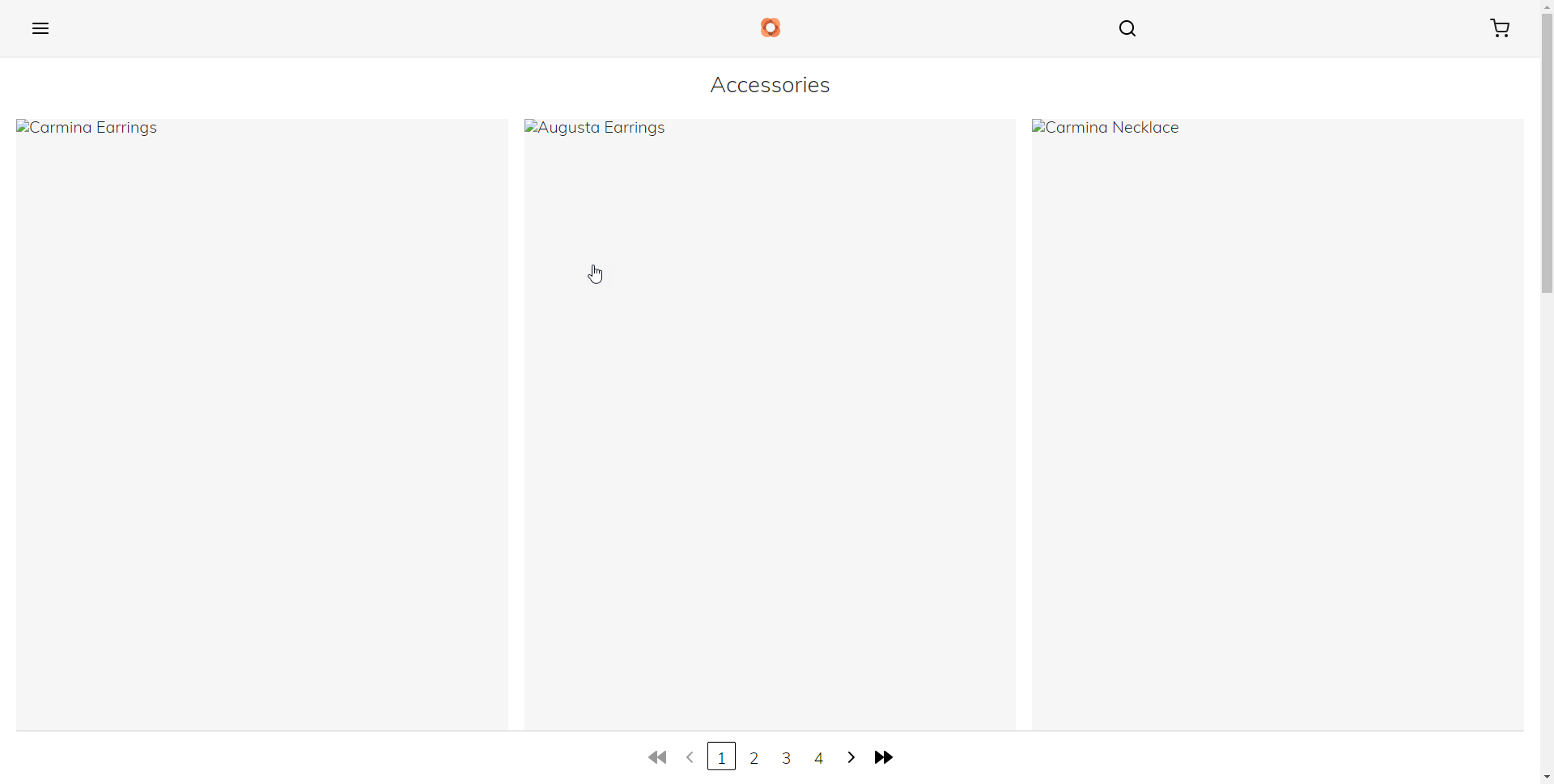
able to see the Venia demo images at the frontend.
Screenshots
If applicable, add screenshots to help explain your problem.
Please complete the following device information:
- Device: [e.g. iPhone6, PC]
- OS: [e.g. iOS8.1, Windows 10] Ubuntu
- Browser [e.g. stock browser, safari]
- Version [e.g. 22]
- Magento Version 2.3.0
- NPM version
npm -v - Node Version
node -v
Please let us know what packages this bug is in regards to:
- [x]
venia-concept - [ ]
pwa-buildpack - [ ]
peregrine - [ ]
pwa-devdocs - [ ]
upward-js - [ ]
upward-spec
Additional context
Add any other context about the problem here.
Possible solutions
Add any ideas about possible solutions to the problem here.
 dereklew
All 5 comments
Hey @dereklew try to give server root path till pub then try
 cnu115
on 18 Feb 2019
cnu115
on 18 Feb 2019
Hi @cnu115 can you elaborate more?
dereklew
on 18 Feb 2019
Hi @dereklew. In virtual host give back-end magento server url till pub.In my local system i am using apache2.
see the example
$cd /etc/apache2/sites-enabled
$nano site-name.conf
then change back-end server path
AllowOverride All
Require all granted
cnu115
on 18 Feb 2019
Hi @cnu115 thanks, it works!
dereklew
on 18 Feb 2019
closing since it's confirmed as a resolved.
thanks for the help provided @cnu115!
@dereklew feel free to open up again if issue still persists.
 mhhansen
on 18 Feb 2019
mhhansen
on 18 Feb 2019
Related issues
 senthil134
·
7Comments
senthil134
·
7Comments
 zetlen
·
4Comments
zetlen
·
4Comments
 fooman
·
4Comments
fooman
·
4Comments
 Jordaneisenburger
·
3Comments
Jordaneisenburger
·
3Comments
 dambrogia
·
7Comments
dambrogia
·
7Comments