Pwa-studio: [bug]: SearchTrigger button does not have an accessible name
Describe the bug
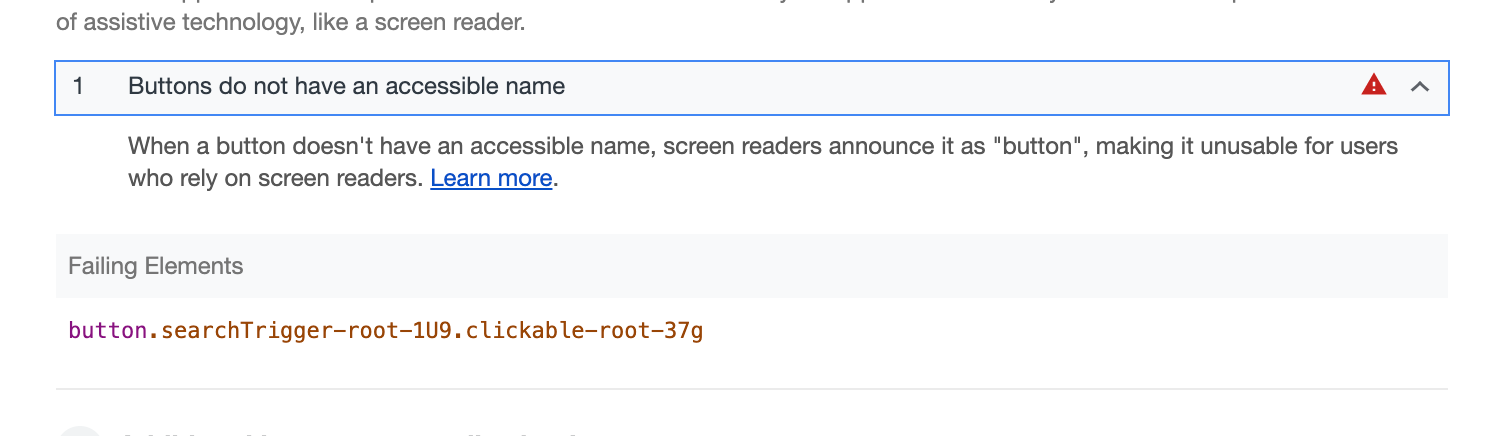
The search trigger in the header contains a <button> element which violates accessibility guidelines by not having an accessible name.
To Reproduce
Steps to reproduce the behavior:
- Run Lighthouse on https://magento-venia-develop.now.sh
- Scroll down to the Accessibility section.
- Expand the "Buttons do not have an accessible name" warning.
- See error
Expected behavior
All elements required to have an accessible name (that's all form elements) have one.
Screenshots
Additional context
This _alone_ is docking us 15 points from the Accessibility score in Lighthouse. And it's an easy fix!
Possible solutions
Add an aria-label field to the <button> element in the SearchTrigger component. It's that easy!
Please let us know what packages this bug is in regards to:
- [x]
venia-concept - [ ]
pwa-buildpack - [ ]
peregrine - [ ]
pwa-devdocs - [ ]
upward-js - [ ]
upward-spec
 zetlen
All 4 comments
Hi @zetlen . I try to add name on button search but the warning of Lighthouse keep appear. I see a link here have suggest "For
So, should we remove eslint rule "no-redundant-roles" or any suggestion?
 khoa-le
on 27 Jun 2019
khoa-le
on 27 Jun 2019
I think the solution requested here is to add aria-label ie: aria-label={'Search Button'}. The actual label text is debatable. I edited the issue description to match what I just said :)
 sirugh
on 27 Jun 2019
sirugh
on 27 Jun 2019
Hey @khoa-le! @sirugh has given you the right advice here; because this button is not displayed like a standard HTML button, where the inner text is visible, it needs an aria-label attribute so screen readers can describe it. If you can make that change to #1395 then we'll merge it right away!
zetlen
on 27 Jun 2019

It's awesome with 100. Thank you.
khoa-le
on 28 Jun 2019
Related issues
 supernova-at
·
3Comments
supernova-at
·
4Comments
supernova-at
·
3Comments
supernova-at
·
4Comments
 henktheunissen
·
7Comments
henktheunissen
·
7Comments
 dereklew
·
5Comments
dereklew
·
5Comments
 brendanfalkowski
·
4Comments
brendanfalkowski
·
4Comments