Prusaslicer: Cannot zoom properly with retina resolution in 2.3.0-alpha
Version
2.3.0-alpha2
Operating system type + version
macOS Mojave 10.14.6
Behavior
_Describe the problem_
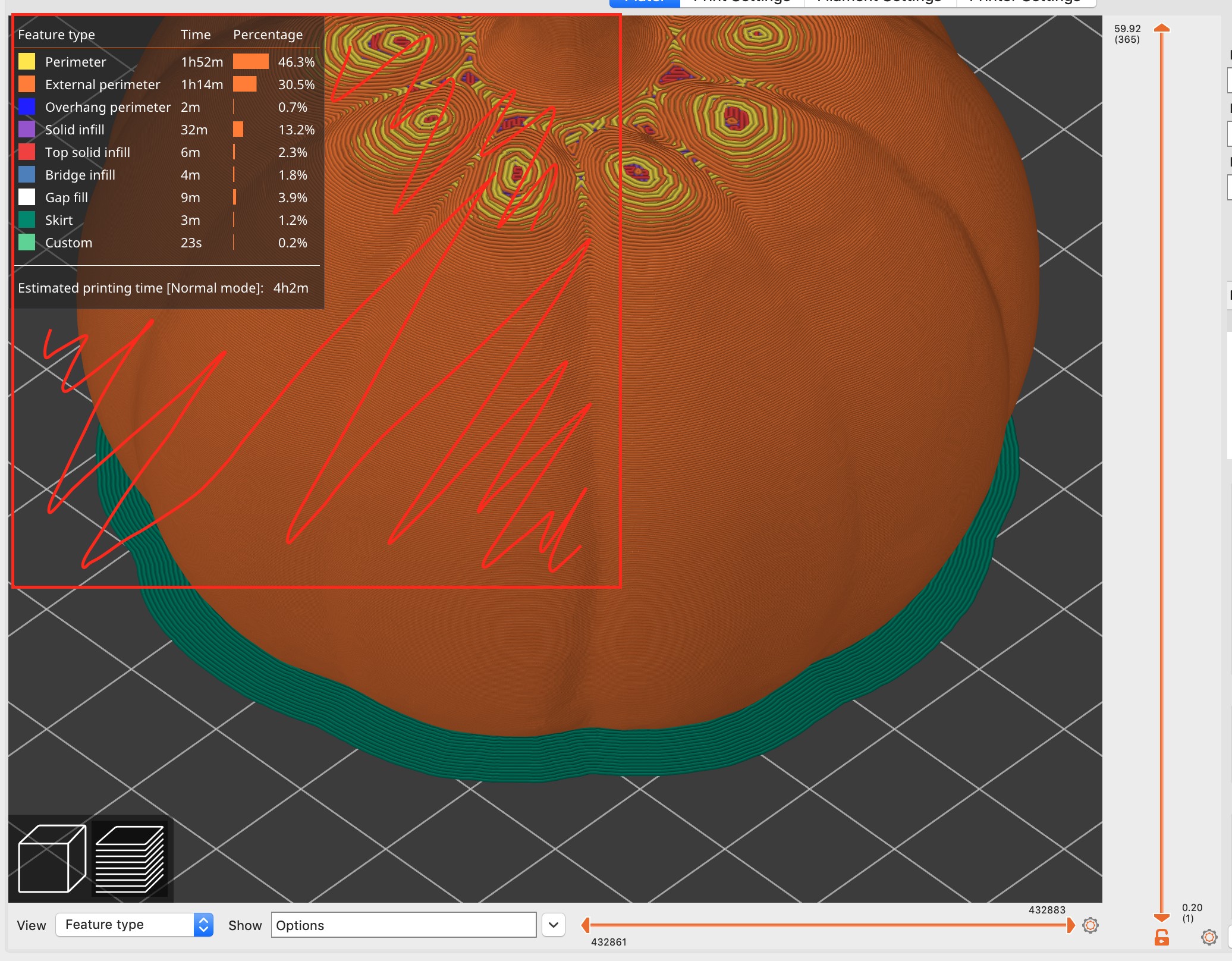
When using retina resolution for the 3D scene you cannot zoom when the cursor is placed in an area spanning twice the size of the legend view such as feature type, speed, etc._Steps needed to reproduce the problem_
With retina resolution on mac, place the cursor left or below the legend and notice how scrolling is active in the legend and not zooming the scene when placed up to 2x the width or height of the legend._Expected Results_
Scrolling should only be active for the legend when the cursor is placed in the visible area, and otherwise be zooming the scene._Actual Results_
Scrolling affects the legend and not the scene when the cursor is inside an area covering twice the visible legend, as marked by the red square area below.
 mathiasvr
All 2 comments
You're right. I can reproduce it. Thanks for the report.
 FidelCapo
on 27 Oct 2020
FidelCapo
on 27 Oct 2020
Thank you for report. This issue should be fixed in next version.
Closing.
FidelCapo
on 26 Nov 2020
Related issues
 TimothyGold
·
4Comments
TimothyGold
·
4Comments
 devilhunter84
·
4Comments
devilhunter84
·
4Comments
 Bubolz
·
3Comments
Bubolz
·
3Comments
 ManuGithubSteam
·
4Comments
ManuGithubSteam
·
4Comments
 yschroeder
·
3Comments
yschroeder
·
3Comments
Most helpful comment
You're right. I can reproduce it. Thanks for the report.