Prusaslicer: Scale to print volume fails with brims.
Version
2.1.0 on macOS Catalina 10.15.3
3D printer brand / version + firmware version (if known)
Josef Prusa's Original Prusa i3 mk3 running Prusa firmware
Behavior
- _Describe the problem_
Using "scale to print volume" fails if there is a brim. - _Steps needed to reproduce the problem_
Slice a flat object and use "scale to print volume" (it maxes on the x axis in my case) - _Expected Results_
It prints the object as big as it can and doesn't add a brim outside the printing area (solving #849 would also solve this issue) or scales the print so that the brim is not outside the printing area. - _Actual Results_
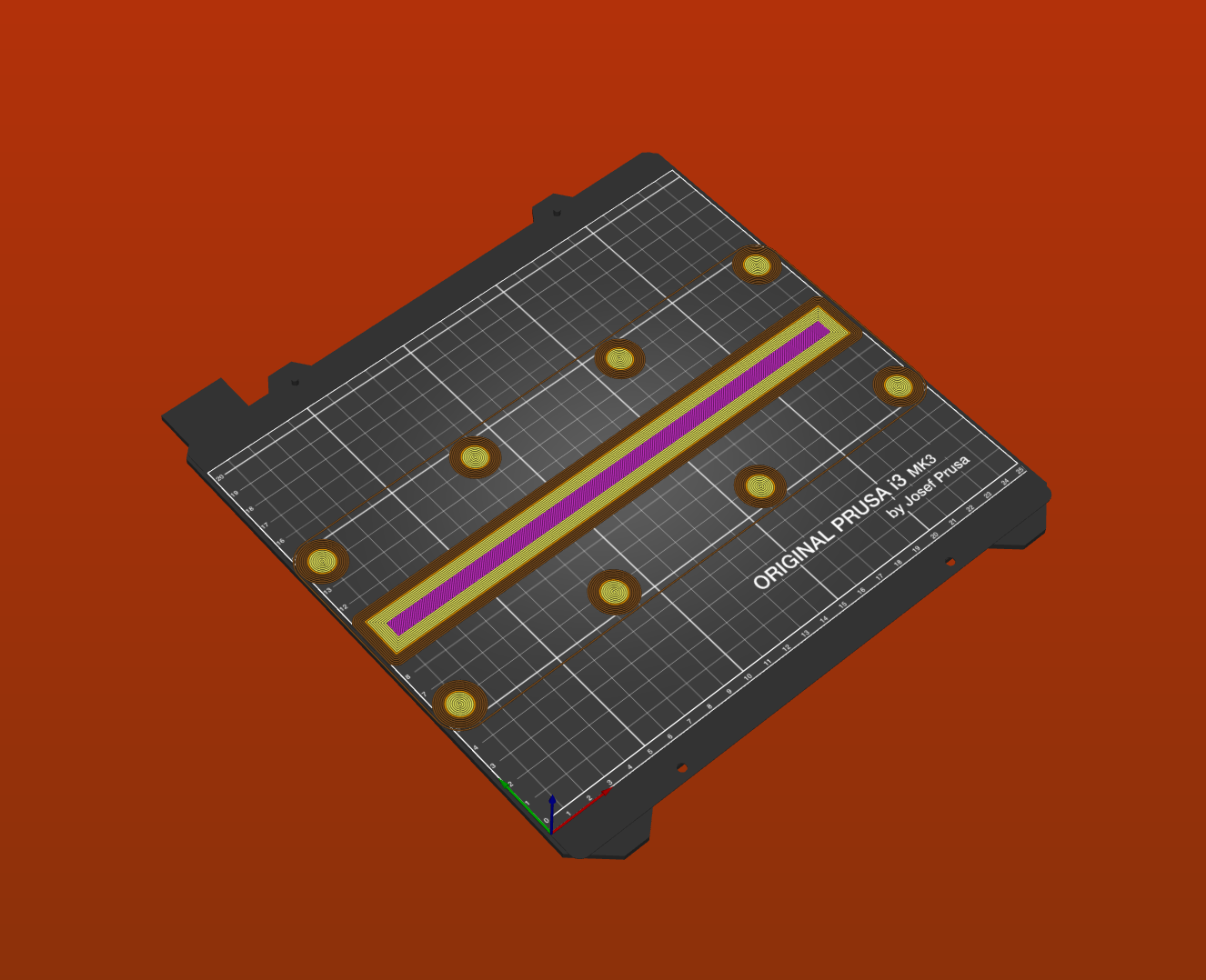
It fails because the brim is outside the print volume. Here is the result:
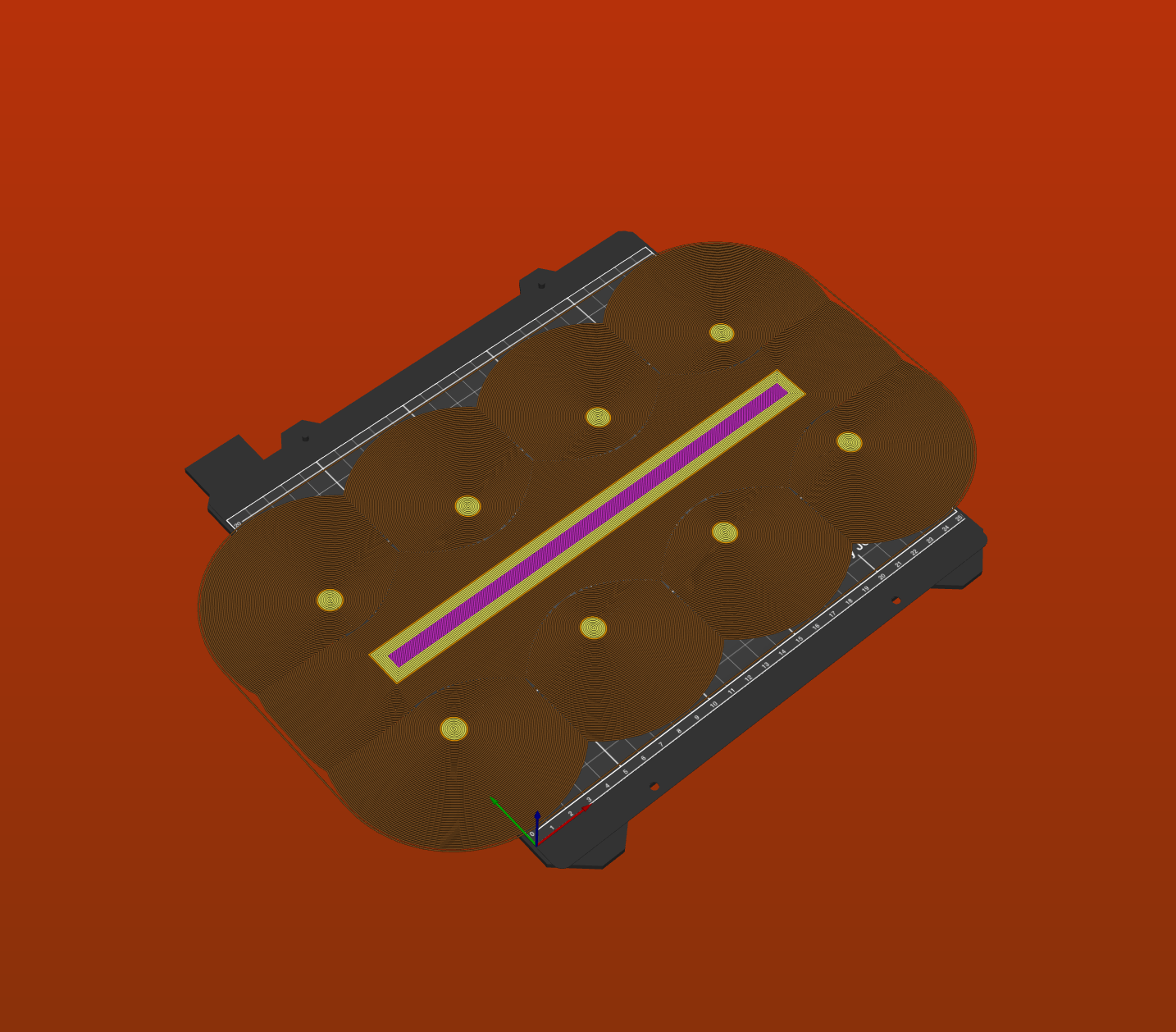
If it is not clear enough here is a larger brim:
_Is this a new feature request?_
No, it's a bug.
 belgiancoder
All 7 comments
It's the same with a skirt
Both skirt and brim are ignored when scaling to max
And i think it's the same even with supports. Supports footprint would go outside the bed
 guestisp
on 20 Jan 2020
guestisp
on 20 Jan 2020
Is there a way to scale less in such a way that this is not the case anymore?
belgiancoder
on 20 Jan 2020
And we have support blockers, why support-block the outside of the print volume, that would already solve the problem for support.
belgiancoder
on 22 Jan 2020
I guess they could be trimmed to the print volume, but then you would be missing the effect of the brim/skirt/support which the model might actually need to be successful. Maybe it needs an option to either scale to max including the current brim/skirt/support overhead, Or else scale to max and trim them instead? What it definitely shouldn't be able to do is scale to max then add the extra bits, send it to the printer and then fail once the print starts. The slicer already knows it's too big.
Alternatively have a 'rescale to fit/trim to fit' option that gets offered when 'A toolpath outside the print area was detected' message is shown on the slicer window?
 yoyo42
on 26 Jan 2020
yoyo42
on 26 Jan 2020
I think there is only one useful solution: scale including brim/supports/raft/purge tower and so on
If user added a brim to the print, is because it need a brim, so cutting it doedn't make sense.
If i need a 20mm brim, i need a 20mm brim, not less
guestisp
on 1 Feb 2020
I agree, this would be more user friendly than failing or clipping.
belgiancoder
on 1 Feb 2020
Scale to max definitely needs to account for everything that's being printed. I'd also like to scale to max 'model only' and clip any excess as an option - but if there's only time to do one fix then "scale with everything" definitely wins.
yoyo42
on 2 Feb 2020
Related issues
 rackley096794
·
3Comments
guestisp
·
3Comments
rackley096794
·
3Comments
guestisp
·
3Comments
 i-make-robots
·
3Comments
i-make-robots
·
3Comments
 jon-cpu
·
3Comments
jon-cpu
·
3Comments
 Foxtrek64
·
4Comments
Foxtrek64
·
4Comments
Most helpful comment
Scale to max definitely needs to account for everything that's being printed. I'd also like to scale to max 'model only' and clip any excess as an option - but if there's only time to do one fix then "scale with everything" definitely wins.