Prusaslicer: Confusing terminology "Perimeters" versus "Shells"
Version
2.1.0+ (and older Slic3r)
Operating system type + version
MacOS 10.14.6 on 5K display
3D printer brand / version + firmware version (if known)
Prusa i3 Mk3
Behavior
Under Print Settings->Layers and perimeters->Vertical shells, the terms "shells" and "perimeters" are used to describe the same thing. This is very confusing when trying to explain this feature to someone. Is there a distinction? Is there a reason different terms are used within 10mm of screen space?
 bobstro
All 5 comments
Huh? If we were talking about a building and I wanted options for the Wall it would be how many Bricks thick to make it. I don't see the confusion. Perimeters is the building block of a vertical shell. Layers is the building block of a horizontal shell.
 Jebtrix
on 20 Sep 2019
Jebtrix
on 20 Sep 2019
Wouldn't have disagreed until I found myself trying to explain this all to someone. The fact that gap fill (a 3rd undefined term!) is used without a specific on/off setting makes this particularly confusing. These are all sliced with 2 perimeters specified:
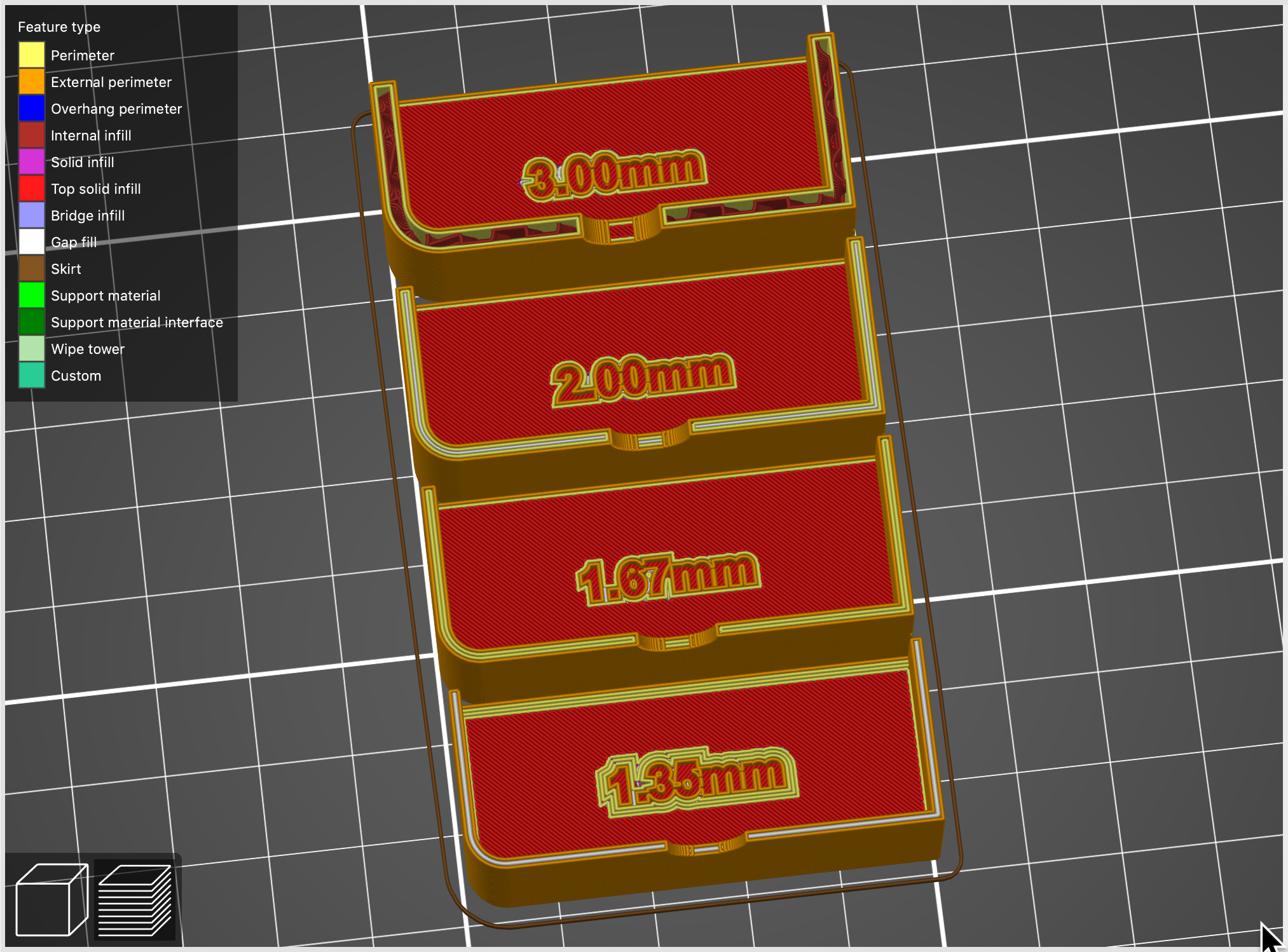
Try explaining to someone designing a part how thick they should make their walls and you'll see where it gets to be very cumbersome to explain. "Your wall is a shell which is made of of an external perimeter, zero or more non-external perimeters that you specify (even though the tool tip says your setting is a minimum), plus maybe some gap fill or sparse infill, depending on some hidden parameter." And then everything changes when you get to thicker parts:
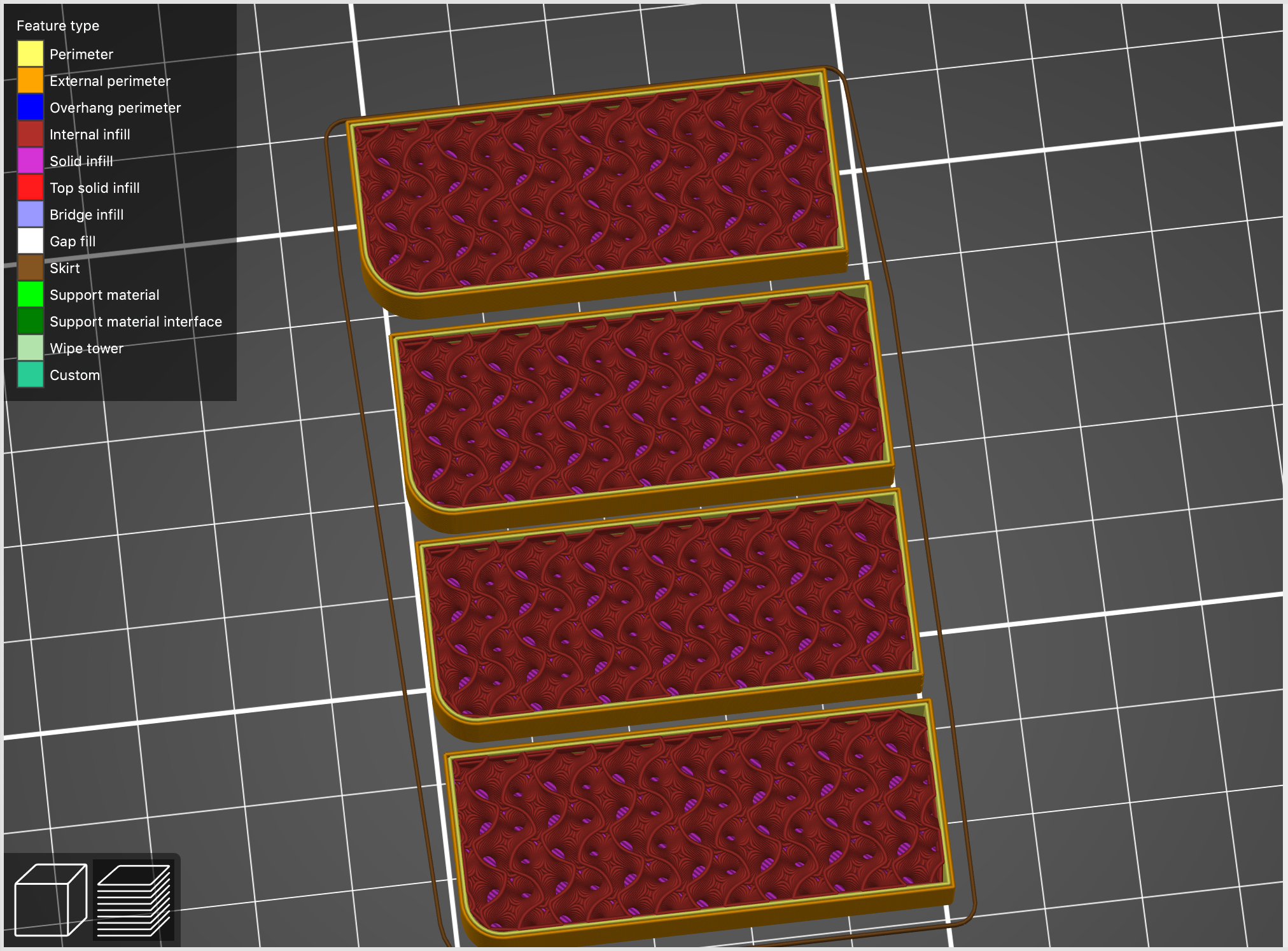
I had to create and slice parts and grab screens to have any chance of explaining what was going on. Having gap fill hidden under speed settings doesn't help, but I've opened another issue on that.
In the absence of any real documentation, wouldn't simply using "wall" make more sense? "Shell" implies the outer-most layer, which is easily confused with "external perimeter". Of course, a good set of docs would help alleviate the problem. I realize this goes back to the Slic3r base, but this might be a consideration for future usability and UI improvements. I'm pretty good at technical documentation, but explaining this process gave me a headache.
bobstro
on 20 Sep 2019
Devs mentioned real documentation is going to be made by a team of their content people. Shell is the standard terminology for every slicer I've seen. Cura throws in the concept of Skin along with Walls under Shell category, Simplify3D settings use "Outline/Perimeter Shells". Everybody has their flavor of terminology, though different none are inaccurate.
Jebtrix
on 20 Sep 2019
True, but I don't think there's an existing slicer that wins awards in terms of clarity, intuitiveness or good UI principles. I'm just pointing out that the mixing of terms is less than clear, and the results less than obvious. I understand it now, but certainly not from the names or tool tip descriptions. Not exactly a "feature request" but a suggestion for future consideration.
bobstro
on 21 Sep 2019
I passed the link to our content guys, who are currently working on slicer manual. They also take care of localization, they tend to harmonize our UI texts, maybe they will feel inspired.
 bubnikv
on 23 Sep 2019
bubnikv
on 23 Sep 2019
Related issues
 alexiri
·
4Comments
alexiri
·
4Comments
 Foxtrek64
·
4Comments
Foxtrek64
·
4Comments
 DROBORD
·
3Comments
DROBORD
·
3Comments
 guestisp
·
3Comments
guestisp
·
3Comments
 tkircher
·
3Comments
tkircher
·
3Comments
Most helpful comment
Wouldn't have disagreed until I found myself trying to explain this all to someone. The fact that gap fill (a 3rd undefined term!) is used without a specific on/off setting makes this particularly confusing. These are all sliced with 2 perimeters specified:
Try explaining to someone designing a part how thick they should make their walls and you'll see where it gets to be very cumbersome to explain. "Your wall is a shell which is made of of an external perimeter, zero or more non-external perimeters that you specify (even though the tool tip says your setting is a minimum), plus maybe some gap fill or sparse infill, depending on some hidden parameter." And then everything changes when you get to thicker parts:
I had to create and slice parts and grab screens to have any chance of explaining what was going on. Having gap fill hidden under speed settings doesn't help, but I've opened another issue on that.
In the absence of any real documentation, wouldn't simply using "wall" make more sense? "Shell" implies the outer-most layer, which is easily confused with "external perimeter". Of course, a good set of docs would help alleviate the problem. I realize this goes back to the Slic3r base, but this might be a consideration for future usability and UI improvements. I'm pretty good at technical documentation, but explaining this process gave me a headache.