Pptxgenjs: Feature Request: 'addTable()' should have an 'addHeaderToEach' option
I did this slide.addTable(rows, addHeaderToEach: true);
But it didn't work. I have checked the API documents, this API is not documented.
Able to advise?
 okaiyong
All 15 comments
Hi @okaiyong,
The addTable() method does not utilize that option.
Only the addSlidesForTable() method uses this option when creating auto-paginated slides.
Check out the demo (examples/pptxgenjs-demo.html) for a working example.

 gitbrent
on 9 Jan 2018
gitbrent
on 9 Jan 2018
Is there an option for addslidestoTable() to ensure that when there is a page break, each row show up on each page in complete manner, instead of half of it in one slide, another in another page.
I think it will be good to allow passing in a html5 table in addSlidesToTable() so we do not need to construct the table and yet set display to none. This could save some performance i think.
okaiyong
on 11 Jan 2018
That's a good suggestion.
I've marked it as a feature request and will work on it after 2.0 releases.
gitbrent
on 16 Jan 2018
[Closing due to age]
gitbrent
on 28 Feb 2020
So we won't be having this option in near future ??
 Smithvinayakiya
on 1 Apr 2020
Smithvinayakiya
on 1 Apr 2020
Thanks @okaiyong
This feature now available in the master branch and will be released with v.3.3.0
gitbrent
on 1 Jun 2020
Thanks @gitbrent You are a genius
Smithvinayakiya
on 1 Jun 2020
Demos added as well.
gitbrent
on 2 Jun 2020
This does not seem working with colspan/rowspan in header
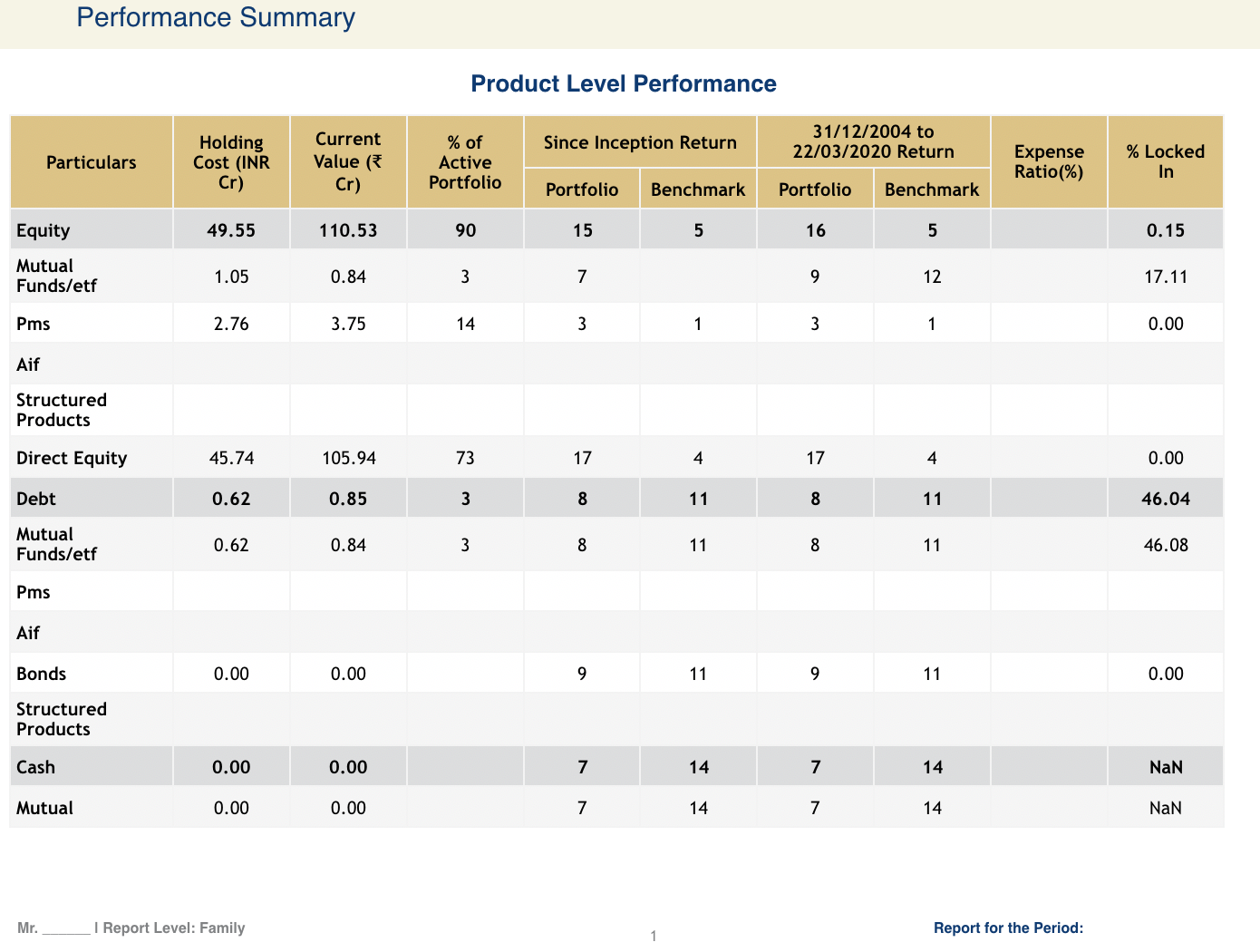
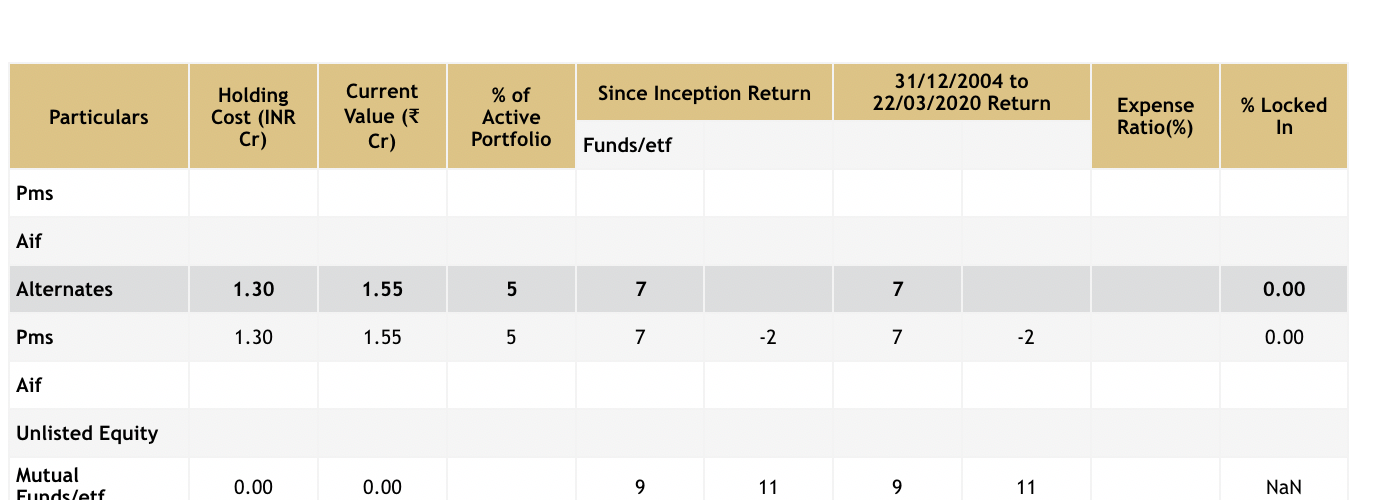
 jsvishal
on 18 Jun 2020
jsvishal
on 18 Jun 2020
@jsvishal - did you specify to repeat 2 rows using: autoPageHeaderRows:2 ?
gitbrent
on 19 Jun 2020
Thank. It works. Is there any way to copy Table Heading[Produc level Performace in our case] in slides?
jsvishal
on 19 Jun 2020
Also table height does not seem working in extra slide added (newSlideStartY) is added with default height i guess
jsvishal
on 19 Jun 2020
@jsvishal - create a master page with that heading, use it in addSlide() and it'll repeat across new slides. Table height is ignored during auto-paging - use slide margins to constrain the table. There are examples under /demos/browser
gitbrent
on 24 Jun 2020
@gitbrent so in that case we have to create n master slides (if there are n different heading). I tried with placeholder text in master slide. That too was not copying itself
jsvishal
on 24 Jun 2020
@jsvishal yes, for now I dont have a better solution. the work-around I use myself for my apps, is to create a master {} object and clone it, just changing the one bit of text i need.
gitbrent
on 25 Jun 2020
Related issues
 alperendurmus
·
3Comments
alperendurmus
·
3Comments
 Alexiz-Padilla
·
5Comments
Alexiz-Padilla
·
5Comments
 sangramjagtap
·
6Comments
sangramjagtap
·
6Comments
 bestis
·
6Comments
bestis
·
6Comments
 colmben
·
6Comments
colmben
·
6Comments
Most helpful comment
@jsvishal - did you specify to repeat 2 rows using:
autoPageHeaderRows:2?