Pocketmine-mp: Can't join: Remains in building terrain.
 kenygamer
All 92 comments
Do you have an apple product? I have noticed a similar issue only on apple products and reduced spawn radius to 4 to correct.
#Radius of chunks that need to be sent before spawning the player
spawn-radius: 4
 MattWAnderson
on 27 Jun 2017
MattWAnderson
on 27 Jun 2017
@MattWAnderson I have tried, but didn't work
kenygamer
on 27 Jun 2017
It has happened to me too. You'll need to wait (for a long period of time) for the building terrain screen to get done. Pretty annyoing.
 Muqsit
on 27 Jun 2017
Muqsit
on 27 Jun 2017
@xxFlare Pre-generated world.
kenygamer
on 27 Jun 2017
This is a duplicate of #1099 and also does not provide enough information to reproduce the problem. PocketMine version should include Jenkins build number and/or git commit hash.
 dktapps
on 27 Jun 2017
dktapps
on 27 Jun 2017
Please post the values of the following:
- Your client's render distance in number of chunks
- The server's
view-distanceproperty in server.properties - The
spawn-radiusproperty in pocketmine.yml.
dktapps
on 27 Jun 2017
Removed spoon comments as they pollute the issue discussion.
dktapps
on 27 Jun 2017
I have the same issue so I am going to provide mine too :
• Client Runder Distance : 6
• Server view distance : 4
• spawn-radius : 4
But I am not sure there is a report with that cause when this issue happens (after 15-20 mins) all the players can’t join.
PS : Duplicated of the issue you told me to debug https://github.com/pmmp/PocketMine-MP/issues/1135.
 MisteFr
on 27 Jun 2017
MisteFr
on 27 Jun 2017
Last thing, the server considers the players are online but they aren’t (not spawned) for example they can be kicked for Register/Login timeout
MisteFr
on 27 Jun 2017
Has anyone tried to reproduce this since commit 1dd8fc008bfb3d5a6b8d67291e5ecb34c7797fe9 ? This commit fixes a problem with world generation being extremely slow, maybe related to this issue.
dktapps
on 27 Jun 2017
Yep I tried and the issue isn't fixed.
MisteFr
on 27 Jun 2017
It's a critical priority for productions servers.
MisteFr
on 27 Jun 2017
Do I look like a production server?
dktapps
on 27 Jun 2017
A couple of my players have reported this issue, not sure if that helps, but yeah my players are encountering it aswell. On the api3/blocks branch and the master branch
 mal0ne-23
on 28 Jun 2017
mal0ne-23
on 28 Jun 2017
same as well im having players send me videos of them on Building Terrain for 4-8 min before it loads
 BajanVlogs
on 28 Jun 2017
BajanVlogs
on 28 Jun 2017
@dktapps I just saw your tweet and tested this for myself. So here is the result.
Core:
- PocketMine-MP
- Jenkins Build #243
- OS: Linux, linux
- Game Version: PE
- Playing Device: Android & IOS (Tested on both)
Settings:
Client and server settings set to default without any alterations.
Plugins:
- None.
Tested on a clean server without any single plugin.
Steps to Reproduce:
Use the latest build,
- Test on a clean server without any player.dat files generated,
- Test with no plugins at all,
- Join the setver,
- The screen will remain stuck on.building terrain,
- After a long wait, of almost 3~4mins you are able to join.
However on console the player joins as soon as he presses the join button and the welcome message also shows up on console. But the player remains stuck on building terrain for so long.
This issue seems to be as a result of the latest commit because as of before, I was not experiencing that. I wish I could blame it on my internet but when you have 500MB download and 360MB upload, you really cant blame it. According to me it might be due to the way player.dat files are generated for the first time because once they have been generated and the players try to connect again the building terrain time is short and not as long as 3~4mins
 BrianZP
on 28 Jun 2017
BrianZP
on 28 Jun 2017
I have player.dat generating turned off, so that can't be the issue.
mal0ne-23
on 28 Jun 2017
@dktapps I have the same thing on the Nukkit, I have a mini-game SkyWars and when I teleport sometimes freezes on the boot screen
 vzlomka76
on 28 Jun 2017
vzlomka76
on 28 Jun 2017
What compression-level do you guys have set in your pocketmine.yml?
dktapps
on 28 Jun 2017
I don't see why it would take so long.
dktapps
on 28 Jun 2017
If that was the case it would still only take 10 extra seconds, not several minutes.
dktapps
on 28 Jun 2017
This issue can be reproduced on a server running for too long (> 12h). But I still can't confirm time/memory being a part of the issue here... + doesn't make sense. But a restart solves it.
Muqsit
on 28 Jun 2017
On my server, nobody reported to me this problem
 moskadev
on 28 Jun 2017
moskadev
on 28 Jun 2017
There is no report with memory cause I have 8 Go of RAM so.. And it’s true a restart solve it but for me it happens really often like after 10 mins you can’t join.
My compression level is 7 and I’m doing compression asynchronously.
@SuperMaXAleX Can we see your pocketmine.yml to maybe have an idea from where it’s coming ?
MisteFr
on 28 Jun 2017
It wasn’t happen before so I think this is due to a commit who was did recently
MisteFr
on 28 Jun 2017
Is the <player> joined the game message shown in the console at the end of the long wait, or during the wait?
dktapps
on 28 Jun 2017
During the wait
MisteFr
on 28 Jun 2017
PlayerJoinEvent doesn't seem to be fired, while PlayerLoginEvent does
kenygamer
on 28 Jun 2017
I have asked someone to step in to debug this a bit more clearly. He will be able to give you console on a test server and has a known user who cannot join with default settings, and then can when the radius is lowered on their Apple device. I have not personally experienced this, however I feel it began around 0.15? Maybe even 0.14.
MattWAnderson
on 28 Jun 2017
Correction, lowered on server than he can join.
MattWAnderson
on 28 Jun 2017
Server Technical Specifications
2GB RAM
2,1GHz - 1 Core
kenygamer
on 28 Jun 2017
@MattWAnderson It doesnt seem to be a device issue, my friend also uses iPad and joined perfectly (model Air 2).
Let's start discarding.
kenygamer
on 28 Jun 2017
@kenygamer I don't know if anyone told you already, but the italics and formatting get really irritating to read.
Is there anyone here who has this issue on a non-single-core machine?
dktapps
on 28 Jun 2017
Isn’t a mobile issue
MisteFr
on 28 Jun 2017
Whereas I agree the issue is getting more broad, this references the original information and is a reproducible issue. It's likely not all Idevices, however over the past year or so I have only received the complained on Apple products being unable to join with these on default settings.
Server specs(not that it matters)
8 core 3.5Ghz
32GB ram ddr4
SSD disks
1 gig uplink.
MattWAnderson
on 28 Jun 2017
well, since I'm unable to reproduce this bug at all, it's hard to say one way or another.
dktapps
on 28 Jun 2017
I debug it and PlayerPreLoginEvent and PlayerLoginEvent are called but not PlayerJoinEvent. @dktapps
And @MattWAnderson can you stop say shit ? This isn’t a client side issue..
MisteFr
on 28 Jun 2017
It’s coming from the doFirstSpawn() func called on the sendChunk() func on Player.php file I think.
MisteFr
on 28 Jun 2017
This is most definately an issue related to the users device unable to load required chunks to spawn. Had same issue with several players using iphone 6s devices when i had my "#Radius of chunks that need to be sent before spawning the player" set to 16, they were stuck on "building terrain" and could never join. Once i lowered it back to 4, they were all able to join without issue.
 xXRyzen
on 28 Jun 2017
xXRyzen
on 28 Jun 2017
@FienixEC No cause it happens after 10-15 mins, before I can join after I can't.
MisteFr
on 28 Jun 2017
If someone find a hack to fix it can he alerts me ?
Because I can't open my server because of this issue..
MisteFr
on 28 Jun 2017
@Misteboss could you message me on kik at FienixIC, on insta at Fienix8 or skype at Fienix888, would like to check a few things on my test server with you relating chunk settings to see if we can duplicate this while also finding the source of the problem. Feel free to DM me at one of those social media apps, thanks.
xXRyzen
on 28 Jun 2017
Come to IRC, we are there too!
https://forums.pmmp.io/pages/chat/
chat.freenode.net #pmmp
 Intyre
on 28 Jun 2017
Intyre
on 28 Jun 2017
I'm seeing about 10 minutes of stability after server launch with 30 players. After that point players start getting the very long "building terrain", and players in-game are experiencing reversions and "lag". Interestingly, if I am stuck at "building terrain" on my iPhone 5s and issue the stop command to the server; at some point during shutdown it will actually bring me into the game just before actual shutdown. So something that is being halted at shutdown is allowing the connection to complete.
@Intyre Would someone please add chat.freenode.net #pmmp to https://botbot.me as well.
 markkrueg
on 28 Jun 2017
markkrueg
on 28 Jun 2017
Agreed with @markkrueg. The moment the server starts to shut down players get a quick glimpse of the server, after which the disconnected message pops up.
BrianZP
on 28 Jun 2017
Can someone run a /timings report, leave the server on for a few hours while the bug is happening, and paste it?
 ghost
on 29 Jun 2017
ghost
on 29 Jun 2017
Notice I've setted spawn-radius to 0 and the server crashes throwing this error:
Error: Argument 1 passed to pocketmine\network\mcpe\protocol\DataPacket::putEntityRuntimeId() must be of the type integer, null given, called in phar:///home/survivaltime/PocketMine-MP.phar/src/pocketmine/network/mcpe/protocol/SetEntityDataPacket.php on line 44
File: src/pocketmine/network/mcpe/protocol/DataPacket
Line: 283
I know that 0 equals null, but consider handle this situation, such as setting it to the default value.
kenygamer
on 30 Jun 2017
@madecode15 This is what I got from the timings report:
    Full Server Tick Time: 3093619347 Count: 638 Avg: 4848933 Violations: 16
    ** Full Server Tick Time: 3092933416 Count: 638 Avg: 4847858 Violations: 16
    Memory Manager Time: 1422405 Count: 639 Avg: 2226 Violations: 0
    Player Network Send Time: 23185730 Count: 174 Avg: 133251 Violations: 0
    Player Network Receive Time: 24266243 Count: 4 Avg: 6066561 Violations: 0
    Player Order Chunks Time: 360012 Count: 3 Avg: 120004 Violations: 0
    Player Send Chunks Time: 1039274693 Count: 78 Avg: 13324035 Violations: 7
    Connection Handler Time: 44731379 Count: 639 Avg: 70002 Violations: 0
    Scheduler Time: 33644199 Count: 639 Avg: 52651 Violations: 0
    Server Command Time: 5655050 Count: 638 Avg: 8864 Violations: 0
    ** tickEntity Time: 73060751 Count: 639 Avg: 114336 Violations: 0
    ** tickTileEntity Time: 1043558 Count: 639 Avg: 1633 Violations: 0
    ** entityBaseTick Time: 22636890 Count: 349 Avg: 64862 Violations: 0
    ** livingEntityBaseTick Time: 45609236 Count: 349 Avg: 130685 Violations: 0
    ** Scheduler - Async Tasks Time: 28434277 Count: 639 Avg: 44498 Violations: 0
    ** world - setBlock Time: 3497839 Count: 1 Avg: 3497839 Violations: 0
    ** world - doBlockLightUpdates Time: 2149820 Count: 1 Avg: 2149820 Violations: 0
    ** world - doBlockSkyLightUpdates Time: 85115 Count: 1 Avg: 85115 Violations: 0
    ** world - doTickPending Time: 2594471 Count: 639 Avg: 4060 Violations: 0
    ** world - doTickTiles Time: 1609699488 Count: 639 Avg: 2519092 Violations: 0
    ** world - entityTick Time: 74390888 Count: 639 Avg: 116418 Violations: 0
    ** world - tileEntityTick Time: 2270699 Count: 639 Avg: 3554 Violations: 0
    ** world - syncChunkSend Time: 197297335 Count: 165 Avg: 1195741 Violations: 0
    ** world - syncChunkSendPrepare Time: 190740108 Count: 132 Avg: 1445001 Violations: 0
    ** world - syncChunkLoad Time: 1030781031 Count: 123 Avg: 8380334 Violations: 5
    ** world - syncChunkLoad - Data Time: 1023249388 Count: 123 Avg: 8319101 Violations: 5
    ** world - syncChunkLoad - Entities Time: 176430 Count: 123 Avg: 1434 Violations: 0
    ** world - syncChunkLoad - TileEntities Time: 2873898 Count: 123 Avg: 23365 Violations: 0
    world - doTick Time: 1896327734 Count: 639 Avg: 2967649 Violations: 0
    ** receivePacket - BatchPacket [0xfe] Time: 24263144 Count: 4 Avg: 6065786 Violations: 0
    ** receivePacket - LoginPacket [0x1] Time: 7121086 Count: 1 Avg: 7121086 Violations: 0
    ** sendPacket - PlayStatusPacket [0x2] Time: 386715 Count: 2 Avg: 193357 Violations: 0
    ** sendPacket - BatchPacket [0xfe] Time: 5024433 Count: 166 Avg: 30268 Violations: 0
    ** sendPacket - ResourcePacksInfoPacket [0x6] Time: 64135 Count: 1 Avg: 64135 Violations: 0
    ** receivePacket - ResourcePackClientResponsePacket [0x8] Time: 16315222 Count: 2 Avg: 8157611 Violations: 0
    ** sendPacket - ResourcePackStackPacket [0x7] Time: 118017 Count: 1 Avg: 118017 Violations: 0
    ** tickEntity - EntityPlayer Time: 60306072 Count: 363 Avg: 166132 Violations: 0
    ** sendPacket - MobEffectPacket [0x1d] Time: 357151 Count: 2 Avg: 178576 Violations: 0
    ** sendPacket - StartGamePacket [0xb] Time: 211954 Count: 1 Avg: 211954 Violations: 0
    ** sendPacket - UpdateAttributesPacket [0x1e] Time: 182152 Count: 1 Avg: 182152 Violations: 0
    ** sendPacket - AvailableCommandsPacket [0x4e] Time: 341892 Count: 1 Avg: 341892 Violations: 0
    ** sendPacket - ContainerSetContentPacket [0x34] Time: 7817030 Count: 3 Avg: 2605677 Violations: 0
    ** sendPacket - PlayerListPacket [0x3f] Time: 963211 Count: 1 Avg: 963211 Violations: 0
    ** sendPacket - CraftingDataPacket [0x35] Time: 1567125 Count: 1 Avg: 1567125 Violations: 0
    ** receivePacket - RequestChunkRadiusPacket [0x45] Time: 221014 Count: 1 Avg: 221014 Violations: 0
    ** sendPacket - ChunkRadiusUpdatedPacket [0x46] Time: 126123 Count: 1 Avg: 126123 Violations: 0
    ** sendPacket - MovePlayerPacket [0x13] Time: 1951933 Count: 2 Avg: 975966 Violations: 0
    ** sendPacket - AdventureSettingsPacket [0x37] Time: 562906 Count: 1 Avg: 562906 Violations: 0
    ** sendPacket - SetEntityDataPacket [0x27] Time: 501871 Count: 2 Avg: 250936 Violations: 0
    ** sendPacket - MobEquipmentPacket [0x1f] Time: 222921 Count: 1 Avg: 222921 Violations: 0
    ** sendPacket - ContainerSetSlotPacket [0x32] Time: 209093 Count: 1 Avg: 209093 Violations: 0
    ** sendPacket - RespawnPacket [0x2d] Time: 195980 Count: 1 Avg: 195980 Violations: 0
    ** sendPacket - TextPacket [0x9] Time: 391960 Count: 1 Avg: 391960 Violations: 0
    ** sendPacket - BlockEntityDataPacket [0x38] Time: 1705885 Count: 6 Avg: 284314 Violations: 0
    ** sendPacket - DisconnectPacket [0x5] Time: 15020 Count: 1 Avg: 15020 Violations: 0
# Version v1.1.0.55
# PocketMine-MP 1.6.2dev+poggit.1051
# Entities 0
# LivingEntities 0
Sample time 31949900866 (31.949900865555s)
Debug enabled, default pocketmine.yml, no plugins and custom loaded world.
2017-06-29 [21:53:27] [Server thread/INFO]: This server is running PocketMine-MP 1.6.2dev 「Unleashed」 implementing API version 3.0.0-ALPHA6 for Minecraft: PE v1.1.0.55 (protocol version 113)
Not much in the log:
2017-06-28 [23:15:11] [Server thread/INFO]: Newt_TMR[/70.198.201.X:12197] logged in with entity id 1 at (TemmieCrafterz, 256, 70, 256)
2017-06-28 [23:15:15] [Server thread/INFO]: Newt_TMR joined the game
2017-06-28 [23:15:17] [Server thread/INFO]: Newt_TMR left the game
2017-06-28 [23:15:17] [Server thread/INFO]: Newt_TMR[/70.198.201.X:12197] logged out due to client disconnect
2017-06-29 [15:50:00] [Server thread/INFO]: kenygamer[/190.20.150.X:50871] logged in with entity id 2 at (TemmieCrafterz, 6600, 17, 6601)
2017-06-29 [15:50:01] [Server thread/INFO]: kenygamer joined the game
2017-06-29 [15:50:30] [Server thread/INFO]: kenygamer left the game
2017-06-29 [15:50:30] [Server thread/INFO]: kenygamer[/190.20.150.X:50871] logged out due to client disconnect
Minecraft
Full Server Tick Time: 18497705 Count: 273 Avg: 67757 Violations: 0
* Full Server Tick Time: 18339634 Count: 273 Avg: 67178 Violations: 0
Memory Manager Time: 403881 Count: 274 Avg: 1474 Violations: 0
Player Network Send Time: 2146 Count: 1 Avg: 2146 Violations: 0
Connection Handler Time: 2757072 Count: 274 Avg: 10062 Violations: 0
Scheduler Time: 3059387 Count: 274 Avg: 11166 Violations: 0
Server Command Time: 1415968 Count: 273 Avg: 5187 Violations: 0
* tickEntity Time: 293493 Count: 274 Avg: 1071 Violations: 0
* tickTileEntity Time: 214815 Count: 274 Avg: 784 Violations: 0
* Scheduler - Async Tasks Time: 1679659 Count: 274 Avg: 6130 Violations: 0
* TemmieCrafterz - doTickPending Time: 626564 Count: 274 Avg: 2287 Violations: 0
* TemmieCrafterz - doTickTiles Time: 544786 Count: 274 Avg: 1988 Violations: 0
* TemmieCrafterz - entityTick Time: 660896 Count: 274 Avg: 2412 Violations: 0
* TemmieCrafterz - tileEntityTick Time: 560760 Count: 274 Avg: 2047 Violations: 0
TemmieCrafterz - doTick Time: 4864931 Count: 274 Avg: 17755 Violations: 0
Version v1.1.0.55
PocketMine-MP 1.6.2dev
Entities 0
LivingEntities 0
Sample time 13699944973 (13.699944972992s)
MattWAnderson
on 30 Jun 2017
@kenygamer that bug was fixed a few days ago, update your version.
dktapps
on 30 Jun 2017
would anyone mind trying the respawn-fixes branch and see if it makes any difference?
dktapps
on 30 Jun 2017
@dktapps I just tried out the respawn-fixes branch. Everything seems to be good. I was able to connect almost instantly. Requesting it to be merged ASAP.
BrianZP
on 30 Jun 2017
so it's something to do with the teleportation mechanism causing this bug then... hmm
dktapps
on 30 Jun 2017
Isn't fixed
MisteFr
on 30 Jun 2017
Loaded respawn-fixes branch on 198.50.233.106:19132 bone stock PMMP and default pocketmine.yml - I don't personally have the issue so waiting on a user with the issue to test.
MattWAnderson
on 30 Jun 2017
@dktapps Yet with the issue, tested on @MattWAnderson's server.
kenygamer
on 30 Jun 2017
@kenygamer shut up fishing for sympathy. You think any of us get paid? Nobody cares how much you're losing.
dktapps
on 30 Jun 2017
@MattWAnderson 's server spawns me just fine. I don't know what the problem is.
dktapps
on 30 Jun 2017
Here is the log... I wonder if kenygamer is on the current client build? The specific issue I am talking about is with specific iOS devices as listed above. It is odd you are unable to join even when the chunk setting is lowered that fixes the issue for other iOS users. - Still waiting on one of those users who specific had that issue prior to test.
:37] [Server thread/INFO]: This server is running PocketMine-MP version 1.6.2dev "Unleashed" (API 3.0.0-ALPHA6)
2017-06-30 [12:19:37] [Server thread/INFO]: PocketMine-MP is distributed under the LGPL License
2017-06-30 [12:19:37] [Server thread/INFO]: Loading recipes...
2017-06-30 [12:19:38] [Server thread/INFO]: Loading resource packs...
2017-06-30 [12:19:38] [Server thread/DEBUG]: Successfully loaded 0 resource packs
2017-06-30 [12:19:38] [Server thread/INFO]: Preparing level "TemmieCrafterz"
2017-06-30 [12:19:38] [Server thread/INFO]: Starting GS4 status listener
2017-06-30 [12:19:38] [Server thread/INFO]: Setting query port to 19132
2017-06-30 [12:19:38] [Server thread/INFO]: Query running on 198.50.233.106:19132
2017-06-30 [12:19:38] [Server thread/INFO]: Default game type: Adventure Mode
2017-06-30 [12:19:38] [Server thread/INFO]: Done (0.311s)! For help, type "help" or "?"
2017-06-30 [14:25:38] [Server thread/NOTICE]: Player data not found for "00guyextremegame", creating new profile
2017-06-30 [14:25:57] [Server thread/INFO]: 00GuyExtremeGame[/X.X.X.X:45001] logged in with entity id 1 at (TemmieCrafterz, 256, 4, 256)
2017-06-30 [14:25:59] [Server thread/DEBUG]: Setting view distance for 00GuyExtremeGame to 4 (requested 4)
2017-06-30 [14:26:00] [Server thread/INFO]: 00GuyExtremeGame joined the game
2017-06-30 [14:27:09] [Server thread/INFO]: 00GuyExtremeGame left the game
2017-06-30 [14:27:09] [Server thread/INFO]: 00GuyExtremeGame[/X.X.X.X:45001] logged out due to client disconnect
2017-06-30 [15:40:40] [Server thread/INFO]: kenygamer[/X.X.X.X:51714] logged in with entity id 2 at (TemmieCrafterz, 6600, 4, 6601)
2017-06-30 [15:40:40] [Server thread/DEBUG]: Setting view distance for kenygamer to 6 (requested 6)
2017-06-30 [15:40:41] [Server thread/INFO]: kenygamer joined the game
2017-06-30 [15:41:02] [Server thread/INFO]: kenygamer left the game
2017-06-30 [15:41:02] [Server thread/INFO]: kenygamer[/X.X.X.X:51714] logged out due to client disconnect
2017-06-30 [16:49:31] [Server thread/NOTICE]: Player data not found for "dktapps", creating new profile
2017-06-30 [16:49:32] [Server thread/INFO]: dktapps[/X.X.X.X:56081] logged in with entity id 3 at (TemmieCrafterz, 256, 4, 256)
2017-06-30 [16:49:33] [Server thread/DEBUG]: Setting view distance for dktapps to 8 (requested 14)
2017-06-30 [16:49:34] [Server thread/INFO]: dktapps joined the game
2017-06-30 [16:49:40] [Server thread/INFO]: dktapps left the game
2017-06-30 [16:49:40] [Server thread/INFO]: dktapps[/X.X.X.X:56081] logged out due to client disconnect
2017-06-30 [16:49:57] [Server thread/INFO]: dktapps[/X.X.X.X:56081] logged in with entity id 4 at (TemmieCrafterz, 256, 4, 256)
2017-06-30 [16:49:57] [Server thread/DEBUG]: Setting view distance for dktapps to 6 (requested 6)
2017-06-30 [16:49:58] [Server thread/INFO]: dktapps joined the game
2017-06-30 [16:50:02] [Server thread/INFO]: dktapps left the game
2017-06-30 [16:50:02] [Server thread/INFO]: dktapps[/X.X.X.X:56081] logged out due to client disconnect
MattWAnderson
on 1 Jul 2017
one thing that does stick out to my eye is the 6600, 6601 coordinates... not sure why that would make a difference though.
dktapps
on 1 Jul 2017
Yeah, doubt it would matter. I did change the world but it's possible it kept the .dat with the old location. 99.9 people can join, it's just those few iOS. I'll turn it up on my production server and see if I can find someone consistent who is around who cannot join.
MattWAnderson
on 1 Jul 2017
I understand that the way in which my message was interpreted was not what I expected, in fact, it was the one I least expected. Thus, interpretation, I did not expect a returned message of support, but the act of empathy of one of you, or else, no one, if that is the case (I wouldn't have bothered). In short, my problem with PayPal and the VPS cost is something that involves me, none of you. I mentioned it because I can not send my builders to work on my server if I can not join to the server (to give them reference of the work that each one will perform, respectively). The comment was simply incorrect and I want to apologize if it affected the work that PMMP does, in particular, for linking @dktapps previously.
kenygamer
on 1 Jul 2017
@kenygamer If no one can join your VPS server it is likely configured incorrectly. If it is just your device it may be a client issue as you should be able to join most servers. I suggest a full uninstall and reinstall on your device and test again.
MattWAnderson
on 1 Jul 2017
@MattWAnderson Others can join my server (some).
kenygamer
on 1 Jul 2017
@kenygamer Please reinstall your client or try another device. The root issue seems to be on your client. You should be able to join other servers, if you cannot join servers your client is on the wrong version or needs to be reinstalled.
MattWAnderson
on 1 Jul 2017
Overexaggerating the issue won't solve the problem. You still can join and do everything. This issue happens rarely.
Muqsit
on 1 Jul 2017
@kenygamer @dktapps I was having the problem before the respawn fixes branch came out. After that, when I tested it, I was able to join without long building terrain wait. It was like an instant spawn. @kenygamer try using another device to logon the server. If the problem still continues rename your plugins folder to plugins_old and try to join without any plugins installed. If you have already done that, then do it with your worlds folder, rename the worlds folder and let the server generate a new world. Also in the players folder remove all the data and try to join (idk if it would make any difference but its worth a try). Other than that idk what would be causing it.
BrianZP
on 1 Jul 2017
I have this issue and she isn’t fixed. And on my server, when the server stop to accept player , no one can join.
Dktapps you should test on mine.
MisteFr
on 1 Jul 2017
@MattWAnderson Using MCPE v1.1.1, tried to join "v1.1.0.55" servers.
kenygamer
on 1 Jul 2017
This happens to me sometimes when I join but I seem to not have the issue that @Misteboss is having. Where the WHOLE server cannot join!
 ItsLazer
on 2 Jul 2017
ItsLazer
on 2 Jul 2017
Why was my comment deleted?
 SirOptic
on 4 Jul 2017
SirOptic
on 4 Jul 2017
If the problem doesn't get solved, maybe making a rewrite of the whole pocketmine chunk part?
By the way I've just noticed using a VPN of United States let me join. What if its an internet protocol issue
kenygamer
on 9 Jul 2017
Hahah... Just lock or close it for now and just have it reopened when steps to reproduce can be made.
MattWAnderson
on 9 Jul 2017
@kenygamer please try replacing your existing RakLib with https://github.com/pmmp/RakLib/tree/rewrite
dktapps
on 9 Jul 2017
@dktapps I'll try it out tomorrow. Thanks anyways
kenygamer
on 9 Jul 2017
@dktapps It didn't fix the issue.
Maybe discart raklib
kenygamer
on 11 Jul 2017
@dktapps I used TunnelBear's VPN app and I was able to seamlessly join any Minecraft: PE server. However, that does not completely solve the problem, but I have more useful information.
When I joined, only a few chunks loaded, in addition, I wrote some things in the chat and they were not received back (but in the server console). I was 5 minutes moving from one place to another waiting for a "Disconnected" message (did not happen), since chunks did not completely load, and when talking I did not receive the global message that I have talked. I have ran some command, but also did not receive the response of the plugin.
In conclusion, it may be an ISP issue or location-related problem that needs fixing ASAP. Since I'm not the only one who has the issue, it does not seem to be specifically from my ISP (if that were the issue).
kenygamer
on 13 Jul 2017
I agree with @MattWAnderson. Maybe it is best to close this until a consistent way to reproduce this issue exists? I haven't been able to reproduce it reliably; and haven't experienced it in some time.
I think this issue is likely several different network related issues experienced by different users that all happen to result in longer than average or eternal "building terrain" screens.
If a VPN fixes @kenygamer then it sounds like something specific to his ISP or hosting facilities' network configuration.
markkrueg
on 13 Jul 2017
@markkrueg Doesn't seem to be specific, several are having this issue too. In such case, at least should know the fix for it.
VPN doesn't completely fixes it, please read my message again.
kenygamer
on 13 Jul 2017
You can tell me "it needs fixing" but I can't do anything about it until I know what's causing it. As of now I cannot reproduce the issue and I don't have any idea what is causing it.
dktapps
on 13 Jul 2017
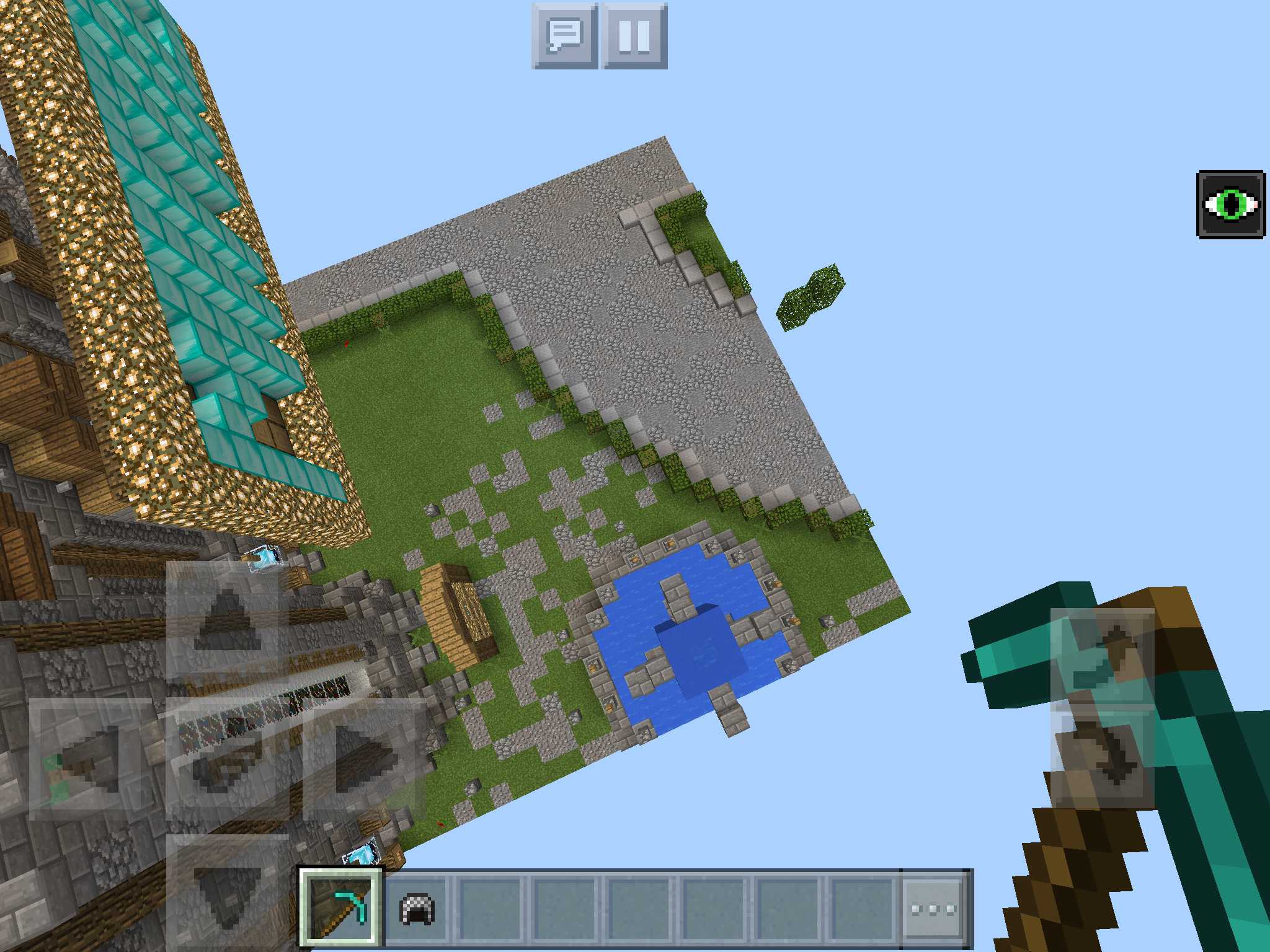
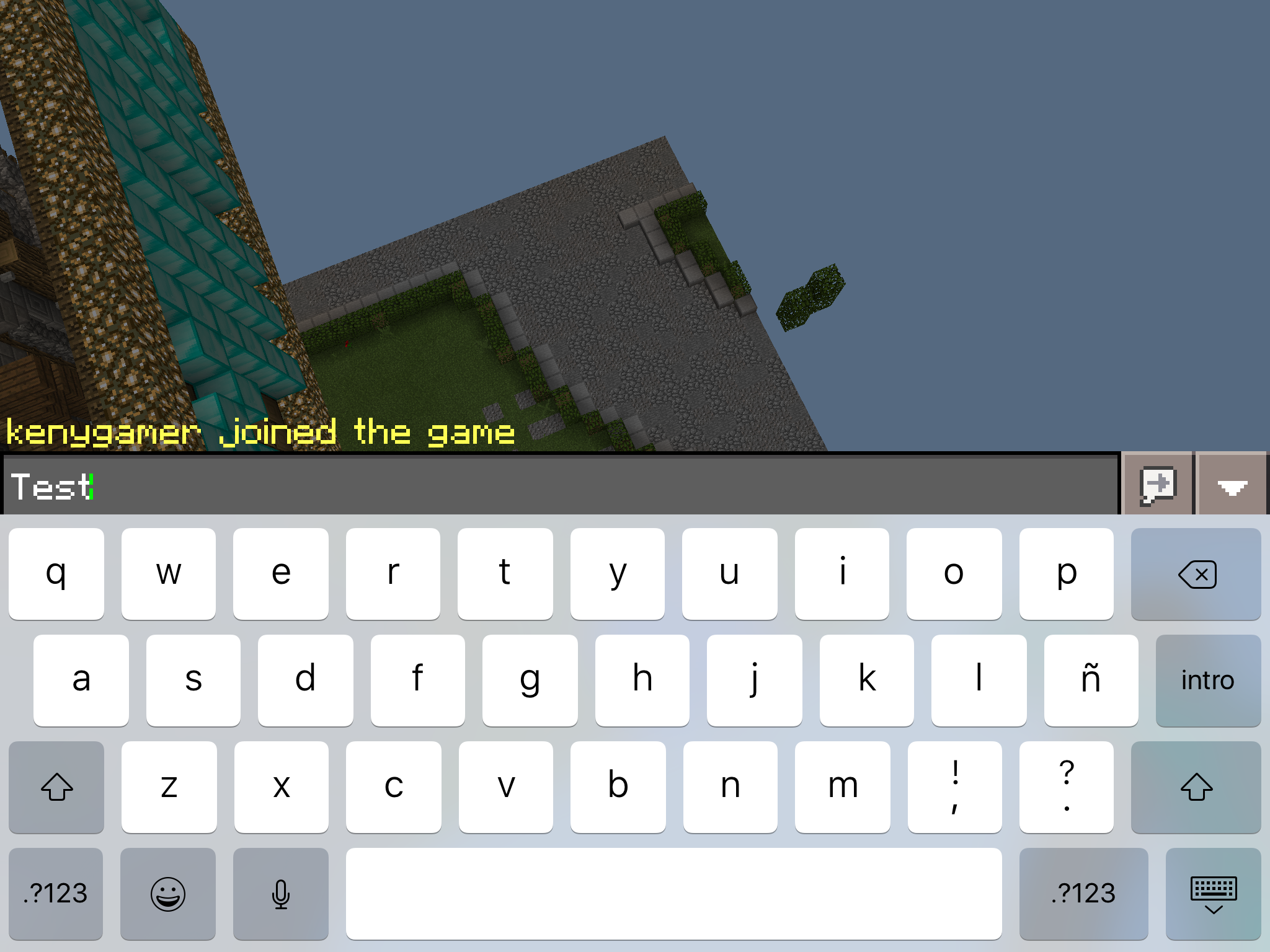
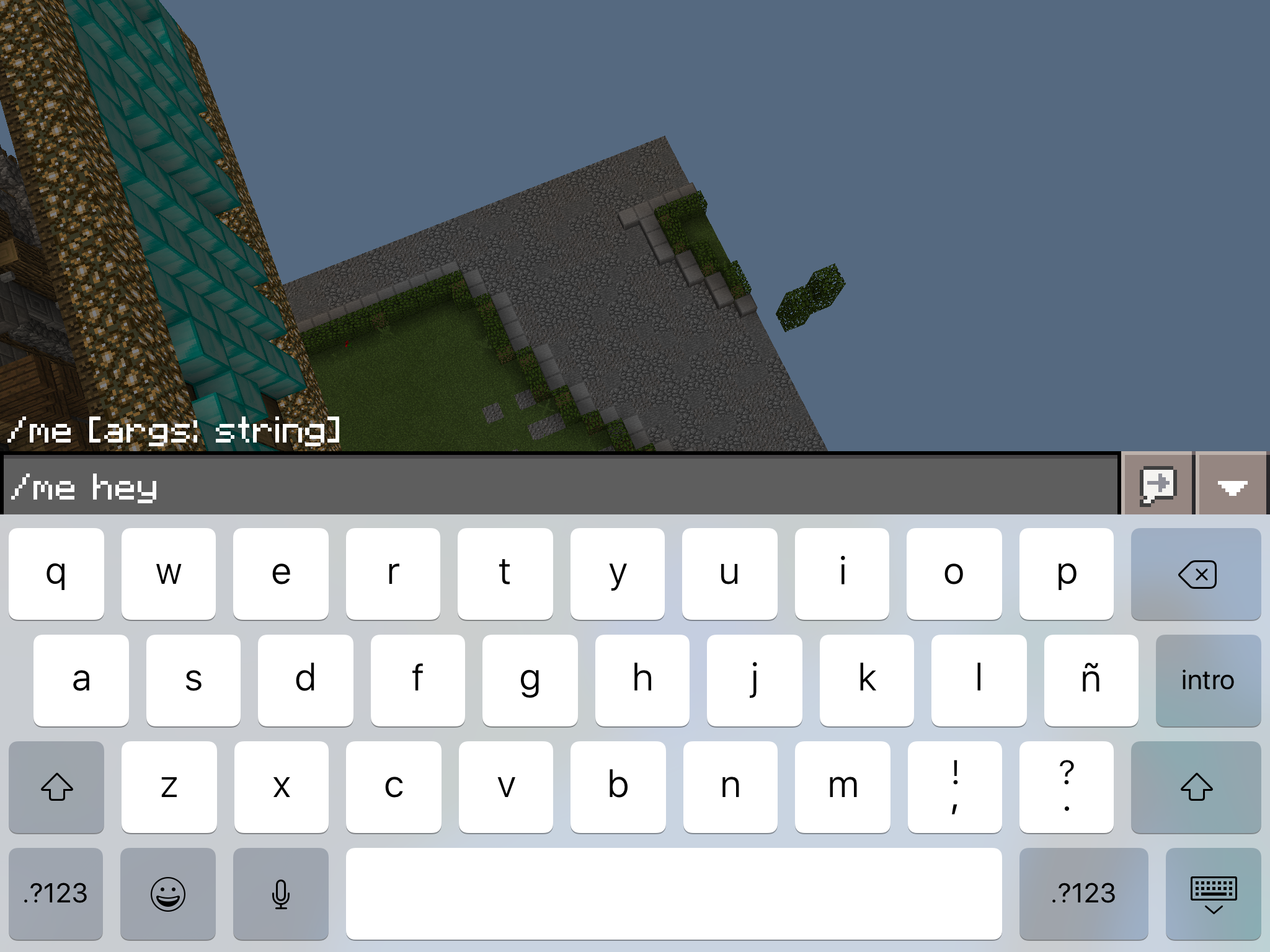
@dktapps I've tried to upload a video somewhere showing it, but can't. Screenshots should be enough:
USING VPN:
No building terrain problems, joined successfully:

Noticed just a few chunks loaded, i stayed there for a bit:
I send "Test" in chat
I execute /me Hey command , no response back from server
Check on console:

WITHOUT VPN:
Keeps in building terrain. Console shows the same (scroll up) ^.
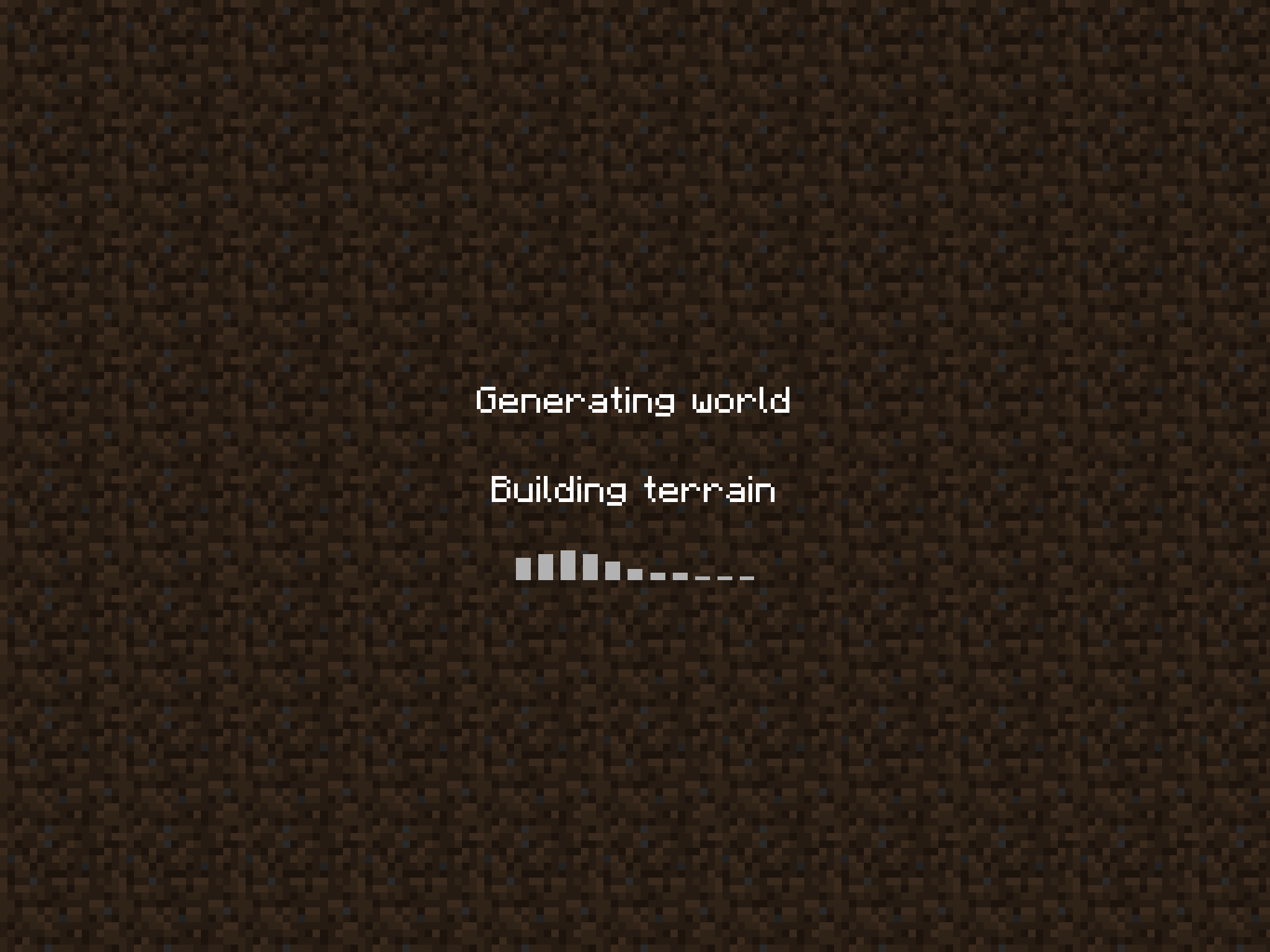
kenygamer
on 13 Jul 2017
@dktapps The problem is definitely related to the Internet Protocol. I changed my VPN service and I can join any server with United States VPN, I do not have the issue, but battery goes down considerably faster (not enabling VPN everytime I join a MCPE server).
At least you can rule out several things that may be causing the issue. While it is related to the Internet Protocol, there is something that PocketMine is not handling properly. I repeat that the problem does not happen to me exceptionally, I have friends and known that have the same problem and can not join MCPE servers.
kenygamer
on 14 Jul 2017
Sounds to me like your internet provider or something in your location is blocking these connections. I suggest you take your device to a public location and try to connect. If this works your device is fine and it must be something with your home network configuration.
MattWAnderson
on 17 Jul 2017
@MattWAnderson Mine and of many more people. I've done it, some work, but I live at home, not in public places..
kenygamer
on 18 Jul 2017
@kenygamer yea is ipv4 problem.
 pedrx21
on 18 Jul 2017
pedrx21
on 18 Jul 2017
It's fixed for me
MisteFr
on 18 Jul 2017
I can join on Internet data. but i cannot join using my Wi-Fi.
pedrx21
on 18 Jul 2017
I've just signed up for a server on gameservers for the kids to play with and hit this issue.
The first person logging into the world is fine whether it's from iPad 1, iPad 2 or android but the second person can't connect even though it says joined in the server console. However, if I take a pad off the wifi and use 4g I can join as a second person.
I reckon the return message isn't getting back to the correct device when they come through the same router.
Steve
 FatSteveHall
on 2 Sep 2017
FatSteveHall
on 2 Sep 2017
i got a fix for you guys, just use an android device
 VCraftMCPE
on 2 Oct 2017
VCraftMCPE
on 2 Oct 2017
@kenygamer do you still have this issue? if so, please update your RakLib version to https://github.com/pmmp/RakLib/commit/9142e7decec23b302ab470a55e5ed160df4878db and test again, with and without VPN. Thanks.
dktapps
on 26 Oct 2017
@dktapps No, the issue fixed since Minecraft PE 1.2
kenygamer
on 26 Oct 2017
Thanks! I'll close this then.
dktapps
on 26 Oct 2017
Related issues
 jarne
·
17Comments
jarne
·
17Comments
 Sandertv
·
37Comments
Sandertv
·
37Comments
 zKoz210
·
23Comments
Muqsit
·
23Comments
zKoz210
·
23Comments
Muqsit
·
23Comments
 matcracker
·
17Comments
matcracker
·
17Comments
Most helpful comment
Do I look like a production server?