Plyr: Youtube Video Landscape on Android not work
Expected behaviour
I have a last version of Plyr and i have observed that landscape mode does not work on android.
Actual behaviour
When I'm in portrait mode the video disappears but the sound is still there. I think it's an iframe problem that must shift at the bottom of the screen. Only on Youtube videos.
Steps to reproduce
Go to landscape mode on any website with Plyr player.
Environment
Browser: Chrome, Edge, Opera
Version: Last Version
Operating System: Android
Version: 9
Console errors (if any)
None
 Thomasfds
All 8 comments
+1 me too.
 kkak10
on 29 May 2019
kkak10
on 29 May 2019
Hi @Thomasfds ,
I had the same error, updated today to _v3.5.6_ and I think it's fixed 👍 just in case you want to try.
 rricamar
on 9 Aug 2019
rricamar
on 9 Aug 2019
This is still happening for me on v3.5.6 unfortunately...
EDIT:
I was able to make it work by adding;
on.call(player, window, 'orientationchange', resized);
above (for example)
on.call(player, elements.container, 'enterfullscreen exitfullscreen', function (event) {
 IvoJager
on 7 Oct 2019
IvoJager
on 7 Oct 2019
This is still happening for me on v3.5.6 unfortunately...
EDIT:
I was able to make it work by adding;
on.call(player, window, 'orientationchange', resized);above (for example)
on.call(player, elements.container, 'enterfullscreen exitfullscreen', function (event) {
Can you elaborate on what your 'resized' function does to fix the problem on enterfullscreen and exitfullscreen?
Thanks
 EricSSartorius
on 13 Oct 2019
EricSSartorius
on 13 Oct 2019
@EricSSartorius
It's not a function I added or wrote.
You can find the function here.
What I'm essentially doing, is catching a reorientation event and then call the _resized_ function. This function ends up recalculating and setting the video width and height. Without doing this, there appears to be an issue with these dimensions not changing (e.g. remaining in portrait mode) when the video changes from portrait to landscape.
IvoJager
on 13 Oct 2019
Ah gotcha. That makes sense, thank you. Is this something that will be added as a PR soon?
EricSSartorius
on 20 Oct 2019
Got the same problem, everything works fine when using a mp4 video file, but when using a video from youtube the videos is missalinged
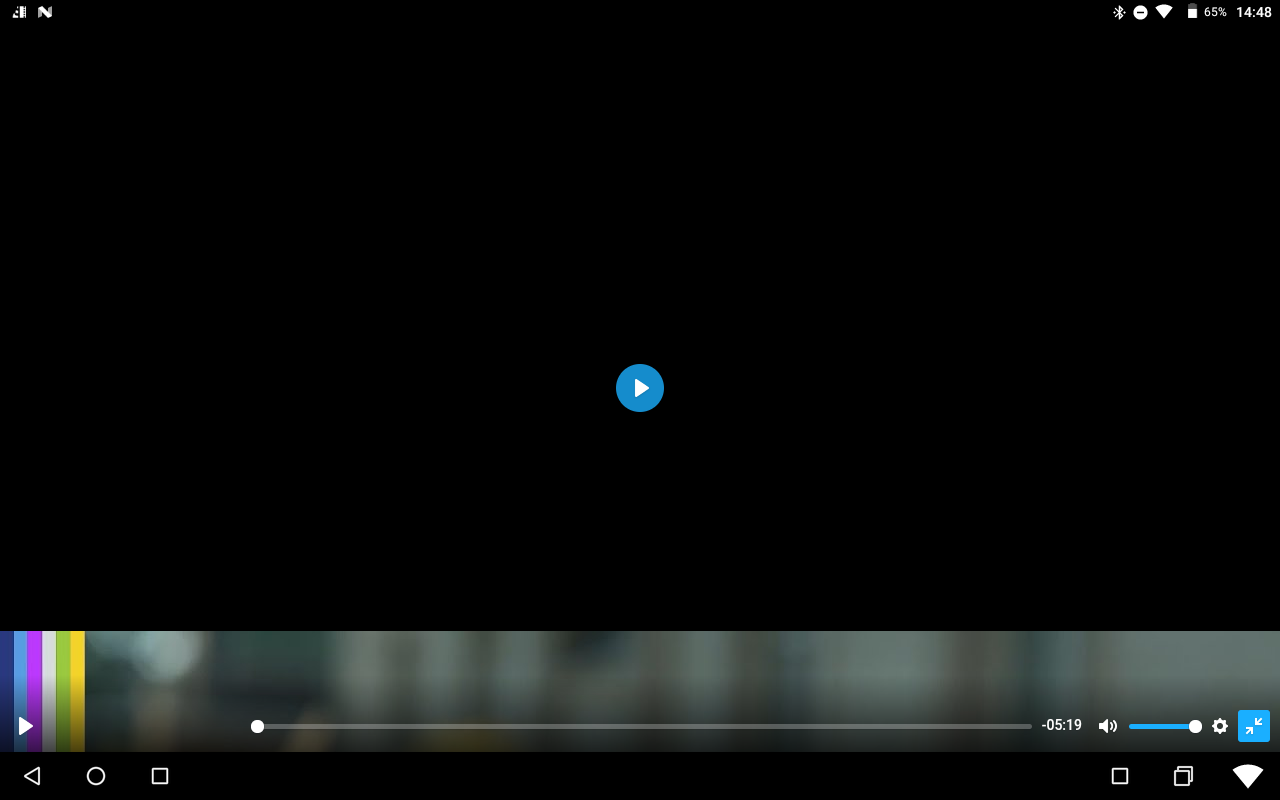
Code I'm using:
componentDidMount(){
    this.player = new Plyr('#player');
    this.player.on('enterfullscreen', event => window.screen.orientation.lock('landscape'));
    this.player.on('exitfullscreen', event => window.screen.orientation.lock('portrait'));
  }
Tried adding this.player.on.call(this.player, window, 'orientationchange', resized); but React is unhappy with resized not being defined. Any way to fix this
 tomgrassmann
on 26 Feb 2020
tomgrassmann
on 26 Feb 2020
Is there any fix for this? None of the above seem to work.
 gboston
on 17 Aug 2020
gboston
on 17 Aug 2020
Related issues
 Joolyan
·
18Comments
Joolyan
·
18Comments
 prateekkathal
·
22Comments
prateekkathal
·
22Comments
 zulhfreelancer
·
29Comments
zulhfreelancer
·
29Comments
 oyeanuj
·
21Comments
oyeanuj
·
21Comments
 calvinthefreak
·
22Comments
calvinthefreak
·
22Comments
Most helpful comment
Hi @Thomasfds ,
I had the same error, updated today to _v3.5.6_ and I think it's fixed 👍 just in case you want to try.