Hi folks! The player looks great - thank you for your work on this.
I am not sure if this is appropriate to create an issue for (so feel free to close it) but I was curious if anyone has made this work in the React world and/or if there are things/gotchas to be aware of while integrating? I am trying to assess if this would work in an existing project which currently just uses native HTML5 players.
 oyeanuj
All 21 comments
This works fine with React. I created a Plyr component and passed in source and options as props. I used css and file loaders along with react-css-modules to make the styles available.
Things to keep in mind: plyr.setup() returns an array, even if you only passed in one HTMLElement.
 drwlrsn
on 2 Jun 2016
drwlrsn
on 2 Jun 2016
I have a similar problem with Riotjs. My guess would be the Virtual Dom library goes against the current architecture which mutate the elements to add plyr instance and its events.
I feel it would be better to emit the events from the plyr instance itself so i could listen to it in javascript.
var myPlyr = Plyr.setup();
myPlyr.on('canPlay',...);
myPlyr.on('seeking',...);
etc.
In riotJs the dom Element gets modified back to previous without Plyr states most likely on the dom object comparison when its time to make the diff/match/patch.
going back to pure youtube api, Nice player otherwise. Thanks for the great work.
 madwill
on 8 Jun 2016
madwill
on 8 Jun 2016
@drwlrsn Possible to share snippet/code for your component? Curious to see how you dealt or bypassed React VDOM.
oyeanuj
on 8 Jun 2016
Would it be better for you guys if setup() returned the HTMLElement (single or array if multiple) that Plyr was setup on, for you? Totally happy to do that. It makes more sense thinking about it given that the instance can always be accessed by the plyr property anyway. Happy to take suggestions.
 sampotts
on 8 Jun 2016
sampotts
on 8 Jun 2016
@SamPotts I don't really have any strong feelings either way.
@oyeanuj something like this:
import React, { PropTypes } from 'react';
import ReactDOM from 'react-dom';
import plyr from 'plyr';
import styles from 'plyr/dist/plyr.css';

class PlyrComponent extends React.Component {
  static propTypes = {
    'options': PropTypes.object,  // this is an options object from the docs
    'source': PropTypes.object  // this is a source object from the docs
  }

  componentDidMount () {
    this.player = plyr.setup(ReactDOM.findDOMNode(this), this.props.options)[0];
    this.player.source(this.props.source);
  }

  componentWillUnmount () {
    this.player.destroy();
  }

  render () {
    return (
      <div className='js-plyr plyr'>
        <div></div>
      </div>
    );
  }
}

export default PlyrComponent;
So v1.8.0 has changes that mean setup now returns the elements (it's still an array), rather than the plyr object itself. Also some other refactoring which improves how the setup works but only if multiple media elements are found inside the HTMLElement, NodeList or text selector passed to the method.
Let me know if this helps. Bear in mind v1.7.0 also had some changes to the initial markup required too. See the changelog for more info.
sampotts
on 9 Jun 2016
@drwlrsn How did you go about subscribing to plyr events? For example I need to call a function any time a video is player.
 magicspon
on 5 Jul 2016
magicspon
on 5 Jul 2016
Hey @magicspon you can use your component's methods as listeners. Here is a quick example: http://jsbin.com/qayaxokezu/1/edit?js,console,output
drwlrsn
on 5 Jul 2016
@drwlrsn amazing, thank you very much good sir...
magicspon
on 5 Jul 2016
@drwlrsn What did you add to your webpack config to expose document which is required by the plyr module?
 sidhantpanda
on 23 Dec 2016
sidhantpanda
on 23 Dec 2016
My
this.player = plyr.setup('.js-plyr', this.props.options)[0];
returns undefined (I've tried it with many different selectors and if I remove the [0] it just returns false. I don't see anything about that in the setup what changed.
Either way thank you @drwlrsn !
 AndrewStobie
on 7 Jun 2017
AndrewStobie
on 7 Jun 2017
@AndrewStobie can you share your PlyrComponent file?
sidhantpanda
on 8 Jun 2017
@andrewstobie have you managed to fix the issue?
 zeeshanjan82
on 7 Jul 2017
zeeshanjan82
on 7 Jul 2017
Yes sorry I finished this it was a rather dumb issue with something unrelated I honestly forget the fix thank you
AndrewStobie
on 7 Jul 2017
I've avoided using findDOMNode due to: https://github.com/yannickcr/eslint-plugin-react/blob/master/docs/rules/no-find-dom-node.md
If anyone else stumbles here attempting to implement plyr in their React App, here is my dead simple implementation:
import React, { Component } from 'react';
import plyr from 'plyr';

export default class Plyr extends Component {
  componentDidMount() {
    const options = {};
    this.player = plyr.setup('#plyr-player', options);
  }
  componentWillUnmount() {
    if (this.player.length > 0) {
      for (const playerEl of this.player) {
        playerEl.destroy();
      }
    }
  }
  render() {
    const { videoUrl, videoProvider } = this.props;
    return (
       <div
          id="plyr-player"
          data-plyr-provider={videoProvider}
          data-plyr-embed-id={videoUrl} />
    );
  }
}
 AllanPooley
on 7 Jun 2018
AllanPooley
on 7 Jun 2018
I'm Still facing same problem i initialize player in my react component
`import React, { Fragment } from 'react';
import { Helmet } from 'react-helmet';
import Plyr from 'plyr';
class Player extends React.Component {
componentDidMount() {
const { videoid } = this.props;
const options = {
captions: false,
controls: [
'play',
'progress',
'current-time',
'duration',
'mute',
'volume',
'pip',
'airplay',
'fullscreen'
]
};
this.player = new Plyr('#vimeoPlayer', {
  /* options */
  options
});

// this.player = plyr.setup('#vimeoPlayer', options);

this.player.source = {
  type: 'video',
  sources: [{ src: videoid, provider: 'vimeo' }]
};
}
componentWillUnmount() {
if (this.player) {
this.player[0].pause();
setTimeout(() => {
this.player[0].destroy();
}, 300);
}
}
render() {
// const { videoid } = this.props;
return (
  <Fragment>
    <Helmet>
      <link rel="stylesheet" href="https://cdn.plyr.io/3.4.4/plyr.css" />
    </Helmet>

    {/* <div
      id="vimeoPlayer"
      data-plyr-provider="vimeo"
      data-plyr-embed-id={videoid}
    /> */}
    <div id="vimeoPlayer" />
  </Fragment>
);
}
}
export default Player;`
I want to load video dynamically from props (each time different id will be in prop) but no way found. Not be able to set src via Setter or not be able to unmount current instance. @sampotts can you please help me. I don't know what i'm missing or doing wrong
 n0umankhan
on 8 Oct 2018
n0umankhan
on 8 Oct 2018
@AllanPooley does the options work for you with your implementation?
For the player settings, I can only see the speed even if I'm putting more things in the options.
 jvlobo
on 30 Dec 2018
jvlobo
on 30 Dec 2018
Hey @jvlobo,
Here's how she looks on the sites I've built out:
Example #1:

Example #2:
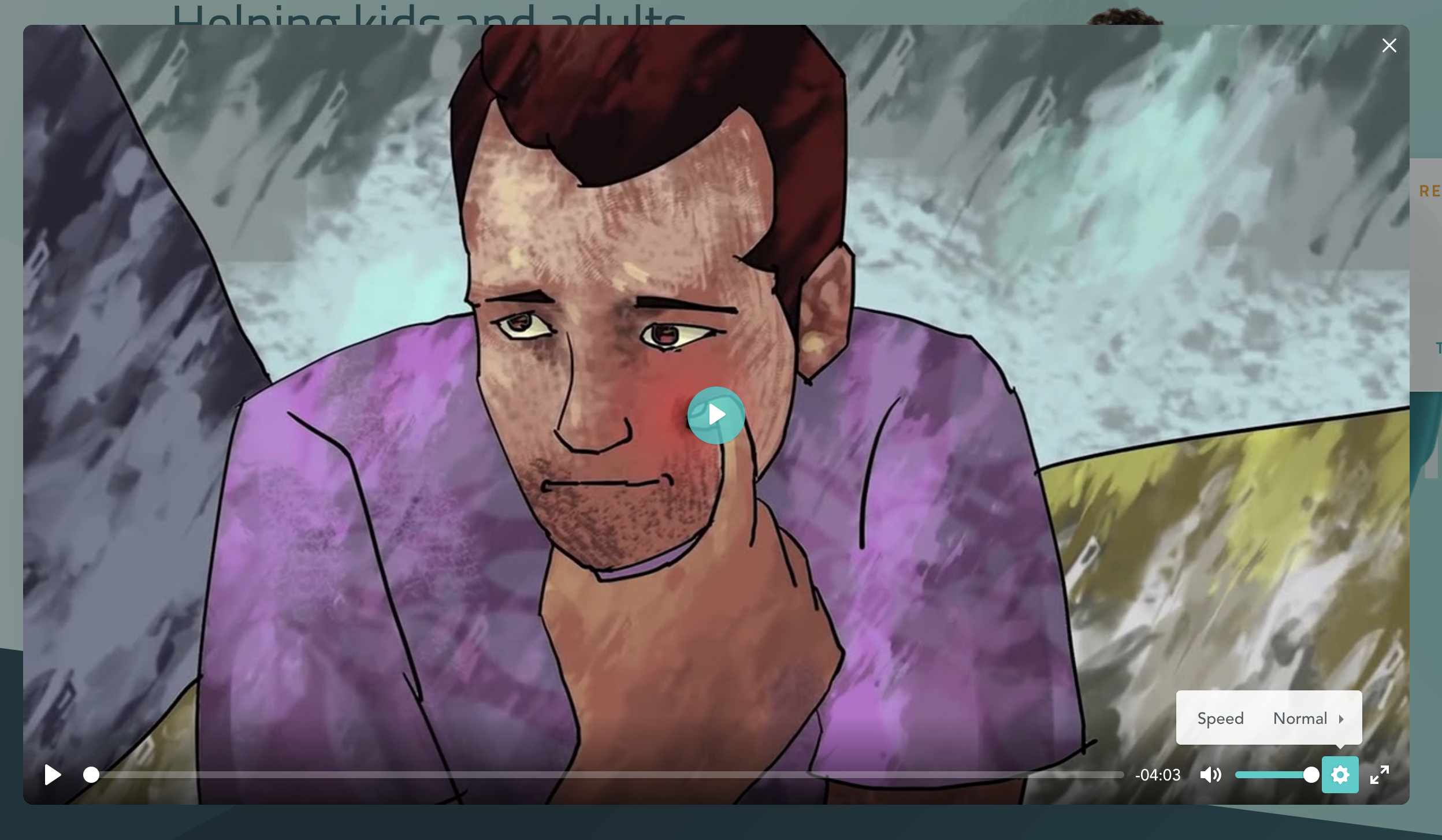
So like you seem to experiencing, yes I only have the speed option. I haven't been required to add more option so unfortunately I don't have experience debugging options! Let me know if continue to get stuck here and I'll jump into one of my projects and see what I can do / if I can replicate the issue.
AllanPooley
on 30 Dec 2018
Thank you for your answer Allan.
Yes, it looks the same for me.
But looking at the documentation, I think it should show more options by default, right?
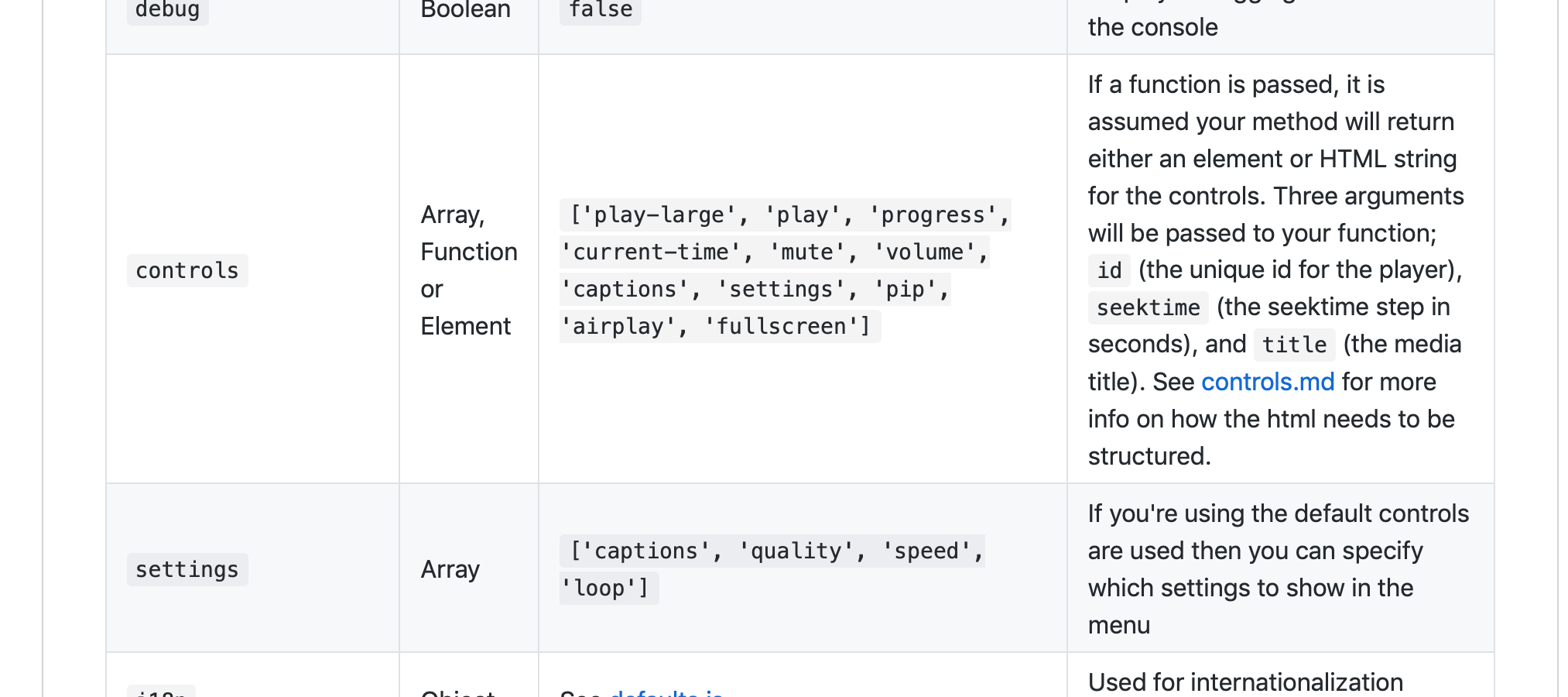
I haven't been able to add more options yet... will keep trying!
jvlobo
on 30 Dec 2018
@jvlobo
Hi
Here is my example .
The options work for me.
import React from 'react'
import PropTypes from 'prop-types'
import plyr from 'plyr'
import 'plyr/dist/plyr.css'

class PlyrComponent extends React.Component {
  componentDidMount() {
    this.player = new plyr('.js-plyr', this.props.options)
    this.player.source = this.props.sources
  }

  componentWillUnmount() {
    this.player.destroy()
  }

  render() {
    return (
      <video className='js-plyr plyr'>
      </video>
    )
  }
}

PlyrComponent.defaultProps = {
  options: {
    controls: [
      'rewind',
      'play',
      'fast-forward',
      'progress',
      'current-time',
      'duration',
      'mute',
      'volume',
      'settings',
      'fullscreen',
    ],
    i18n: {
      restart: 'Restart',
      rewind: 'Rewind {seektime}s',
      play: 'Play',
      pause: 'Pause',
      fastForward: 'Forward {seektime}s',
      seek: 'Seek',
      seekLabel: '{currentTime} of {duration}',
      played: 'Played',
      buffered: 'Buffered',
      currentTime: 'Current time',
      duration: 'Duration',
      volume: 'Volume',
      mute: 'Mute',
      unmute: 'Unmute',
      enableCaptions: 'Enable captions',
      disableCaptions: 'Disable captions',
      download: 'Download',
      enterFullscreen: 'Enter fullscreen',
      exitFullscreen: 'Exit fullscreen',
      frameTitle: 'Player for {title}',
      captions: 'Captions',
      settings: 'Settings',
      menuBack: 'Go back to previous menu',
      speed: 'Speed',
      normal: 'Normal',
      quality: 'Quality',
      loop: 'Loop',
    },
  },
  sources: {
    type: 'video',
    sources: [
      {
        src: '/path/to/movie.mp4',
        type: 'video/mp4',
        size: 720,
      },
      {
        src: '/path/to/movie.webm',
        type: 'video/webm',
        size: 1080,
      },
    ],
  }
}

PlyrComponent.propTypes = {
  options: PropTypes.object,
  sources: PropTypes.object,
  source: PropTypes.func,
  destroy: PropTypes.func
}

export default PlyrComponent
 sihhanwang
on 18 Oct 2019
sihhanwang
on 18 Oct 2019
Hi @n0umankhan did you find any fix?
I am having some issues regarding unmounting player from memory.
And @jvlobo how can I pass audio urls dynamically in your example. Pardon me I am a beginner.
Also plyr not unloading properly
import React, { useEffect } from "react";
import PropTypes from "prop-types";
import plyr from "plyr";
import "plyr/dist/plyr.css";

const Plyr = (props) => {
  useEffect(() => {
    const player = new plyr(".js-plyr", props.options);
    const sources = {
      type: "audio",
      sources: [
        {
          src: props.audio,
          type: "audio/mp3",
          // size: 720,
        },
        {
          src: "/path/to/movie.webm",
          type: "video/webm",
          size: 1080,
        },
      ],
    };
    player.source = sources;
    return () => {
      player.destroy();
    };
  }, []);
  return <audio className="js-plyr plyr"></audio>;
};

Plyr.defaultProps = {
  options: {
    controls: [
      "rewind",
      "play",
      "fast-forward",
      "progress",
      "current-time",
      "duration",
      "mute",
      "volume",
      "settings",
      "fullscreen",
    ],
    i18n: {
      restart: "Restart",
      rewind: "Rewind {seektime}s",
      play: "Play",
      pause: "Pause",
      fastForward: "Forward {seektime}s",
      seek: "Seek",
      seekLabel: "{currentTime} of {duration}",
      played: "Played",
      buffered: "Buffered",
      currentTime: "Current time",
      duration: "Duration",
      volume: "Volume",
      mute: "Mute",
      unmute: "Unmute",
      enableCaptions: "Enable captions",
      disableCaptions: "Disable captions",
      download: "Download",
      enterFullscreen: "Enter fullscreen",
      exitFullscreen: "Exit fullscreen",
      frameTitle: "Player for {title}",
      captions: "Captions",
      settings: "Settings",
      menuBack: "Go back to previous menu",
      speed: "Speed",
      normal: "Normal",
      quality: "Quality",
      loop: "Loop",
    },
  },
};

Plyr.propTypes = {
  options: PropTypes.object,
  sources: PropTypes.object,
  source: PropTypes.func,
  destroy: PropTypes.func,
};

export default Plyr;
`
Using the code above I can play all audio files from first API call but then after fetching results the previously loaded audio is not unloading themselves. Same audio set is playing for next page in pagination.
`
 iamshrikantjha
on 28 Jul 2020
iamshrikantjha
on 28 Jul 2020
Related issues
 osamay
·
4Comments
osamay
·
4Comments
 frumbert
·
3Comments
frumbert
·
3Comments
 Lycanthrope
·
4Comments
Lycanthrope
·
4Comments
 elliottcoe
·
4Comments
elliottcoe
·
4Comments
 nam-co
·
4Comments
nam-co
·
4Comments
Most helpful comment
@SamPotts I don't really have any strong feelings either way.
@oyeanuj something like this: