Plyr: Volume control disappears shortly after initializing
with the default setup, even the official codepen demo, the volume control disappears ( the progress bar extending over the freed space ) shortly after the player is fully initialized. You can see it, then it just disappears. No matter what other controls config and no matter if autoplay or not. Weirdly it is fine in Firefox
Problem occurs under
Win 10 pro 64bit
Opera 56.0.3051.36
Chrome 69.0.3497.100 64bit
Chrome 71.0.3577.0 canary 32bit
works in
Firefox 62.0.3 64bit
Ms Edge 42.17134.1.0
 henryschmieder
All 10 comments
version 3.2.4. Anyone else experiencing the same issue?
Strangely, clicking into the progress bar makes the volume bar re-appear.
Another fix is to invoke plyrInstance.currentTime = 0; before calling play()
henryschmieder
on 14 Oct 2018
Hey, the CodePen demo was using an outdated version. I've updated it to use latest (v3.4.5) and it now functions correctly: https://codepen.io/sampotts/pen/jARJYp
 sampotts
on 24 Oct 2018
sampotts
on 24 Oct 2018
@sampotts I am using ver 3.5.2 and still appear issue. Please my gif below.
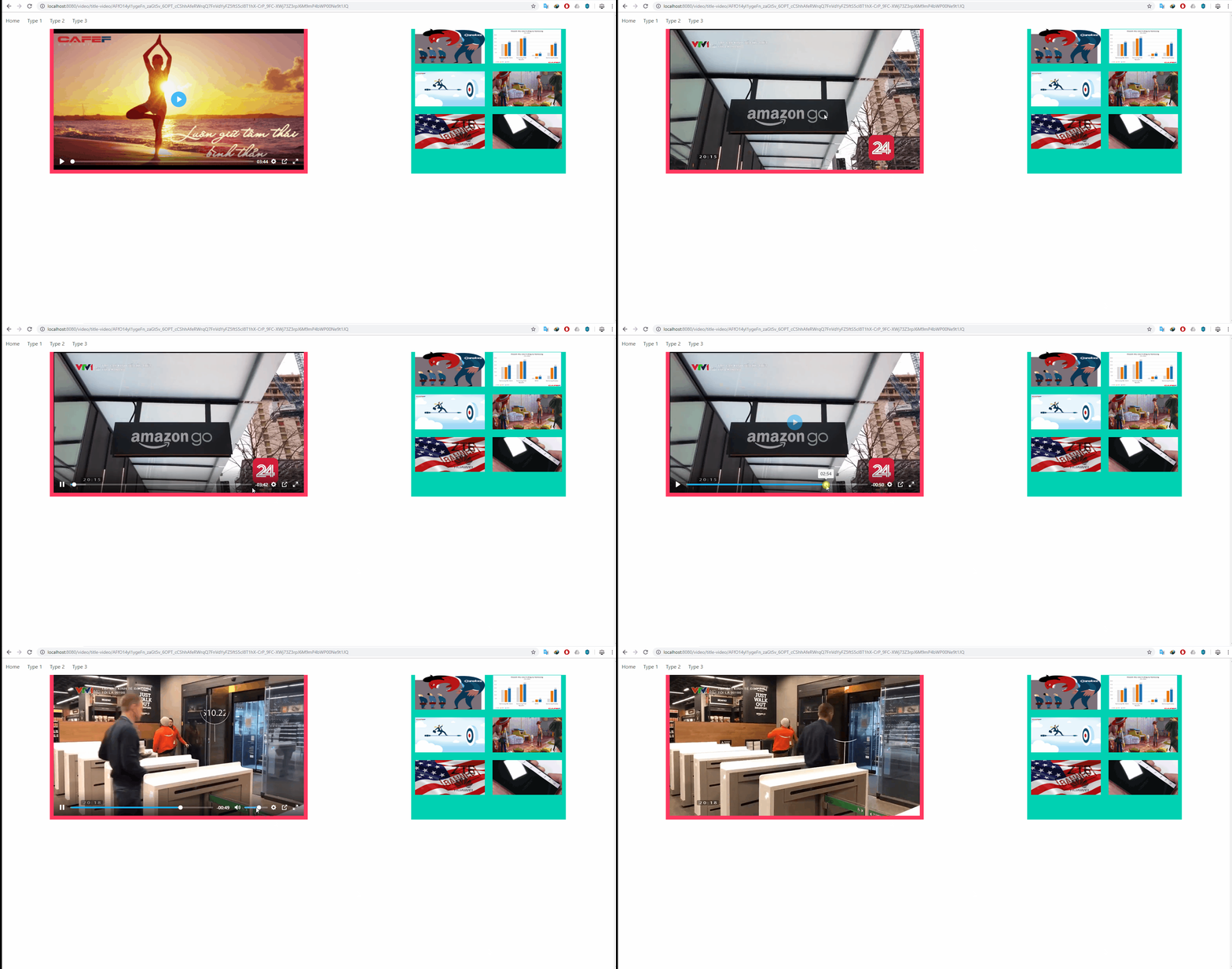
 hoangdangduy
on 23 Mar 2019
hoangdangduy
on 23 Mar 2019
Add information. I am using Google Chrome version 73.0.3683.86. However it still run correct with Edge.
hoangdangduy
on 23 Mar 2019
The logic here is that we check for audio tracks before showing the volume control. It was raised as a bug previously that the volume control showed up for videos without audio tracks so I added some logic in. Essentially when the canplay or loadeddata event occurs, I toggle the visibility of the volume input based on a hasAudio getter. I'll take another look. It could well be the video is cached and these two events do not fire as a result. That seems the most logical explanation. Media events can be flaky at best.
sampotts
on 26 Mar 2019
Hi, any news on this issue?
 poohitan
on 23 Oct 2019
poohitan
on 23 Oct 2019
For anyone else wondering, here is a workaround:
player.on('loadeddata', () => { player.currentTime = player.currentTime; });
poohitan
on 28 Nov 2019
This will be fixed in the next release (in a day or two).
sampotts
on 14 Jan 2020
Hey @sampotts, I'm still experiencing this issue using 3.5.6. Did you release that change?
 bhayward93
on 3 Feb 2020
bhayward93
on 3 Feb 2020
This should be fixed in v3.5.7 👍
sampotts
on 10 Feb 2020
Related issues
 lukeyouell
·
27Comments
lukeyouell
·
27Comments
 zulhfreelancer
·
29Comments
zulhfreelancer
·
29Comments
 louie-senpai
·
23Comments
louie-senpai
·
23Comments
 espoal
·
27Comments
espoal
·
27Comments
 prateekkathal
·
22Comments
prateekkathal
·
22Comments
Most helpful comment
This will be fixed in the next release (in a day or two).