Plots.jl: Error with unicode labels in GR backend
using Plots; gr()
plot(x->x, xlabel="λ")
BoundsError: attempt to access 1-element Array{UInt8,1} at index [2]
in setindex!(::Array{UInt8,1}, ::Int64, ::Int64) at ./array.jl:415
in latin1(::String) at /home/juliohm/.julia/v0.5/GR/src/GR.jl:456
in text at /home/juliohm/.julia/v0.5/GR/src/GR.jl:488 [inlined]
in gr_text(::Float64, ::Float64, ::String) at /home/juliohm/.julia/v0.5/Plots/src/backends/gr.jl:191
in gr_display(::Plots.Subplot{Plots.GRBackend}, ::Measures.Length{:mm,Float64}, ::Measures.Length{:mm,Float64}, ::Array{Float64,1}) at /home/juliohm/.julia/v0.5/Plots/src/backends/gr.jl:711
in gr_display(::Plots.Plot{Plots.GRBackend}) at /home/juliohm/.julia/v0.5/Plots/src/backends/gr.jl:494
in _show(::Base.AbstractIOBuffer{Array{UInt8,1}}, ::MIME{Symbol("image/svg+xml")}, ::Plots.Plot{Plots.GRBackend}) at /home/juliohm/.julia/v0.5/Plots/src/backends/gr.jl:1089
in show(::Base.AbstractIOBuffer{Array{UInt8,1}}, ::MIME{Symbol("image/svg+xml")}, ::Plots.Plot{Plots.GRBackend}) at /home/juliohm/.julia/v0.5/Plots/src/output.jl:197
in show(::Base.AbstractIOBuffer{Array{UInt8,1}}, ::MIME{Symbol("text/html")}, ::Plots.Plot{Plots.GRBackend}) at /home/juliohm/.julia/v0.5/Plots/src/output.jl:177
in show(::Base.AbstractIOBuffer{Array{UInt8,1}}, ::String, ::Plots.Plot{Plots.GRBackend}) at ./multimedia.jl:33
in #sprint#304(::Void, ::Function, ::Int64, ::Function, ::String, ::Vararg{Any,N}) at ./strings/io.jl:37
in display_dict(::Plots.Plot{Plots.GRBackend}) at /home/juliohm/.julia/v0.5/Plots/src/output.jl:266
in execute_request(::ZMQ.Socket, ::IJulia.Msg) at /home/juliohm/.julia/v0.5/IJulia/src/execute_request.jl:187
in eventloop(::ZMQ.Socket) at /home/juliohm/.julia/v0.5/IJulia/src/eventloop.jl:8
in (::IJulia.##13#19)() at ./task.jl:360
 juliohm
All 26 comments
As a workaround for the moment, you can use LaTeXStrings and xlabel = "\lambda"
 mkborregaard
on 2 May 2017
mkborregaard
on 2 May 2017
GR doesn't handle unicode characters well, eg:
plot(title="ąęźńśćł")
the result:

any idea for a workaround?
 kalmarek
on 18 Nov 2017
kalmarek
on 18 Nov 2017
Matplotlib also has awful Unicode font support by default — it doesn't know how to find a Unicode fallback font, apparently, and so users resort to manually searching for fonts (e.g. https://jdhao.github.io/2017/05/13/guide-on-how-to-use-chinese-with-matplotlib/, https://stackoverflow.com/questions/28905938/how-to-use-unicode-symbols-in-matplotlib, JuliaPy/PyPlot.jl#114, …). However, it just draws boxes — it doesn't actually error on the strings.
 stevengj
on 11 Jan 2019
stevengj
on 11 Jan 2019
Also reported here:
https://discourse.julialang.org/t/why-in-plots-plot-cant-correctly-display-chinese/19511
Not so straightforward to work around since there are no LaTeX escapes for Chinese characters.
 StefanKarpinski
on 11 Jan 2019
StefanKarpinski
on 11 Jan 2019
The culprit is the latin1 function in GR:
https://github.com/jheinen/GR.jl/blob/18bd2a104ef06bc945434b/src/GR.jl#L497-L524
It seems to be interpreting Julia String objects as Latin-1? Or maybe trying to convert to Latin-1? Unclear. Perhaps @jheinen could shed some light on what's going on there?
StefanKarpinski
on 11 Jan 2019
Yes - right now, some of the underlying graphics output drivers (in GKS) don't support UTF-8. I will allow to bypass the latin1() logic with one of the next releases and raise warning messages in such drivers.
A better solution would be the intrinsic generation of character glyphs based on the FreeType library using a limited set of fonts distributed as part of GR. We have a proof of concept solution for that, but it has not yet been integrated into GR.
The UTF-8 problem is on our radar, but we are currently working on other feature, like pan/zoom, multiple window support, JS integration etc.
 jheinen
on 11 Jan 2019
jheinen
on 11 Jan 2019
FreeType might be a little too low level. For example, my understanding is that it doesn't implement automated glyph replacement (finding glyphs from a fallback font if the current font doesn't provide it). Matplotlib uses FreeType and that is apparently why people have so many problems rendering Unicode text with it as in the links above — manually choosing the right font to render certain glyphs is a pain!
Ideally there would be a Julia interface to some higher-level library for text rendering — either something like HarfBuzz or abstracting OS-specific APIs. I'm not sure what the best choice is.
stevengj
on 11 Jan 2019
MEP14 for Matplotlib has a summary of text-handling issues for plotting, the shortcomings of FreeType, and the available options. That document also identifies harfbuzz as the most promising cross-platform option.
stevengj
on 11 Jan 2019
I will add UTF support as described above. HarfBuzz - as an abstraction layer - will not improve anything IMO. I tried it on Linux (Ubuntu), Windows and macOS and got three different results:
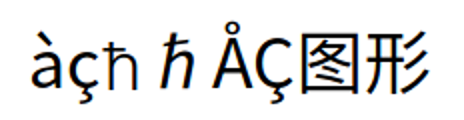

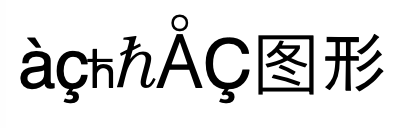
jheinen
on 13 Jan 2019
Why is it a bad thing for the results of text rendering to depend on what fonts you have installed, which seems like the source of the differences? Is it better to show boxes than to use system fallback fonts?
stevengj
on 13 Jan 2019
Sure, it's better than showing boxes. But as GR only uses common fonts, I would have expected similar output.
Fonts used in GR are:
- Courier (Regular, Oblique, Bold, Bold Oblique)
- Helvetica (Regular, Oblique, Bold, Bold Oblique)
- Times (Roman, Italic, Bold, Bold Italic)
- Symbol
and
- ITC Avant Garde Gothic (Book, Book Oblique, Demi, Demi Oblique)
- ITC Bookman (Light, Light Italic, Demi, Demi Italic)
- Courier (Regular, Oblique, Bold, Bold Oblique)
- Helvetica (Regular, Oblique, Bold, Bold Oblique, Condensed, Condensed Oblique, Condensed Bold, Condensed Bold Oblique)
- New Century Schoolbook (Roman, Italic, Bold, Bold Italic)
- Palatino (Roman, Italic, Bold, Bold Italic)
- Symbol
- Times (Roman, Italic, Bold, Bold Italic)
- ITC Zapf Chancery (Medium Italic)
- ITC Zapf Dingbats
I'll check (next week) why the test results differ. It was just a "quick and dirty" patch in GR ...
jheinen
on 13 Jan 2019
Has there been any progress on this issue? I'm getting a question mark when I try to use a Greek letter in an annotation. This is a problem for scientific graphs...EDIT: Okay, Latex escape sequences work e.g. "\\mu"
 BioTurboNick
on 10 Apr 2019
BioTurboNick
on 10 Apr 2019
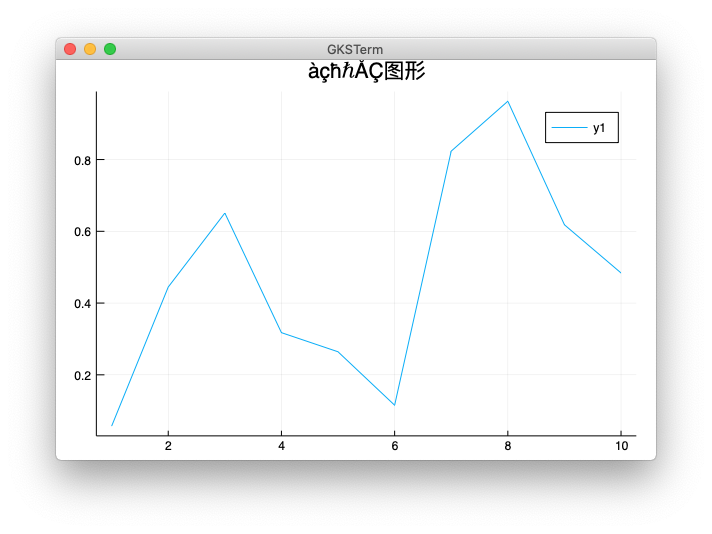
Latin-1 is still the default, but you can change the encoding using an environment variable:
ENV["GKS_ENCODING"] = "utf-8"
using Plots
plot(rand(10),title="àçħℏÅÇ图形")
This is because not all output devices in GR have full UTF-8 support yet.
jheinen
on 10 Apr 2019
This seems to work only in plotpane and SVG:
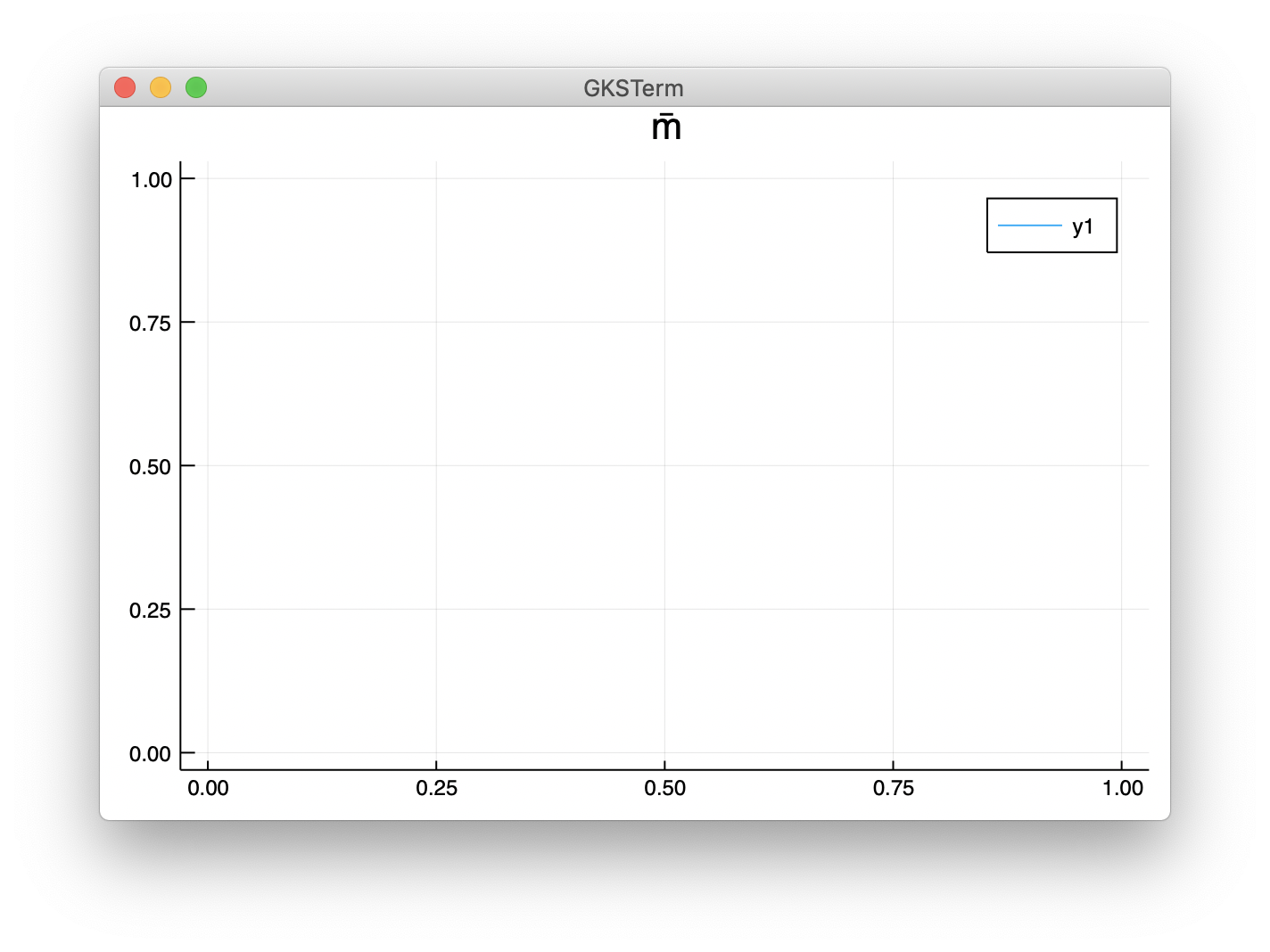
not in PNG
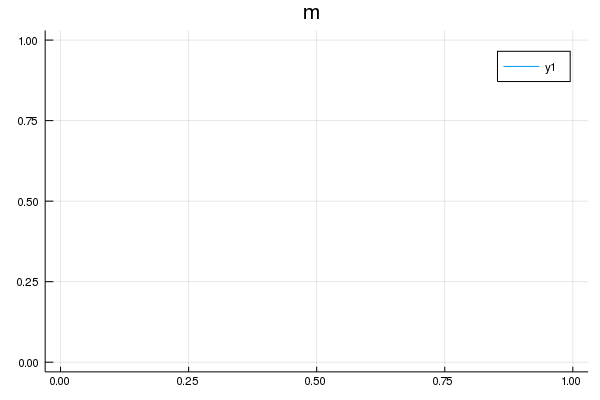
or PDF
lol.pdf
.
Example code used to generate this was:
p = plot(1; title = "m̅")
 asinghvi17
on 23 Jul 2019
asinghvi17
on 23 Jul 2019
The GR PNG renderer is based on Cairo which currently has limited support for UTF-8. Will (hopefully) be fixed in a future release with a builtin math renderer.
jheinen
on 23 Jul 2019
But as GR only uses common fonts, I would have expected similar output.
Not if those fonts are missing glyphs for the characters in your string. Then any text rendering engine will either display a box or a glyph from a system-specific fallback font. And it seems like all of your GR fonts are quite old, the pre-Unicode Postscript fonts?
You’ll get more consistent results if you use a free font with better Unicode coverage, maybe DejaVu.
stevengj
on 4 Sep 2019
But as GR only uses common fonts, I would have expected similar output.
Not if those fonts are missing glyphs for the characters in your string. Then any text rendering engine will either display a box or a glyph from a system-specific fallback font. And it seems like all of your GR fonts are quite old, the pre-Unicode Postscript fonts?
You’ll get more consistent results if you use a free font with better Unicode coverage, maybe DejaVu.
I think issue would benefit from a short guide on how to tell the GR backend to use modern fonts.
 Jona-Engel
on 15 Nov 2019
Jona-Engel
on 15 Nov 2019
Has there been any progress on this issue? I'm getting a question mark when I try to use a Greek letter in an annotation. This is a problem for scientific graphs...EDIT: Okay, Latex escape sequences work e.g.
"\\mu"
The escape sequences somehow fail when parentheses are involved:
plot(xlabel="log(\\mu)")
gives

 yuxiliu1995
on 30 Dec 2019
yuxiliu1995
on 30 Dec 2019
You can use plot(xlabel="log(µ)") or LaTeXStrings L"log(\mu)").
jheinen
on 30 Dec 2019
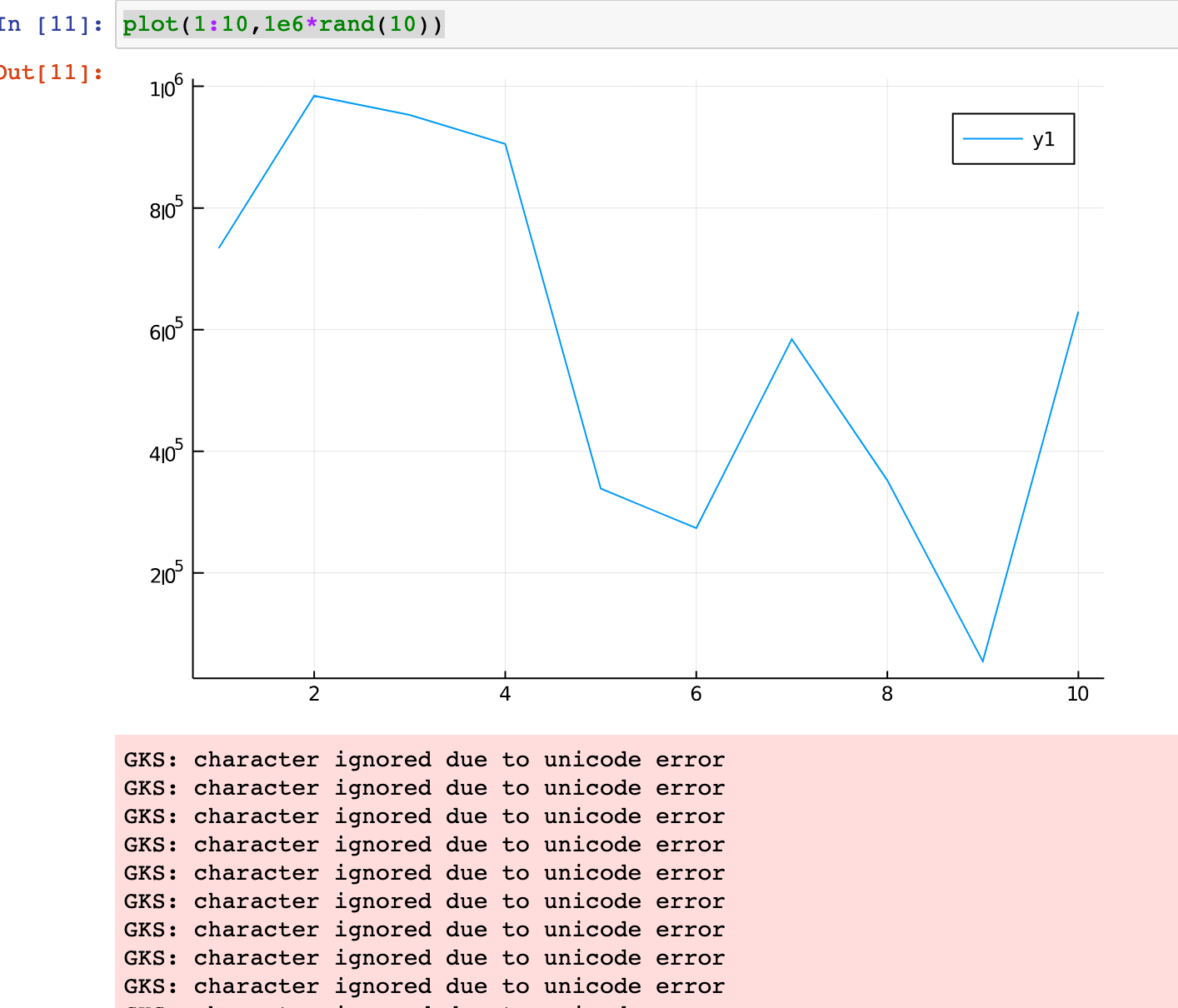
I have this warning in a IJulia notebook. I am not using any special character in labels. Weird thing is that it works fine in REPL.
GKS: character ignored due to unicode error
 newptcai
on 24 Apr 2020
newptcai
on 24 Apr 2020
Works fine with LaTeXStrings or UTF-8 encoding:
using LaTeXStrings
...
plot(xlabel=L"log(\mu)")
or
ENV["GKS_ENCODING"]="utf8"
using Plots
...
plot(xlabel="log(μ)")
I'm seeing this as well when plotting large values using scientific notation in a Jupyter notebook:
using Plots
plot(1:10,1e6*rand(10))
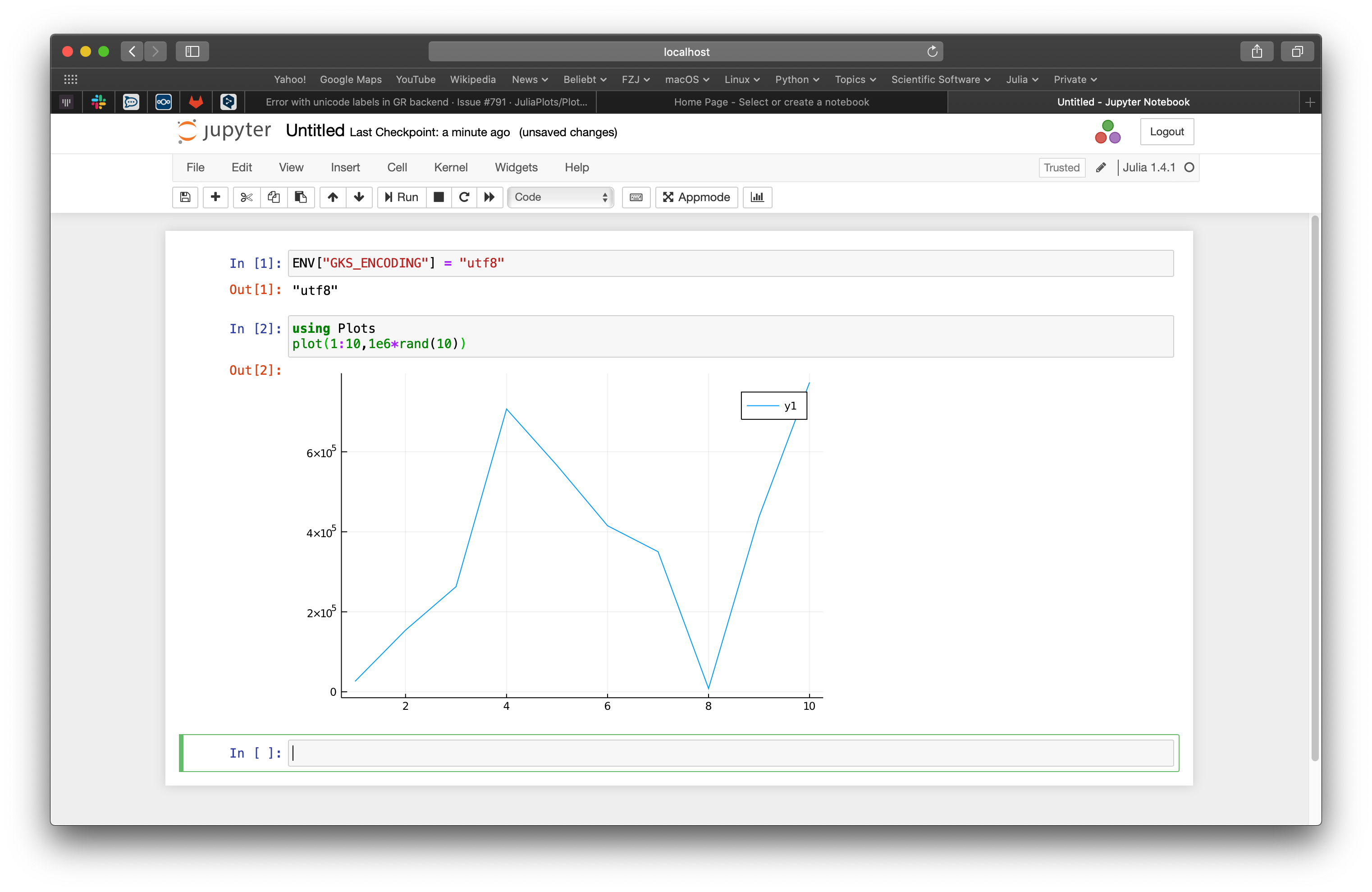
setting ENV["GKS_ENCODING"]="utf8" doesn't fix the issue.
 simonbyrne
on 24 Apr 2020
simonbyrne
on 24 Apr 2020
You have to set it before using Plots.
We will tag a new version next week. Hopefully that will end this mess with wrong versions and run-time environments ...
jheinen
on 24 Apr 2020
If you are on GR#master, you can also use Plots.GR.settextencoding(Plots.GR.ENCODING_UTF8) (even after importing Plots) until the next release is tagged.
jheinen
on 24 Apr 2020
After export GKS_ENCODING=utf-8, the characters can be successfully displayed in gr (althought the frame of box is covered by the characters)

however, if savefig("a.pdf"), it will display ?.
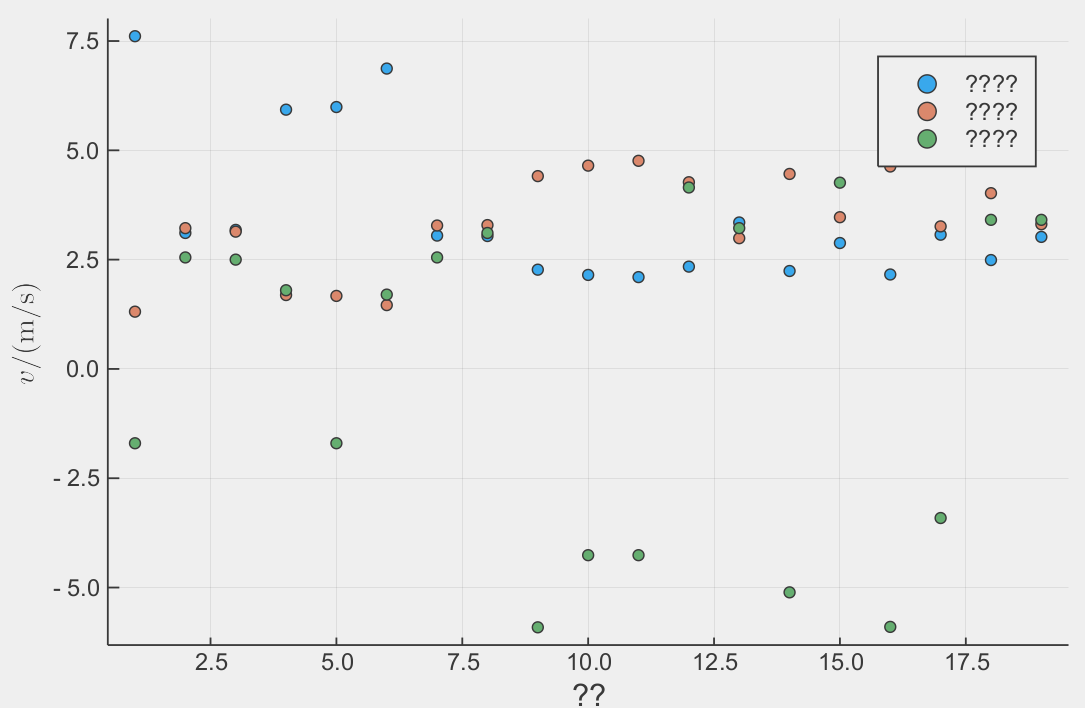
if savefig("a.png"), it will return GKS: invalid bitmap size and display
How can user save a picture containing unicode characters except screenshoting?
 Freed-Wu
on 20 Aug 2020
Freed-Wu
on 20 Aug 2020
The original issue has been fixed. I will close this, and people can open a separate issue regarding saving options. :+1:
juliohm
on 20 Aug 2020
Related issues
 Cody-G
·
4Comments
Cody-G
·
4Comments
 daschw
·
3Comments
daschw
·
3Comments
 kersulis
·
5Comments
kersulis
·
5Comments
 tbenst
·
3Comments
mkborregaard
·
3Comments
tbenst
·
3Comments
mkborregaard
·
3Comments
Most helpful comment
Latin-1 is still the default, but you can change the encoding using an environment variable:
This is because not all output devices in GR have full UTF-8 support yet.
