Platformio-atom-ide-terminal: [SOLVED] PlatformIO IDE Terminal does not work with Atom 1.19
Solution No.1
- Open atom
- Upgrade Atom to v1.19
- Click on the red bug on the right side of the statusbar
- Move your mouse cursor on the error message which states that "some packages were build for a previous version of atom" to the right corner -> a button will appear to rebuild packages
- Press on the newly appearing button
- Reload atom
- Uninstall
platformio-ide-terminalpackage - Install
platformio-ide-terminalpackage
Solution No.2
- Install C++ compiler:
- Linux:
apt-get install gcc,yum install gcc - macOC:
xcode-select --install - Windows: Microsoft Visual Studio
- Uninstall
platformio-ide-terminalpackage - Install
platformio-ide-terminalpackage
- Linux:
I was working in Atom, and all of sudden my atom closed.
I opened it back, and I no longer have my terminal toggle.
I don't have the icon to open it.
I tried to toggle/open it from the Packages menu, but still nothing.
Nothing happens.
I tried rebooting, reinstalling the package ect..
Even other terminal won't work.
 Kardiamond
All 94 comments
Atom version?
 ivankravets
on 8 Aug 2017
ivankravets
on 8 Aug 2017
1.19.0
Kardiamond
on 8 Aug 2017
Oh wow did my atom just get updated? I didnd't see it going.
Kardiamond
on 8 Aug 2017
See updated title. Atom has released a new version a few hours ago, v1.19. It is built on top of new Electron engine. We don't have PTY binaries for M53.
We are working on that, compiling new binaries, please wait 10-15minutes for the new release of PlatformIO IDE Terminal.
ivankravets
on 8 Aug 2017
Wow thanks for the quick reply.
Continue your good work!
Kardiamond
on 8 Aug 2017
Could you try to uninstall a package and install again? Does it work now? What is your OS?
ivankravets
on 8 Aug 2017
@ivankravets you're the best! I can't believe you resolved this so quickly
 tom-mckinney
on 8 Aug 2017
tom-mckinney
on 8 Aug 2017
@digitalsaurus Thanks! What is your OS? Architecture?
ivankravets
on 8 Aug 2017
@ivankravets My work machine is Windows 7 64-bit... unfortunately lol
tom-mckinney
on 8 Aug 2017
I'm running Atom 1.19 on Debian Sid with the newest version (2.5.5) of this package. But unfortunately I have the same problems as the OP.
No icons, nothing happens when you try to open a new terminal.
 delta-one
on 9 Aug 2017
delta-one
on 9 Aug 2017
@delta-one did it work before?
ivankravets
on 9 Aug 2017
It worked with Atom 1.18 if that's what you mean.
delta-one
on 9 Aug 2017
Temporary solution: install gcc, uninstall terminal package and install it again. Should work now
ivankravets
on 9 Aug 2017
No luck there either.
delta-one
on 9 Aug 2017
2.5.5 also broken on Mac with Atom 0.19.
 i3games
on 9 Aug 2017
i3games
on 9 Aug 2017
Thank you Ivankravets!
It works on Windows 10 - 64bits.
Like you said I had to rienstall it to work tho, only updating it wouldnt do the job.
Kardiamond
on 9 Aug 2017

Got the same issue.
2.5.5 on Atom 1.19, Linux Mint 18.1.
Already tried to reinstall the package.
gcc is installed.
 hatsuo
on 9 Aug 2017
hatsuo
on 9 Aug 2017
I also have same issue w/ v2.5.5 on Mac Atom 1.19.0
:zap: Update
I run the "rebuild packages" and solved it self
 sectsect
on 9 Aug 2017
sectsect
on 9 Aug 2017
Contrary to other reports, I had no issue recompiling the native addons after upgrading this package to 2.5.5. Running Atom 1.19 on macOS Sierra.
 robertrossmann
on 9 Aug 2017
robertrossmann
on 9 Aug 2017
Recompiling the package through the Atom GUI after updating to 2.5.5 worked for me too. Atom 1.19.0 x64 on Windows 7
 Aevis
on 9 Aug 2017
Aevis
on 9 Aug 2017
@sectsect could you archive and attach here ~/.atom/packages/platformio-ide-terminal/node_modules/pty.js/build/Release/pty.node? I'll test your binary on my macOS.
P.S: What is your macOS version?
ivankravets
on 9 Aug 2017
All people who has a problem, please provide
ls -al ~/.atom/packages/platformio-ide-terminal/node_modules/pty.js
The file doesn't exist, because I don't have a build-folder in node_modules.
delta-one
on 9 Aug 2017
@delta-one
gcc --version
?
Try
- Uninstall
platformio-ide-terminalpackage - Install
platformio-ide-terminalpackage
ivankravets
on 9 Aug 2017
gcc (Debian 7.1.0-12) 7.1.0
Have tried uninstalling and installing the package several times.
delta-one
on 9 Aug 2017
@delta-one ok, what do you see with?
cd ~/.atom/packages/platformio-ide-terminal/node_modules/pty.js
apm rebuild
~/.atom/packages/platformio-ide-terminal/node_modules/pty.js npm i
npm WARN deprecated [email protected]: Jade has been renamed to pug, please install the latest version of pug instead of jade
npm WARN deprecated [email protected]: graceful-fs v3.0.0 and before will fail on node releases >= v7.0. Please update to graceful-fs@^4.0.0 as soon as possible. Use 'npm ls graceful-fs' to find it in the tree.
npm WARN deprecated [email protected]: Please update to minimatch 3.0.2 or higher to avoid a RegExp DoS issue
pty.[email protected] install /home/zero/.atom/packages/platformio-ide-terminal/node_modules/pty.js
node scripts/install.js
make: Verzeichnis „/home/zero/.atom/packages/platformio-ide-terminal/node_modules/pty.js/build“ wird betreten
CXX(target) Release/obj.target/pty/src/unix/pty.o
SOLINK_MODULE(target) Release/obj.target/pty.node
COPY Release/pty.node
make: Verzeichnis „/home/zero/.atom/packages/platformio-ide-terminal/node_modules/pty.js/build“ wird verlassen
pty.[email protected] postinstall /home/zero/.atom/packages/platformio-ide-terminal/node_modules/pty.js
node scripts/post-install.js
npm notice created a lockfile as package-lock.json. You should commit this file.
added 18 packages in 11.538s
delta-one
on 9 Aug 2017
@delta-one do you see now ~/.atom/packages/platformio-ide-terminal/node_modules/pty.js/build/Release/pty.node ?
ivankravets
on 9 Aug 2017
Yes. It's a 30kb-file. But still no luck.
You had forgotten the "pty.js" before, when you asked us to check.
delta-one
on 9 Aug 2017
I just reinstalled it. The pty.node-file was already there originally.
delta-one
on 9 Aug 2017
@delta-one updated https://github.com/platformio/platformio-atom-ide-terminal/issues/297#issuecomment-321206338
Try apm rebuild
ivankravets
on 9 Aug 2017
I had already tried that :-(.
delta-one
on 9 Aug 2017
Don't know if this has something to do with it but apm and atom have different node versions in my environment:
$ apm --version
apm  1.18.2
npm  3.10.10
node 6.9.5 x64
python 2.7.12
git 2.13.0
$ atom --version
Atom    : 1.19.0
Electron: 1.6.9
Chrome  : 56.0.2924.87
Node    : 7.4.0


md5-340dbf96c0c8c0fadf2d4bdea93fffa6


> require('./pty.node')
Error: The module '/home/administrator/.atom/packages/platformio-ide-terminal/node_modules/pty.js/build/Release/pty.node'
was compiled against a different Node.js version using
NODE_MODULE_VERSION 57. This version of Node.js requires
NODE_MODULE_VERSION 51. Please try re-compiling or re-installing
the module (for instance, using `npm rebuild` or`npm install`).
    at Object.Module._extensions..node (module.js:598:18)
    at Module.load (module.js:488:32)
    at tryModuleLoad (module.js:447:12)
    at Function.Module._load (module.js:439:3)
    at Module.require (module.js:498:17)
    at require (internal/module.js:20:19)
    at repl:1:1
    at realRunInThisContextScript (vm.js:22:35)
    at sigintHandlersWrap (vm.js:98:12)
    at ContextifyScript.Script.runInThisContext (vm.js:24:12)
Yes, that is a problem. Binary should be compiled with node which is used by Atom.
ivankravets
on 9 Aug 2017
I finally was able to fix it:
- Open atom
- Click on the red bug on the right side of the statusbar
- Move your mouse cursor on the error message which states that "some packages were build for a previous version of atom" to the right corner -> a button will appear to rebuild packages
- Press on the newly appearing button
- Reload atom
- Everything works just fine, even if you uninstall and reinstall platformio-ide-terminal
hatsuo
on 9 Aug 2017
This solved the issue for me as well. Terminal works again like a charm.
delta-one
on 9 Aug 2017
I updated initial comment above and add the final solution. Thank you all!
ivankravets
on 9 Aug 2017
I do not work, there are no mistakes, nothing just does not work ... :(
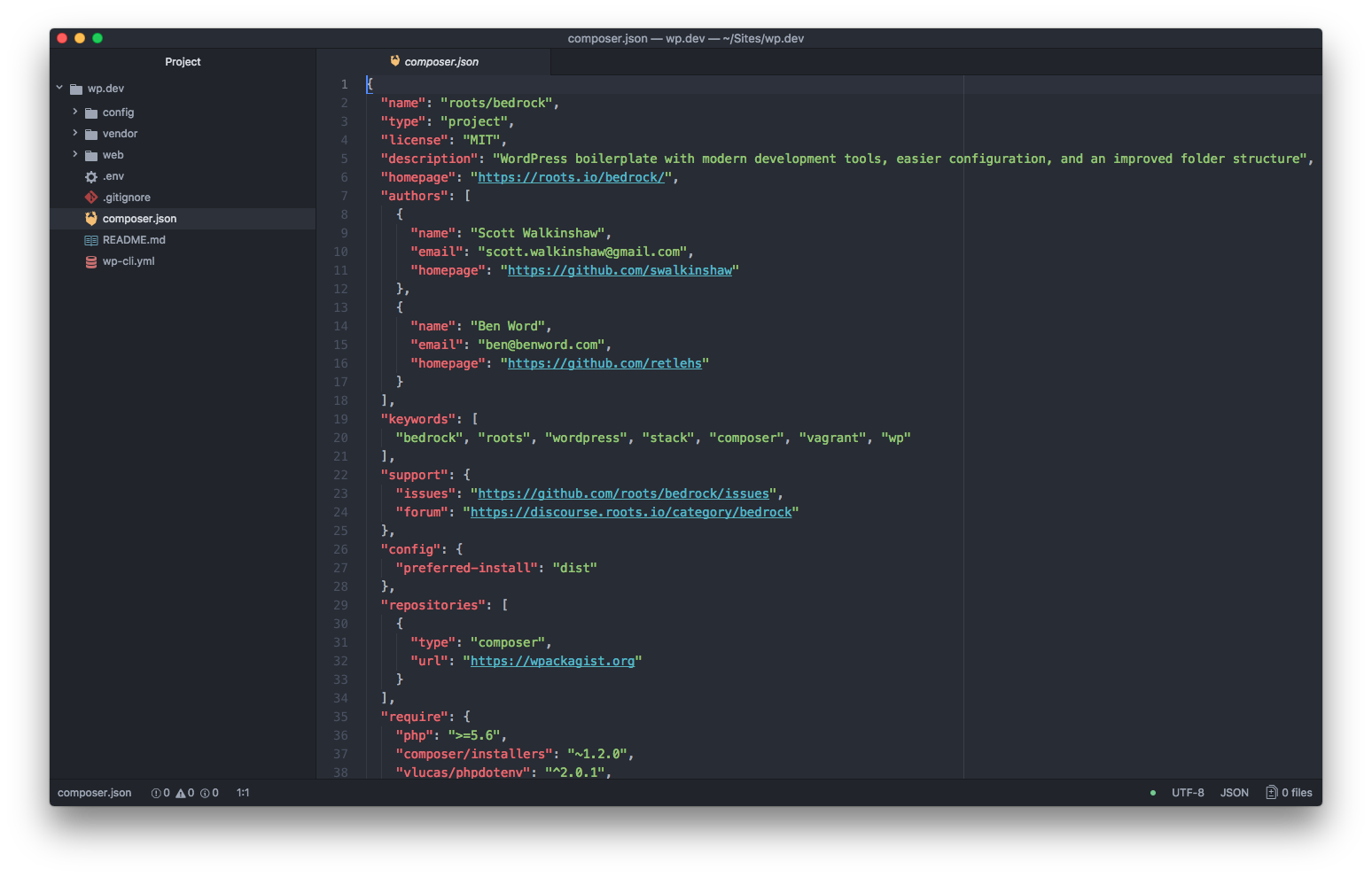
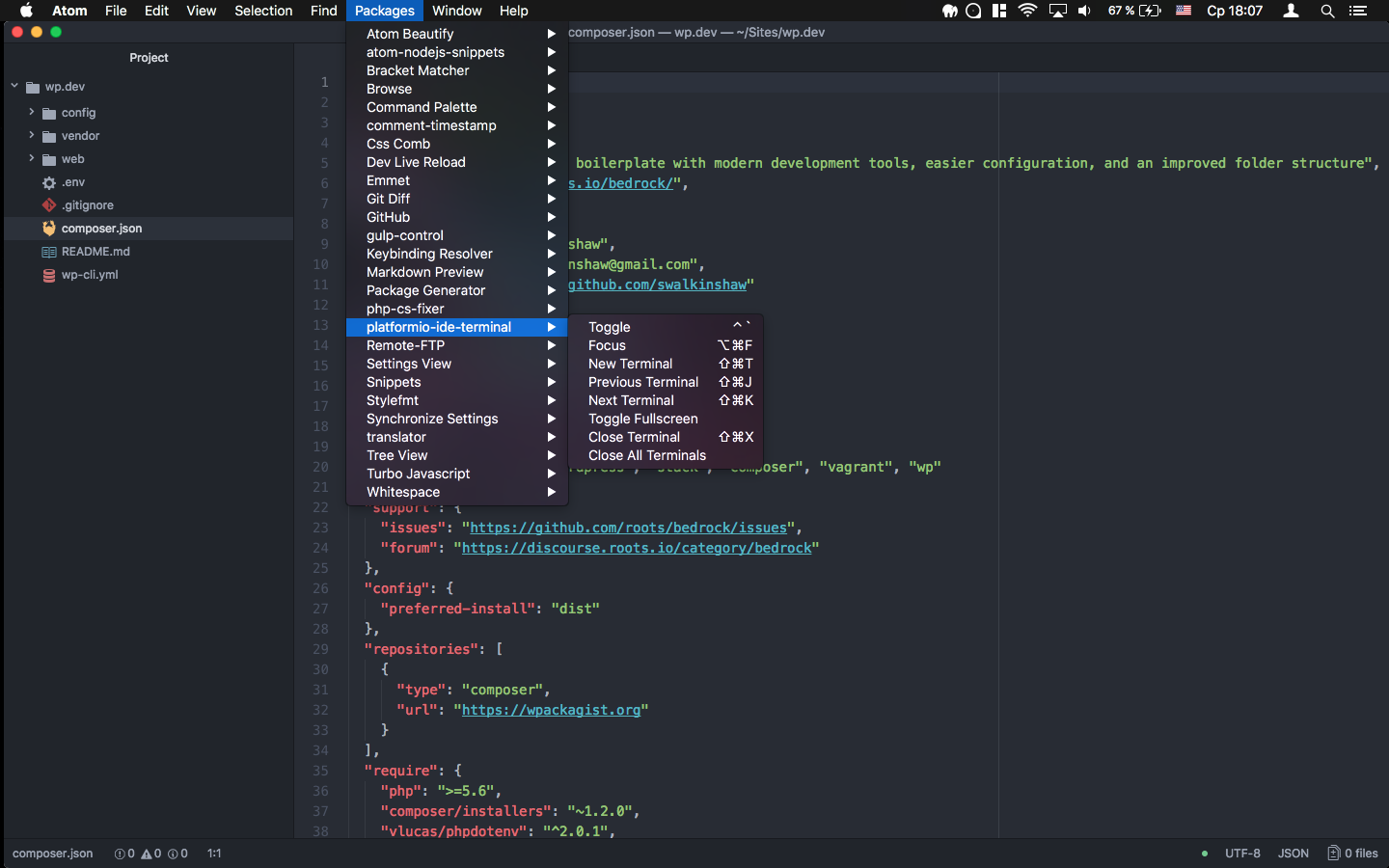
 9585999
on 9 Aug 2017
9585999
on 9 Aug 2017
After updating I get this
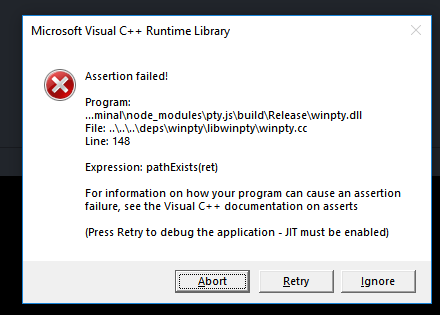
 UziTech
on 9 Aug 2017
UziTech
on 9 Aug 2017
restarted computer now it works
UziTech
on 9 Aug 2017
Thanks for the solution. The UI of that Atom feature (a button will appear to rebuild package) could be improved, I guess.
i3games
on 10 Aug 2017
Another way, if anyone got some issue like me from Atom 1.18.0 #301
 barayuda
on 10 Aug 2017
barayuda
on 10 Aug 2017
I also did the update of Atom this morning but since then, and despite rebooting, using apm rebuild and all I can possibly think of, this package refuse to work.
( I also tried the solution in the first message of this issue )
I have the entries in Atom's package menu but nothing happens when I click on them.
I'm on Mac OSX 10.11.6 with Atom 1.19
➜  apm --version
apm  1.18.2
npm  3.10.10
node 6.9.5 x64
python 2.7.10
git 2.10.1
➜  atom --version
Atom    : 1.19.0
Electron: 1.6.9
Chrome  : 56.0.2924.87
Node    : 7.4.0
Do you have any other idea on how to fix this?
 tbekaert
on 10 Aug 2017
tbekaert
on 10 Aug 2017
The update steps for me;
- Uninstall
- Install
- Rebuild
- Packages -> platformmio-id.... -> Toggle
By then the toggle was visible in the bottom left of my editor again.
 Jesse1989pp
on 11 Aug 2017
Jesse1989pp
on 11 Aug 2017
hi guys @ivankravets ... I read through this whole thread and my issue is still unresolved. When I open atom, everything works fine. However, when i click on view -> open in dev mode, i keep getting the error:
Some installed packages could not be loaded because they contain native modules that were compiled for an earlier version of Atom.
bin@unknown – Cannot find module 'C:\Users\xx.atom\packagesplatformio-ide-terminalnode_modules\pty.js\bin'
I rebuilt the package which occurred successfully. HOwever, when I reload atom, the problem comes right back.
Note that this is happening ONLY in developer mode. In the regular mode that atom opens in, rebuilding solves the problem.
Please help! I tried to provide more info in #314 but it was closed with reference to this error. I'm on windows10, 64bit. I have the latest version of everything. Restarted the computer. Uninstalled and reinstalled platformio.
 ohpoop
on 15 Aug 2017
ohpoop
on 15 Aug 2017
Likewise, I've read thru this and applied all above for Mac Sierra. Nothing worked Not only does not work on my Mac, it doesn't work on Windows either. On both, I've uninstalled, reinstalled, rebuilt apm, uninstalled and re-installed. Still doesn't work. I have the same atom and app versions that are listed above. There is no rebuild button on the right side, only a button to bring me to 'package settings'.
 alsGitHub270
on 15 Aug 2017
alsGitHub270
on 15 Aug 2017
Same here. I have a MAC (El Capitan), and I tried the steps mentioned in the 'solution' section. When I rebuild, uninstall-and-reinstall platformio-ide-terminal, I still get the same error:
Some installed packages could not be loaded because they contain native modules that were compiled for an earlier version of Atom.
bin@unknown – Cannot find module '/Users/achadha/.atom/packages/platformio-ide-terminal/node_modules/pty.js/bin'
bin@unknown – Cannot find module '/Users/achadha/.atom/packages/platformio-ide-terminal/node_modules/pty.js/bin'
bin@unknown – Cannot find module '/Users/achadha/.atom/packages/platformio-ide-terminal/node_modules/pty.js/bin'
bin@unknown – Cannot find module '/Users/achadha/.atom/packages/platformio-ide-terminal/node_modules/pty.js/bin'
bin@unknown – Cannot find module '/Users/achadha/.atom/packages/platformio-ide-terminal/node_modules/pty.js/bin'
bin@unknown – Cannot find module '/Users/achadha/.atom/packages/platformio-ide-terminal/node_modules/pty.js/bin'
bin@unknown – Cannot find module '/Users/achadha/.atom/packages/platformio-ide-terminal/node_modules/pty.js/bin'
bin@unknown – Cannot find module '/Users/achadha/.atom/packages/platformio-ide-terminal/node_modules/pty.js/bin'
 ankitchadha
on 15 Aug 2017
ankitchadha
on 15 Aug 2017
Solution No.2 is added. See updated issue https://github.com/platformio/platformio-atom-ide-terminal/issues/297#issue-248825181
ivankravets
on 15 Aug 2017
Please navigate to ~/.atom/packages/platformio-ide-terminal/node_modules/pty.js in system terminal and run:
apm rebuild

# or

npm install
I have visual studio 2015 installed on my win10 x64 machine too.
On Tue, Aug 15, 2017 at 10:27 AM, Al Adolfsen notifications@github.com
wrote:
xcode is already installed on my Mac and Visual Studio (along with the C++
projects) is on my Windows machine. No effect. Nothing changes—
You are receiving this because you commented.
Reply to this email directly, view it on GitHub
https://github.com/platformio/platformio-atom-ide-terminal/issues/297#issuecomment-322517145,
or mute the thread
https://github.com/notifications/unsubscribe-auth/AdgCUC9yd-D7ZTpSw6b_8UG9FqWqYKmjks5sYcbygaJpZM4OxM_u
.
ohpoop
on 15 Aug 2017
I've tried apm rebuild (again) and apm install (did you mean npm install or apm install? i'm new to this coding thing). They both said rebuild successful and install successful or something to that effect. But as soon as i go into dev mode, the problem reappears.
ohpoop
on 15 Aug 2017
xcode is already installed on my mac and visual studio on my windows machine. No effect
alsGitHub270
on 15 Aug 2017
@ivankravets is there a way to speed this up by giving you remote access to my computer? We can set up some time so you can poke around. I feel bad that this is taking so much of your time and really appreciate your help!
ohpoop
on 15 Aug 2017
Als-MacBook-Pro:~ al$ apm rebuild
Rebuilding modules ✓
Als-MacBook-Pro:~ al$ npm install
npm WARN saveError ENOENT: no such file or directory, open '/Users/al/package.json'
npm WARN enoent ENOENT: no such file or directory, open '/Users/al/package.json'
npm WARN al No description
npm WARN al No repository field.
npm WARN al No README data
npm WARN al No license field.
up to date in 0.171s
Als-MacBook-Pro:~ al$
NO EFFECT
alsGitHub270
on 15 Aug 2017
I can confirm this error in Dev Mode on Windows 10
It works fine in regular mode but in dev mode it is listed in Incompatible Packages with the error:
bin@unknown – Cannot find module 'C:\Users\username\.atom\packages\platformio-ide-terminal\node_modules\pty.js\bin'
What does mean "Dev Mode"?
ivankravets
on 15 Aug 2017
Dev Mode is for developing packages for Atom with Atom. It gives a bit more control over debugging packages.
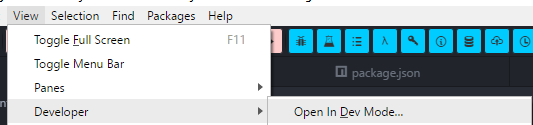
UziTech
on 15 Aug 2017
In atom, i go to view -> developer -> dev mode. I'm taking python lessons
and that's what the online video asked me to do and I'm stuck.
On Tue, Aug 15, 2017 at 3:31 PM, Ivan Kravets notifications@github.com
wrote:
What does mean "Dev Mode"?
—
You are receiving this because you commented.
Reply to this email directly, view it on GitHub
https://github.com/platformio/platformio-atom-ide-terminal/issues/297#issuecomment-322595667,
or mute the thread
https://github.com/notifications/unsubscribe-auth/AdgCUB-86X45lITA6jDMDB1XhDCpZcMJks5sYg44gaJpZM4OxM_u
.
ohpoop
on 15 Aug 2017
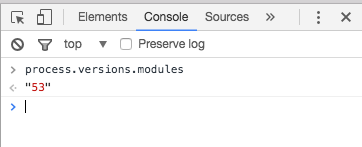
It works for me in Dev mode too. Please provide the output of
process.versions.modules
View -> Developer -> Toggle Developer Tools > Paste in JS Prompt
ivankravets
on 15 Aug 2017
Thanks for laying out the steps. I did that. I got "53" in both the dev
mode and non-dev mode
On Tue, Aug 15, 2017 at 3:47 PM, Ivan Kravets notifications@github.com
wrote:
It works for me in Dev mode too. Please provide the output of
process.versions.modules
View -> Developer -> Toggle Developer Tools > Paste in JS Prompt
[image: screen shot 2017-08-16 at 00 47 20]
https://user-images.githubusercontent.com/1760209/29338099-827441ae-821c-11e7-8311-e45c1797694a.png—
You are receiving this because you commented.
Reply to this email directly, view it on GitHub
https://github.com/platformio/platformio-atom-ide-terminal/issues/297#issuecomment-322599237,
or mute the thread
https://github.com/notifications/unsubscribe-auth/AdgCUPONG3BhNgVyMzB28TUSaPxnp5cwks5sYhICgaJpZM4OxM_u
.
ohpoop
on 16 Aug 2017
Hey Karan, did you get platformio-ide-terminal to work? Did I miss something here. It still is not operational on my machine.
alsGitHub270
on 16 Aug 2017
Nope still doesn't work :(. Sorry should've mentioned that.
From: Karan Rustagi karan.rustagi@gmail.com
Sent: Wednesday, August 16, 2017 7:56:42 AM
To: platformio/platformio-atom-ide-terminal; platformio/platformio-atom-ide-terminal
Cc: Comment
Subject: Re: [platformio/platformio-atom-ide-terminal] [SOLVED] PlatformIO IDE Terminal does not work with Atom 1.19 (#297)
Nope. Still doesn't work.
From: Al Adolfsen notifications@github.com
Sent: Wednesday, August 16, 2017 7:23:04 AM
To: platformio/platformio-atom-ide-terminal
Cc: ohpoop; Comment
Subject: Re: [platformio/platformio-atom-ide-terminal] [SOLVED] PlatformIO IDE Terminal does not work with Atom 1.19 (#297)
Hey Karan, did you get platformio-ide-terminal to work? Did I miss something here. It still is not operational on my machine.
—
You are receiving this because you commented.
Reply to this email directly, view it on GitHubhttps://github.com/platformio/platformio-atom-ide-terminal/issues/297#issuecomment-322769231, or mute the threadhttps://github.com/notifications/unsubscribe-auth/AdgCUMWcUL_wgjSWrgm9EQyeFpAxfSpPks5sYu04gaJpZM4OxM_u.
ohpoop
on 16 Aug 2017
I think I have narrowed it down to something being cached in Atom.
@ohpoop try executing the following in the dev tools console and restart atom in dev mode
localStorage["installed-packages:platformio-ide-terminal:2.5.5:electron-1.6.9:incompatible-native-modules"] = "[]"
@UziTech didn't help
I rebuilt the packages in dev mode,
executed the code you provided by doing the following: view->developer -> toggle dev tools and pasting your command in the console that opens up. The output of that statement was "[]". I restarted atom in dev mode and got the same error.
ohpoop
on 16 Aug 2017
I got it to work by opening C:\Users\username\.atom\packages\platformio-ide-terminal\package.json and deleting the following lines:
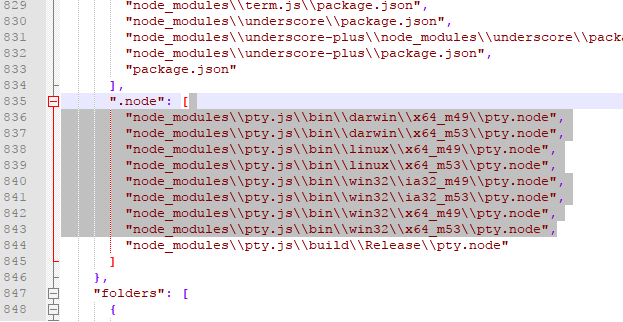
Then rebuild the package and restart Atom in Dev Mode
If you get the following popup:
then delete the file C:\Users\username\.atom\packages\platformio-ide-terminal\node_modules\pty.js\build\Release\pty.node and restart Atom
UziTech
on 16 Aug 2017
There is no build folder on my windows machine. I deleted the files listed above, and when I restarted Atom, it rebuilt the package.json and included the files that were just deleted. PlatformIO still does not work.
alsGitHub270
on 16 Aug 2017
no build folder on mine either
ohpoop
on 16 Aug 2017
Hey Ivan: could this be an issue with multiple pty.node files in the package? I am to assume that this is used to compile the package? There seems to be a build 49 and a build 53. I'm also having issues with script-runner, which identifies that the package was compile with NODE_MODEL_VERSION 49 and should be compiled with NODE_MODEL_VERSION 53. While I don't understand how packages are built for atom, I do see two versions on both my MAC and Windows machines for platformio-ide-terminal . Here's the folder on MAC:
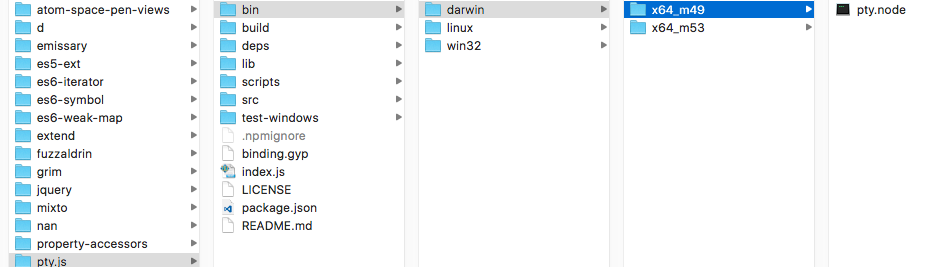
alsGitHub270
on 17 Aug 2017
Also, could this be an issue with Python. My default when I execute 'python file.py' is Python 3.6. Python 2.7.10 is on my machine, but to use it I need to call 'python2.7 file.py'
alsGitHub270
on 17 Aug 2017
I noticed the exact same thing... ran out of time to describe it. Thanks,
Al. I dont have python 2.7, just the 3.6 on my machine.
On Thu, Aug 17, 2017 at 8:04 AM, Al Adolfsen notifications@github.com
wrote:
Also, could this be an issue with Python. My default when I execute
'python file.py' is Python 3.6. Python 2.7.10 is on my machine, but to use
it I need to call 'python2.7 file.py'—
You are receiving this because you were mentioned.
Reply to this email directly, view it on GitHub
https://github.com/platformio/platformio-atom-ide-terminal/issues/297#issuecomment-323083240,
or mute the thread
https://github.com/notifications/unsubscribe-auth/AdgCUAavwhJkNXDN7za7IyfPEVL-39Ktks5sZEgwgaJpZM4OxM_u
.
ohpoop
on 17 Aug 2017
@ohpoop @UziTech @ivankravets I just changed the theme on my version of Atom, and lo and behold, I can see a button to the right of the initial Incompatible message to 'Rebuild Packages'. Click that, the packages are rebuilt, button changes to reload Atom, click that and the reloaded version now has the + at the bottom of the screen and the terminal opens. With the theme, the colors on the button blended in to the message. When I looked on my windows machine, I had to move the cursor over the area of the button, and there it was. It was successful there too. Try it.
alsGitHub270
on 18 Aug 2017
thanks UziTech ! Your proposed solution worked for me !
 arvindmuthu
on 18 Aug 2017
arvindmuthu
on 18 Aug 2017
Thanks, Al. Lucky you guys! I tried changing the theme several times but it
didn't work for me. I also upgraded to atom 1.19.2 today. :( I tried to
delete the following. In the folder C:\Users\user.atom\packages\
platformio-ide-terminalnode_modules\pty.js\bin i renamed darwin and
linux folders to something else. In the win32 folder, i renamed every
folder except x64_m53 and then within it, i renamed pty.node which is the
file that Ivan wanted us to delete. Yet, NOTHING happened. WHen I rebuild,
the pty.node isn't even edited or created. None of the files in this folder
change the date stamps. Did you do anything else at all? Also, are you
using the dev mode?
On Fri, Aug 18, 2017 at 7:48 AM, Al Adolfsen notifications@github.com
wrote:
@ohpoop https://github.com/ohpoop @UziTech https://github.com/uzitech
@ivankravets https://github.com/ivankravets I just changed the theme on
my version of aAtom, and lo and behold, I can see a button to the right of
the initial message to 'Rebuild Packages'. Click that, the packages are
rebuilt, button changes to reload Atom, click that and the reloaded version
now has the + at the bottom of the screen and the terminal opens. When I
looked on my windows machine, I had to move the cursor over the area of the
button, and there it was. It was successful there too. Try it.—
You are receiving this because you were mentioned.
Reply to this email directly, view it on GitHub
https://github.com/platformio/platformio-atom-ide-terminal/issues/297#issuecomment-323358563,
or mute the thread
https://github.com/notifications/unsubscribe-auth/AdgCUIVxjwTcBllNrQ0rfpCmnvBV5Mxrks5sZZYkgaJpZM4OxM_u
.
ohpoop
on 18 Aug 2017
First, I don't use dev mode. I'm not sure what it gets me. I've been doing tutorials with python, flask and django with atom in normal mode and haven't had any issues. Maybe I'm missing something good.
So I did activate dev mode and also got the incompatible message that I now don't get in normal mode. Changing the theme to atom dark, the button appears on the right.:

The only other things that I did was in trying to resolve another incompatible error with script-runner: I updated the globally installed package:
sudo npm update -g
Then I tried reinstalling:
cd ~/.atom/packages/script-runner
rm -rf node_modules
apm install
You can see I removed the script-runner package. I can't remember if I uninstalled the platformio package when I did the above.
I rebuilt the package in dev, re-built the package. Then I close atom, reopened and the incompatible message does re-appear requiring rebuild again. Did your tutorial describe the benefits of using dev mode? The only thing I have found so far is atom package development, which I am not using.
Who are you using for python tutorials? I've used Udemy, and as far as python question, many are monitored, and you can ask questions with a response coming 24-48 hours.
alsGitHub270
on 21 Aug 2017
Added side note. After rebuild in dev mode, I close and reopened atom. I had to rebuild the platformio package again. Rebuilt the package and open and closed atom several times. I did not have to rebuild. Why are you using dev mode? From what I can see, it's used mainly for atom package development. I never used dev mode until now, to see what you are experiencing. Can your instructors give you advice? What tutorials are you using? I've used Udemy for several python, flask and django tutorials, and for the most part, the instructor or a monitor responds to my questions within 24 hours. That's where I got the idea to use my mouse on the left side and discovered the rebuild button.
alsGitHub270
on 21 Aug 2017
I'm running 1.19.0-beta7 on a Mac with El Capitan. Kardiamond's "Solution 1" worked for me.
 marknotton
on 22 Aug 2017
marknotton
on 22 Aug 2017
atom-1.19.2 & win10-64, "Solution 1" is OK!
 zetakv
on 22 Aug 2017
zetakv
on 22 Aug 2017
terminal icon is still missing #344
 MelindaHasselbring
on 23 Aug 2017
MelindaHasselbring
on 23 Aug 2017
Have you tried moving your mouse to the right of the error message? The color of the button blended in with the background of the error message on my Windows machine. It took moving the mouse over on the right for the button to highlight itself. On my MAC, I changed the theme, and the button seemed to appear slightly below the frame of the error message.
Why up upgrade to Sierra?
alsGitHub270
on 23 Aug 2017
PlatformIO IDE Terminal 2.6.0 is out! A lot of improvements:
- Add predawn theme (#296)
- Optional --login shell (#294)
- Toolbar button with atom styleguide (#345)
- Fix labels rendering outside of Atom's 'editor mini' panel (#339)
- Fix "Some installed packages could not be loaded..." with a new Atom 1.19
Please update.
P.S: If you still have problems with a terminal, please make clean uninstallation of Atom and install the package again.
ivankravets
on 25 Aug 2017
Thanks!!! Everything now works perfectly in dev mode too!
On Fri, Aug 25, 2017 at 9:57 AM, Ivan Kravets notifications@github.com
wrote:
PlatformIO IDE Terminal 2.6.0 is out! A lot of improvements:
- Add predawn theme (#296
https://github.com/platformio/platformio-atom-ide-terminal/pull/296)- Optional --login shell (#294
https://github.com/platformio/platformio-atom-ide-terminal/pull/294)- Toolbar button with atom styleguide (#345
https://github.com/platformio/platformio-atom-ide-terminal/pull/345)- Fix labels rendering outside of Atom's 'editor mini' panel (#339
https://github.com/platformio/platformio-atom-ide-terminal/pull/339)- Fix "Some installed packages could not be loaded..." with a new Atom
1.19Please update.
P.S: If you still have problems with a terminal, please make clean
uninstallation
http://docs.platformio.org/en/latest/ide/atom.html#windows of Atom and
install the package again.—
You are receiving this because you were mentioned.
Reply to this email directly, view it on GitHub
https://github.com/platformio/platformio-atom-ide-terminal/issues/297#issuecomment-324962579,
or mute the thread
https://github.com/notifications/unsubscribe-auth/AdgCUHKs2imObgsPGzw0OYW-TgLLGJbTks5sbu7mgaJpZM4OxM_u
.
ohpoop
on 25 Aug 2017
Solution 1 was good for me until Atom 1.19.4 and PlatformIO IDE Terminal 2.6.0.
Apparently PlatformIO 2.6 fixed the "Some installed packages..." thing so now there's no error message when Atom loads and hence no button to rebuild packages.
I'm trying solution 2 but is there a way to rebuild all Atom packages manually?
 lngka
on 31 Aug 2017
lngka
on 31 Aug 2017
@lngka Could you try to uninstall/install terminal package. Did it help?
ivankravets
on 31 Aug 2017
@ivankravets Sadly it didn't help :(
btw it's not like its unsuable, I could open/close the terminal but not minimize, multiple terminals are out of the question
Can I have the bug from 2.5.5 back?
lngka
on 31 Aug 2017
Ever since Atom 1.18 to now atom 1.19.7 this has always worked without any issues whatsoever for me.
The only issue I have is related to interactive rebases -> https://github.com/atom/github/issues/762#issuecomment-328839686 and Im unsure if its related to terminal, gt, or github atom package.
 the-j0k3r
on 12 Sep 2017
the-j0k3r
on 12 Sep 2017
@the-j0k3r it sounds like issue https://github.com/atom/github/issues/961
UziTech
on 12 Sep 2017
For anyone having this issue, I had to do a clean uninstall of atom and install it again to have it working.
 FutoRicky
on 15 Nov 2017
FutoRicky
on 15 Nov 2017
I fixed this issue for me by changing the Shell Override for platformio-ide-terminal. I went to the Welcome Guide in Atom, clicked Install a Package, opened Installer then clicked Packages. Then I selected platformio-ide-terminal Settings. Auto Run Command was made blank and Shell Override was made as: C:\WINDOWS\System32\cmd.exe
 MalcsR
on 1 Apr 2018
MalcsR
on 1 Apr 2018
solution 2 works
 achyuthreddyi
on 9 Sep 2018
achyuthreddyi
on 9 Sep 2018
Had this problem again:
Atom v: 1.32.2 x64
gcc v: gcc (GCC) 8.2.1 20181127
Arch linux.
Atom error message was saying that
~/.atom/packages/platformio-ide-terminal/node_modules/pty.js/bin/linux/x64_m64/pty.node
was missing. x64_m57 is the latest folder that exists.
apm rebuild didn't work.
Tried to copy 'pty.node.bak' from x64_57 into x64_m64 and rename it to pty.node. Now the icons show and the terminal opens but input is disabled and bash won't start inside it so I removed the x64_64 folder.
 Caellian
on 8 Dec 2018
Caellian
on 8 Dec 2018
@Caellian I am having the same problem, tried reinstalling atom and platformio-ide-terminal but no luck
 sunilkandpal1o1
on 22 Jan 2019
sunilkandpal1o1
on 22 Jan 2019
Also having this issue.
Atom : 1.34.0
Electron: 3.1.1
Chrome : 66.0.3359.181
Node : 10.2.0
gcc (GCC) 8.2.1 20181127
Arch Linux. Re-installs don't fix the issue.
/usr/lib/atom/src/task.js:46 Cannot find module '/home/sseneca/.atom/packages/platformio-ide-terminal/node_modules/pty.js/bin/linux/x64_m64/pty.node' Error: Cannot find module '/home/sseneca/.atom/packages/platformio-ide-terminal/node_modules/pty.js/bin/linux/x64_m64/pty.node'
    at Function.Module._resolveFilename (internal/modules/cjs/loader.js:602:15)
    at Function.Module._load (internal/modules/cjs/loader.js:528:25)
    at Module.require (internal/modules/cjs/loader.js:658:17)
    at require (internal/modules/cjs/helpers.js:20:18)
    at Object.<anonymous> (/home/sseneca/.atom/packages/platformio-ide-terminal/node_modules/pty.js/lib/pty.js:27:9)
    at Object.<anonymous> (/home/sseneca/.atom/packages/platformio-ide-terminal/node_modules/pty.js/lib/pty.js:487:3)
    at Module._compile (internal/modules/cjs/loader.js:711:30)
    at Object.value [as .js] (/usr/lib/atom/src/compile-cache.js:235:23)
    at Module.load (internal/modules/cjs/loader.js:620:32)
    at tryModuleLoad (internal/modules/cjs/loader.js:559:12)
    at Function.Module._load (internal/modules/cjs/loader.js:551:3)
    at Module.require (internal/modules/cjs/loader.js:658:17)
    at require (internal/modules/cjs/helpers.js:20:18)
    at Object.<anonymous> (/home/sseneca/.atom/packages/platformio-ide-terminal/node_modules/pty.js/index.js:2:18)
    at Object.<anonymous> (/home/sseneca/.atom/packages/platformio-ide-terminal/node_modules/pty.js/index.js:4:3)
    at Module._compile (internal/modules/cjs/loader.js:711:30)
    at Object.value [as .js] (/usr/lib/atom/src/compile-cache.js:235:23)
    at Module.load (internal/modules/cjs/loader.js:620:32)
    at tryModuleLoad (internal/modules/cjs/loader.js:559:12)
    at Function.Module._load (internal/modules/cjs/loader.js:551:3)
    at Module.require (internal/modules/cjs/loader.js:658:17)
    at require (internal/modules/cjs/helpers.js:20:18)
    at Object.<anonymous> (/home/sseneca/.atom/packages/platformio-ide-terminal/lib/process.coffee:1:7)
    at Object.<anonymous> (/home/sseneca/.atom/packages/platformio-ide-terminal/lib/process.coffee:1:1)
    at Object.<anonymous> (/home/sseneca/.atom/packages/platformio-ide-terminal/lib/process.coffee:1:1)
    at Module._compile (internal/modules/cjs/loader.js:711:30)
    at Object.value [as .coffee] (/usr/lib/atom/src/compile-cache.js:235:23)
    at Module.load (internal/modules/cjs/loader.js:620:32)
    at tryModuleLoad (internal/modules/cjs/loader.js:559:12)
    at Function.Module._load (internal/modules/cjs/loader.js:551:3)
 sseneca
on 23 Jan 2019
sseneca
on 23 Jan 2019
@sseneca you can find the fix here #632 and here #585
sunilkandpal1o1
on 23 Jan 2019
The issue is solved in the new Update of Platformio-ide-terminal :
They have removed the problem in the latest update. You can directly download it from your setting>intall> search(platformio-ide-terminal).
You can visit website of IDE Atom. You can download it at link.
No more issues.
 udayposia
on 2 Aug 2019
udayposia
on 2 Aug 2019
Related issues
 courthead
·
3Comments
courthead
·
3Comments
 ianindratama
·
4Comments
ianindratama
·
4Comments
 JoanaRFerreira
·
4Comments
JoanaRFerreira
·
4Comments
 hrishikeshac
·
5Comments
hrishikeshac
·
5Comments
 yangwao
·
4Comments
yangwao
·
4Comments
Most helpful comment
I finally was able to fix it: